
Blog Designer PRO for WordPress 3.4.9



- Secure Payment
- Support Monday to Friday
- With You Since 2018
$29.00 The original price was: $29.00.$5.99The current price is: $5.99.
quick summary
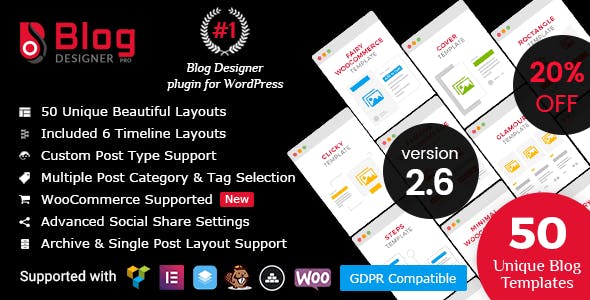
Blog Designer PRO for WordPress is an advanced plugin for managing and designing a WordPress site's blog. It allows you to create more attractive post listings that are consistent with your brand's visual identity, improving content navigation and the professional perception of an e-commerce site, corporate blog, or digital project.
General description
Blog Designer PRO for WordPress belongs to the category of plugins for designing and laying out blog posts and listings. Its purpose is to offer greater control over how blog posts, categories, and archives are displayed, going beyond the limited options typically offered by a standard theme.
In business-oriented WordPress projects, this type of plugin helps present content in a clear, organized, and visually appealing way. It's especially useful when the blog acts as part of the sales funnel, educates customers, or serves as a key content marketing and search engine optimization tool.
What is Blog Designer PRO for WordPress used for?
Blog Designer PRO for WordPress addresses a common need: the blog layouts and post archives offered by many themes often don't align with a project's branding, design, or conversion goals. This tool allows administrators to customize the presentation without writing any code.
In e-commerce, it allows you to display product-related articles, buying guides, or comparisons in a more engaging way. In membership sites or online academies, it facilitates the structuring of lessons, news, and updates. On corporate websites or landing pages, it helps integrate the blog into the visual identity, maintaining a consistent and professional style.
Who is it ideal for?
- For online businesses and stores that use blogging as a lever for attracting traffic, building trust, and educating customers, and need content presentation that is aligned with their brand image.
- For agencies, web designers, and developers who create WordPress projects for third parties and require a flexible solution to quickly customize the blog's appearance across different sites without remaking templates from scratch.
- For marketing and content creation teams that need to manage large volumes of articles, organize categories, highlight key content, and improve the reading experience, while also seeking a positive impact on metrics such as time on page or bounce rate.
Key benefits
- It allows you to configure the layout of entry lists efficiently, reducing the time spent on manual adjustments and avoiding custom development every time a change in the blog layout is needed.
- It improves the end-user experience by presenting publications with a clear structure, well-organized visual elements, and intuitive navigation between categories, tags, featured articles, and related content.
- It offers greater flexibility and customization, helping to adapt the blog to different communication approaches: news, tutorials, reviews, customer stories, or educational content, without depending exclusively on the active theme.
- It is useful for projects with a lot of published content, as it makes it easier to maintain consistency in presentation, create reusable templates, and organize specific listings for different sections of the site.
- It helps save time in blog management and reduces common errors associated with manual layouts or direct modifications to templates, allowing global changes to be applied from a single configuration panel.
Main features of Blog Designer PRO for WordPress
- It includes advanced design options for entry and file listings, allowing you to control elements such as featured images, excerpts, author metadata, dates, tags, and read buttons, adjusting the order and visibility of each component.
- It usually integrates predefined templates or base styles that serve as a starting point for different types of blogs, such as digital magazines, personal blogs, support resources or corporate news sections, facilitating visual customization.
- It incorporates tools aimed at organizing and presenting content, such as category listings, basic filters, featured sections, or specific designs for archive pages, improving the user's navigation flow.
- It allows you to work with responsive designs geared towards mobile devices, so that the blog structure automatically adapts to different screen sizes, maintaining readability and a good reading experience.
- In many cases, it offers style controls for fonts, colors, spacing, and element sizes, along with settings for the number of entries per page, number of columns, and how pagination or navigation links are displayed.
Use cases
- Case 1: An online store uses its blog to publish buying guides, comparisons, and support articles. The plugin helps present this content with an attractive design, clear filters, and a coherent structure, making it easier for users to quickly find the information they need.
- Case 2: A branding project or corporate website that requires the blog to reflect the company's visual identity. Thanks to the customization of the listing and archive design, the blog no longer looks like a generic add-on and integrates naturally with the rest of the site.
- Case 3: A blog with many years of posts needs to reorganize its content, highlight strategic categories, and improve access to older articles. Using customizable templates allows for a refreshed presentation without having to migrate themes or redesign the site.
Frequently Asked Questions about Blog Designer PRO for WordPress
What kind of visual improvements can I achieve with Blog Designer PRO for WordPress?
This type of plugin makes it easy to completely change the appearance of blog post listings, archives, and sections. It allows you to adjust the layout of elements, columns, images, titles, and metadata, resulting in a more professional design that aligns with the project's visual identity.
Does Blog Designer PRO for WordPress affect only the blog or also other sections of the site?
Its primary focus is on the presentation of posts, listings, and content archives. However, by improving how news, articles, and resources are displayed, it can also positively impact pages that link to the blog, such as the homepage, resource sections, or category pages.
Is it necessary to know how to program to take advantage of Blog Designer PRO for WordPress?
Most features of this type of plugin are designed to be configured from the administration panel, using visual options and intuitive settings. Users without coding knowledge can modify the blog's appearance with relative ease, while maintaining the overall structure of their site.
How does Blog Designer PRO for WordPress help in a content strategy?
By enabling a better presentation of articles, categories, and featured sections, it makes it easier for important content to gain more visibility and for readers to find what they're looking for with less friction. This can strengthen search engine ranking, improve dwell time, and support content marketing campaigns.
Is Blog Designer PRO for WordPress useful for projects with many authors?
In collaborative projects, having consistent templates and a uniform list structure helps maintain a clean and organized look, even when multiple authors are contributing content. Furthermore, customizing metadata and author blocks allows you to display relevant information without sacrificing visual consistency.
Can Blog Designer PRO for WordPress be used on existing sites without redesigning them?
Typically, this type of tool is integrated into the active theme, allowing you to change only the appearance of the blog and files. This makes it possible to modernize the look of published content without having to redesign the entire site or completely change the main template.
Conclusion
Blog Designer PRO for WordPress is a solution designed to improve how content is presented on a WordPress site, giving you control over design, organization, and reading experience. It is especially valuable for projects where the blog plays a strategic role in communication, marketing, and building trust.
Last updated:

Written by: WPClub
With over seven years of experience curating, managing, and distributing GPL products, our content is based on hands-on experience, technical review, testing, and feedback from thousands of users. We aim to democratize and simplify the WordPress world so you can choose with confidence, speed, and ease.
Your Individual Purchase Includes:
- Lifetime updates.*
- Official product, ready to use.
- Immediate access to the product.
- Clean and virus-free files.
- GNU GPL V2/V3 License
- Technical support in Spanish and English.
* In the case of memberships, the period during which you will receive updates will depend on the type of membership purchased: monthly, annual, or lifetime.
Notify Update
We update products Monday through Friday. However, if the product you see is not yet updated, you can notify us so we can prioritize updating it whenever possible.
Get rid of your doubts here
Here you'll find answers to frequently asked questions about our service: how it works, what it includes, and how to get the most out of it.
How many websites can I use the products on?
You can use any product from our store on as many websites as you like.
Will I get updates?
Absolutely. If you buy an individual product, you'll get lifetime updates for that product.
On the other hand, if you purchase a membership, you will have updates until your membership expires.
What if I have a problem?
First of all, we want you to know that you can count on us. We will assist you and provide the necessary support, so you can rest assured.
On the other hand, it is important for you to know that, given the time difference between countries, your time and ours may not be the same, so we will be delayed accordingly.
Our opening hours start at 09 AM from Monday to Friday, UTC -3. We are open until around 18 PM.
Do you provide technical support?
Yes, and regarding time, it is usually on average within 24 to 48 business hours.
However, there are times when we have already provided a response and solution in less than a day depending on the case.
Are there download limits?
No. We don't believe in that format, so you can download as many times as you want. No problem. We pay for high-quality professional storage precisely to avoid problems.
Do you provide license keys?
No. Giving out the keys is not a viable option, as we have had experiences where they end up circulating everywhere and we can even lose the associated accounts.
That said, all products are original and, in cases where a license key is required to function, we will take care of pre-activating them for you.
Does my purchase include an invoice?
Yes. After paying, you will be able to immediately access your invoice in the “Purchases” section of your user account.
This is why it is important that you properly complete the information requested at the time of payment.
Is there a warranty?
Yes, of course. If there's a problem we can't resolve, or if there's an external issue that doesn't have a general solution, you'll receive support and, if necessary, a full refund. We have a 14-day refund policy from the date of purchase.
- It is worth noting that there is no guarantee if the product works well and simply was not what you wanted.
There have been times when a person buys a product, the product works perfectly, but they don't like it and want a refund, keeping the product. That is not appropriate.
Now, everything is evaluable and reasonable. Let's use the criteria together.
What is the attention hour?
Our opening hours are:
- Monday to Friday, from 09 a.m. to 18 p.m.
- Saturday and Sunday: No service.
UTC -3 time

Our Reputation on Trustpilot
Many thanks to those who take the time to give us a review. Trustpilot. Each of your comments is very helpful. We strive to provide a rewarding experience for each member of our community, always with respect and love. We will be here!






















WPClub Memberships
Access our entire catalog for a single payment. We offer three memberships: Monthly, Annual, and Lifetime (One-Time Payment).
- Save thousands of dollars
- No daily download limits
- No recurring payments
- Fast Downloads by AWS
- Quality service and support, validated since 2018
- We work with love for our community