
Clever Mega Menu Pro for Elementor 1.0.10


- Secure Payment
- Support Monday to Friday
- With You Since 2018
$99.00 The original price was: $99.00.$5.99The current price is: $5.99.
quick summary
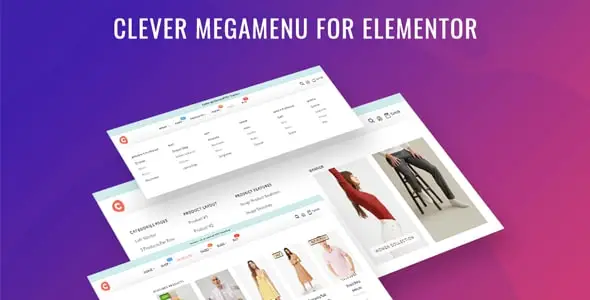
Clever Mega Menu Pro for Elementor is a specialized solution for creating advanced menus within Elementor-based WordPress sites. It helps transform navigation into something visual, organized, and easy to explore, providing a professional experience for online stores, directories, or projects with many sections and categories.
General description
Clever Mega Menu Pro for Elementor integrates seamlessly with Elementor's design workflow to visually build complex menus. Instead of relying solely on WordPress's native menu editor, it allows you to structure navigation with a more section- and template-oriented approach, a valuable feature for rapidly growing projects.
In real-world scenarios, it's used to organize extensive catalogs, service hierarchies, or editorial content, preventing users from having to click too many times to find what they're looking for. In this way, navigation becomes a key component of the conversion strategy, not just a decorative element of the theme.
What is Clever Mega Menu Pro for Elementor used for?
This type of solution addresses a very specific problem: standard menus fall short when a website handles many categories, subpages, or product pages. Navigation becomes unclear, important content is difficult to find, and key areas such as featured collections or main services lose relevance.
In an e-commerce store, for example, it helps group product families, brands, and promotions into a single, well-structured, expandable panel. On membership sites, it facilitates access to private areas, courses, or downloadable resources. On corporate websites or landing pages, it allows you to highlight services, success stories, and forms without requiring users to visit multiple intermediate pages.
Who is it ideal for?
- Online stores that handle many categories, collections, or product variations need clear navigation to reduce user friction.
- Corporate projects, online academies, and content sites that require grouping sections, resources, and internal pages without cluttering the main menu.
- Marketing and design teams working with Elementor who want to control the menu presentation, highlighting campaigns, strategic pages, and conversion flows.
Key benefits
- Improves navigation management efficiency by centralizing the menu structure in a visual system that is consistent with the rest of the design.
- It offers a smoother experience for the visitor, reducing the effort to find specific categories, products or content.
- It provides flexibility to adapt the menu presentation to campaigns, seasons, launches, and changes in information architecture.
- This is especially useful in large catalogs, where a simple menu fails to display the full depth of content without becoming chaotic.
- It helps save time in navigation adjustments, avoiding constant restructuring and minimizing errors in link organization.
Key features of Clever Mega Menu Pro for Elementor
- Possibility of creating "mega menu" type menus, where the drop-down menu displays several columns of links, content blocks and differentiated sections.
- Integration with the visual approach to page building, leveraging the same design environment to shape primary and secondary navigation.
- Options aimed at organizing categories, submenus, and featured links, helping to maintain a clear structure even on sites with many levels of content.
- In daily work with WordPress, this type of solution allows you to define which sections are displayed on desktop and mobile, adjust column layout, insert visual elements, and control the order of links without relying on complex theme changes.
Use cases
- WooCommerce store administrators who need to display categories, brands, and special collections in a single navigation panel easily accessible from the header.
- Corporate projects where the main menu must communicate services, solutions by sector, downloadable resources and contact, without overwhelming the user with an endless list of links.
- Blogs and content sites that organize articles by sections, tags, or key topics and seek a clear way to guide the reader to the most relevant sections.
Frequently Asked Questions about Clever Mega Menu Pro for Elementor
What type of WordPress site is Clever Mega Menu Pro for Elementor best suited for?
This type of solution is particularly well-suited to websites with extensive structures: online stores with many categories, content portals, online academies, or corporate sites with multiple service levels. The more complex the information architecture, the more value advanced and well-organized navigation provides.
What difference does it make compared to the native WordPress menu?
Unlike the native menu system, Clever Mega Menu Pro for Elementor focuses on building visual menus with multiple columns and distinct blocks. This allows you to display more information in each dropdown menu and strategically link content without resorting to endless lists of simple links.
Is it suitable for new projects or only for large, established sites?
It's useful both for projects just starting out that want a solid navigation foundation, and for established websites that need to reorganize their structure. In the initial stages, it helps plan the architecture; in mature projects, it facilitates reorganizing categories and key access points without redoing the entire site.
How does it contribute to improving the user experience in an online store?
In e-commerce, clear navigation reduces frustration and the number of steps required to reach the desired product. A well-designed mega menu highlights relevant categories, offers, and quick access options, guiding the shopper to what matters and preventing them from abandoning their visit because they can't find what they need.
Does it integrate well with the usual Elementor design workflow?
By working in line with Elementor's visual approach, menu creation is part of the same design flow as pages and templates. This helps maintain consistency in styles, typography, and spacing, avoiding visual breaks between the header and the rest of the site.
Can it help with the internal organization of content beyond the main menu?
In addition to the main menu, this type of solution is useful for secondary menus, specific section headings, or private areas. It allows you to decide which content to highlight in each context, improving access to key resources based on the user type or the section of the website they are browsing.
Conclusion
Clever Mega Menu Pro for Elementor provides a structured and visual way to manage navigation in WordPress projects that need to go beyond a basic menu. By better organizing categories, sections, and strategic content, it becomes an important tool for enhancing user experience and overall site consistency.
Last updated:

Written by: WPClub
With over seven years of experience curating, managing, and distributing GPL products, our content is based on hands-on experience, technical review, testing, and feedback from thousands of users. We aim to democratize and simplify the WordPress world so you can choose with confidence, speed, and ease.
Your Individual Purchase Includes:
- Lifetime updates.*
- Official product, ready to use.
- Immediate access to the product.
- Clean and virus-free files.
- GNU GPL V2/V3 License
- Technical support in Spanish and English.
* In the case of memberships, the period during which you will receive updates will depend on the type of membership purchased: monthly, annual, or lifetime.
Notify Update
We update products Monday through Friday. However, if the product you see is not yet updated, you can notify us so we can prioritize updating it whenever possible.
Get rid of your doubts here
Here you'll find answers to frequently asked questions about our service: how it works, what it includes, and how to get the most out of it.
How many websites can I use the products on?
You can use any product from our store on as many websites as you like.
Will I get updates?
Absolutely. If you buy an individual product, you'll get lifetime updates for that product.
On the other hand, if you purchase a membership, you will have updates until your membership expires.
What if I have a problem?
First of all, we want you to know that you can count on us. We will assist you and provide the necessary support, so you can rest assured.
On the other hand, it is important for you to know that, given the time difference between countries, your time and ours may not be the same, so we will be delayed accordingly.
Our opening hours start at 09 AM from Monday to Friday, UTC -3. We are open until around 18 PM.
Do you provide technical support?
Yes, and regarding time, it is usually on average within 24 to 48 business hours.
However, there are times when we have already provided a response and solution in less than a day depending on the case.
Are there download limits?
No. We don't believe in that format, so you can download as many times as you want. No problem. We pay for high-quality professional storage precisely to avoid problems.
Do you provide license keys?
No. Giving out the keys is not a viable option, as we have had experiences where they end up circulating everywhere and we can even lose the associated accounts.
That said, all products are original and, in cases where a license key is required to function, we will take care of pre-activating them for you.
Does my purchase include an invoice?
Yes. After paying, you will be able to immediately access your invoice in the “Purchases” section of your user account.
This is why it is important that you properly complete the information requested at the time of payment.
Is there a warranty?
Yes, of course. If there's a problem we can't resolve, or if there's an external issue that doesn't have a general solution, you'll receive support and, if necessary, a full refund. We have a 14-day refund policy from the date of purchase.
- It is worth noting that there is no guarantee if the product works well and simply was not what you wanted.
There have been times when a person buys a product, the product works perfectly, but they don't like it and want a refund, keeping the product. That is not appropriate.
Now, everything is evaluable and reasonable. Let's use the criteria together.
What is the attention hour?
Our opening hours are:
- Monday to Friday, from 09 a.m. to 18 p.m.
- Saturday and Sunday: No service.
UTC -3 time

Our Reputation on Trustpilot
Many thanks to those who take the time to give us a review. Trustpilot. Each of your comments is very helpful. We strive to provide a rewarding experience for each member of our community, always with respect and love. We will be here!






















WPClub Memberships
Access our entire catalog for a single payment. We offer three memberships: Monthly, Annual, and Lifetime (One-Time Payment).
- Save thousands of dollars
- No daily download limits
- No recurring payments
- Fast Downloads by AWS
- Quality service and support, validated since 2018
- We work with love for our community