
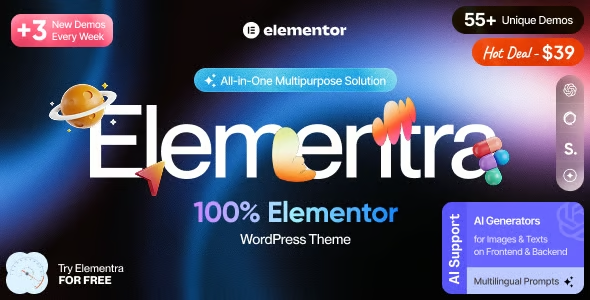
Elementra 100% Elementor WordPress Theme 1.1.1


- Secure Payment
- Support Monday to Friday
- With You Since 2018
$39.00 The original price was: $39.00.$5.99The current price is: $5.99.
quick summary
Elementra is a WordPress theme designed specifically to work seamlessly with Elementor as its visual builder. It's ideal for those who want to design clean, fast, and conversion-focused websites without dealing with duplicate options, rigid templates, or broken designs. It's especially well-suited for projects where Elementor is central to the design and where a lightweight, consistent, and easily maintainable foundation is desired.
What problem does it help solve?
On many Elementor-built sites, the real obstacle isn't the builder itself, but the accompanying theme. When the theme adds its own page builders, outdated shortcodes, or templates that don't respect content width, inconsistent designs, misaligned headings, and unresponsive sections on mobile devices result. When working with WordPress in a production environment, this translates to pages that look fine in the editor but not in the live, published version.
If you've ever meticulously fine-tuned a design pixel by pixel in Elementor only to discover that the header, footer, or blog section uses completely different styles, the problem usually lies in a foundation that isn't designed to empower the web designer. In this context, correcting every detail involves manual CSS, tweaking each template individually, and a constant feeling of "patching" that consumes time and wears down the team.
Elementra focuses precisely on this critical point: offering a theme structure designed so that Elementor can clearly control the design, without conflicting layers of customization. This way, what you see in the editor is much closer to what the end user sees, reducing revisions, surprises, and endless adjustments with every content change.
Why this solution makes a difference
In real-world projects, the difference between a generic theme and one designed for Elementor is noticeable every day. With Elementra, the layout relies on a simple structure: headers and footers designed to integrate with Elementor templates, clean content areas, and base styles that don't conflict with the builder's styles. This drastically reduces the need for custom styles and fine-tuning on each page.
When you start noticing that each new landing page requires checking global margins, duplicate fonts, or colors that don't match the overall design, a dedicated platform like Elementra becomes a clear advantage. The team can focus on the message, A/B testing, and user experience, instead of wasting hours figuring out why a column overflows on tablets or why a button looks different only in some templates.
Furthermore, because it has a structure designed for Elementor from the ground up, the learning curve is shortened. Anyone joining a project built with Elementra quickly understands where each part of the site is controlled: what the theme manages and what the page builder handles. This clarity improves collaboration between designers, marketers, and developers, and reduces errors when modifying pages with traffic or active campaigns.
Signs you need this product
- Your WordPress site is built with Elementor and the design doesn't match between what you see in the editor and the public view, especially in headers, footers, and the blog area.
- You may notice friction when working in Elementor because the theme adds its own page builder, visual shortcodes, or design panels that create style conflicts and duplicate settings.
- You waste time adjusting margins, fonts, and colors on each page because the theme's base applies global styles that overlap with Elementor's and force you to use additional CSS.
- Your project has grown: you've gone from a few pages to multiple landing pages, content sections, and maybe an active blog, and you're starting to see that maintaining design consistency becomes difficult.
When does it make sense to use it (and when doesn't)
Elementra makes sense when Elementor is at the core of your design strategy and you want the theme to be a clear, uninterrupted support. It brings real value to projects involving many custom pages, conversion-oriented landing pages, detailed service pages, or sites where the design is frequently updated directly from the page builder, without constant custom development.
In this context, having a theme specifically designed for Elementor allows you to define a typographic base, a header and footer structure, and a content organization that integrates seamlessly with the builder's templates. This reduces conflicts, simplifies the work for the content management team, and helps keep the site aligned with marketing and branding objectives without relying as heavily on in-house technical support.
On the other hand, this theme isn't necessary if you work with a completely different approach: for example, if your site relies on the WordPress block editor without Elementor, if you use your own framework with custom templates, or if your project is very small and consists of just a few static pages with a well-adapted theme. In those cases, switching to Elementra wouldn't offer a clear improvement in your daily workflow.
Who it fits best for
- Marketing and sales funnel professionals who regularly design and test new landing pages need each new idea to be implemented in Elementor without theme-related obstacles.
- Agencies and freelancers who offer services with Elementor and are looking for a standard base for their projects, reducing visual discrepancies between developments and facilitating subsequent management for the end client.
- Owners of digital businesses, online training programs, or professional services who want to control their website design without getting into code, taking advantage of Elementor as a design hub with a stable and predictable foundation.
Practical benefits
- Real operational improvement by reducing conflicts between theme styles and Elementor styles, which shortens review cycles on each new page or design change.
- A smoother user experience within the editor, as the template structure is designed so that what you configure in Elementor is respected without additional layers of parallel customization.
- Greater control and organization of the project by clearly separating what is managed from the theme and what is designed from Elementor, avoiding overlaps and contradictory decisions about fonts and spacing.
- Time saved on fine-tuning, as you don't need to constantly check each page at different resolutions to correct unexpected effects caused by background theme styles.
- Reduction of errors in campaigns and launches, because landing pages built on Elementra show more consistent behavior between the editing environment and the public version, even under deadline pressure.
How it fits within WordPress
Within WordPress, Elementra acts as the structural layer that defines headers, footers, content areas, and basic styles upon which Elementor builds the entire visual design. In practice, the workflow is organized into two clear levels: the theme provides a lightweight and organized foundation, while the detailed layout is handled with templates and sections within the builder.
Working with WordPress in this context makes daily management more predictable: users move seamlessly between the theme panel for global settings and the Elementor editor for specific design changes without getting lost in redundant menus and panels. This clear integration allows the site to be maintained for months or years with a more controlled visual maintenance workload, even when content, campaigns, or project managers change.
Common usage scenarios
- Online stores or sites focused on selling services where product pages, lead generation landing pages or booking pages are designed with Elementor and require visual consistency with the rest of the site.
- A common practical example: an online school that needs to create new pages every month for courses, webinars, and waiting lists. Using Elementra as a foundation, each new page starts from a stable structure, eliminating the need for a complete redesign.
- Branding and rebranding projects where the entire website is redesigned on Elementor, and the aim is that the theme does not interfere with the styles defined by the design team, allowing visual guidelines to be applied consistently.
Frequently Asked Questions about Elementra
What differentiates Elementra from a generic theme when working with Elementor?
Elementra is specifically designed to allow Elementor to take control of the design. While a generic theme includes templates, styles, and options that compete with the page builder, Elementra organizes the structure so that templates created in Elementor integrate logically and without visual conflicts. This reduces overlapping CSS rules, avoids duplicate customization menus, and improves consistency between pages created at different stages of the project.
How does Elementra help maintain visual consistency on large websites?
On websites with many sections, the challenge lies in ensuring that each new page maintains the same visual hierarchy and structure. Elementra provides a ready-made template base so that headers, footers, and content areas are designed once in Elementor and consistently reused. This way, when the team creates new landing pages, service pages, or content sections, the result maintains consistent typography, spacing, and component alignment without having to redo the work.
Is Elementor useful if I want to delegate site maintenance to non-technical people?
Yes, because it organizes the project in such a way that anyone who logs into the WordPress dashboard quickly understands where to modify each part. Non-technical staff can handle text, images, and minor design variations in Elementor without having to navigate multiple layers of theme customization. This reduces the risk of overall appearance changes being mixed up with content changes and makes it easier for the site to evolve without constant developer oversight.
What happens if I already have a site created with Elementor and a heavy theme?
In scenarios where the current theme introduces complex styles, predefined sections, and elements that overlap with Elementor, maintenance becomes increasingly costly. Migrating the core to Elementra simplifies the structure without sacrificing the design achieved in the builder. The change involves reorganizing what the theme controls and what Elementor manages, which in the medium term makes it easier to update pages, launch new sections, and maintain the project without accumulating visual "patches."
Does it make sense to use Elementra if I only need a few informational pages?
If your site consists of just a few static pages with a very simple design and you already have a responsive theme that doesn't cause conflicts, Elementra doesn't offer a significant advantage. Its value is much more apparent in dynamic projects that rely on Elementor to evolve the design, create new landing pages, or manage campaigns. If you don't plan to actively work on the site with the page builder, you can stick with a simpler base without noticing much difference.
Conclusion
Elementra exists to solve a very specific problem: the daily friction between Elementor and themes that aren't designed to relinquish control of the design. By providing a clear, lightweight foundation aligned with the page builder, it helps maintain consistent, easily adjustable, and scalable websites without unnecessary layers of complexity.
If your work revolves around Elementor and you're starting to notice that visual adjustments are taking up more time than business decisions, a theme centered around this builder changes the way you manage your project and allows you to focus on content and conversion, not battling with the structure.
Last updated:

Written by: WPClub
With over seven years of experience curating, managing, and distributing GPL products, our content is based on hands-on experience, technical review, testing, and feedback from thousands of users. We aim to democratize and simplify the WordPress world so you can choose with confidence, speed, and ease.
Your Individual Purchase Includes:
- Lifetime updates.*
- Official product, ready to use.
- Immediate access to the product.
- Clean and virus-free files.
- GNU GPL V2/V3 License
- Technical support in Spanish and English.
* In the case of memberships, the period during which you will receive updates will depend on the type of membership purchased: monthly, annual, or lifetime.
Notify Update
We update products Monday through Friday. However, if the product you see is not yet updated, you can notify us so we can prioritize updating it whenever possible.
Get rid of your doubts here
Here you'll find answers to frequently asked questions about our service: how it works, what it includes, and how to get the most out of it.
How many websites can I use the products on?
You can use any product from our store on as many websites as you like.
Will I get updates?
Absolutely. If you buy an individual product, you'll get lifetime updates for that product.
On the other hand, if you purchase a membership, you will have updates until your membership expires.
What if I have a problem?
First of all, we want you to know that you can count on us. We will assist you and provide the necessary support, so you can rest assured.
On the other hand, it is important for you to know that, given the time difference between countries, your time and ours may not be the same, so we will be delayed accordingly.
Our opening hours start at 09 AM from Monday to Friday, UTC -3. We are open until around 18 PM.
Do you provide technical support?
Yes, and regarding time, it is usually on average within 24 to 48 business hours.
However, there are times when we have already provided a response and solution in less than a day depending on the case.
Are there download limits?
No. We don't believe in that format, so you can download as many times as you want. No problem. We pay for high-quality professional storage precisely to avoid problems.
Do you provide license keys?
No. Giving out the keys is not a viable option, as we have had experiences where they end up circulating everywhere and we can even lose the associated accounts.
That said, all products are original and, in cases where a license key is required to function, we will take care of pre-activating them for you.
Does my purchase include an invoice?
Yes. After paying, you will be able to immediately access your invoice in the “Purchases” section of your user account.
This is why it is important that you properly complete the information requested at the time of payment.
Is there a warranty?
Yes, of course. If there's a problem we can't resolve, or if there's an external issue that doesn't have a general solution, you'll receive support and, if necessary, a full refund. We have a 14-day refund policy from the date of purchase.
- It is worth noting that there is no guarantee if the product works well and simply was not what you wanted.
There have been times when a person buys a product, the product works perfectly, but they don't like it and want a refund, keeping the product. That is not appropriate.
Now, everything is evaluable and reasonable. Let's use the criteria together.
What is the attention hour?
Our opening hours are:
- Monday to Friday, from 09 a.m. to 18 p.m.
- Saturday and Sunday: No service.
UTC -3 time

Our Reputation on Trustpilot
Many thanks to those who take the time to give us a review. Trustpilot. Each of your comments is very helpful. We strive to provide a rewarding experience for each member of our community, always with respect and love. We will be here!






















WPClub Memberships
Access our entire catalog for a single payment. We offer three memberships: Monthly, Annual, and Lifetime (One-Time Payment).
- Save thousands of dollars
- No daily download limits
- No recurring payments
- Fast Downloads by AWS
- Quality service and support, validated since 2018
- We work with love for our community