
Timeline Timeline for Elementor 1.0.7



- Secure Payment
- Support Monday to Friday
- With You Since 2018
$9.00 The original price was: $9.00.$5.99The current price is: $5.99.
quick summary
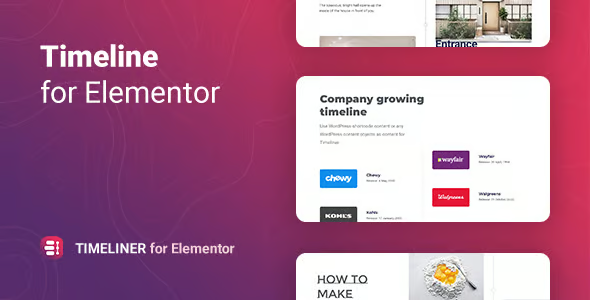
Timeliner Timeline for Elementor is an extension for creating visual timelines within your Elementor designs, without touching any code. It's designed for websites that need to clearly and attractively showcase processes, stories, timelines, or journeys. It's useful for agencies, trainers, service businesses, portfolios, and any project that wants to explain "how something happened" step by step, while maintaining consistency with the overall site design.
What problem does it help solve?
In many WordPress projects, there comes a point where you need to display information chronologically: a company's evolution, a product roadmap, service steps, event milestones, or training modules. When you try to do this with standard sections, columns, or simple lists, everything looks flat. The user doesn't understand the sequence, gets lost, and abandons the reading before reaching the important points.
If you've ever been asked repeatedly, "What's the order of this?", "How long does the process take?", or "What comes next?", your content is probably not visually structured clearly. In that context, trying to cram timelines into tables or long blocks of text results in pages that are difficult to scan, have poor retention, and lack a narrative to guide the visitor.
Timeliner Timeline for Elementor focuses precisely on filling that gap: transforming scattered chronological information into a linear visual experience, where each milestone has its own space, context, and place within a clear sequence. This way, visitors understand in seconds what has happened, what is happening, and what will happen next, without needing additional explanations via email or phone calls.
Why this solution makes a difference
When working with WordPress and Elementor, you already have great design flexibility, but without a dedicated timeline module, you end up forcing elements to simulate chronologies. This means more blocks, more manual adjustments, and more time on each page. Timeliner Timeline for Elementor consolidates that effort into a single component designed specifically to organize content chronologically, with a structure already optimized for sequential reading.
In real-world projects, this difference is noticeable on a daily basis: you spend less time laying out process sections or brand stories, you maintain alignment and visual pacing even when adding or removing steps, and you reduce layout errors as the site grows. When you start noticing that each new "how we work," "history," "roadmap," or "event timeline" page is consuming too much time, integrating a dedicated timeline widget changes the way you organize that content.
Furthermore, the reader navigates the content with less friction: they understand the beginning, middle, and end of the journey, identify relevant milestones, and associate each step with a specific date or phase. This clarity reduces repeated questions, increases confidence in your process, and makes it easier for a user to take the next step (book, request a quote, register, or continue reading).
Signs you need this product
- You already have pages on your website where you explain processes, timelines, or stories using lists or very long blocks of text.
- You notice friction when you try to lay out sections with steps or milestones in Elementor and end up moving columns and spacing over and over again.
- There is a loss of time every time you incorporate a new milestone into your roadmap or update the company's history, because it disrupts the entire existing design.
- Your project is in a growth phase where you need to better communicate the "before and after": evolution of functionalities, results by phases, customer journeys, or progression of training.
When does it make sense to use it (and when doesn't)
Timeliner Timeline for Elementor adds real value when your message structure depends on time or the order of steps. If you sell services with a clear process (diagnosis, proposal, execution, follow-up), launch products with development phases, or organize events with a schedule divided into time blocks, having a dedicated timeline allows you to explain all of this in an organized and visually consistent way with your Elementor designs.
On the other hand, this type of extension isn't necessary if your site only has very simple pages with short texts and no stories that evolve over time. It also doesn't add much if your entire message is summarized in a single landing page without "process," "history," or "project evolution" sections. In those cases, the basic widgets for headings, paragraphs, and icons already cover what you need, and adding a specific timeline wouldn't change the user experience.
Who it fits best for
- Professionals and agencies that design with Elementor and offer services based on clear processes, where explaining the steps is a key part of the sale.
- Projects that aim to showcase the evolution of a brand, startup, or digital product through milestones, achievements, or relevant changes over time.
- Professional settings such as online academies, conferences, consultancies or creative studios that need to detail pathways: training programs by modules, event agendas or success stories with defined phases.
Practical benefits
- Real operational improvement: You reduce the time you spend designing and maintaining timeline sections, since everything is managed from a specific element focused on milestones and steps.
- Use experience: The visitor understands where they are in their journey, what comes before, and what happens next, which generates more trust in your service or content.
- Control and organization: Each event on the timeline is clearly separated, with its own visual block, making it easy to add, reorder, or remove phases without disrupting the entire page.
- Time saving: By not having to recreate timelines using columns, icons, and spacing from scratch in each project, you can reuse approaches and focus on the content.
- Error reduction: Design inconsistencies between different process or history pages are reduced because the chronological representation is always based on the same visual system.
How it fits within WordPress
Within your WordPress workflow, Timeliner Timeline for Elementor acts as a specialized component that complements the visual editor you already use. It doesn't replace Elementor or your existing layouts, but rather adds a specific way to display sequential information where it makes sense. When creating or editing a page, you simply decide which sections should function as a timeline and build them using this element, keeping the rest of the content with your usual widgets.
In this context, your day-to-day work shifts from “how do I fit this process into standard blocks?” to “what milestones do I need to show and in what order?”, allowing you to focus on the narrative. When you start noticing that your process or story pages are looking too much like a continuous text, incorporating a visual timeline in Elementor organizes that information without requiring a complete site redesign.
Common usage scenarios
- On a marketing services website, show the customer journey from initial analysis to continuous optimization, step by step, with a clear timeline that improves understanding of the process.
- In an online training project, represent the student's progression by modules or weeks, indicating at each milestone what is being worked on and what results are expected to be achieved in that phase.
- On a corporate website, present the company's history by year or key milestones (founding, launches, expansions) to reinforce credibility and make it easier for the visitor to understand the brand's trajectory.
Frequently Asked Questions about Timeliner Timeline for Elementor
How does Timeliner Timeline for Elementor differ from using simple sections and columns in Elementor?
The main difference is that Timeliner Timeline for Elementor is specifically designed to display content in chronological order. With standard sections and columns, you have to build the structure manually: icons, lines, spacing between milestones, and visual order. With this plugin, the "milestone within a timeline" logic is already taken care of, allowing you to focus on the text, dates, and order of the steps, without having to wrestle with the layout every time.
Is it useful if I just want to explain the process of a service on a single page?
Yes, as long as the process has several steps and you want the visitor to clearly see the journey. If you've ever been asked in meetings, "How long does each phase take?" or "What does each stage include?", a timeline on your service page helps answer that visually. However, if the service is very simple and consists of a single phase with no variations, you don't need a specific timeline; a well-structured block of text will suffice.
Can I use Timeliner Timeline for Elementor to display product roadmaps or feature evolutions?
Timeliner Timeline for Elementor is well-suited for displaying roadmaps because it allows you to break down past and future milestones in a clear sequence. You can highlight where the project stands, what has already been achieved, and what is planned, helping users and clients understand the product's evolution. This type of visualization provides context without requiring them to read lengthy documents or announcements scattered across different pages.
Does it make sense to use it on small sites or personal projects?
In personal projects, a timeline makes sense when you want to tell a story over time: a professional trajectory, a portfolio based on years, a diary of a creative project in phases, or travel itineraries by date. If your site is small but the story or process is a key part of the message, a timeline organizes the information better than a list. On the other hand, if your website is just a business card with minimal information, it doesn't significantly enhance the user experience.
What type of content benefits most from a timeline created with Timeliner Timeline for Elementor?
Content that benefits most is one where order is as important as the data itself: work processes, project timelines, event schedules, brand stories, structured training programs, and success stories with clearly defined phases. In all these cases, a timeline helps the reader understand where they are in the process and what comes next, reducing confusion and reinforcing the perception that there is a method behind what you offer.
Conclusion
Timeliner Timeline for Elementor exists to solve a very specific problem: transforming complex processes and stories into easy-to-understand visual journeys within your Elementor pages. If your message depends on time or the order of steps, having a dedicated timeline saves you layout work and makes it easier for visitors to grasp your proposal effortlessly. This translates into less friction, greater clarity, and pages that better explain what you do and how you do it.
Last updated:

Written by: WPClub
With over seven years of experience curating, managing, and distributing GPL products, our content is based on hands-on experience, technical review, testing, and feedback from thousands of users. We aim to democratize and simplify the WordPress world so you can choose with confidence, speed, and ease.
Your Individual Purchase Includes:
- Lifetime updates.*
- Official product, ready to use.
- Immediate access to the product.
- Clean and virus-free files.
- GNU GPL V2/V3 License
- Technical support in Spanish and English.
* In the case of memberships, the period during which you will receive updates will depend on the type of membership purchased: monthly, annual, or lifetime.
Notify Update
We update products Monday through Friday. However, if the product you see is not yet updated, you can notify us so we can prioritize updating it whenever possible.
Get rid of your doubts here
Here you'll find answers to frequently asked questions about our service: how it works, what it includes, and how to get the most out of it.
How many websites can I use the products on?
You can use any product from our store on as many websites as you like.
Will I get updates?
Absolutely. If you buy an individual product, you'll get lifetime updates for that product.
On the other hand, if you purchase a membership, you will have updates until your membership expires.
What if I have a problem?
First of all, we want you to know that you can count on us. We will assist you and provide the necessary support, so you can rest assured.
On the other hand, it is important for you to know that, given the time difference between countries, your time and ours may not be the same, so we will be delayed accordingly.
Our opening hours start at 09 AM from Monday to Friday, UTC -3. We are open until around 18 PM.
Do you provide technical support?
Yes, and regarding time, it is usually on average within 24 to 48 business hours.
However, there are times when we have already provided a response and solution in less than a day depending on the case.
Are there download limits?
No. We don't believe in that format, so you can download as many times as you want. No problem. We pay for high-quality professional storage precisely to avoid problems.
Do you provide license keys?
No. Giving out the keys is not a viable option, as we have had experiences where they end up circulating everywhere and we can even lose the associated accounts.
That said, all products are original and, in cases where a license key is required to function, we will take care of pre-activating them for you.
Does my purchase include an invoice?
Yes. After paying, you will be able to immediately access your invoice in the “Purchases” section of your user account.
This is why it is important that you properly complete the information requested at the time of payment.
Is there a warranty?
Yes, of course. If there's a problem we can't resolve, or if there's an external issue that doesn't have a general solution, you'll receive support and, if necessary, a full refund. We have a 14-day refund policy from the date of purchase.
- It is worth noting that there is no guarantee if the product works well and simply was not what you wanted.
There have been times when a person buys a product, the product works perfectly, but they don't like it and want a refund, keeping the product. That is not appropriate.
Now, everything is evaluable and reasonable. Let's use the criteria together.
What is the attention hour?
Our opening hours are:
- Monday to Friday, from 09 a.m. to 18 p.m.
- Saturday and Sunday: No service.
UTC -3 time

Our Reputation on Trustpilot
Many thanks to those who take the time to give us a review. Trustpilot. Each of your comments is very helpful. We strive to provide a rewarding experience for each member of our community, always with respect and love. We will be here!






















WPClub Memberships
Access our entire catalog for a single payment. We offer three memberships: Monthly, Annual, and Lifetime (One-Time Payment).
- Save thousands of dollars
- No daily download limits
- No recurring payments
- Fast Downloads by AWS
- Quality service and support, validated since 2018
- We work with love for our community