
WP Post Modules for Elementor 2.7.0


- Secure Payment
- Support Monday to Friday
- With You Since 2018
$29.00 The original price was: $29.00.$5.99The current price is: $5.99.
quick summary
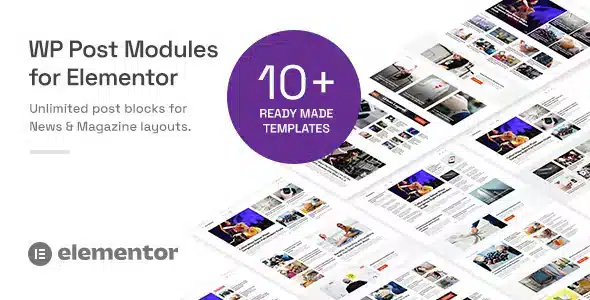
WP Post Modules for Elementor is a plugin specifically designed to create post listings within Elementor using advanced structures for news articles, blogs, and content sections. It's ideal for those who need to display posts in magazine-style layouts, content portals, or editorial grids without writing code. If you've found the default posts widget insufficient, this product allows you to upgrade to much more flexible and visually appealing layouts.
What problem does it help solve?
On WordPress sites with a lot of content, the biggest challenge isn't publishing, but rather how to present posts clearly, attractively, and in an organized way. With Elementor, the standard posts widget becomes limiting when you try to create magazine-style pages, blog homepages with distinct sections, or featured areas with different styles. You start duplicating templates, using too many columns, or manually adding CSS, and daily management becomes cumbersome.
When you start noticing that all your article listings look practically the same and you can't highlight categories, tags, or key content, the user experience and time spent on your pages suffer. Furthermore, if you manage a digital media outlet, a professional blog, or a corporate website with frequent news updates, you need to be able to rearrange and combine content without having to completely redo the layout every time editorial priorities change.
WP Post Modules for Elementor addresses this very point: the moment when simply displaying a list of posts is no longer enough. It allows you to build post modules with distinct structures, playing with visual hierarchies (main post + secondary posts, grids, carousels, blocks by category, etc.) directly from the Elementor editor, maintaining complete control over what is displayed and how it is arranged on the page.
Why this solution makes a difference
In real-world projects, the difference lies in time and the ability to experiment with the design without breaking anything. Instead of creating multiple sections with the same posts widget and adapting them one by one, WP Post Modules for Elementor centralizes the logic of how posts are listed in modules specifically designed for editorial layouts. This reduces repetitive steps and eliminates the need to manually adjust columns, margins, and filter combinations every time you want to test a new design.
On the other hand, when working with WordPress professionally, you need your listings' layout to be free from difficult-to-maintain custom code. This plugin helps you maintain a clear and easily editable structure: the design resides in visual modules within Elementor, making it easy to adjust the homepage, reorganize thematic sections, or launch a content-specific landing page without touching theme templates.
In day-to-day use, the impact translates to fewer layout errors when cloning sections, fewer inconsistencies between pages, and more control over which content is highlighted in each view. If you've ever experienced a small change to your blog design disrupting multiple pages, having specialized modules for posts reduces that risk and allows you to iterate more confidently.
Signs you need this product
- Your blog or news homepage looks like a flat list, without visual hierarchy and without differentiated blocks for key content.
- You find yourself forcing Elementor's posts widget with many conditions, columns, and settings to mimic a more complex editorial layout.
- You waste time copying and adapting sections of posts between different pages, and you end up with inconsistent designs.
- You manage a growing media outlet, blog, or portal where the volume of publications demands specific sections for topics, categories, or formats.
- You need to quickly create special content pages (by theme, campaign or season) without relying on custom development.
When does it make sense to use it (and when doesn't)
WP Post Modules for Elementor become essential when your site moves beyond a simple blog and you start structuring content by categories, sections, and levels of importance. If your goal is to build a magazine-style homepage, a corporate news section organized into blocks, or themed pages with different lists of posts, having dedicated post modules gives you a level of control that Elementor's standard widget doesn't offer in such a granular way.
It's also useful when working with multiple editors or content managers and you need the way articles are displayed to be easily replicated, while maintaining a consistent visual style. In this context, modules act as reusable presentation patterns that adapt to different content filters without losing the defined style.
However, this product isn't necessary everywhere. If you have a personal website, a blog with few posts, or if a basic list of posts on one or two pages is sufficient, Elementor's default widget will suffice. It also doesn't make sense if you don't use Elementor as a page builder or if you don't work with dynamic post lists in your content structure.
Who it fits best for
- Content-oriented site creators: professional blogs, online magazines, niche media, or news portals that publish regularly.
- Agencies and freelancers who design websites with Elementor and need to offer their clients more elaborate and easier-to-maintain blog covers and news sections.
- Marketing departments that manage resource sections, success stories, or industry articles require listings with clear visual hierarchies.
- Corporate projects with press areas, press releases and updates that are organized into several categories and need to be highlighted by blocks.
Practical benefits
- Real operational improvement: It allows you to organize different types of lists (featured, recent, by category, by tag) on a single Elementor canvas, without setting up improvised structures.
- Use experience: The visitor can distinguish at a glance which content is primary, which is secondary, and how to navigate each section, which increases clarity and in-depth reading.
- Control and organization: You have greater control over the layout of the entries, being able to segment by specific sections without losing visual coherence between pages.
- Time saving: By not relying on manual CSS or tricks with generic modules, creating or modifying archive pages or content landing pages becomes a more straightforward process.
- Error reduction: It reduces the risk of mismatches between devices and inconsistencies between templates, since the listings are built with blocks designed exclusively to display posts.
How it fits within WordPress
In the WordPress ecosystem, WP Post Modules for Elementor acts as a specialized plugin within the Elementor workflow. It doesn't replace the page builder or the post system; rather, it sits between them to offer richer presentation layers when building pages with dynamic content. Instead of relying solely on generic post widgets, you have additional modules focused on how to combine and display the information you already manage from the posts panel.
In this context, its role is clear: it helps you transform the content you already produce into more useful and navigable structures. You continue creating posts from the WordPress editor and using your usual taxonomies, but when you reach the design phase within Elementor, you have more options to decide what appears in each block, its visual order, and its weight on the page. This is especially valuable when working with custom homepage templates, themed sections, or special archives.
Common usage scenarios
- A digital media outlet wants to create a magazine-style homepage with a large main article, a row of secondary news items, and blocks by section (sports, culture, technology) within Elementor.
- A corporate blog that needs a "Resources" page with separate modules for articles, success stories, and guides, each with its own layout but maintaining a unified style.
- A niche website that launches a specific landing page for a particular theme, where recent posts, featured content, and evergreen content are displayed in different visually ordered blocks.
Frequently Asked Questions about WP Post Modules for Elementor
How does WP Post Modules for Elementor differ from the standard Elementor post widget?
WP Post Modules for Elementor focuses on providing structures designed for complex editorial layouts. While Elementor's standard widget displays more basic listings, this plugin adds specific modules to combine featured and secondary posts, organize by thematic blocks, or create layouts closer to a digital magazine. This allows you to work with clear visual hierarchies and distinct sections without resorting to multiple widgets or difficult-to-maintain manual adjustments.
When does it make sense to start using WP Post Modules for Elementor in an existing project?
It's suitable when your site has enough posts that a linear list is no longer effective. If your blog's homepage looks cluttered, if you need to clearly separate categories, or if you want certain posts to have greater visual prominence, it's time to implement it. It's also a good fit when you're redesigning your content structure with Elementor and looking for richer layouts without redoing theme templates or adding custom code.
Can I use WP Post Modules for Elementor to create different homepage layouts within the same site?
Yes, you can create different pages within Elementor, each with its own combination of post modules. This is useful when you need a main homepage, specific pages for thematic sections, or landing pages for temporary content (for campaigns or seasons). This way, you maintain a consistent visual foundation while adapting the post presentation to the objectives of each page without duplicating work or reconfiguring widgets from scratch.
Does this plugin replace the WordPress theme or the Elementor page builder?
No. WP Post Modules for Elementor does not replace either the theme or Elementor. The theme continues to define the overall structure and global styles of the site, and Elementor remains the primary visual builder. This plugin is added as an extra set of modules focused on presenting posts within the templates you already design with Elementor, expanding the layout options for post lists without interfering with the rest of the site's architecture.
Does it make sense to use WP Post Modules for Elementor on small websites with few posts?
On very small websites with few posts and no need for separate sections, it's not essential. If your content fits well in one or two simple lists, the Elementor posts widget can meet your needs. WP Post Modules for Elementor starts to add value when the volume and variety of articles increases, when you want to highlight specific topics, and when structure and visual hierarchy become key for users to understand what to read first.
Conclusion
WP Post Modules for Elementor is designed for those who need to go beyond the typical blog post list and organize their posts like a true editorial environment within Elementor. It solves the problem of presenting large amounts of content clearly and attractively, without relying on code or makeshift structures.
If your site thrives on content and how you present it makes all the difference, having dedicated modules for posts allows you to gain control, consistency, and agility when designing new sections and homepages. Beyond a certain volume of posts, this level of visual organization ceases to be optional and becomes a key component of your WordPress content strategy.
Last updated:

Written by: WPClub
With over seven years of experience curating, managing, and distributing GPL products, our content is based on hands-on experience, technical review, testing, and feedback from thousands of users. We aim to democratize and simplify the WordPress world so you can choose with confidence, speed, and ease.
Your Individual Purchase Includes:
- Lifetime updates.*
- Official product, ready to use.
- Immediate access to the product.
- Clean and virus-free files.
- GNU GPL V2/V3 License
- Technical support in Spanish and English.
* In the case of memberships, the period during which you will receive updates will depend on the type of membership purchased: monthly, annual, or lifetime.
Notify Update
We update products Monday through Friday. However, if the product you see is not yet updated, you can notify us so we can prioritize updating it whenever possible.
Get rid of your doubts here
Here you'll find answers to frequently asked questions about our service: how it works, what it includes, and how to get the most out of it.
How many websites can I use the products on?
You can use any product from our store on as many websites as you like.
Will I get updates?
Absolutely. If you buy an individual product, you'll get lifetime updates for that product.
On the other hand, if you purchase a membership, you will have updates until your membership expires.
What if I have a problem?
First of all, we want you to know that you can count on us. We will assist you and provide the necessary support, so you can rest assured.
On the other hand, it is important for you to know that, given the time difference between countries, your time and ours may not be the same, so we will be delayed accordingly.
Our opening hours start at 09 AM from Monday to Friday, UTC -3. We are open until around 18 PM.
Do you provide technical support?
Yes, and regarding time, it is usually on average within 24 to 48 business hours.
However, there are times when we have already provided a response and solution in less than a day depending on the case.
Are there download limits?
No. We don't believe in that format, so you can download as many times as you want. No problem. We pay for high-quality professional storage precisely to avoid problems.
Do you provide license keys?
No. Giving out the keys is not a viable option, as we have had experiences where they end up circulating everywhere and we can even lose the associated accounts.
That said, all products are original and, in cases where a license key is required to function, we will take care of pre-activating them for you.
Does my purchase include an invoice?
Yes. After paying, you will be able to immediately access your invoice in the “Purchases” section of your user account.
This is why it is important that you properly complete the information requested at the time of payment.
Is there a warranty?
Yes, of course. If there's a problem we can't resolve, or if there's an external issue that doesn't have a general solution, you'll receive support and, if necessary, a full refund. We have a 14-day refund policy from the date of purchase.
- It is worth noting that there is no guarantee if the product works well and simply was not what you wanted.
There have been times when a person buys a product, the product works perfectly, but they don't like it and want a refund, keeping the product. That is not appropriate.
Now, everything is evaluable and reasonable. Let's use the criteria together.
What is the attention hour?
Our opening hours are:
- Monday to Friday, from 09 a.m. to 18 p.m.
- Saturday and Sunday: No service.
UTC -3 time

Our Reputation on Trustpilot
Many thanks to those who take the time to give us a review. Trustpilot. Each of your comments is very helpful. We strive to provide a rewarding experience for each member of our community, always with respect and love. We will be here!






















WPClub Memberships
Access our entire catalog for a single payment. We offer three memberships: Monthly, Annual, and Lifetime (One-Time Payment).
- Save thousands of dollars
- No daily download limits
- No recurring payments
- Fast Downloads by AWS
- Quality service and support, validated since 2018
- We work with love for our community