
Convert Pro Addon 1.8.10


- Secure Payment
- Support from Monday to Friday
- With you since 2018
$99.00 El precio original era: $99.00.$5.99El precio actual es: $5.99.
Quick summary
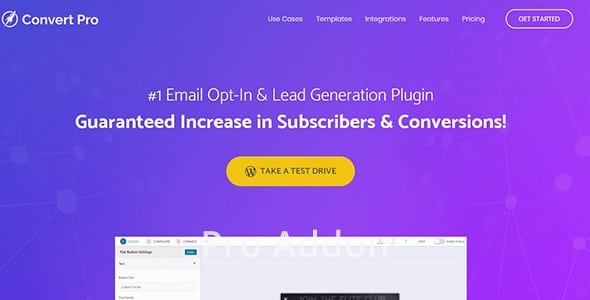
Convert Pro Addon is an advanced extension that expands the lead generation and subscriber acquisition capabilities of the base Convert Pro product for WordPress. It's designed for websites that already receive traffic and need to maximize each visit through more precise segmentation strategies, triggers, and personalized experiences. It's especially useful for online businesses, e-commerce sites, academies, and projects that want to convert visits into registrations, sales, and qualified leads.
What problem does it help solve?
The problem arises when the classic subscription form, placed in the sidebar or footer, barely collects any contacts, and you lack clear information on which messages perform best, where users convert most from, or which type of visitor deserves differentiated treatment. In this context, WordPress falls short if you rely solely on static forms and generic calls to action that display the same thing to everyone.
When you start noticing traffic growing but your subscriber list and qualified leads barely progressing, the gap between visits and results becomes glaring. You might have a well-developed blog, a store with well-described products, or paid landing pages, but without optimized lead generation, you're missing out on opportunities every day. If you've already experienced clicks, visits, and time spent on page but few form submissions, the problem isn't the content itself, but how you're leveraging it.
Convert Pro Addon is designed to unlock this bottleneck: moving from displaying "one-size-fits-all" forms to deploying smarter campaigns, tailored to user behavior, the type of page visited, and your business objectives. It doesn't replace the main plugin, but rather extends it with more options to better connect context, message, and timing.
Why this solution makes a difference
In real-world projects, the difference isn't just about "having more forms," but about being able to design lead generation flows tailored to what the user does on your site. The Convert Pro Addon lets you unlock the full potential of the Convert Pro core by adding extra layers of control over when and how your campaigns are triggered, which variations are displayed, and what actions trigger each interaction. This translates into greater precision and less clutter for the visitor.
In day-to-day operations, it reduces improvisation: instead of creating isolated popups and placing them haphazardly, you can structure campaigns by content type, category, interests, or specific behaviors. Furthermore, it improves data analysis because the plugin is designed to leverage the segmentation and experimentation features already present in the base system. It allows you to move from "testing isolated things" to executing a sustained conversion strategy with clear and replicable criteria.
The impact is also noticeable in the user experience. By displaying messages that are more context-sensitive, you reduce intrusiveness and increase the feeling of a relevant offer. Instead of generic pop-ups appearing randomly, campaigns behave more logically: they offer a coupon where purchase intent is higher, a lead magnet where informational interest is clear, or an inquiry form where the visitor is considering a service.
Signs you need this product
- Your site already uses Convert Pro, but the campaigns are very basic and don't distinguish between visitor types or adapt to the content they are viewing.
- You detect friction in your lead generation flow within WordPress: many users browse through several pages, add products or consult services, but hardly leave their data.
- You start losing control over testing, design, and activation rules because you're managing too many forms without clear logic or advanced segmentation criteria.
- This comes into play when your project grows, you invest in paid traffic or content, and you need each visit to have a coherent, measurable, and scalable conversion path.
When does it make sense to use it (and when doesn't)
Convert Pro Addon makes sense once you've already started working with Convert Pro and want to go beyond basic usage. It provides real value if your project relies on lead generation, bookings, or registrations, and you need to tailor campaigns to different audiences, products, or services. In this scenario, the extension allows you to get more out of the base plugin's architecture and connect your marketing strategy with actual user behavior on WordPress.
However, it's not necessary if your site is a very simple institutional website, without a focus on subscriptions or lead generation, where a single, fixed contact form on the "Contact" page is sufficient. It also won't provide a return on investment if you're not yet using Convert Pro or planning to develop an active lead generation strategy. If your priority is simply "having an online presence" without analyzing your visitors' data, this type of plugin will be overkill for your current needs.
Who it fits best for
- Marketing professionals and growth managers who manage content campaigns, paid traffic, or email marketing and need to coordinate forms, messages, and audience segments within WordPress.
- Online stores in WooCommerce, digital academies and membership sites that depend on constant registrations and want to adapt to each stage of the funnel: discovery, consideration, decision and loyalty.
- Agencies and freelancers working on multiple projects and requiring a higher level of control over lead generation on client sites, with clear rules and reusable configurations without replacing the existing foundation built with Convert Pro.
Practical benefits
- Real operational improvement by organizing lead generation into more structured campaigns, with clear rules that limit overlaps and reduce improvised page-by-page decisions.
- A more consistent user experience for the visitor, as forms and messages appear when they make sense, with proposals better aligned with what the user is doing on the site.
- Greater control and organization of different types of offers, lead magnets and calls to action, making it easier to prioritize what each audience segment sees based on their previous interaction.
- Save time by being able to manage variants and conditions from a unified environment, without having to manually replicate basic configurations for each new form or campaign.
- Reduction of errors resulting from disconnected configurations, overlapping campaigns, or contradictory messages that were previously shown simultaneously to the same type of user.
How it fits within WordPress
Within the WordPress ecosystem, the Convert Pro Addon occupies a very specific place: it acts as a reinforcement of the lead generation system already managed by Convert Pro, without replacing its dashboard or essential functions. It integrates seamlessly into your existing workflow where you design forms, popups, and notification bars, adding extra layers of logic and segmentation on top of those existing elements. This way, you continue using the same visual foundation and configuration environment, but with greater tactical possibilities.
When working with WordPress, this means you don't change how you create content, products, or sales pages. What changes is how you connect those elements to more targeted campaigns that better leverage the context: specific categories, key landing pages, high-intent blog sections, or steps prior to checkout. The plugin exists as a standalone piece precisely to separate the lead generation base (the main plugin) from the advanced strategy and segmentation layer.
Typical use cases
- An ecommerce business that already uses Convert Pro wants to show a different incentive for new visitors, recurring subscribers, and returning customers, adapting messages and forms according to their previous relationship with the store.
- An online academy needs people who consume introductory posts to receive an educational lead magnet, while those who visit course sales pages see forms geared towards trials, demos, or business inquiries.
- A B2B services project with qualified traffic identifies that many users read case studies without converting; there, Convert Pro Addon helps to show contact offers perfectly aligned with that content and that moment of decision.
Frequently Asked Questions about Convert Pro Addon
How does Convert Pro Addon differ from the Convert Pro plugin?
Convert Pro is the core WordPress plugin for designing forms, popups, and lead capture elements. The Convert Pro Addon doesn't replace or duplicate it; instead, it expands upon it with additional options geared toward more advanced strategies. The extension focuses on enriching how campaigns are displayed and managed, providing greater flexibility in terms of segmentation, triggers, and organization. If you only need basic forms, the main plugin is sufficient; the addon comes into play when you're looking for more precision and control.
Does it make sense to use Convert Pro Addon if I'm still starting out with my lead strategy?
If your site is in its very early stages, with little traffic and no clear lead generation strategy, the most efficient approach is to start by fine-tuning the basics with Convert Pro at a simple level. The Convert Pro Addon becomes relevant once you have a minimum volume of visits, know what content attracts your audience, and want to move to a higher level of segmentation. It's especially useful once you're managing multiple campaigns and need each one to address specific objectives without conflicting with the others.
What kind of improvements can I expect in my current forms using Convert Pro Addon?
The improvement lies not so much in the form's visual appearance as in its context. Convert Pro Addon helps ensure each form appears at the right time and to the right person. This allows you to create variations of the same design with different activation logic based on category, page type, or user behavior. The practical result is a smarter use of your existing form, maximizing campaign performance without unnecessarily multiplying forms.
Is Convert Pro Addon useful if I manage multiple client projects on WordPress?
For agencies and freelancers, this is especially useful when working on sites where lead generation is a primary objective. The plugin makes it easy to define clear rules and patterns that can be replicated across projects with similar configurations. This eliminates the need for improvised solutions on each installation and ensures consistent segmentation and form activation. The result is less time spent correcting campaigns, greater consistency across sites, and improved, measurable performance for your clients.
What happens if I continue using only Convert Pro without adding the Addon?
If you continue using only Convert Pro, you'll still have the necessary foundation to display forms and capture leads, but the strategy tends to remain more generic. You'll be able to generate leads, but with less nuance in segmentation and less alignment with specific behaviors. As the project scales, this limitation becomes apparent in less refined campaigns and a reduced ability to tailor messages to each situation. The Convert Pro Addon exists precisely to bridge this gap in complexity that the core platform alone cannot handle.
Conclusion
Convert Pro Addon is designed for projects that have already started capturing leads with Convert Pro and want to take the next step: organizing smarter campaigns tailored to the real-world browsing context within WordPress. It helps bridge the gap between traffic and results through segmentation and more refined rules, without changing the foundation you're already using.
If your site relies on leads, registrations, or bookings and you feel that generic forms have fallen short, this extension provides the extra level of control needed to ensure that each visitor receives the right message at the right time.
Latest update:

Written by: WPClub
With over seven years of experience curating, managing, and distributing GPL products, our content is based on hands-on experience, technical review, testing, and feedback from thousands of users. We aim to democratize and simplify the WordPress world so you can choose with confidence, speed, and ease.
Your Individual Purchase Includes:
- Lifetime updates.*
- Official product, ready to use.
- Immediate access to the product.
- Clean and virus-free files.
- GNU GPL V2/V3 License
- Technical support in Spanish and English.
* In the case of memberships, the period during which you will receive updates will depend on the type of membership purchased: monthly, annual, or lifetime.
Notify Update
We update products Monday through Friday. However, if the product you see is not yet updated, you can notify us so we can prioritize updating it whenever possible.
Get your questions answered here
Here you'll find answers to frequently asked questions about our service: how it works, what it includes, and how to get the most out of it.
On how many websites can I use the products?
You can use any product from our store on any website you want.
Will I get updates?
Absolutely. If you buy an individual product, you'll get lifetime updates for that product.
On the other hand, if you purchase a membership, you will receive updates until your membership expires.
What if I have a problem?
First of all, we want you to know that you can count on us. We will assist you and provide the necessary support, so you can rest assured.
On the other hand, it is important for you to know that, given the time difference between countries, your time and ours may not be the same, so we will be delayed accordingly.
Our opening hours start at 9 AM from Monday to Friday, UTC -3. We are open until around 6 PM.
Do they provide technical support?
Yes, and regarding the time, it is usually on average within 24 to 48 business hours.
However, there are times when we have already provided an answer and solution in less than a day, depending on the case.
Are there download limits?
No. We don't believe in that format, so you can download as many times as you want. No problem. We pay for high-quality professional storage precisely to avoid problems.
Do they provide license keys?
No. Giving out the keys is not a viable option, as we have had experiences where they end up circulating everywhere and we can even lose the associated accounts.
That said, all products are original and, in cases where a license key is required to function, we will take care of pre-activating them for you.
Does my purchase include an invoice?
Yes. After payment, you will be able to access your invoice immediately in the "Purchases" section of your user account.
That is why it is important that you properly complete the information requested at the time of payment.
Is there a warranty?
Yes, of course. If there's a problem we can't resolve, or if there's an external issue that doesn't have a general solution, you'll receive support and, if necessary, a full refund. We have a 14-day refund policy from the date of purchase.
- It should be noted that there is no warranty if the product works well and it simply wasn't what you wanted.
There have been instances where someone buys a product, the product works perfectly, but they don't like it and want a refund, keeping the product. That's not right.
However, everything is evaluable and reasonable. Let's use judgment together.
What are the opening hours?
Our opening hours are:
- Monday to Friday, from 9 a.m. to 6 p.m.
- Saturday and Sunday: No service.
UTC -3 time

Our Reputation on Trustpilot
Many thanks to those who take the time to give us a rating on Trustpilot. Each and every one of your comments is very helpful to us. We strive to provide a rewarding experience for every member of our community, always with respect and care. We'll be here!






















WPClub Memberships
Access our entire catalog for a single payment. We offer three memberships: Monthly, Annual, and Lifetime (One-Time Payment).
- Save thousands of dollars
- Unlimited daily downloads
- No recurring payments
- Fast downloads by AWS
- Quality service and support, validated since 2018
- We work with love for our community