
 Boo...! LAST DAY > Memberships with 30% off. Use coupon: HWEEN30
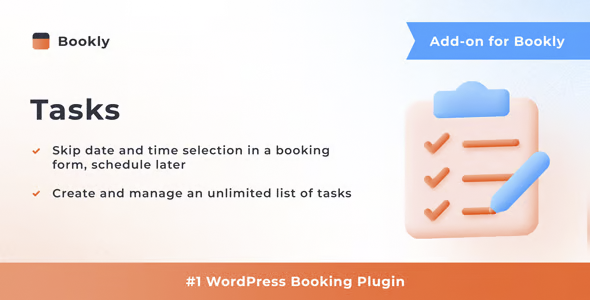
Bookly Tasks Addon and 6,570 more, with AutoUpdater and support.
For $4.21 more you get everything the Monthly membership includes
Choose my membershipThis product, with lifetime updates.
- Secure payment
- Spanish and English support
- With you since 2018
New version or an issue?
Description
Quick summary
The Bookly Tasks Addon expands the Bookly booking ecosystem, allowing you to manage tasks linked to each appointment, client, or service. It's designed for teams that not only schedule appointments but also need to coordinate internal actions before or after each booking: manual reminders, deliveries, follow-ups, or verifications. If you're starting to lose track of details between your Bookly calendar and your actual day-to-day work, this add-on helps you regain control and traceability.
What problem does it help solve?
When working with Bookly on WordPress, the booking process is usually straightforward: the client selects the date, time, and service. The problem arises when, surrounding that appointment, there's a chain of internal tasks that no one clearly sees: preparing materials, calling to confirm details, sending documentation, following up after the service, or coordinating various team members. If you've ever had a booking perfectly scheduled on the calendar, but a key step was overlooked, you understand the kind of error that directly impacts the customer experience.
In real-world projects, many businesses end up noting these tasks in spreadsheets, loose messages, or personal notes. This fragments the information: the booking is in Bookly, but the associated actions are elsewhere. When you start noticing that each team member organizes what needs to be done for each appointment "in their own way," duplication, delays, and errors arise. The Bookly Tasks Addon was created precisely to bridge this gap between the booking in Bookly and the operational work surrounding it.
Why this solution makes a difference
The Bookly Tasks Addon doesn't try to replace Bookly's booking system, but rather connect it to the operational realities of the business. Instead of relying on external reminders or the team's memory, it allows each appointment to have a clear list of actionable tasks within the same ecosystem. This reduces oversights, facilitates coordination, and provides a more comprehensive view of what each booking entails, beyond just the time slot.
On a daily basis, the impact is noticeable on three fronts: organization, time, and quality. Organization, because each booking ceases to be an isolated piece of data and becomes a small flow of structured actions. Time, because information is no longer scattered across multiple tools and is managed in a single environment related to the appointment. Quality, because human errors are reduced, errors that occur when no one has a clear view of what has been done and what remains to be done for a specific client.
Signs you need this product
- Problem already present on the site: There are confirmed bookings on Bookly that don't go through correctly because someone forgot to prepare something, confirm details, or follow up afterward.
- Friction in WordPress: The team checks Bookly for appointments, but then goes to other apps or manual notes to handle tasks linked to those bookings, creating extra steps and inconsistencies.
- Loss of control or time: To find out where a customer is at, you have to review the booking and ask several people what has been done, because there is no single place where you can see the status of the associated actions.
- Typical growth scenario: As the volume of appointments and services increases, the "informal" organizational system (messages, notebooks, spreadsheets) stops scaling and becomes a constant source of internal confusion.
When does it make sense to use it (and when doesn't)
The Bookly Tasks Addon makes sense when your Bookly bookings aren't an end in themselves, but rather the start of a small internal process: pre-booking, multi-step execution, follow-up, or coordination between different team members. If you've ever had a client arrive for their appointment only to find documentation, materials, or key information missing because no one took the necessary steps beforehand, this add-on helps structure everything surrounding the booking within the same workflow.
On the other hand, this product isn't necessary for projects where Bookly is used for very simple bookings, without any prior or subsequent steps. If your site only records basic appointments and the service is handled immediately without requiring specific internal tasks, Bookly alone is sufficient. In that scenario, introducing a system of additional tasks would only add complexity without providing any real benefits. The key is to assess whether each booking truly involves coordinated actions that warrant structured management.
Who it fits best for
- Specific user type: Business owners and managers who use Bookly to coordinate appointments and need the team to have clarity on what to do before, during, and after each booking, without relying on impromptu messaging.
- Project type: WordPress sites that use Bookly for multi-step services: consultations with report preparation, training sessions, technical services, tiered treatments, or any dynamic where each appointment involves more than one internal action.
- Real professional scenario: Teams where several people are involved in the same booking (administration, technical staff, customer service) and it is necessary for everyone to clearly see what tasks are associated with it, what has been completed and what remains pending.
Practical benefits
- Real operational improvement: Each reservation ceases to be just a line on the calendar and becomes associated with specific actions, which facilitates the orderly execution of internal work without depending on individual memory.
- User experience: The team accesses appointment-related tasks directly from the Bookly environment, avoiding constant switching between different applications and reducing the feeling of organizational chaos.
- Control and organization: You can review the status of tasks related to each client or service and quickly understand what has been done and what is missing, improving traceability and internal monitoring.
- Time saving: By centralizing internal actions around reservations, meetings to "catch up" and exchanges of messages asking about the status of each case decrease.
- Error reduction: This happens when booking volume increases and small details start to slip through the cracks. By having clear and structured tasks, critical oversights that directly impact customer satisfaction are minimized.
How it fits within WordPress
Within your WordPress environment, the Bookly Tasks Addon acts as an intermediary between Bookly's booking system and your actual business operations. It doesn't replace Bookly's core or how appointments are managed; rather, it builds upon that foundation to add a layer of internal organization around each booking. In this context, Bookly remains the customer's entry point, while this addon becomes the internal reference for what the team needs to do regarding that appointment.
By working with WordPress, this means you maintain a centralized workflow: the client books through the website, Bookly manages the schedule, and the Bookly Tasks Addon helps the team consistently execute everything involved in that booking. It's not intended to replace broader external business management systems, but rather to focus on the stage closest to the appointments you already manage with Bookly, where every detail lost translates into a worse experience for the end user.
Typical use cases
- Real-world use in ecommerce or projects: Businesses that sell bookable services from WordPress (consulting, private sessions, face-to-face support) and need to organize preliminary actions such as gathering information, reviewing forms, or preparing specific material for each client.
- Specific case study: A training center that uses Bookly to book sessions, and with the Bookly Tasks Addon assigns internal tasks to send pre-booking materials, check for additional payments, or schedule custom reminders, all linked to each booking.
- Situation where it provides direct value: Schedules with a high volume of appointments involving multiple people. When you start to notice that some assume others have "already done" certain tasks and no one has a complete overview, this add-on allows you to structure and clearly visualize those responsibilities.
Frequently Asked Questions about the Bookly Tasks Addon
How does Bookly Tasks Addon differ from Bookly's own booking system?
Bookly focuses on managing appointments: schedules, services, clients, and confirmations. The Bookly Tasks Addon focuses on what happens around those appointments, from preparation to internal follow-up. It doesn't change how clients book or the basic calendar structure; it adds an extra layer where you can organize the actions the team needs to take for each booking. So, the booking itself remains with Bookly, but the execution of the associated tasks is streamlined with this addon.
When will I really start to notice the usefulness of the Bookly Tasks Addon?
The benefits become apparent when the volume of bookings causes the informal system to fail. If you've ever found out too late that someone didn't prepare something for an appointment, or that a follow-up wasn't completed because no one had it recorded in the right place, now is the perfect time to use it. As more bookings come in and more people are involved in the process, having structured tasks for each appointment ceases to be a bonus and becomes an operational necessity.
Does it replace other project management or teamwork platforms?
The Bookly Tasks Addon isn't intended to replace comprehensive project management systems, but rather to cover a very specific area: the immediate and direct actions associated with Bookly bookings. If you work with complex projects, long timelines, and multiple phases beyond appointments, you'll still need your usual platforms. This addon focuses on the work related to bookings already existing in your WordPress site, making it easier for your team to correctly complete each step in the customer service process.
Does it make sense to use it if I only manage a few bookings per month?
If you manage only a few bookings and each appointment is simple, without significant internal tasks, you might not need it. In those cases, pending actions are usually easy to remember or coordinate directly. The Bookly Tasks Addon becomes especially useful when the number of appointments increases, services involve several steps, and responsibilities are shared among multiple people. In that context, its role is to prevent tasks related to each client from getting lost among emails, chats, and scattered notes.
What type of business benefits most from the Bookly Tasks Addon?
The businesses that benefit most from the Bookly Tasks Addon are those where each booking involves preparation and follow-up: medical or wellness centers, professional services with documentation, academies, consultancies, or on-site technical support. In all these cases, the appointment isn't just a time on the calendar, but the cornerstone of a small workflow. This add-on helps to clearly define that workflow, making it visible to the team and directly linked to each booking in Bookly.
Conclusion
The Bookly Tasks Addon exists to fill a clear gap: structuring the internal tasks associated with each booking managed through Bookly. As the schedule grows and the steps surrounding each appointment multiply, having a task system directly linked to bookings reduces errors, improves team coordination, and delivers a more consistent customer experience. If your bookable services involve specific internal actions, integrating this plugin into your WordPress site helps ensure each appointment runs more smoothly and with fewer surprises.
Previous versions
If you have purchased this product, or have an active membership, you can download previous versions as we release them, without any limits or restrictions.
No threats detected
File scanned with ClamAV before publishing
- File
- bookly-addon-tasks-2.8.zip · 24 KB
- Files
- 22 scanned · 0 threats
- Engine
- ClamAV 1.5.3 · signatures v28193
- Verified on
- 11/25/2026
- SHA-256
- 2d4c21…77aa0d1
- PHP 100%
Frequently Asked Questions
Here you'll find answers to frequently asked questions about our service: how it works, what it includes, and how to get the most out of it.
You can use any product from our store on any website you want.
Absolutely. If you buy an individual product, you'll get lifetime updates for that product.
On the other hand, if you purchase a membership, you will receive updates until your membership expires.
First of all, we want you to know that you can count on us. We will assist you and provide the necessary support, so you can rest assured.
On the other hand, it is important to know that, given the time difference between countries, your time and ours may not be the same, so we could be delayed because of this.
Our opening hours are Monday to Friday, from 09 to 18 hrs (UTC −3).
Yes, and regarding the time, it is usually on average within 24 to 48 business hours.
However, there are times when we have already provided an answer and solution in less than a day, depending on the case.
No. We don't believe in that format, so you can download as many times as you want. We pay for high-quality professional storage precisely to avoid any problems.
No. Giving out the keys is not a viable option, as we have had experiences where they end up circulating everywhere and we can even lose the associated accounts.
That said, all products are original and, in cases where a license key is required to function, we will take care of pre-activating them for you.
Yes. After payment, you will be able to access your invoice immediately in the «Purchases» section of your user account.
That's why it's important that you properly complete the information requested at the time of payment.
Yes, of course. If there's a problem we can't resolve, or an external issue that doesn't have a general solution, you'll receive support, if needed, and a full refund. We have a 7-day refund policy from the date of purchase.
- There is no warranty if the product works well and it simply wasn't what you wanted.
There have been instances where someone buys a product, the product works perfectly, but they don't like it and want a refund, keeping the product. That's not right.
However, everything is evaluable and reasonable. Let's use judgment together.
This guarantee applies to the purchase of individual products; memberships are not eligible for a refund.
Our opening hours are:
- Monday to Friday, from 9 a.m. to 6 p.m.
- Saturday and Sunday: no service.
UTC −3 time.

WPClub Team
GPL plugin and theme store since 2018. Every file is analyzed with ClamAV and its report is public; we keep previous versions and provide support in Spanish and English.
Bookly Tasks Addon and 6,570 more, with AutoUpdater and support.
For $4.21 more you get everything the Monthly membership includes
Choose my membershipThis product, with lifetime updates.
- Secure payment
- Spanish and English support
- With you since 2018


