Boo...! LAST DAY > Memberships with 30% off. Use coupon: HWEEN30
PublishPress Shortlinks Pro and 6,514 more, with AutoUpdater and support.
For $4.21 more you get everything the Monthly membership includes
Choose my membershipThis product, with lifetime updates.
- Secure payment
- Spanish and English support
- With you since 2018
New version or an issue?
Description
Quick summary
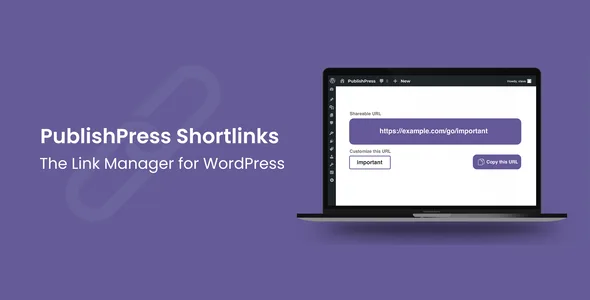
PublishPress Shortlinks Pro is a WordPress plugin that lets you create custom short links using your own domain, instead of relying on external URL shortening services. With it, you can generate custom slugs for your posts, pages, and external destinations, password-protect those links, schedule expiration dates, and automatically convert keywords in your content into links. It also includes click analytics, QR code generation, 301, 302, and 307 redirects, and the ability to hide long affiliate links behind a clean, branded URL.
The product is the paid edition of PublishPress Shortlinks, and it adds tools designed for those who manage many links and need control, tracking, and a consistent image with their domain.
What problem does it help solve?
Sharing long links, links with tracking parameters, or unprofessional affiliate URLs reduces trust and is difficult to remember. Furthermore, when using external link shorteners, you lose control over the domain appearing in the link, and it's not always possible to know who clicked it or when. This plugin centralizes the management of these links within WordPress, using your own domain, so that every URL you share strengthens your brand instead of diluting it.
It also addresses the need to share unpublished content. An editor can review a draft via a short link without granting access to the admin panel, which is useful for those who collaborate with external writers or occasional reviewers.
Why this solution makes a difference
Unlike a simple URL shortener, PublishPress Shortlinks Pro works on your own domain, maintaining brand consistency across every link you share, whether on social media, in newsletters, or in print materials. The combination of password protection, scheduled expiration, and custom messages when a link expires provides a level of control that generic URL shortening tools typically don't offer.
Automatic keyword linking is another key differentiator: instead of manually inserting links every time you mention a recurring term, the system adds them for you and keeps them pointing to the correct destination. Combined with click analytics and affiliate link hiding, this results in a tool designed for those who need to measure and control the traffic generated by their links, not just shorten them.
Signs you need this product
If you share long, unsightly affiliate links, need to provide temporary access to a draft without exposing your WordPress dashboard, or repeatedly use the same keywords in your content and want them to automatically link to each other, this plugin fits the bill. It also provides clear feedback on how many people click on your shared links and from where—information that external URL shorteners don't always clearly deliver.
Another indicator is the need to distribute links in printed materials, such as brochures or menus, where a QR code is more practical than writing a full URL. If you also manage multiple collaborators and need to define who can create links or view analytics, the access control offered by the plugin covers that scenario.
When does it make sense to use it (and when doesn't)
It makes sense to use it when managing affiliate links, sharing content at different stages of review, or needing a consistent brand image across all URLs you distribute. It's also useful when working with campaigns that require click tracking or when publishing printed materials that need a QR code linked to a short link.
It might not be necessary if your site doesn't manage affiliate links, doesn't pre-share content, and you're not interested in click tracking; in that case, the basic features of the free edition might be sufficient. The value of PublishPress Shortlinks Pro becomes clear when the volume of links, contributors, or campaigns grows enough to warrant more detailed monitoring.
Who it fits best for
It's a good fit for bloggers and content creators who work with affiliate marketing and need clean, trackable links. It's also suitable for editorial teams that share drafts with external reviewers, and for businesses that distribute links in printed materials using QR codes.
Agencies and sites with multiple contributors will find it useful to define who can create or edit links and who can access analytics and settings, which helps maintain order when different people manage content from the same WordPress site.
Practical benefits
Specific benefits include the ability to use your own domain for each short link, customize the slug to match the content, and schedule link expiration along with a message that appears when the link is no longer available. Automatic keyword linking saves time when writing content, while link export and import make it easy to move settings between sites or back them up.
301, 302, and 307 redirects let you choose the right behavior for each situation, whether it's a permanent or temporary change. Hiding affiliate links keeps URLs clean and branded, and click analytics shows which links generate the most engagement—all managed from the same WordPress dashboard without relying on another service.
How it fits within WordPress
The plugin integrates seamlessly into your existing WordPress workflow: you can generate a short link for each post or page directly from the editor, without leaving the admin panel. When sharing content in various states, including drafts, the short link respects the defined publication status, allowing for controlled access without modifying user permissions.
Link management, protection, expiration, redirects, and analytics are centralized in one place within WordPress, avoiding the need to jump between different external tools to control what is already part of the site's content.
Typical use cases
A common scenario is sharing a long affiliate link as a shortened URL with your domain, hiding the actual destination while tracking each click. Another is sending a temporary, password-protected link to a client to review a proposal before it's publicly available.
It is also common to generate a QR code for a short link and use it in a printed brochure, or to take advantage of automatic keyword linking so that each mention of a product or recurring term is linked without having to manually edit the content each time.
Frequently Asked Questions about PublishPress Shortlinks Pro
Do I need an additional domain to use my own domain in the links?
Not necessarily an additional domain: the feature allows you to use your own site's domain so that short links maintain your branding instead of displaying that of an external shortening service.
Can I share a link to a post that hasn't been published yet?
Yes, the plugin allows you to generate short links for content in any state, including drafts, so that someone can review it without accessing the WordPress dashboard.
What happens when a protected link reaches its expiration date?
When a link expires, visitors see a message indicating that it has expired, instead of being redirected to the original destination, allowing you to control how long it remains active.
Does it work to hide long affiliate links?
Yes, one of the plugin's functions is to hide affiliate links, so that the visible URL maintains your domain and brand while the real destination remains hidden behind the short link.
Can I see how many people clicked on each link?
Yes, PublishPress Shortlinks Pro includes click analytics that show the performance of each short link, helping you understand which content or destination generates the most interaction.
Conclusion
For those who manage affiliate links, share content under review, or need a consistent brand image across all URLs they distribute, this plugin offers a suite of tools focused on monitoring and control directly within WordPress. The combination of custom domain management, protection, redirects, QR codes, and analytics covers much of what would typically require several separate external tools.
Previous versions
If you have purchased this product, or have an active membership, you can download previous versions as we release them, without any limits or restrictions.
| Product name | Version | Size | Date | Download |
|---|---|---|---|---|
| No previous versions available. | ||||
No threats detected
File scanned with ClamAV before publishing
- File
- publishpress-shortlinks-pro-1.11.0.zip · 5.5 MB
- Files
- 519 scanned · 0 threats
- Engine
- ClamAV 1.5.3 · signatures v28191
- Verified on
- 11/23/2026
- SHA-256
- 8f1dff…47cf379
- PHP 50.7%
- PO 16.8%
- MO 16.8%
- JavaScript 5.4%
- Other 10.4%
Frequently Asked Questions
Here you'll find answers to frequently asked questions about our service: how it works, what it includes, and how to get the most out of it.
You can use any product from our store on any website you want.
Absolutely. If you buy an individual product, you'll get lifetime updates for that product.
On the other hand, if you purchase a membership, you will receive updates until your membership expires.
First of all, we want you to know that you can count on us. We will assist you and provide the necessary support, so you can rest assured.
On the other hand, it is important to know that, given the time difference between countries, your time and ours may not be the same, so we could be delayed because of this.
Our opening hours are Monday to Friday, from 09 to 18 hrs (UTC −3).
Yes, and regarding the time, it is usually on average within 24 to 48 business hours.
However, there are times when we have already provided an answer and solution in less than a day, depending on the case.
No. We don't believe in that format, so you can download as many times as you want. We pay for high-quality professional storage precisely to avoid any problems.
No. Giving out the keys is not a viable option, as we have had experiences where they end up circulating everywhere and we can even lose the associated accounts.
That said, all products are original and, in cases where a license key is required to function, we will take care of pre-activating them for you.
Yes. After payment, you will be able to access your invoice immediately in the «Purchases» section of your user account.
That's why it's important that you properly complete the information requested at the time of payment.
Yes, of course. If there's a problem we can't resolve, or an external issue that doesn't have a general solution, you'll receive support, if needed, and a full refund. We have a 7-day refund policy from the date of purchase.
- There is no warranty if the product works well and it simply wasn't what you wanted.
There have been instances where someone buys a product, the product works perfectly, but they don't like it and want a refund, keeping the product. That's not right.
However, everything is evaluable and reasonable. Let's use judgment together.
This guarantee applies to the purchase of individual products; memberships are not eligible for a refund.
Our opening hours are:
- Monday to Friday, from 9 a.m. to 6 p.m.
- Saturday and Sunday: no service.
UTC −3 time.

WPClub Team
GPL plugin and theme store since 2018. Every file is analyzed with ClamAV and its report is public; we keep previous versions and provide support in Spanish and English.
PublishPress Shortlinks Pro and 6,514 more, with AutoUpdater and support.
For $4.21 more you get everything the Monthly membership includes
Choose my membershipThis product, with lifetime updates.
- Secure payment
- Spanish and English support
- With you since 2018