

- Secure payment
- Spanish and English support
- With you since 2018
Latepoint TimeZone Selector Addon 1.1.4
$19.00 El precio original era: $19.00.$5.99El precio actual es: $5.99.
Quick summary
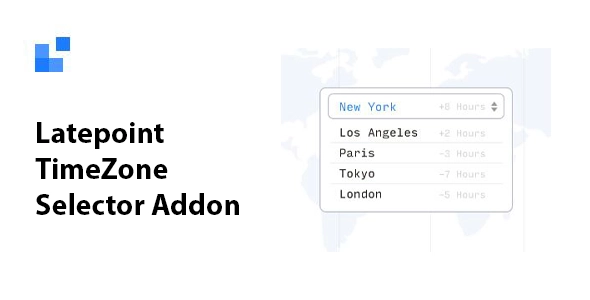
Latepoint TimeZone Selector Addon is a WordPress extension for websites that manage online bookings and appointments. It adds time zone selection options, helping to coordinate schedules between clients and businesses. Its main benefit is reducing confusion and improving clarity in international bookings or bookings with users located in different countries.
Overview
Latepoint TimeZone Selector Addon is part of the ecosystem of solutions designed for managing bookings in WordPress. It integrates with appointment workflows, online calendars, and schedules, adding time zone controls so that both the customer and the business can view information in a consistent and understandable way.
In real-world projects, it's used to improve appointment scheduling accuracy, especially when the audience isn't limited to a single country. On professional services websites, online academies, or consultancies, this type of plugin helps make the booking experience clearer, preventing misunderstandings and manual schedule adjustments.
What is the purpose of Latepoint TimeZone Selector Addon?
This add-on is designed to solve a very specific problem: the lack of coordination between business and client schedules when they operate in different time zones. Without clear time zone management, it's common to experience appointments at the wrong times, missed calls, or duplicate meetings.
In an online store offering support sessions, audits, or live training, having a time zone selection option makes it easy for each visitor to check service availability in their local time. On membership websites with mentorship programs, landing pages selling personalized consulting services, or corporate sites scheduling demonstrations, this type of solution brings order to the calendar and minimizes human error when setting up meetings.
Who is it ideal for?
- Businesses that offer service bookings in different countries or that cater to remote clients, such as consultants, coaches, marketing agencies, or online academies.
- Ecommerce projects that combine product sales with bookable services, such as audits, personalized onboarding, specialized support, or training sessions associated with a digital product.
- Management, marketing or customer service teams that need a clear and organized schedule, with fewer issues related to timetables and better coordination between campaigns, bookings and actual availability.
Key benefits
- Improves efficiency in reservation management by reducing manual adjustments of schedules between different time zones.
- It brings clarity to the user experience by displaying appointment information in a way that is consistent with their own temporary location.
- It offers greater flexibility for planning live services, adapting the calendar display to the needs of each project.
- It is especially useful in large service catalogs, where multiple professionals, time slots and types of appointments are handled.
- It helps reduce errors, cancellations and rescheduling resulting from misunderstandings with the exact time of the reservation, saving time for the business and the customer.
Main features of Latepoint TimeZone Selector Addon
- It incorporates specific options linked to the time zone within the booking and appointment scheduling flow, integrated into the LatePoint interface.
- It allows working with customer and business schedules in a differentiated way, showing availability more clearly for each party.
- It strengthens internal control over the organization of the calendar, facilitating a more organized view of appointments and better coordination between professionals and users.
- In practice, this type of add-on links to LatePoint's booking fields, adjusts how schedules are presented to the visitor, and helps management correctly interpret recorded times, without the need for external spreadsheets or manual calculations.
Use cases
- Administrators who manage a full schedule of online sessions with clients from different countries and need each client to see the times adapted to their own reality.
- Live training projects, consulting, or software demos where the meeting time has a direct impact on attendance, satisfaction, and conversion.
- WordPress websites that use bookings to coordinate internal meetings, interviews, consultations, or follow-up sessions and want to minimize misunderstandings about the exact time of each appointment.
Frequently Asked Questions about Latepoint TimeZone Selector Addon
What does Latepoint TimeZone Selector Addon offer compared to a basic booking system?
Add time zone management controls to LatePoint booking flows. This allows customers and administrators to view hours more consistently, avoiding common confusion when serving international clients or distributed teams working in different countries.
Is it useful even if my business only has one professional handling reservations?
Yes, it's valuable even with just one professional if you serve clients from other countries or regions with different time zones. Selecting the time zone helps keep the calendar properly aligned and ensures that each confirmed appointment respects the local time of both the person booking and the service provider.
What type of online services is this add-on best suited for?
It's especially well-suited for consulting, mentoring, live training, specialized support sessions, and product demonstrations. Whenever the service requires coordinating a live meeting, time zone management brings order, reduces issues, and enhances the perception of professionalism.
How does this improve the user experience when booking an appointment?
Users can see schedules that are relevant to their context, which reduces uncertainty when booking and builds confidence. This translates into fewer clarifying messages, fewer time changes, and a smoother booking process, especially on pages that receive international traffic.
Does it offer advantages for marketing and sales teams?
For marketing and sales managers, a clear, time-matched schedule makes it easier to plan funnels, email sequences, and reminders around each appointment. Coordination between campaigns and bookings improves, helping to maintain a more organized relationship with leads and active clients.
Can it be used on corporate sites that combine various types of services?
In corporate websites that offer different categories of bookable services, time zone management helps to unify the experience. Regardless of the type of appointment or the department managing it, the times are aligned, simplifying internal coordination and communication with clients.
Conclusion
Latepoint TimeZone Selector Addon enhances the accuracy of appointment management in WordPress, especially when dealing with users from different time zones. By providing clarity on the actual time of each booking, it contributes to more reliable calendar organization and a more professional and predictable booking experience.
Your individual purchase includes:
- Lifetime updates.*
- Product ready to use.
- Immediate access to the product.
- Clean and virus-free files.
- GNU GPL V2/V3 License
- Technical support in Spanish and English.
* In the case of memberships, the period during which you will receive updates will depend on the type of membership purchased: monthly, annual, or lifetime.
Get your questions answered here
Here you'll find answers to frequently asked questions about our service: how it works, what it includes, and how to get the most out of it.
On how many websites can I use the products?
You can use any product from our store on any website you want.
Will I get updates?
Absolutely. If you buy an individual product, you'll get lifetime updates for that product.
On the other hand, if you purchase a membership, you will receive updates until your membership expires.
What if I have a problem?
First of all, we want you to know that you can count on us. We will assist you and provide the necessary support, so you can rest assured.
On the other hand, it is important for you to know that, given the time difference between countries, your time and ours may not be the same, so we will be delayed accordingly.
Our opening hours start at 9 AM from Monday to Friday, UTC -3. We are open until around 6 PM.
Do they provide technical support?
Yes, and regarding the time, it is usually on average within 24 to 48 business hours.
However, there are times when we have already provided an answer and solution in less than a day, depending on the case.
Are there download limits?
No. We don't believe in that format, so you can download as many times as you want. No problem. We pay for high-quality professional storage precisely to avoid problems.
Do they provide license keys?
No. Giving out the keys is not a viable option, as we have had experiences where they end up circulating everywhere and we can even lose the associated accounts.
That said, all products are original and, in cases where a license key is required to function, we will take care of pre-activating them for you.
Does my purchase include an invoice?
Yes. After payment, you will be able to access your invoice immediately in the "Purchases" section of your user account.
That is why it is important that you properly complete the information requested at the time of payment.
Is there a warranty?
Yes, of course. If there's a problem we can't resolve, or if there's an external issue that doesn't have a general solution, you'll receive support and, if necessary, a full refund. We have a 14-day refund policy from the date of purchase.
- It should be noted that there is no warranty if the product works well and it simply wasn't what you wanted.
There have been instances where someone buys a product, the product works perfectly, but they don't like it and want a refund, keeping the product. That's not right.
However, everything is evaluable and reasonable. Let's use judgment together.
What are the opening hours?
Our opening hours are:
- Monday to Friday, from 9 a.m. to 6 p.m.
- Saturday and Sunday: No service.
UTC -3 time

Reviewed by the WPClub team
At WPClub, we carefully review each product before listing it. Our team evaluates its key features, compatibility, and performance to provide you with reliable, up-to-date, and helpful information when choosing and using each resource available in our store.
Download previous versions
If you have purchased this product, or have an active membership, you can download previous versions as we release them, without any limits or restrictions.
| Nombre del producto | Versión | Tamaño | Fecha | Descargar |
|---|---|---|---|---|
| No hay versiones anteriores registradas. | ||||

Our Reputation on Trustpilot
Many thanks to those who take the time to give us a rating on Trustpilot. Each and every one of your comments is very helpful to us. We strive to provide a rewarding experience for every member of our community, always with respect and care. We'll be here!






















WPClub Memberships
Access our entire catalog for a single payment. We offer three memberships: Monthly, Annual, and Lifetime (One-Time Payment).
- Save thousands of dollars
- Unlimited daily downloads
- No recurring payments
- Fast downloads by AWS
- Quality service and support, validated since 2018
- We work with love for our community