
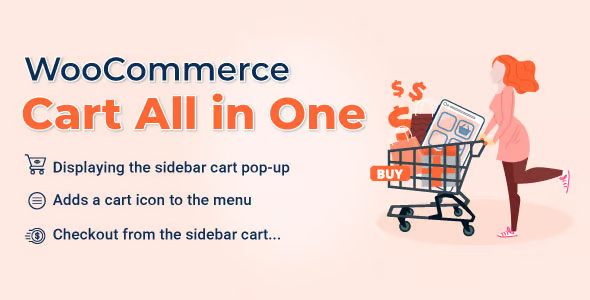
WooCommerce Cart All in One 1.1.11


- Secure Payment
- Support from Monday to Friday
- With you since 2018
$30.00 El precio original era: $30.00.$5.99El precio actual es: $5.99.
Quick summary
WooCommerce Cart All in One is designed for online stores that need a clearer, more visible, and more efficient shopping cart and checkout process than the standard WooCommerce experience. It's especially useful when customers abandon the site without finding their cart, get lost between steps, or don't understand what they've added. It's intended for e-commerce businesses that want to increase conversions by simplifying cart access and reducing friction at every stage of the purchase process.
What problem does it help solve?
In many stores built with WooCommerce, the shopping cart is "hidden" in a corner of the menu or only appears on the checkout page. This causes users to add products, continue browsing, and not be clear about what's in their order, how much they'll pay, or what the next step is. When you start noticing that customers are getting lost among pages and not completing their purchase, the problem is usually an inaccessible shopping cart experience.
WooCommerce Cart All in One focuses precisely on this critical point: it makes the shopping cart visible and manageable from anywhere in the store. If you've ever had a user write to you saying, "I can't find where to pay" or "I don't see what I've added," you know it's not a technical problem; it's a usability issue that hinders sales. In real-world projects, this translates into abandoned carts, questions, and users leaving the site prematurely.
Furthermore, when managing large catalogs, offers, or paid traffic campaigns, any extra friction during the order addition and review process multiplies lost opportunities. The goal of WooCommerce Cart All in One is to reduce these unnecessary steps and keep the customer informed at all times: what's in their cart, their total, and how to complete the purchase without having to search for the cart on the site.
Why this solution makes a difference
The main difference between WooCommerce Cart All in One and standard WooCommerce behavior lies in its seamless experience: the cart accompanies the user, rather than forcing them to switch contexts to see what they're buying. This reduces clicks, minimizes confusion, and makes it easier for customers to manage their order while browsing. In practice, this translates into a direct improvement in conversion rates and the number of carts that reach checkout.
On the other hand, when working with WordPress, you need cart management that doesn't rely on complex layouts on each page. WooCommerce Cart All in One provides a more centralized approach to the cart, ensuring its presence is consistent throughout the site, not just on the checkout page. This reduces common errors such as duplicate products, confusion about the total, or users going back and losing track of the process.
In high-volume e-commerce projects, this improved clarity translates into less support, fewer tests to run, and greater peace of mind knowing customers can always find their cart effortlessly. When you start seeing sales but the funnel gets stuck just before checkout, a more visible and accessible cart management system becomes crucial.
Signs you need this product
- Users add products but do not complete the purchase, and you do not detect any obvious technical errors in the payment process.
- You receive inquiries such as "I can't find the cart" or "I don't know how to complete the order" from your WordPress store.
- Note that losing focus while browsing between categories causes the customer to forget what they had already added to their order.
- Your ecommerce business starts to grow, and the classic flow of going from the product page to the cart page and then to payment falls short in terms of agility.
- You want the shopping cart to be present during browsing, without forcing the user to leave the page they are on to check what they have.
When does it make sense to use it (and when doesn't)
WooCommerce Cart All in One makes sense when your store relies on visitors who make quick decisions and you need the path from "add to cart" to "checkout" to be as seamless as possible. In stores with medium to large catalogs, or with active advertising campaigns, cart clarity becomes a central part of the sales funnel. It also fits in when you prioritize allowing users to view their order summary without leaving the page they're currently viewing.
However, it's not particularly necessary if you manage a very simple site with one or two products and a nearly straightforward sales process—for example, a single sales page with a buy button leading to a simplified checkout. In that context, WooCommerce's basic functionality is usually sufficient, and the added visibility of the cart doesn't make a significant difference. WooCommerce Cart All in One becomes truly valuable when there's navigation, comparison, and multiple decisions within the store.
Who it fits best for
- WooCommerce store managers who are seeing drops in the final stage of the funnel and want to improve the clarity of the purchase process without redoing the entire design.
- Ecommerce projects with multiple products, categories, or cross-selling, where the user needs to review what they have without getting lost between pages.
- Agencies and professionals who develop stores on WordPress and are looking for finer control of the shopping cart experience as part of the overall site design.
- Entrepreneurs who have already validated sales, but notice that many users abandon the website after adding products, without an obvious technical explanation.
- Stores that combine content (blog, guides, comparisons) with product sales, and need the shopping cart to accompany the user while they consume information.
Practical benefits
- Real operational improvement: It centralizes the shopping cart experience, reducing scattered steps and preventing the customer from having to "search" for where to view their order.
- Clearer user experience: The buyer understands at all times what they have added, how much they are paying, and what action comes next.
- Control and organization: It allows you to keep the shopping cart as the main reference for the order, avoiding typical confusion with products added or removed in a less visible way.
- Time saving: This benefits both the user, who completes their purchase with fewer clicks, and the store manager, who invests less effort in explaining how to buy.
- Error reduction: Incidents decrease due to incomplete orders, shopping carts abandoned due to disorientation, or customers who do not correctly perceive the total of their purchase.
How it fits within WordPress
In the WordPress ecosystem, WooCommerce Cart All in One acts as a dedicated layer on top of the purchase flow, focusing on how the user interacts with the cart from any section of the site. It doesn't replace the product logic, the payment gateway, or tax settings; it sits between navigation and checkout, providing the user with a consistent point of reference. In this context, it allows you to design the shopping experience with the cart as a visible element, not just an isolated page.
When you integrate this approach into your WordPress strategy, the shopping cart ceases to be "a destination" and becomes a central, accessible component that accompanies the user as they browse product pages, categories, or related content. For projects where the sales funnel is closely tied to the overall site experience, this way of working with the shopping cart provides a consistency that WooCommerce's default behavior doesn't offer.
Typical use cases
- Fashion or accessories stores where the user adds several products, compares sizes or colors and needs to review their selection without leaving the category they are in.
- Businesses that work with paid traffic launches and campaigns, where each extra click generates a loss and the goal is for the visitor to reach the payment as soon as possible, without losing context.
- Content projects + ecommerce (blogs, media, educational websites) where the user discovers products while reading and appreciates having the cart available without leaving the article.
- B2B stores with recurring orders that require reviewing multiple items in the same order, maintaining clear control of the summary before confirming.
- Situations where design changes and texts have already been tested in the checkout, but the problem persists because the block is actually in the visibility of the cart during navigation.
Frequently Asked Questions about WooCommerce Cart All in One
How does WooCommerce Cart All in One differ from the standard WooCommerce cart?
The standard WooCommerce cart primarily functions as a standalone page that users must explicitly access. WooCommerce Cart All in One enhances the cart's presence within the browsing experience, making it easier for customers to view their order and proceed through the checkout process without losing the context of the current page. This difference is important when your store has multiple products, intensive navigation, and you need to reduce the number of steps leading to checkout.
When does the impact of WooCommerce Cart All in One start to be noticeable in an online store?
The impact becomes apparent when your site receives a reasonable volume of visits and user behavior shows full shopping carts that don't reach checkout, even though the checkout process works. When you start noticing people adding products but abandoning their carts midway through, a more responsive shopping cart experience helps keep the user engaged. It's not just about aesthetics, but about making the transition from "interest" to "payment" straightforward and easy to understand.
Does this product replace other elements of the checkout process in WooCommerce?
WooCommerce Cart All in One does not replace WooCommerce's gateway, payment method, tax, or order management settings. Its function focuses on how the customer interacts with the cart and how they view their order while browsing the store. You continue to use your existing payment settings; what changes is the experience of accessing, reviewing, and transitioning from the cart to the checkout process.
Does it make sense to use WooCommerce Cart All in One in stores with only one product?
In single-product stores with a single, focused sales page and a near-direct flow to checkout, the added value of WooCommerce Cart All in One is less. In these cases, navigation is very simple, and the user doesn't need to browse multiple items before paying. This product is designed for scenarios where there is navigation between product pages, categories, or content, and where the customer benefits from having the cart available and visible at all times.
How does WooCommerce Cart All in One help reduce abandoned carts?
Reducing abandoned shopping carts comes from minimizing confusion, unnecessary clicks, and abrupt page changes. When the shopping cart is accessible and clear during navigation, users better understand what they're buying and what to do next. If you've already experienced customers getting lost between "add to cart" and "checkout," a more integrated shopping cart presentation reduces this point of loss, preventing them from abandoning the process due to not understanding the next steps.
Conclusion
WooCommerce Cart All in One exists to solve a very specific problem: the lack of clarity and presence of the shopping cart in many stores built with WooCommerce. If your e-commerce site combines browsing, comparison, and multiple products per order, having an always-accessible cart ceases to be a mere visual detail and becomes a key element of the sales funnel. By working with a more integrated cart experience, you make it easier for customers to complete their purchase with less friction and greater confidence at every step.
Latest update:

Written by: WPClub
With over seven years of experience curating, managing, and distributing GPL products, our content is based on hands-on experience, technical review, testing, and feedback from thousands of users. We aim to democratize and simplify the WordPress world so you can choose with confidence, speed, and ease.
Your Individual Purchase Includes:
- Lifetime updates.*
- Official product, ready to use.
- Immediate access to the product.
- Clean and virus-free files.
- GNU GPL V2/V3 License
- Technical support in Spanish and English.
* In the case of memberships, the period during which you will receive updates will depend on the type of membership purchased: monthly, annual, or lifetime.
Notify Update
We update products Monday through Friday. However, if the product you see is not yet updated, you can notify us so we can prioritize updating it whenever possible.
Get your questions answered here
Here you'll find answers to frequently asked questions about our service: how it works, what it includes, and how to get the most out of it.
On how many websites can I use the products?
You can use any product from our store on any website you want.
Will I get updates?
Absolutely. If you buy an individual product, you'll get lifetime updates for that product.
On the other hand, if you purchase a membership, you will receive updates until your membership expires.
What if I have a problem?
First of all, we want you to know that you can count on us. We will assist you and provide the necessary support, so you can rest assured.
On the other hand, it is important for you to know that, given the time difference between countries, your time and ours may not be the same, so we will be delayed accordingly.
Our opening hours start at 9 AM from Monday to Friday, UTC -3. We are open until around 6 PM.
Do they provide technical support?
Yes, and regarding the time, it is usually on average within 24 to 48 business hours.
However, there are times when we have already provided an answer and solution in less than a day, depending on the case.
Are there download limits?
No. We don't believe in that format, so you can download as many times as you want. No problem. We pay for high-quality professional storage precisely to avoid problems.
Do they provide license keys?
No. Giving out the keys is not a viable option, as we have had experiences where they end up circulating everywhere and we can even lose the associated accounts.
That said, all products are original and, in cases where a license key is required to function, we will take care of pre-activating them for you.
Does my purchase include an invoice?
Yes. After payment, you will be able to access your invoice immediately in the "Purchases" section of your user account.
That is why it is important that you properly complete the information requested at the time of payment.
Is there a warranty?
Yes, of course. If there's a problem we can't resolve, or if there's an external issue that doesn't have a general solution, you'll receive support and, if necessary, a full refund. We have a 14-day refund policy from the date of purchase.
- It should be noted that there is no warranty if the product works well and it simply wasn't what you wanted.
There have been instances where someone buys a product, the product works perfectly, but they don't like it and want a refund, keeping the product. That's not right.
However, everything is evaluable and reasonable. Let's use judgment together.
What are the opening hours?
Our opening hours are:
- Monday to Friday, from 9 a.m. to 6 p.m.
- Saturday and Sunday: No service.
UTC -3 time

Our Reputation on Trustpilot
Many thanks to those who take the time to give us a rating on Trustpilot. Each and every one of your comments is very helpful to us. We strive to provide a rewarding experience for every member of our community, always with respect and care. We'll be here!






















WPClub Memberships
Access our entire catalog for a single payment. We offer three memberships: Monthly, Annual, and Lifetime (One-Time Payment).
- Save thousands of dollars
- Unlimited daily downloads
- No recurring payments
- Fast downloads by AWS
- Quality service and support, validated since 2018
- We work with love for our community