
Contact Form 7 PDF Customizer 1.1.2


- Secure Payment
- Support from Monday to Friday
- With you since 2018
$19.00 El precio original era: $19.00.$5.99El precio actual es: $5.99.
Quick summary
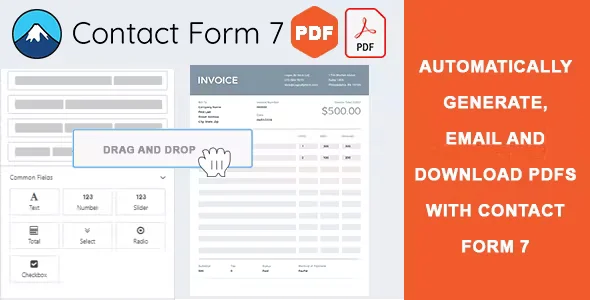
Contact Form 7 PDF Customizer is a dedicated extension for forms created with Contact Form 7 that allows you to generate fully customized PDF documents from each submission. It's designed for projects where simply receiving an email isn't enough; a formal, custom-designed document is required, ready to share or archive. It's especially useful for agencies and businesses that manage requests, bookings, registrations, or contracts through WordPress.
What problem does it help solve?
On many WordPress sites, Contact Form 7 forms are used for processes that don't end with a simple email: quote requests, course registrations, internal orders, service requests, or documents that need to be saved in a consistent format. The problem arises when you need a presentable and consistent PDF file for each submission and all you have is a messy or difficult-to-print email.
If you've ever had a client or colleague ask for the "official document" of a request submitted through a form, and all you have is a plain email, you know how much time is wasted manually copying data into a template. Furthermore, each team member might format the information differently, leading to inconsistencies and transcription errors. This not only slows down the work but also damages the project's professional image.
Contact Form 7 PDF Customizer focuses precisely on this: automatically converting each submission into a structured, readable PDF containing only the information that truly matters, without relying on manual or improvised processes. In real-world projects, this translates into a more streamlined workflow between form submission and internal request or document management.
Why this solution makes a difference
The main difference lies in the control you gain over the content and design of the PDF generated from each Contact Form 7 submission. Instead of reviewing unclear emails, you have a standardized document for each form type, with fields in the correct order, clear labels, and a layout that respects your visual identity. This reduces misunderstandings and allows any team member to interpret the information in seconds.
When you start noticing that processing forms involves downloading emails, copying them to spreadsheets, forwarding messages, or repeatedly asking users for clarification, the operational strain becomes clear. By automating PDF generation, that effort is concentrated on properly configuring the design once, instead of repeating the same task with each submission. This frees up the team's time to make decisions, not to organize text.
On the other hand, having consistent PDFs impacts the experience of people who interact with your site. In contexts such as bookings, formal requests, or service documentation, receiving a well-structured document builds trust and reduces follow-up questions. On a daily basis, this clarity translates into fewer additional emails, fewer clarification calls, and cleaner traceability of each interaction.
Signs you need this product
- You already use Contact Form 7 to manage requests, registrations or contracts and you find yourself copying the information to editable documents to deliver them as PDFs.
- There is friction in your WordPress flow because each form submission requires additional manual steps before you can share it with the client or archive it properly.
- Notes: Time is wasted because different people on the team format the information in their own way, which causes inconsistencies and makes it difficult to find specific data later.
- Your project is growing, you're receiving more forms than you can process manually, and you need a uniform document format that is automatically generated upon arrival of each submission.
When does it make sense to use it (and when doesn't)
Contact Form 7 PDF Customizer adds value when your website's forms are part of formal processes that require a clear document: applications with subsequent handwritten signatures, documents attached to a client's file, booking confirmations, student records, or internal logs. In this context, the PDF ceases to be an extra and becomes the primary format for working with the submitted information.
It's also suitable when you need multiple people to review data consistently, regardless of the email format. Organized information in a PDF makes it easy to print, archive in shared folders, or organize by date, code, or department. This becomes relevant when your workflow has moved beyond the "I receive a few forms and manage them via email" stage and you need something more structured.
However, it's not necessary for very simple forms that only collect basic contact information or a general message and are handled directly from the email inbox. If you only receive a few inquiries per week and have no obligation to generate formal documents, a customized PDF won't significantly change your workflow. In those cases, the Contact Form 7 email remains sufficient.
Who it fits best for
- Professionals and agencies that manage formal requests from WordPress and need a clear PDF document for each case, such as quotes, service registrations, or client forms.
- Businesses that use Contact Form 7 for bookings, registrations, access requests, certifications, or internal processes that need to be recorded in a shareable file.
- Work teams that require a homogeneous document format to review submissions, distribute tasks, and archive information without depending on the variable appearance of emails.
Practical benefits
- Real operational improvement: Each Contact Form 7 submission is transformed into a structured PDF, eliminating the need to manually create documents from scattered emails.
- User experience: Both internal teams and external users work with clear, legible, and consistent documents, reducing doubts about exactly what has been sent.
- Control and organization: Having uniform PDFs makes it easier to classify, search, and retrieve information associated with each form, whether by date, type of request, or person.
- Time saving: Automating PDF generation avoids repetitive tasks such as copying data, formatting it, or creating templates in word processors for each case.
- Error reduction: By eliminating the manual transcription of fields, mistakes in names, numbers, dates, or amounts that arise when redoing information from email are minimized.
How it fits within WordPress
Within the WordPress ecosystem, Contact Form 7 PDF Customizer acts as an additional layer on top of Contact Form 7, focusing on the post-submission phase. First, the user completes the form as usual; then, instead of just keeping the email, the system generates a PDF that reflects the submitted fields according to your defined design. This document integrates seamlessly into your existing workflow, whether for archiving, sharing with the client, or attaching to other processes.
In real-world projects, this plugin acts as a bridge between the online form and the documentation managed outside of WordPress. It allows the website not only to collect data but also to automatically deliver a file with operational value for your organization: a receipt, a formal request, or a record that can be shared through other channels without losing its structure.
Typical use cases
- A training site that receives registrations via Contact Form 7 and generates a PDF per student with all registration data to archive in the academic record.
- A professional study that manages budget requests and obtains a PDF with the details of each request, ready to attach to the client's file or send to the corresponding department.
- A service business that needs to keep work orders, authorizations, or booking requests in a fixed format that can be printed or stored in document management systems.
Frequently Asked Questions about Contact Form 7 PDF Customizer
How is this different from simply printing the email from Contact Form 7?
Printing a Contact Form 7 email results in a document formatted by the email client, which is often poorly controlled and sometimes disorganized. With Contact Form 7 PDF Customizer, you can precisely define how the document will look: which fields to include, in what order, with which labels, and with what visual style. This ensures that each submission generates a uniform and legible PDF, without unnecessary elements such as email signatures, menus, or headers unrelated to the form content.
What types of forms benefit most from Contact Form 7 PDF Customizer?
The forms that benefit most from this extension are those linked to formal or administrative processes: service activation requests, customer records, accommodation or activity bookings, course or event registrations, authorizations, internal support requests, and internal records that must be retained. When a form ceases to be merely a contact channel and becomes the source of documentation that you need to save, share, or review frequently, the use of custom PDFs makes sense.
What happens if the fields of an existing form change?
When you make changes to a Contact Form 7 form, such as adding fields or modifying labels, you need to review the settings of the associated PDF in the Contact Form 7 PDF Customizer to reflect those adjustments. This ensures that the resulting document remains consistent and that no relevant information is missing. In practice, you only need to adapt the PDF layout once to the new form for subsequent submissions to be generated in alignment with the updated structure.
Is it useful if only one internal department needs the PDFs?
Even if the PDFs aren't sent to end users, the Contact Form 7 PDF Customizer is invaluable when an internal department, such as administration, coordination, or customer service, needs to work with clear documents. If you've ever had that department ask you to forward emails or reorganize information into spreadsheets, providing them with a unified PDF for each submission simplifies their work. The form remains the same for the end user, but the internal team receives much more manageable material.
What about simple contact or quick inquiry forms?
For very simple forms, such as a basic contact form with name, email, and a free-form message, Contact Form 7 PDF Customizer doesn't significantly change your workflow. In these cases, it's common to respond directly via email, and there's no need to generate formal documentation. The add-on becomes valuable when the form's content is transformed into a document that is then archived, reviewed by multiple people, or becomes part of a larger procedure within your organization.
Conclusion
Contact Form 7 PDF Customizer is designed for websites where forms are no longer just messages, but the source of documents that impact daily business operations. By automatically converting each submission into a clear and consistent PDF, it eliminates manual steps, reduces errors, and streamlines workflows for inquiries, bookings, and registrations.
If your team needs formal documents from Contact Form 7 forms, integrating this PDF generation workflow into WordPress helps ensure that each submission becomes a ready-to-use file, without relying on manual adjustments or improvised formatting for each case.
Latest update:

Written by: WPClub
With over seven years of experience curating, managing, and distributing GPL products, our content is based on hands-on experience, technical review, testing, and feedback from thousands of users. We aim to democratize and simplify the WordPress world so you can choose with confidence, speed, and ease.
Your Individual Purchase Includes:
- Lifetime updates.*
- Official product, ready to use.
- Immediate access to the product.
- Clean and virus-free files.
- GNU GPL V2/V3 License
- Technical support in Spanish and English.
* In the case of memberships, the period during which you will receive updates will depend on the type of membership purchased: monthly, annual, or lifetime.
Notify Update
We update products Monday through Friday. However, if the product you see is not yet updated, you can notify us so we can prioritize updating it whenever possible.
Get your questions answered here
Here you'll find answers to frequently asked questions about our service: how it works, what it includes, and how to get the most out of it.
On how many websites can I use the products?
You can use any product from our store on any website you want.
Will I get updates?
Absolutely. If you buy an individual product, you'll get lifetime updates for that product.
On the other hand, if you purchase a membership, you will receive updates until your membership expires.
What if I have a problem?
First of all, we want you to know that you can count on us. We will assist you and provide the necessary support, so you can rest assured.
On the other hand, it is important for you to know that, given the time difference between countries, your time and ours may not be the same, so we will be delayed accordingly.
Our opening hours start at 9 AM from Monday to Friday, UTC -3. We are open until around 6 PM.
Do they provide technical support?
Yes, and regarding the time, it is usually on average within 24 to 48 business hours.
However, there are times when we have already provided an answer and solution in less than a day, depending on the case.
Are there download limits?
No. We don't believe in that format, so you can download as many times as you want. No problem. We pay for high-quality professional storage precisely to avoid problems.
Do they provide license keys?
No. Giving out the keys is not a viable option, as we have had experiences where they end up circulating everywhere and we can even lose the associated accounts.
That said, all products are original and, in cases where a license key is required to function, we will take care of pre-activating them for you.
Does my purchase include an invoice?
Yes. After payment, you will be able to access your invoice immediately in the "Purchases" section of your user account.
That is why it is important that you properly complete the information requested at the time of payment.
Is there a warranty?
Yes, of course. If there's a problem we can't resolve, or if there's an external issue that doesn't have a general solution, you'll receive support and, if necessary, a full refund. We have a 14-day refund policy from the date of purchase.
- It should be noted that there is no warranty if the product works well and it simply wasn't what you wanted.
There have been instances where someone buys a product, the product works perfectly, but they don't like it and want a refund, keeping the product. That's not right.
However, everything is evaluable and reasonable. Let's use judgment together.
What are the opening hours?
Our opening hours are:
- Monday to Friday, from 9 a.m. to 6 p.m.
- Saturday and Sunday: No service.
UTC -3 time

Our Reputation on Trustpilot
Many thanks to those who take the time to give us a rating on Trustpilot. Each and every one of your comments is very helpful to us. We strive to provide a rewarding experience for every member of our community, always with respect and care. We'll be here!






















WPClub Memberships
Access our entire catalog for a single payment. We offer three memberships: Monthly, Annual, and Lifetime (One-Time Payment).
- Save thousands of dollars
- Unlimited daily downloads
- No recurring payments
- Fast downloads by AWS
- Quality service and support, validated since 2018
- We work with love for our community