


- Secure payment
- Spanish and English support
- With you since 2018
Divi Shop Builder For WooCommerce 2.0.25
$69.00 El precio original era: $69.00.$5.99El precio actual es: $5.99.
Quick summary
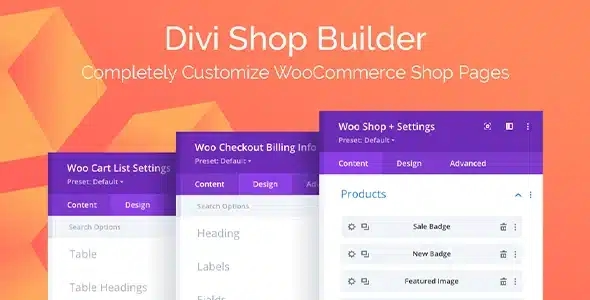
Divi Shop Builder for WooCommerce is a dedicated extension for those building online stores with Divi who need precise control over the design of product, catalog, and cart pages. It's designed for e-commerce owners, agencies, and creators who want to move beyond WooCommerce's rigid templates and design every part of their store directly from Divi's visual editor, maintaining brand consistency and improving conversion rates without relying on custom code.
What problem does it help solve?
When working with WooCommerce and Divi, there comes a point where the store's standard templates start to limit you. Product pages all look the same, the category listing offers very little customization, and the cart or checkout page feels visually disconnected from the rest of the site. Manually adjusting these details with CSS is time-consuming and, in real-world projects, often leads to dependencies that are difficult to maintain.
If you've ever had a customer ask you to move the "Add to Cart" button, change the design of the product galleries, or display custom content blocks within the product page, you know that with the default WooCommerce configuration, this involves modifying PHP templates or installing several third-party plugins. This not only complicates maintenance but also limits the speed at which you can test new structures aimed at improving sales, cross-selling, or usability.
Divi Shop Builder for WooCommerce focuses precisely on this gap: it allows the shop layout to have the same level of flexibility as the rest of the pages created with Divi. In this context, the gap between "well-designed marketing pages" and "rigid shop pages" disappears, preventing inconsistent designs that confuse the end user.
Why this solution makes a difference
The main impact of Divi Shop Builder for WooCommerce is felt in the day-to-day work of those who design and manage the store. Instead of switching between limited WooCommerce settings, code snippets, and the Divi editor, the design of the store's commerce section is unified in a single visual environment. This reduces errors when modifying templates and makes it easier to replicate styles across different page types.
On the other hand, when you start noticing the need to test different information layouts on the product page—for example, reordering information, highlighting testimonials, or adding specific modules between the price and the buy button—the time invested skyrockets if you rely on traditional templates. With this plugin, design changes become layout decisions within Divi, not technical tasks that get postponed because they "break everything" or require development intervention.
Furthermore, by seamlessly aligning the store's aesthetics with the rest of the website, the user experience is directly enhanced: clearer navigation, consistent visual blocks, and greater control over what is displayed at each stage of the purchase process. This translates into less friction, greater clarity, and a visually consistent shopping journey.
Signs you need this product
- The WooCommerce product and archive pages don't reflect the style you've achieved on the pages created with Divi, and you feel like the store clashes with the rest of the site.
- To change the design of the product page you have had to resort to code or custom templates, and each new adjustment becomes a risk of breaking something.
- You notice that you waste time repeating design adjustments across multiple product types or categories because you don't have a visual way to define reusable structures with Divi.
- Your ecommerce business is growing and you need to test different product page layouts to improve conversion, without relying on developers for each variation.
When does it make sense to use it (and when doesn't)
Divi Shop Builder for WooCommerce offers real value when your online store goes beyond a basic catalog and you want each section related to products, listings, and checkout processes to adhere to a specific visual strategy. It's especially well-suited when you're already committed to Divi as your site's foundation and want all design, including the commerce aspects, managed from there. This becomes relevant when requests for store redesigns become frequent and the traditional approach starts to hinder business decisions.
However, this plugin isn't necessary if you have a very small e-commerce site with few products and the standard WooCommerce look without customizations is sufficient. It also doesn't make sense to add it if your site doesn't use Divi as its primary builder or if the store's design is already handled entirely by another method that doesn't rely on the visual editor. In those cases, adding an extra layer of layout wouldn't provide benefits proportional to the time spent configuring new templates.
Who it fits best for
- Designers and developers who build stores with Divi and need detailed control over the presentation of product pages, listings, and pages related to the purchase process.
- Ecommerce owners who already manage their website with Divi and want to maintain autonomy to adjust the store design without having to continually resort to third parties.
- Agencies that manage multiple WordPress store projects and require an organized way to create, document, and replicate WooCommerce design structures within the Divi ecosystem.
Practical benefits
- Real operational improvement by centralizing the store layout in the same visual environment as the rest of the site, reducing the number of scattered systems and adjustments.
- A smoother user experience for the end customer by being able to align fonts, colors, trusted sections, and additional content throughout the purchase journey.
- Greater control and organization of store templates, as it defines a clear place to manage what is displayed on the product page, categories, and other WooCommerce elements.
- Save time by making design changes using the Divi editor, avoiding trial and error cycles with code or tweaking sensitive template files.
- Reduction of visual and layout errors because changes are made in a more predictable way, with a clear preview of how they will affect the store before publishing them.
How it fits within WordPress
Within a WordPress site, Divi Shop Builder for WooCommerce acts as a bridge between the store's logic and the visual layer you already use with Divi. It doesn't replace WooCommerce or Divi, but rather sits between them, providing access from the visual editor to parts of the store that are, by default, more restricted. This streamlines your workflow: you define products and business settings in WooCommerce, and then manage the structure and appearance of the related templates in Divi.
In real-world projects, this means your WordPress dashboard is no longer divided between "pages I control with Divi" and "shop pages I accept as is." Instead, there's a clear system where every area of the shop is designed with both conversion and aesthetics in mind, eliminating duplicated efforts and scattered code snippets.
Typical use cases
- Stores that already use Divi landing pages for campaigns and need the product page to reflect the same level of design, with blocks of benefits, guarantees and persuasive elements laid out with the visual builder.
- Ecommerce projects where a complete store redesign includes reorganizing how categories, filters, and featured products are presented, and it is necessary to work on these views from Divi to maintain consistency with the rest of the site.
- Situations in which an online business has grown and wants to test different layouts to improve sales by product or category, changing the distribution of information and visual elements without modifying WooCommerce technical files.
Frequently Asked Questions about Divi Shop Builder for WooCommerce
How does Divi Shop Builder For WooCommerce differ from using just Divi and WooCommerce?
Without this plugin, Divi lets you customize many static pages, but key WooCommerce views, such as the product page, product archives, or certain sections of the checkout process, remain much more restricted. Divi Shop Builder for WooCommerce extends the scope of the visual editor to these areas of the store, allowing you to build and rearrange their content from the same environment you already use to design pages, without resorting to complex templates or custom code to make structural changes.
Does it help if I need to redesign an existing WooCommerce store with Divi?
It's especially useful in redesign processes where the store is already selling, but its visual presentation has fallen behind. Instead of manually recreating templates or accepting design limitations, you can create new structures for product listings, product pages, and other elements directly from Divi, keeping products, orders, and business settings intact. This makes it easy to implement a new visual style without disrupting daily operations and allows for gradual adjustments based on user feedback.
What real impact does it have on my store's conversion rate?
The impact comes from being able to align design and business strategy without technical barriers. For example, you can better highlight key benefits, reposition distracting elements, reinforce social proof, or integrate sections aimed at resolving objections right where the user decides to buy. If you've ever known what you want to show but couldn't find where to change it, this layer of control corrects that situation. Design decisions then become guided by metrics, not by layout limitations.
Does it make sense to use it in small projects or single-page products?
If you're managing a very small project with a single product and no growth planned, the basic WooCommerce templates might be sufficient, and you won't need this approach. However, as soon as your store acquires more products or different product lines and you start requiring specific structures for each item type, this extension becomes much more useful. It allows you to maintain a clear visual consistency without multiplying your efforts, especially when you want to work with different presentations based on product categories or families.
Does it replace other extensions focused on WooCommerce functionalities?
Divi Shop Builder for WooCommerce focuses on the visual and structural layers of the store, not on advanced business functions like booking systems, memberships, or payment gateways. It doesn't replace extensions that add specific capabilities to WooCommerce, but rather works alongside them to ensure that the presentation of these elements is consistent with the overall site design. Its role is to provide control over how these parts look and are organized within the Divi environment, maintaining a clear separation between business logic and layout.
Conclusion
Divi Shop Builder for WooCommerce exists to solve a very specific problem: the lack of real visual control over shop templates when working with Divi. It allows the design of the shop floor to be as detailed as your marketing pages, without additional layers of technical complexity. If your e-commerce business is already at a point where design directly impacts sales, having this level of flexibility in WooCommerce layout becomes a practical tool for continuously adjusting and improving store performance from a single workspace.
Your individual purchase includes:
- Lifetime updates.*
- Product ready to use.
- Immediate access to the product.
- Clean and virus-free files.
- GNU GPL V2/V3 License
- Technical support in Spanish and English.
* In the case of memberships, the period during which you will receive updates will depend on the type of membership purchased: monthly, annual, or lifetime.
Get your questions answered here
Here you'll find answers to frequently asked questions about our service: how it works, what it includes, and how to get the most out of it.
On how many websites can I use the products?
You can use any product from our store on any website you want.
Will I get updates?
Absolutely. If you buy an individual product, you'll get lifetime updates for that product.
On the other hand, if you purchase a membership, you will receive updates until your membership expires.
What if I have a problem?
First of all, we want you to know that you can count on us. We will assist you and provide the necessary support, so you can rest assured.
On the other hand, it is important for you to know that, given the time difference between countries, your time and ours may not be the same, so we will be delayed accordingly.
Our opening hours start at 9 AM from Monday to Friday, UTC -3. We are open until around 6 PM.
Do they provide technical support?
Yes, and regarding the time, it is usually on average within 24 to 48 business hours.
However, there are times when we have already provided an answer and solution in less than a day, depending on the case.
Are there download limits?
No. We don't believe in that format, so you can download as many times as you want. No problem. We pay for high-quality professional storage precisely to avoid problems.
Do they provide license keys?
No. Giving out the keys is not a viable option, as we have had experiences where they end up circulating everywhere and we can even lose the associated accounts.
That said, all products are original and, in cases where a license key is required to function, we will take care of pre-activating them for you.
Does my purchase include an invoice?
Yes. After payment, you will be able to access your invoice immediately in the "Purchases" section of your user account.
That is why it is important that you properly complete the information requested at the time of payment.
Is there a warranty?
Yes, of course. If there's a problem we can't resolve, or if there's an external issue that doesn't have a general solution, you'll receive support and, if necessary, a full refund. We have a 14-day refund policy from the date of purchase.
- It should be noted that there is no warranty if the product works well and it simply wasn't what you wanted.
There have been instances where someone buys a product, the product works perfectly, but they don't like it and want a refund, keeping the product. That's not right.
However, everything is evaluable and reasonable. Let's use judgment together.
What are the opening hours?
Our opening hours are:
- Monday to Friday, from 9 a.m. to 6 p.m.
- Saturday and Sunday: No service.
UTC -3 time

Reviewed by the WPClub team
At WPClub, we carefully review each product before listing it. Our team evaluates its key features, compatibility, and performance to provide you with reliable, up-to-date, and helpful information when choosing and using each resource available in our store.
Download previous versions
If you have purchased this product, or have an active membership, you can download previous versions as we release them, without any limits or restrictions.
| Nombre del producto | Versión | Tamaño | Fecha | Descargar |
|---|---|---|---|---|
| No hay versiones anteriores registradas. | ||||

Our Reputation on Trustpilot
Many thanks to those who take the time to give us a rating on Trustpilot. Each and every one of your comments is very helpful to us. We strive to provide a rewarding experience for every member of our community, always with respect and care. We'll be here!






















WPClub Memberships
Access our entire catalog for a single payment. We offer three memberships: Monthly, Annual, and Lifetime (One-Time Payment).
- Save thousands of dollars
- Unlimited daily downloads
- No recurring payments
- Fast downloads by AWS
- Quality service and support, validated since 2018
- We work with love for our community