
Wiloke Timeline Slider for Elementor 1.0.0



- Secure Payment
- Support from Monday to Friday
- With you since 2018
$10.00 El precio original era: $10.00.$5.99El precio actual es: $5.99.
Quick summary
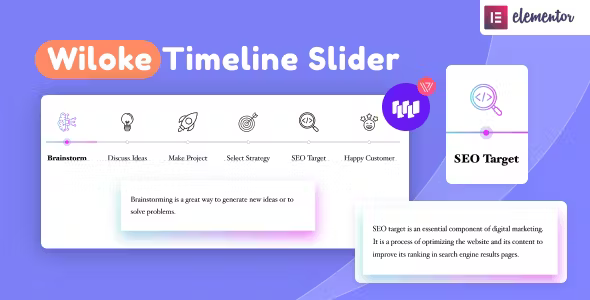
Wiloke Timeline Slider for Elementor is an extension focused on creating visual, slideable timelines within your Elementor designs. It's designed for websites that need to showcase processes, milestones, brand stories, or chronological evolutions in a clear and engaging way, without resorting to complex layouts. If you already work with Elementor and need timelines that look professional, organized, and easy to navigate, this plugin saves you from inconsistent, manual designs.
What problem does it help solve?
Many WordPress projects require a chronological narrative: product launches, company evolution, service roadmaps, event timelines, or course progress. With Elementor's basic widgets, presenting this information often results in lengthy blocks of text or disorganized columns that users don't fully explore. When you notice your story getting lost among paragraphs and no one reaching the end of the page, the problem shifts from content to presentation.
Without a clear and navigable timeline structure, visitors don't understand the order of milestones, don't perceive progress, and leave before engaging with your proposal. This happens when you try to use repeated sections with icons, anchors, or separators to simulate a chronology, invest time in aligning elements, and still the result looks inconsistent on desktop and confusing on mobile. Furthermore, any changes to dates or events require redoing a large part of the design, which disrupts the workflow in Elementor.
Wiloke Timeline Slider for Elementor focuses on this specific point: transforming chronological information into a structured carousel, where each milestone has its own space, reading pace, and coherent navigation. Instead of forcing columns and sections, you work with a component specifically designed to display steps, phases, or events sequentially, reducing layout effort and improving storytelling.
Why this solution makes a difference
In real-world projects, the difference lies not only in having a timeline, but also in its readability, ease of updating, and seamless integration with the overall design. With Wiloke Timeline Slider for Elementor, the timeline transforms from a static block into a slider that guides the user step by step. This reduces visual clutter and ensures each stage receives the appropriate attention—crucial when presenting hiring processes, event schedules, or trust milestones.
In day-to-day use, the impact is noticeable in the speed with which you can plan and adjust new timelines. If you've ever had a client ask you to add an intermediate milestone or reorder dates, and you waste time moving columns and spacing, this plugin simplifies that work within the Elementor editor itself. The order, navigation, and layout of each element are managed from a single block, without having to rebuild the entire section.
On the other hand, the visitor experience is improved because they no longer have to confront an endless list of text. They can navigate the timeline at their own pace, with a familiar slider structure that feels comfortable and intuitive, especially on mobile devices. Each point in the story is presented individually, which reduces misinterpretations and helps users better remember each stage of the process or story you want to highlight.
Signs you need this product
- You already have sections like “our story”, “how it works” or “step by step” with too much text and low interaction.
- You notice friction in WordPress when you try to lay out timelines in Elementor using only columns, icons, and separators, and the result is still unclear.
- You start wasting time every time you need to edit dates, add a new milestone, or reorganize a process, because the structure becomes unbalanced and you have to manually correct margins and alignments.
- Your project is at a growth stage where you need to showcase roadmap, program phases, or key milestones (awards, launches, revenue milestones) in a clean and professional manner.
When does it make sense to use it (and when doesn't)
Wiloke Timeline Slider for Elementor makes sense when your website needs to explain processes or stories related to time: academies showing student progress, consultants detailing service phases, agencies recounting their evolution, SaaS projects presenting their roadmap, or events with a schedule segmented by time slots. In this context, a timeline slider provides clarity, guides the reader, and organizes information without cluttering the page.
It's also useful when managing multiple service or product pages and you want to maintain a consistent, replicable, and easily adjustable timeline style from within Elementor. If you use this approach across different sections, having a dedicated component prevents inconsistent designs and maintains a recognizable visual style.
On the other hand, it's not necessary when your content doesn't require a clear chronological sequence. If your site consists solely of simple product descriptions, static pages, or short texts where chronological order doesn't add value, a sliding timeline adds visual complexity without any real benefit. It also doesn't add much to pages with only a single milestone (for example, a single event or key date); in those cases, a well-crafted block of text may suffice.
Who it fits best for
- Designers and layout artists who regularly work with Elementor and need a structured way to present processes or brand stories without building each timeline from scratch.
- Agencies and studios that develop corporate websites, portfolios or event sites, where sections on timelines, milestones, agendas or roadmaps are repeated in different projects.
- Digital businesses, trainers, and consultants who want to visually showcase their customers' journey, the progress of their programs, or the evolution of their company to reinforce trust and clarity.
Practical benefits
- Operational transformation: from improvised timelines with disordered columns to a slider designed for temporal events, which reduces layout time and simplifies future adjustments.
- Clearer user experience: the visitor goes through your story or process step by step, with intuitive navigation that avoids dense blocks of text and improves understanding.
- Greater control over the organization of milestones: each stage has a defined place within the route, making it easier to highlight key moments and maintain a coherent narrative.
- Time savings in changes and expansions: adding, removing or reordering milestones is done from the same component, without redesigning entire sections or manually readjusting all elements.
- Reduction of visual errors: By working with a specific block for timelines, alignment problems, inconsistencies between pages, and mismatches between desktop and mobile are minimized.
How it fits within WordPress
Wiloke Timeline Slider for Elementor integrates seamlessly into your existing Elementor workflow. It doesn't replace the page builder or your current templates, but rather adds a specialized component for a very specific need: presenting chronological information in a slider format. In practice, you'll use it as just another block within your sections, combining it with headings, text, images, and other widgets you already use on your site.
When working with WordPress, this means you don't change how you manage pages, posts, or templates. You simply add a feature that specifically addresses the challenge of displaying stories, processes, and milestones organized chronologically. This way, you keep your overall structure intact and only reinforce those areas where the temporal dimension is crucial for the message to be understood.
Typical use cases
- Agency or studio website that shows the evolution of the company, from its founding to the most recent achievements, organized in a sliding timeline embedded in the "About us" page.
- Page of a training program that presents the student's journey: module 1, module 2, internships, certification and follow-up, each phase as a milestone of the slider so that the visitor quickly understands what will happen at each stage.
- A website for an event or conference needs to display the agenda by days and times, allowing the user to navigate through the different sessions in an orderly manner and without cluttering the screen with extensive tables.
Frequently Asked Questions about Wiloke Timeline Slider for Elementor
How does Wiloke Timeline Slider for Elementor differ from using normal sections in Elementor?
When you try to build a timeline using only sections, columns, and icons, the entire burden falls on your layout skills: you have to adjust alignments, margins, visual connections, and navigation. Wiloke Timeline Slider for Elementor consolidates that logic into a single component designed to display milestones sequentially. This way, you work with a pre-built timeline block, complete with a slider structure and clear organization, without having to reinvent the design for every project.
When is it better to use a timeline slider instead of a simple list of steps?
It's most suitable when the story or process has several milestones and you want the user to go through them one by one, without distractions. For example, when explaining the evolution of your company, presenting the stages of a high-value service, or displaying a schedule with multiple activities. If you only have two or three simple steps, a list might suffice; but when the sequence is longer and you want to control the reading pace, the timeline slider offers a more organized experience.
Can I use Wiloke Timeline Slider for Elementor in different sections of the same website?
Yes, it makes sense to replicate this across multiple areas when you want a consistent visual identity for all your timelines. A common example is using it on the "About Us" page for the company's history, on the services page to show the client workflow, and on a training page to detail the program's progress. This way, the visitor recognizes the visual pattern and quickly understands they are viewing a journey through time.
What type of content benefits most from a sliding timeline in Elementor?
Content that benefits most from a timeline is one where temporal progression is integral to the message: product roadmaps, phased releases, growth milestones, event itineraries, success story timelines, or onboarding processes. When each stage has a clear purpose and you want the user to understand the before, during, and after, a sliding timeline helps structure that narrative, ensuring each milestone receives the appropriate attention within Elementor.
What happens if I want to change dates or reorder timeline milestones later on?
In ongoing projects, it's common for dates to change, new phases to be added, or priorities to be reorganized. If you've ever experienced the frustration of moving a milestone in a traditional layout and causing margins and columns to become misaligned, you'll understand the value of having a dedicated component. With Wiloke Timeline Slider for Elementor, you can adjust the order directly within the timeline block, without having to redo the entire section or manually correct each visual element, thus speeding up periodic reviews.
Conclusion
Wiloke Timeline Slider for Elementor addresses a very specific need within WordPress: displaying time-related information in a clear, organized, and easy-to-navigate way. If your website relies on processes, brand stories, roadmaps, or complex schedules, having a sliding timeline integrated into Elementor saves you from fragile manual layouts and improves visitor comprehension. By choosing it, you present your milestones as a guided journey, not just another block of text.
Latest update:

Written by: WPClub
With over seven years of experience curating, managing, and distributing GPL products, our content is based on hands-on experience, technical review, testing, and feedback from thousands of users. We aim to democratize and simplify the WordPress world so you can choose with confidence, speed, and ease.
Your Individual Purchase Includes:
- Lifetime updates.*
- Official product, ready to use.
- Immediate access to the product.
- Clean and virus-free files.
- GNU GPL V2/V3 License
- Technical support in Spanish and English.
* In the case of memberships, the period during which you will receive updates will depend on the type of membership purchased: monthly, annual, or lifetime.
Notify Update
We update products Monday through Friday. However, if the product you see is not yet updated, you can notify us so we can prioritize updating it whenever possible.
Get your questions answered here
Here you'll find answers to frequently asked questions about our service: how it works, what it includes, and how to get the most out of it.
On how many websites can I use the products?
You can use any product from our store on any website you want.
Will I get updates?
Absolutely. If you buy an individual product, you'll get lifetime updates for that product.
On the other hand, if you purchase a membership, you will receive updates until your membership expires.
What if I have a problem?
First of all, we want you to know that you can count on us. We will assist you and provide the necessary support, so you can rest assured.
On the other hand, it is important for you to know that, given the time difference between countries, your time and ours may not be the same, so we will be delayed accordingly.
Our opening hours start at 9 AM from Monday to Friday, UTC -3. We are open until around 6 PM.
Do they provide technical support?
Yes, and regarding the time, it is usually on average within 24 to 48 business hours.
However, there are times when we have already provided an answer and solution in less than a day, depending on the case.
Are there download limits?
No. We don't believe in that format, so you can download as many times as you want. No problem. We pay for high-quality professional storage precisely to avoid problems.
Do they provide license keys?
No. Giving out the keys is not a viable option, as we have had experiences where they end up circulating everywhere and we can even lose the associated accounts.
That said, all products are original and, in cases where a license key is required to function, we will take care of pre-activating them for you.
Does my purchase include an invoice?
Yes. After payment, you will be able to access your invoice immediately in the "Purchases" section of your user account.
That is why it is important that you properly complete the information requested at the time of payment.
Is there a warranty?
Yes, of course. If there's a problem we can't resolve, or if there's an external issue that doesn't have a general solution, you'll receive support and, if necessary, a full refund. We have a 14-day refund policy from the date of purchase.
- It should be noted that there is no warranty if the product works well and it simply wasn't what you wanted.
There have been instances where someone buys a product, the product works perfectly, but they don't like it and want a refund, keeping the product. That's not right.
However, everything is evaluable and reasonable. Let's use judgment together.
What are the opening hours?
Our opening hours are:
- Monday to Friday, from 9 a.m. to 6 p.m.
- Saturday and Sunday: No service.
UTC -3 time

Our Reputation on Trustpilot
Many thanks to those who take the time to give us a rating on Trustpilot. Each and every one of your comments is very helpful to us. We strive to provide a rewarding experience for every member of our community, always with respect and care. We'll be here!






















WPClub Memberships
Access our entire catalog for a single payment. We offer three memberships: Monthly, Annual, and Lifetime (One-Time Payment).
- Save thousands of dollars
- Unlimited daily downloads
- No recurring payments
- Fast downloads by AWS
- Quality service and support, validated since 2018
- We work with love for our community