

- Secure payment
- Spanish and English support
- With you since 2018
Appointment Booking Twilio SMS 1.0.2
$199.00 El precio original era: $199.00.$5.99El precio actual es: $5.99.
Quick summary
Appointment Booking Twilio SMS is a WordPress extension specifically designed for websites that manage bookings and appointments and need to send SMS notifications to clients and staff at key moments. Connect your appointment system to Twilio to send automatic and reliable messages. It's ideal for businesses that rely on punctuality and attendance from their clients: clinics, beauty salons, coaches, workshops, academies, and any online booking platform that can't afford absences or confusion.
What problem does it help solve?
When managing bookings through WordPress, email isn't always enough. Messages that end up in spam, clients who don't check their email, and reminders that go unseen lead to gaps in the schedule, missed appointments, and team confusion. If you've ever had a client say, "I didn't see the email" or "I thought it was tomorrow," the problem isn't with your calendar, but with how the reminders are being delivered.
In real-world projects, the schedule may be full, but day-to-day operations are disrupted by a lack of clear communication and time. Confirmations sent only by email, schedule changes that the client doesn't read, or urgent notices that require a direct channel. In this context, relying solely on email increases the risk of no-shows, delays, and misunderstandings between your team and the users making reservations.
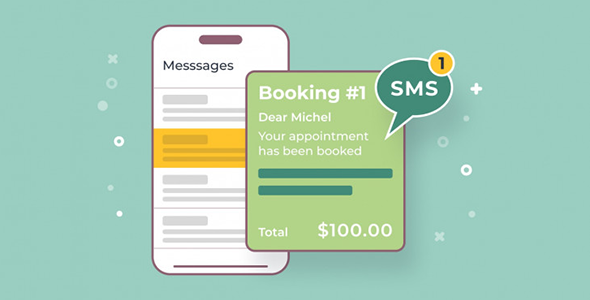
Appointment Booking Twilio SMS focuses on that exact point: transforming events from your appointment system into SMS messages sent via Twilio, so that important information reaches the customer's mobile at the right time, without them having to open their inbox or check inconspicuous notifications.
Why this solution makes a difference
The main impact is on punctuality and reduced no-shows. When using WordPress to manage appointments, every missed slot means wasted team time and, often, lost revenue. SMS messages receive a much higher level of attention: customers see them on their lock screen, without additional apps or spam filters.
On the other hand, the direct connection with Twilio allows you to centralize communication in a messaging system designed for high delivery and follow-up. In day-to-day operations, this translates to fewer manual calls to confirm bookings, fewer one-on-one WhatsApp messages, and less effort from staff to "chase" those with scheduled appointments. When you start noticing your team spending too much time reminding clients by phone, this integration completely changes the dynamic.
Furthermore, by linking messages to specific events in your booking system, you maintain clear traceability of what was notified and when. This reduces misunderstandings such as "nobody notified me" and increases the sense of professionalism that customers perceive each time they interact with your business through your WordPress site.
Signs you need this product
- You already have a booking system in WordPress and you're still making manual calls to confirm or remind appointments because email isn't enough.
- There is friction in the use of your online calendar: clients who cannot find confirmation emails, confuse schedules, or ask via message if the appointment is registered.
- Notes of loss of control or time when the team has to check the schedule multiple times a day and contact people individually to confirm attendance.
- Your project is growing, and this growth brings more bookings, more schedule changes, and a greater need for automated communication without overwhelming the staff.
When does it make sense to use it (and when doesn't)
Twilio SMS Appointment Booking makes sense when your business model relies on scheduled appointments and you're already using a WordPress booking system that generates clear events: new bookings, time changes, cancellations, or pre-appointment reminders. In this scenario, integrating SMS through Twilio provides a direct channel for confirming, reminding, and notifying in a timely manner, reducing no-shows and confusion without increasing your operational workload.
It also adds value when you manage a busy schedule and don't want to delegate the task of manually reminding your team about each appointment. If your website serves as an entry point, but customer loyalty is built through interaction, having SMS reminders improves the perception of your brand's care and organization.
However, this product isn't necessary if you manage services that don't require appointments or reservations, such as an online store that only sells physical products without set hours. It's also not a priority if your booking volume is so low that you can contact each customer personally without it being a significant burden. In those cases, activating it won't make a significant difference to your day-to-day operations.
Who it fits best for
- Professionals who work with appointments: clinics, consulting rooms, psychologists, nutritionists, personal trainers, yoga teachers, or other services where every gap in the calendar matters.
- Businesses with recurring bookings: academies, training centers, workshops, gyms, beauty salons, barbershops and spas that manage multiple appointments per day from WordPress.
- Marketing or operations managers who need the booking system to stop relying on manual reminders and want the communication flow to be centralized and automated using Twilio as an SMS gateway.
Practical benefits
- Real operational improvement: the number of missed appointments due to lack of notice is reduced, and staff hours are freed up as they no longer have to call or write one by one.
- User experience: the customer receives direct confirmations and reminders on their mobile, without depending on email or additional applications, increasing their sense of security about the booking.
- Control and organization: messages are linked to events in your calendar, allowing for consistent communication with the actual status of each appointment.
- Time savings: Repetitive notification tasks are automated, allowing your team to focus on care rather than administrative follow-up tasks.
- Error reduction: Since the messages are triggered from the booking system, it prevents a team member from forgetting to call someone or making mistakes when transcribing times or dates.
How it fits within WordPress
Within the WordPress ecosystem, Appointment Booking Twilio SMS acts as a bridge between your booking system and the Twilio platform. It doesn't replace your appointment manager or create a new calendar; it leverages what you already use to detect important events and convert them into automated SMS messages. When working with WordPress, you've likely already addressed booking forms, calendars, and email notifications; this integration adds to that by covering the direct messaging channel to mobile devices.
In this context, the extension integrates seamlessly into your existing workflow: you continue managing bookings from the admin panel, reviewing the calendar, accepting or modifying appointments, while Twilio receives SMS notifications when specific milestones occur. Your site transforms from a simple booking form into a central hub that automatically coordinates multichannel communications.
Typical use cases
- A clinic that manages medical appointments from WordPress and sends an automatic SMS confirmation upon booking, another reminder the day before, and an alert in case of rescheduling, significantly reducing no-shows.
- A beauty salon with high daily turnover uses Appointment Booking Twilio SMS to notify via messaging when there are changes in time, assigned professional, or when an appointment becomes free and they want to quickly offer it to someone else.
- An academy that organizes classes in groups needs to communicate urgent classroom changes, schedules, or one-off cancellations via SMS, minimizing the chaos that occurs when students do not check their email on time.
Frequently Asked Questions about Appointment Booking Twilio SMS
Does Appointment Booking Twilio SMS replace my current booking system?
No. Appointment Booking Twilio SMS is not designed to replace the booking system you already use in WordPress. Its function is to leverage the events generated by your calendar (new appointment, change, cancellation, reminder) and connect them to Twilio so that SMS messages are sent at the appropriate times. Calendar management, scheduling, service creation, and staff allocation remain under your primary booking extension.
What type of SMS messages can be sent with Appointment Booking Twilio SMS?
The extension is designed for messages related to the booking lifecycle: post-request confirmations, pre-appointment reminders, schedule change notifications, and cancellation notifications. The goal is for the customer to receive only relevant information about their appointment, at the right time, avoiding irrelevant messages that could overload their phone and reduce the channel's effectiveness.
When will I start to notice the impact of integrating Twilio SMS into my bookings?
The impact is especially noticeable in businesses that already have a stable volume of daily or weekly appointments. If you've already experienced a percentage of your appointment slots going unfilled due to no-shows, using SMS for reminders and confirmations tends to reduce this problem from the very first weeks. You'll also notice changes in internal organization, as it frees the team from the task of manually reminding clients of appointments via phone or personal messaging.
Is Appointment Booking Twilio SMS useful if I only manage a few appointments per month?
If your business handles few monthly bookings and you can contact each client personally without it being a burden, the benefit of SMS automation will be limited. In this type of scenario, the extension might offer some convenience, but the time savings and error reduction won't be as significant as in businesses with full schedules or with multiple team members coordinating appointments throughout the day.
Why choose SMS via Twilio instead of sticking with emails alone?
Email is useful for detailed documentation and longer communications, but it's less effective for urgent notices or brief reminders. Twilio allows Appointment Booking Twilio SMS to send messages that arrive on mobile phones as immediate notifications, even with the screen locked, without relying on additional apps or the customer checking their inbox. This immediacy makes a clear difference in providing timely assistance and enhancing the perceived professionalism of your service.
Conclusion
Appointment Booking Twilio SMS exists to solve a very specific problem: the lack of effective communication surrounding bookings managed in WordPress. If your business relies on appointments and you've already noticed that email isn't enough to prevent no-shows and confusion, integrating SMS through Twilio provides a direct and automated channel that streamlines your schedule and frees up team time. In projects where every calendar slot counts, this extension becomes a key component of the booking workflow.
Your individual purchase includes:
- Lifetime updates.*
- Product ready to use.
- Immediate access to the product.
- Clean and virus-free files.
- GNU GPL V2/V3 License
- Technical support in Spanish and English.
* In the case of memberships, the period during which you will receive updates will depend on the type of membership purchased: monthly, annual, or lifetime.
Get your questions answered here
Here you'll find answers to frequently asked questions about our service: how it works, what it includes, and how to get the most out of it.
On how many websites can I use the products?
You can use any product from our store on any website you want.
Will I get updates?
Absolutely. If you buy an individual product, you'll get lifetime updates for that product.
On the other hand, if you purchase a membership, you will receive updates until your membership expires.
What if I have a problem?
First of all, we want you to know that you can count on us. We will assist you and provide the necessary support, so you can rest assured.
On the other hand, it is important for you to know that, given the time difference between countries, your time and ours may not be the same, so we will be delayed accordingly.
Our opening hours start at 9 AM from Monday to Friday, UTC -3. We are open until around 6 PM.
Do they provide technical support?
Yes, and regarding the time, it is usually on average within 24 to 48 business hours.
However, there are times when we have already provided an answer and solution in less than a day, depending on the case.
Are there download limits?
No. We don't believe in that format, so you can download as many times as you want. No problem. We pay for high-quality professional storage precisely to avoid problems.
Do they provide license keys?
No. Giving out the keys is not a viable option, as we have had experiences where they end up circulating everywhere and we can even lose the associated accounts.
That said, all products are original and, in cases where a license key is required to function, we will take care of pre-activating them for you.
Does my purchase include an invoice?
Yes. After payment, you will be able to access your invoice immediately in the "Purchases" section of your user account.
That is why it is important that you properly complete the information requested at the time of payment.
Is there a warranty?
Yes, of course. If there's a problem we can't resolve, or if there's an external issue that doesn't have a general solution, you'll receive support and, if necessary, a full refund. We have a 14-day refund policy from the date of purchase.
- It should be noted that there is no warranty if the product works well and it simply wasn't what you wanted.
There have been instances where someone buys a product, the product works perfectly, but they don't like it and want a refund, keeping the product. That's not right.
However, everything is evaluable and reasonable. Let's use judgment together.
What are the opening hours?
Our opening hours are:
- Monday to Friday, from 9 a.m. to 6 p.m.
- Saturday and Sunday: No service.
UTC -3 time

Reviewed by the WPClub team
At WPClub, we carefully review each product before listing it. Our team evaluates its key features, compatibility, and performance to provide you with reliable, up-to-date, and helpful information when choosing and using each resource available in our store.
Download previous versions
If you have purchased this product, or have an active membership, you can download previous versions as we release them, without any limits or restrictions.
| Nombre del producto | Versión | Tamaño | Fecha | Descargar |
|---|---|---|---|---|
| No hay versiones anteriores registradas. | ||||

Our Reputation on Trustpilot
Many thanks to those who take the time to give us a rating on Trustpilot. Each and every one of your comments is very helpful to us. We strive to provide a rewarding experience for every member of our community, always with respect and care. We'll be here!






















WPClub Memberships
Access our entire catalog for a single payment. We offer three memberships: Monthly, Annual, and Lifetime (One-Time Payment).
- Save thousands of dollars
- Unlimited daily downloads
- No recurring payments
- Fast downloads by AWS
- Quality service and support, validated since 2018
- We work with love for our community