
Olympus Social Networking Theme 4.7


- Secure Payment
- Support from Monday to Friday
- With you since 2018
$68.00 El precio original era: $68.00.$5.99El precio actual es: $5.99.
Quick summary
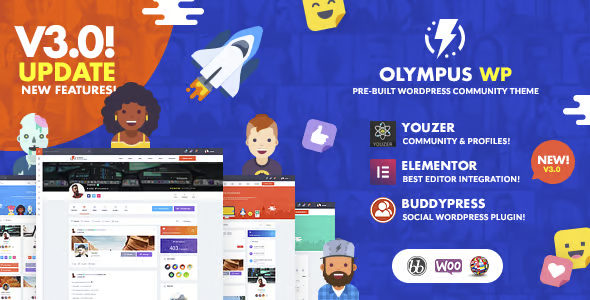
Olympus Social Networking Theme is a premium WordPress theme designed to create communities, private social networks, and spaces for user interaction with a modern look. It's ideal for projects that require engaging user profiles, activity feeds, and clear social navigation. If you already work with WordPress and need your site to function as an active community, this theme allows you to structure it without starting from scratch.
What problem does it help solve?
In many projects with recurring members or clients, the website ends up being just a blog with a login area, lacking genuine user interaction. The result is a passive community, devoid of participation or a sense of belonging. This happens when you try to build a social space on a generic theme and start forcing blog templates to display profiles, groups, or activity, resulting in a cluttered and unclear experience.
With the Olympus Social Networking Theme, the problem is addressed from the ground up in the design: each important section of a social network (timeline, members, groups, messages, notifications) has a consistent visual place. In real-world projects, this prevents haphazard pages, confusing menus, and social elements hidden within mismatched sections, which discourages users from engaging with or returning to the site.
Why this solution makes a difference
A general-purpose theme focuses on static posts and pages; the Olympus Social Networking Theme is organized around social activity. This impacts your daily work because every time you set up a new community section, there's already a template designed for interaction: user cards, clean listings, recognizable icons, and a clear hierarchy between content and actions (follow, send a message, view profile, etc.).
When you start noticing that your community enters the site, looks at a couple of pages, and leaves without commenting or participating, the design is failing to guide user behavior. The Olympus Social Networking Theme helps users immediately understand what they can do within your network: see who's active, discover groups, and access their profile in one or two clicks. In practical terms, you reduce friction, avoid navigation errors, and maintain a consistent environment even as you add new social sections.
Signs you need this product
- Your site already has registered members, However, they only use the account area for basic data and there is no clear community or user interaction section.
- Notes on friction in WordPress When you try to present social network-type functionalities using blog templates or standard pages, without achieving a logical flow between profiles, messages, and activity.
- You start wasting time creating manual pages for user listings, group sections, or activity walls that never quite look consistent with each other.
- Your project is growing And you receive requests to enable private communities, themed groups, or internal networking spaces, but your current design cannot support that structure without becoming chaotic.
When does it make sense to use it (and when doesn't)
The Olympus Social Networking Theme adds value when user interaction is central to the project: learning communities, professional networking sites, private clubs, associations, online schools with social forums, or membership platforms where contact between members is as important as the content. If you've ever created a group on external social networks because your website "doesn't have the capacity," it's a sign that you're missing a community-focused visual foundation within WordPress.
However, this theme isn't suitable if your project is limited to a personal blog, a basic corporate website, or an online store where the social aspect isn't relevant and you only need to showcase products and static pages. In that context, the social structure it offers would be excessive, and you'd be managing design options you won't use. It's also unnecessary if you're looking for a minimal, single-page landing page with no registered users.
Who it fits best for
- Online community creators who want to offer their own space for interaction, independent of external social networks, with visible profiles, groups and centralized activity.
- Schools, academies and trainers They need to complement their courses with a social environment for students, with clear sections for debates, groups by topic, and follow-up among students.
- Companies, associations and private clubs who want a members' area where internal networking, messaging, and group activity take center stage within a unified visual environment.
Practical benefits
- Actual operational improvement: You reduce the need to design member lists, activity sections, and profile pages from scratch, because you already have a structure ready to customize.
- User experienceVisitors quickly understand how to navigate the community, what sections exist, and how to access their recent interactions, which encourages participation.
- Control and organizationSocial content is logically grouped; you don't have profiles in one section, unrelated messages in another, and groups hidden in secondary menus.
- Time savingIn real-world projects, adjusting a pre-prepared design for the community reduces iterations with layout, interface corrections, and improvised usability testing.
- Error ReductionBy working with templates designed for interaction, you reduce broken links between social sections, inconsistent menus, and isolated pages that confuse users.
How it fits within WordPress
Within the WordPress ecosystem, the Olympus Social Networking Theme serves as the visual and structural foundation for a social networking site. It doesn't add new community features to the dashboard itself, but rather organizes and presents your existing social functionalities or those you plan to add in a consistent way. In this context, WordPress remains your content management system, and the Olympus Social Networking Theme acts as the design framework upon which the entire user experience is built.
When working with WordPress, this means your posts, pages, and social areas all share a consistent style, without abrupt transitions between sections. You can structure the main menu around the community (activity, members, groups, forums) and keep other content areas in the background without losing visual coherence. This way, daily navigation for you and your users remains logical even as the project grows.
Typical use cases
- Membership platform with internal community: a site where users pay to access content and also have a clear social area to exchange experiences, follow other members and participate in groups.
- Educational community: an online academy that organizes students by courses or cohorts, with separate sections for news, debates, groups by module and easily accessible student profiles.
- Private network of a company or association: an internal environment for distributed teams or partners of an organization, where a centralized space is required for activity, notices, contacts and communication between members.
Frequently Asked Questions about the Olympus Social Networking Theme
For what type of online community is the Olympus Social Networking Theme most useful?
The Olympus Social Networking Theme is especially useful when community is at the heart of the project, not just a secondary feature. It works well for academies with recurring students, paid clubs with active members, internal professional networks, or associations that need visible profiles and themed groups. If your goal is for users to visit the site to connect with each other, share activities, and stay connected, its social design approach is a natural fit.
What differentiates the Olympus Social Networking Theme from a classic blog theme?
A classic blog theme organizes content around posts and categories, leaving users in the background. The Olympus Social Networking Theme reverses that logic: it places members and their interactions at the heart of the interface. This translates into featured profile pages, member listings with useful information at a glance, visible activity areas, and navigation geared toward connecting people, not just reading articles. For a purely editorial site, this would be an unnecessary approach; for a community, it's key.
What happens if I try to create a community without a social networking theme?
When you try to build a community on a design not intended for it, clear problems arise: cluttered menus, hidden social sections, profile pages disconnected from the rest of the site, and confusing navigation flows. Users can't easily find where to view their activity, how to locate other members, or how to access groups. This leads to low engagement and a gradual abandonment of the platform. The Olympus Social Networking Theme reduces this type of friction by providing a structure that naturally guides every social interaction.
Is the Olympus Social Networking Theme suitable for combining educational content and community?
Yes, when a project combines educational content with student interaction, the Olympus Social Networking Theme helps both layers coexist seamlessly. You can maintain organized pages or lessons in WordPress while simultaneously offering separate but clearly connected social spaces: course activity, thematic groups, and student profiles. This allows users to move from learning to networking within the same environment, without feeling like they're jumping between two different websites with inconsistent designs.
When does it not make sense to choose Olympus Social Networking Theme for my site?
There's no point in using the Olympus Social Networking Theme if your project won't have registered users with visible activity among them. For a static corporate website, a portfolio, a single-product landing page, or an informational blog without a members' area, the social structure it offers would be underutilized. In these cases, a design focused on pages and articles will be more direct and streamlined, and you'll avoid managing community-oriented sections that aren't part of your objectives.
Conclusion
The Olympus Social Networking Theme is designed for projects where community isn't an extra, but the very heart of the site. If you start noticing that your users are asking for more interaction, visible profiles, and shared spaces, and your current design falls short, this theme offers a visual foundation aligned with those needs. It allows you to organize the social aspect of your project within WordPress in a clear, consistent, and sustainable way as your network grows.
Latest update:

Written by: WPClub
With over seven years of experience curating, managing, and distributing GPL products, our content is based on hands-on experience, technical review, testing, and feedback from thousands of users. We aim to democratize and simplify the WordPress world so you can choose with confidence, speed, and ease.
Your Individual Purchase Includes:
- Lifetime updates.*
- Official product, ready to use.
- Immediate access to the product.
- Clean and virus-free files.
- GNU GPL V2/V3 License
- Technical support in Spanish and English.
* In the case of memberships, the period during which you will receive updates will depend on the type of membership purchased: monthly, annual, or lifetime.
Notify Update
We update products Monday through Friday. However, if the product you see is not yet updated, you can notify us so we can prioritize updating it whenever possible.
Get your questions answered here
Here you'll find answers to frequently asked questions about our service: how it works, what it includes, and how to get the most out of it.
On how many websites can I use the products?
You can use any product from our store on any website you want.
Will I get updates?
Absolutely. If you buy an individual product, you'll get lifetime updates for that product.
On the other hand, if you purchase a membership, you will receive updates until your membership expires.
What if I have a problem?
First of all, we want you to know that you can count on us. We will assist you and provide the necessary support, so you can rest assured.
On the other hand, it is important for you to know that, given the time difference between countries, your time and ours may not be the same, so we will be delayed accordingly.
Our opening hours start at 9 AM from Monday to Friday, UTC -3. We are open until around 6 PM.
Do they provide technical support?
Yes, and regarding the time, it is usually on average within 24 to 48 business hours.
However, there are times when we have already provided an answer and solution in less than a day, depending on the case.
Are there download limits?
No. We don't believe in that format, so you can download as many times as you want. No problem. We pay for high-quality professional storage precisely to avoid problems.
Do they provide license keys?
No. Giving out the keys is not a viable option, as we have had experiences where they end up circulating everywhere and we can even lose the associated accounts.
That said, all products are original and, in cases where a license key is required to function, we will take care of pre-activating them for you.
Does my purchase include an invoice?
Yes. After payment, you will be able to access your invoice immediately in the "Purchases" section of your user account.
That is why it is important that you properly complete the information requested at the time of payment.
Is there a warranty?
Yes, of course. If there's a problem we can't resolve, or if there's an external issue that doesn't have a general solution, you'll receive support and, if necessary, a full refund. We have a 14-day refund policy from the date of purchase.
- It should be noted that there is no warranty if the product works well and it simply wasn't what you wanted.
There have been instances where someone buys a product, the product works perfectly, but they don't like it and want a refund, keeping the product. That's not right.
However, everything is evaluable and reasonable. Let's use judgment together.
What are the opening hours?
Our opening hours are:
- Monday to Friday, from 9 a.m. to 6 p.m.
- Saturday and Sunday: No service.
UTC -3 time

Our Reputation on Trustpilot
Many thanks to those who take the time to give us a rating on Trustpilot. Each and every one of your comments is very helpful to us. We strive to provide a rewarding experience for every member of our community, always with respect and care. We'll be here!






















WPClub Memberships
Access our entire catalog for a single payment. We offer three memberships: Monthly, Annual, and Lifetime (One-Time Payment).
- Save thousands of dollars
- Unlimited daily downloads
- No recurring payments
- Fast downloads by AWS
- Quality service and support, validated since 2018
- We work with love for our community