
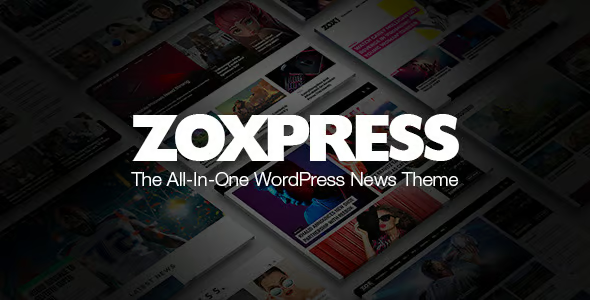
ZoxPress News WordPress Theme 2.12.1


- Secure Payment
- Support from Monday to Friday
- With you since 2018
$55.00 El precio original era: $55.00.$5.99El precio actual es: $5.99.
Quick summary
ZoxPress News is a specialized theme for creating digital magazines, news portals, and blogs with a high publishing frequency within WordPress. It's designed for projects that need to display large volumes of content in a clear, attractive, and easy-to-navigate way, without wasting time organizing sections manually. If you manage an informational site with multiple categories, authors, and post formats, this design helps you present everything professionally and in a read-friendly manner.
What problem does it help solve?
In WordPress news projects, the problem isn't just publishing articles, but how to organize them so visitors can find relevant content in seconds. As the site grows, you end up with cluttered homepages, repeated blocks, invisible categories, and important articles buried in the archives. Readers enter, can't distinguish between new and featured articles, and leave within seconds because the structure doesn't guide reading or navigation.
If you've ever published high-quality content but your session duration and pages per visit metrics aren't improving, the bottleneck is usually in your editorial design, not the text itself. ZoxPress News addresses precisely that point: how to present articles, categories, tags, and featured content in a visually clear, hierarchical, and consistent way for a digital news outlet, without leaving that responsibility to a generic blog theme.
This problem arises when you start managing homepages with multiple sections: breaking news, block sections, lists of most-read articles, spaces for opinion or analysis, and multimedia content. Trying to replicate this layout with a standard design results in cumbersome pages with haphazard widgets and no visual editorial direction. The outcome is a homepage that doesn't feel like an online newspaper or magazine, but rather like just another blog—difficult to scan and unappealing to regular readers.
Why this solution makes a difference
ZoxPress News is designed as a complete editorial platform, not just a simple post layout. The difference is noticeable every day: each time you publish a new news story, feature, or report, the content automatically fits into a structure designed for media outlets, with defined spaces for strong headlines, categorized listings, related content modules, and featured sections that provide context for the reader from the first screen.
In real-world projects, this translates to less time spent adjusting widgets and more time working on content. You don't need to redo the homepage every time news priorities change, because the theme already integrates visual logic that organizes material according to its relevance on the site. Furthermore, the user experience improves because it recognizes patterns typical of a digital media outlet: blocks of recent news, well-defined sections, clear paths to previous articles, and a balance between text, images, and headlines.
When you start noticing your team wasting hours trying out block combinations to make the homepage "look like a newspaper," ZoxPress News provides a consistent structure. Readers get intuitive navigation, and you maintain a stable design that doesn't break with every content change. This visual stability reduces errors from improvised layouts and helps new contributors quickly understand where each type of post should appear.
Signs you need this product
- Your current WordPress homepage looks cluttered, with no clear hierarchy between main news, secondary news, and opinion pieces.
- Users enter the site, click on a single entry, and do not continue browsing to other sections or categories.
- You have to create additional pages or use many widgets to simulate a magazine or newspaper cover, and even then the result feels improvised.
- The project is growing in the number of writers, categories, and publication frequency, and you're losing visual control over what's shown first.
- There is friction when working with WordPress because each design adjustment requires multiple tests, mobile reviews, and manual corrections.
- Your editorial team needs a clear layout to maintain a consistent visual style across the homepage, listings, and article pages.
When does it make sense to use it (and when doesn't)
ZoxPress News makes sense when you manage a news portal, a niche magazine, a local media outlet, a sports analysis site, a technology or culture site, or any publishing project that publishes frequently and needs to prioritize content on complex homepages. It works especially well when you have several active sections at the same time and you need each one to have visible space without overwhelming the reader.
It's also useful if you're migrating from a simple blog to a more structured platform and want the design to reflect that leap, offering a professional look without relying on custom development. In this context, the theme facilitates growth: adding new content areas, incorporating more authors, and expanding categories without disrupting the overall coherence of the site.
ZoxPress News isn't necessary if your project consists of a single page, a personal portfolio, a classic corporate website, or a blog with few monthly posts and no distinct sections. In these cases, a more minimalist design focused on static pages is usually sufficient, and the editorial potential of this theme would be underutilized. It's also not suitable when the project's main focus is a pure product catalog without frequent informational updates.
Who it fits best for
- Digital media outlets that need a clear structure for news, reports, interviews, opinion columns, and thematic specials.
- Professional blogs that have moved beyond the personal format and want to evolve into an online magazine with defined sections and an editorial team.
- Niche projects (sports, gaming, finance, politics, culture, entertainment) with a high volume of daily articles and a need to highlight key content.
- Agencies that manage information portals for clients and are looking for a stable visual foundation that facilitates the delivery of ready-to-publish sites.
- Teams that require a clear interface for multiple editors to work together without disrupting the composition of covers and listings.
Practical benefits
- Real operational improvement: The cover and thematic sections are organized in a way that is consistent with the needs of a medium, reducing manual adjustments and improvised design decisions every day.
- User experience: Readers quickly identify the main news stories, recent features, highlighted articles, and related content, which encourages prolonged browsing of the site.
- Control and organization: The hierarchy of blocks, lists, and modules allows for a clear view of what is shown in each area, making it easier for the editor to keep the homepage aligned with the news agenda.
- Time saving: Because there is a predefined editorial structure, the team focuses on writing and scheduling publications without investing hours in reconfiguring layouts before each launch or event.
- Error reduction: By not relying on complex constructions with scattered blocks, design flaws, duplication of sections, visual cuts or empty spaces that affect the professional perception of the environment are reduced.
How it fits within WordPress
ZoxPress News acts as the visual and structural foundation of your WordPress news project. The post editor remains central to your daily work, but the way those posts are displayed on the homepage, in categories, and in the archives changes dramatically. The theme organizes the content output, while WordPress manages the creation and scheduling workflow.
When working with WordPress in this context, the theme becomes the layer that translates your editorial strategy into design: which category occupies the most visible space, which article formats receive greater prominence, and how thematic sections are grouped. Instead of building this logic with multiple scattered templates, ZoxPress News centralizes the presentation, making it easy to reflect any change in news focus without rebuilding the entire site.
Typical use cases
- A general news portal that publishes short news items throughout the day, but also in-depth reports that need separate, prominent spaces on the homepage.
- A digital magazine specializing in technology that combines extensive analyses, daily releases, product rankings and opinion columns, requires displaying them in visually distinct areas.
- A sports media outlet that updates live scores, match summaries, interviews and galleries, and uses the theme structure to keep the most important competitions visible without hiding the rest of the content.
Frequently Asked Questions about ZoxPress News
What type of front page structure does ZoxPress News offer for a news outlet?
ZoxPress News is designed for block-based homepages, with distinct areas for top stories, category listings, recent content, and analysis or opinion sections. This allows a media outlet to visually organize its news priorities, rather than simply relying on a chronological list. The homepage feels like that of a digital magazine or newspaper, helping readers understand what's most relevant upon entering the site.
Is ZoxPress News suitable for a small blog with few categories?
If your project publishes only a few posts per month, has one or two authors, and manages just a couple of categories, ZoxPress News might be more complex than necessary. This theme is geared towards projects with a significant volume of content and a well-defined editorial structure. For a personal blog or a very small website, a simpler design will allow for easier management, while the full potential of ZoxPress News would go largely untapped.
How does ZoxPress News help manage multiple authors and sections?
On websites with multiple writers and thematic sections, the challenge lies in maintaining visual consistency despite different writing styles and publishing schedules. ZoxPress News offers a clear layout: each new article is integrated into specific blocks according to its type or category. This allows different authors to publish freely while the homepage maintains a recognizable organization, simplifying editorial oversight and preventing the site from appearing cluttered.
What differentiates ZoxPress News from a generic blog theme?
A generic blog theme focuses primarily on a single homepage and a basic chronological listing. ZoxPress News, on the other hand, is geared toward a news media scenario: it includes multiple front page blocks, section listings, featured areas, and visual hierarchies that reflect the importance of each piece of content. This editorial mindset makes the site function like a digital magazine or newspaper, not just an expanded personal blog.
When is the difference most noticeable when switching to ZoxPress News from another theme?
The difference becomes apparent when the project already has a large archive of news and categories. By migrating to ZoxPress News, the homepage ceases to be a simple succession of posts and becomes an editorial composition where each section finds its place. This generates a richer navigation experience: users discover relevant older articles, explore more categories, and spend more time on the site because the structure encourages them to keep reading effortlessly.
Conclusion
ZoxPress News is designed to address a very specific problem in WordPress: how to give a professional look to a news project or magazine that already generates content regularly. If you feel that the quality of your articles isn't reflected in the site's presentation, this theme provides a clear editorial structure that organizes growth, improves the reader experience, and frees up your team's time to focus on what's truly critical: the information.
Latest update:

Written by: WPClub
With over seven years of experience curating, managing, and distributing GPL products, our content is based on hands-on experience, technical review, testing, and feedback from thousands of users. We aim to democratize and simplify the WordPress world so you can choose with confidence, speed, and ease.
Your Individual Purchase Includes:
- Lifetime updates.*
- Official product, ready to use.
- Immediate access to the product.
- Clean and virus-free files.
- GNU GPL V2/V3 License
- Technical support in Spanish and English.
* In the case of memberships, the period during which you will receive updates will depend on the type of membership purchased: monthly, annual, or lifetime.
Notify Update
We update products Monday through Friday. However, if the product you see is not yet updated, you can notify us so we can prioritize updating it whenever possible.
Get your questions answered here
Here you'll find answers to frequently asked questions about our service: how it works, what it includes, and how to get the most out of it.
On how many websites can I use the products?
You can use any product from our store on any website you want.
Will I get updates?
Absolutely. If you buy an individual product, you'll get lifetime updates for that product.
On the other hand, if you purchase a membership, you will receive updates until your membership expires.
What if I have a problem?
First of all, we want you to know that you can count on us. We will assist you and provide the necessary support, so you can rest assured.
On the other hand, it is important for you to know that, given the time difference between countries, your time and ours may not be the same, so we will be delayed accordingly.
Our opening hours start at 9 AM from Monday to Friday, UTC -3. We are open until around 6 PM.
Do they provide technical support?
Yes, and regarding the time, it is usually on average within 24 to 48 business hours.
However, there are times when we have already provided an answer and solution in less than a day, depending on the case.
Are there download limits?
No. We don't believe in that format, so you can download as many times as you want. No problem. We pay for high-quality professional storage precisely to avoid problems.
Do they provide license keys?
No. Giving out the keys is not a viable option, as we have had experiences where they end up circulating everywhere and we can even lose the associated accounts.
That said, all products are original and, in cases where a license key is required to function, we will take care of pre-activating them for you.
Does my purchase include an invoice?
Yes. After payment, you will be able to access your invoice immediately in the "Purchases" section of your user account.
That is why it is important that you properly complete the information requested at the time of payment.
Is there a warranty?
Yes, of course. If there's a problem we can't resolve, or if there's an external issue that doesn't have a general solution, you'll receive support and, if necessary, a full refund. We have a 14-day refund policy from the date of purchase.
- It should be noted that there is no warranty if the product works well and it simply wasn't what you wanted.
There have been instances where someone buys a product, the product works perfectly, but they don't like it and want a refund, keeping the product. That's not right.
However, everything is evaluable and reasonable. Let's use judgment together.
What are the opening hours?
Our opening hours are:
- Monday to Friday, from 9 a.m. to 6 p.m.
- Saturday and Sunday: No service.
UTC -3 time

Our Reputation on Trustpilot
Many thanks to those who take the time to give us a rating on Trustpilot. Each and every one of your comments is very helpful to us. We strive to provide a rewarding experience for every member of our community, always with respect and care. We'll be here!






















WPClub Memberships
Access our entire catalog for a single payment. We offer three memberships: Monthly, Annual, and Lifetime (One-Time Payment).
- Save thousands of dollars
- Unlimited daily downloads
- No recurring payments
- Fast downloads by AWS
- Quality service and support, validated since 2018
- We work with love for our community