Boo...! LAST DAY > Memberships with 30% off. Use coupon: HWEEN30
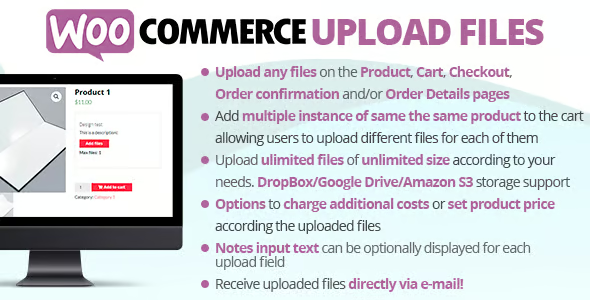
WooCommerce Upload Files
WooCommerce Upload Files and 6,586 more, with AutoUpdater and support.
For $4.21 more you get everything the Monthly membership includes
Choose my membershipThis product, with lifetime updates.
- Secure payment
- Spanish and English support
- With you since 2018
New version or an issue?
Description
Quick summary
WooCommerce Upload Files is a WordPress plugin that allows customers to upload files during the checkout process. It's especially useful for custom products, bespoke services, and orders requiring artwork or documents, improving communication between the customer and the store and reducing order errors.
Overview
WooCommerce Upload Files is a plugin designed to extend the checkout process by allowing customers to upload files directly related to their product or order. It integrates at various stages of the checkout process to ensure that the necessary files are sent to the store administrator in an organized manner.
This type of tool is used in WordPress projects that sell custom products, professional services, or print jobs that rely on client files. It simplifies internal management, avoids unnecessary email exchanges, and centralizes all the necessary information within WooCommerce, improving order tracking.
What is WooCommerce Upload Files used for?
WooCommerce Upload Files solves a very common problem in e-commerce: when a customer needs to upload a file for the product or service to be delivered correctly. Without this option, the process is often fragmented with external forms, emails, and unclear messages.
In stores selling personalized products, memberships with document validation, corporate sites offering customized services, or landing pages geared towards reservations and special orders, this type of tool provides a clear and structured channel for receiving images, logos, documents, technical specifications, or other relevant files to complete the order.
Who is it ideal for?
- For online stores that sell personalized products, such as t-shirts, mugs, cards, prints, or corporate gifts, where the customer must send specific images, logos, or texts to produce the order.
- For agencies, design studios, printing companies, and service professionals who manage custom orders from their WordPress site and need to receive briefing files, sketches, or documentation directly associated with the order.
- For projects with advanced management, marketing, or performance needs, seeking to optimize workflow by reducing manual steps, centralizing customer information, and maintaining clearer control over files and requirements for each purchase.
Key benefits
- Improve operational efficiency by receiving all the necessary files for an order within WooCommerce, reducing manual tasks and avoiding searching for attachments in emails or other external platforms.
- It offers a smoother experience for both the customer and the administrator, as the buyer clearly understands where to upload their files and the store can see them alongside the order without any additional steps.
- It provides flexibility by allowing the file upload flow to be adapted to different types of products, services or forms, offering options to define what is requested and at what point in the purchase process.
- It facilitates work in stores with large catalogs or many simultaneous orders, as it organizes files by order and product, helping to maintain order and clarity even in high-volume contexts.
- It helps save time and reduce common errors, such as incorrect files, incomplete orders, or repeated email exchanges, which in turn improves customer satisfaction and decreases incidents.
Main features of WooCommerce Upload Files
- It allows you to enable file upload fields at key points in the purchase process, such as the product page, the shopping cart or the checkout, adapting the experience to the needs of each store.
- It usually includes usability-focused management options, such as the ability to display instructions, limit the type of file accepted, or control the maximum size, helping to keep the system tidy and secure.
- It offers organizational and control tools so that the administrator can clearly see which files correspond to each order, improving the workflow of the production, design, or customer service team.
- It typically allows you to configure multiple upload fields based on products or categories, so that each type of item requests exactly the information it needs, without overloading the purchase process.
- In many cases, it integrates previews, associated notes, or visual cues that help the client understand what to upload, reducing doubts and ensuring that the information arrives complete on the first try.
Use cases
- Case 1: A print-on-demand store needs to receive designs, logos, or photographs from the customer to print on t-shirts, canvases, posters, or cards, and wants those files to be linked to each product purchased.
- Case 2: A branding studio that sells service packages from WooCommerce and requires the client to send briefing documents, previous brand manuals or visual references directly when contracting the service.
- Case 3: A WordPress site that manages custom orders for documents, certificates, reports, or assessments and requires the user to upload supporting files, completed forms, or other documentation associated with the order.
Frequently Asked Questions about WooCommerce Upload Files
At what point in the purchase process can files be uploaded?
Depending on the configuration, WooCommerce Upload Files typically allows you to display upload fields on the product page, in the shopping cart, or during checkout. This gives each store the flexibility to decide when it makes the most sense to request files without disrupting the shopping experience.
Is it possible to limit the types of files that customers upload?
This type of plugin typically includes options to restrict allowed formats, such as images, documents, or compressed files. This allows the store to ensure that only files suitable for its internal workflow are received, preventing unwanted or irrelevant attachments.
How are the files managed once the order has been placed?
Uploaded files are typically associated with the corresponding order within the WooCommerce admin panel. The store team can review attachments directly from the order, download them, and use them in production without having to track down additional emails or messages.
Does the option to upload files affect the customer experience?
When configured clearly and simply, the ability to upload files improves the customer experience, as they understand what information to send and don't need to communicate through external channels. This conveys greater professionalism and reduces uncertainty about how to complete the order.
Is it useful for projects that don't sell physical products?
Yes, tools like WooCommerce Upload Files are also useful for digital services, consulting, personalized training, or memberships that require documents or materials from the user. They allow you to structure this file collection directly within the hiring or registration process.
Can it be adapted to different types of products within the same store?
In many implementations, it's possible to link upload fields to specific products or categories. This ensures that files are only requested where they're truly needed, maintaining a clean and simple checkout process for items that don't require attachments.
Conclusion
WooCommerce Upload Files is a very useful tool for any WordPress project that needs to receive files linked to orders. It helps to better organize information, streamlines communication with the customer, and contributes to more professional and efficient management of custom orders.
Previous versions
If you have purchased this product, or have an active membership, you can download previous versions as we release them, without any limits or restrictions.
| Product name | Version | Size | Date | Download |
|---|---|---|---|---|
| WooCommerce Upload Files | 88.5 | 18.9 MB | 06/11/2026 | Join now |
No threats detected
File scanned with ClamAV before publishing
- File
- codecanyon-11442983-woocommerce-upload-files-88.6.zip · 18.9 MB
- Files
- 5,286 scanned · 0 threats
- Engine
- ClamAV 1.5.3 · signatures v28092
- Verified on
- 08/15/2026
- SHA-256
- 7b46d9…17d39bf
- PHP 82.9%
- BCMAP 3.2%
- SVG 2.5%
- JavaScript 2%
- Other 9.5%
Frequently Asked Questions
Here you'll find answers to frequently asked questions about our service: how it works, what it includes, and how to get the most out of it.
You can use any product from our store on any website you want.
Absolutely. If you buy an individual product, you'll get lifetime updates for that product.
On the other hand, if you purchase a membership, you will receive updates until your membership expires.
First of all, we want you to know that you can count on us. We will assist you and provide the necessary support, so you can rest assured.
On the other hand, it is important to know that, given the time difference between countries, your time and ours may not be the same, so we could be delayed because of this.
Our opening hours are Monday to Friday, from 09 to 18 hrs (UTC −3).
Yes, and regarding the time, it is usually on average within 24 to 48 business hours.
However, there are times when we have already provided an answer and solution in less than a day, depending on the case.
No. We don't believe in that format, so you can download as many times as you want. We pay for high-quality professional storage precisely to avoid any problems.
No. Giving out the keys is not a viable option, as we have had experiences where they end up circulating everywhere and we can even lose the associated accounts.
That said, all products are original and, in cases where a license key is required to function, we will take care of pre-activating them for you.
Yes. After payment, you will be able to access your invoice immediately in the «Purchases» section of your user account.
That's why it's important that you properly complete the information requested at the time of payment.
Yes, of course. If there's a problem we can't resolve, or an external issue that doesn't have a general solution, you'll receive support, if needed, and a full refund. We have a 7-day refund policy from the date of purchase.
- There is no warranty if the product works well and it simply wasn't what you wanted.
There have been instances where someone buys a product, the product works perfectly, but they don't like it and want a refund, keeping the product. That's not right.
However, everything is evaluable and reasonable. Let's use judgment together.
This guarantee applies to the purchase of individual products; memberships are not eligible for a refund.
Our opening hours are:
- Monday to Friday, from 9 a.m. to 6 p.m.
- Saturday and Sunday: no service.
UTC −3 time.

WPClub Team
GPL plugin and theme store since 2018. Every file is analyzed with ClamAV and its report is public; we keep previous versions and provide support in Spanish and English.
WooCommerce Upload Files and 6,586 more, with AutoUpdater and support.
For $4.21 more you get everything the Monthly membership includes
Choose my membershipThis product, with lifetime updates.
- Secure payment
- Spanish and English support
- With you since 2018