

If you publish a video and Google doesn't discover it, it's like premiering in an empty theater. With AIO SEO Video Sitemap, we turn every video into a prime candidate for rich results and video carousels. In our case, AIO SEO Video Sitemap accelerated content discovery by generating the specific XML file and automatically reporting it to Google. We also customized which content types were included in the sitemap to prioritize strategic pieces. If you work with YouTube, Vimeo, or self-hosted content, AIO SEO Video Sitemap is the fast track to making your videos count.
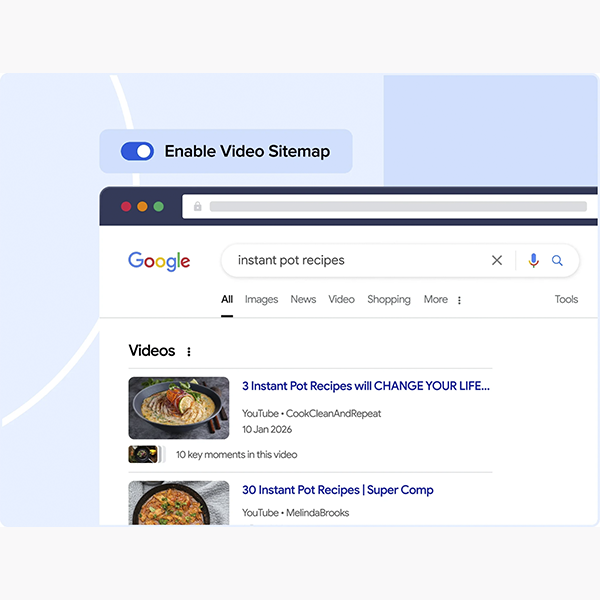
What is AIO SEO Video Sitemap and why use it?
AIO SEO Video Sitemap is the video sitemap generator within All in One SEO that helps search engines discover, understand, and index your videos. It includes essential metadata (title, description, thumbnail, duration, date) and granular control options over what to include or exclude. When activated, AIO SEO Video Sitemap began registering each embedded video and producing a clean XML file, ready for Search Console, eliminating manual work and potential errors.
Key benefits
Faster discovery and consistent indexing of your catalog.
Complete metadata and schema VideoObject without complicated configurations.
Control by content type, categories, and tags.
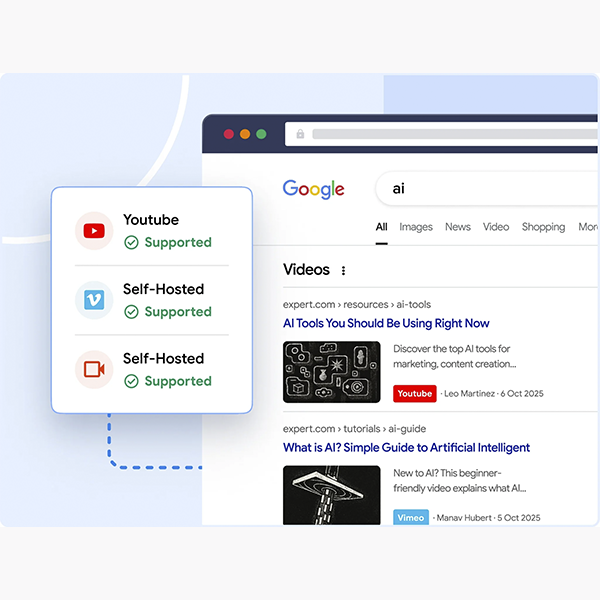
Compatibility with YouTube, Vimeo and videos hosted on your CDN.
Automatic submission to Google and compatible search engines.
Setup in 10 minutes: activation, auto-detection, and submission to Google
Setting up AIO SEO Video Sitemap is straightforward: activate the module, choose sources and content types, generate the XML and send it to Search Console.
Activate the module, generate the XML, and notify the engines.
Activate AIO SEO Video Sitemap in the AIOSEO panel.
Select post types (entries, pages, CPT) and check auto-detection of embeds.
Generate the sitemap and copy the URL to Search Console.
Submit the sitemap and verify that it appears as “Correct” after the first crawl.
In our workflow, Video Sitemap detected videos embedded in page builders and custom fields, without any extra team work.
Winning metadata: thumbnails, duration, and schema VideoObject
Metadata determines your eligibility for rich results. AIO SEO Video Sitemap populates the basic fields and allows you to refine the details.
Minimum and recommended fields; thumbnail size/ratio
Required: title, description, thumbnail (ideally ≥1280×720, 16:9), video URL or player, duration, publication date.
Recommended: additional locations (contentUrl, embedUrl), regional restrictions, family-friendly, thematic tags.
Best practices: legible thumbnails, no intrusive overlays, and high contrast.
When we uploaded optimized thumbnails and helpful descriptions, AIO SEO Video Sitemap improved the appearance of listings and increased the CTR on video results.
Full control: include/exclude by content type and taxonomies
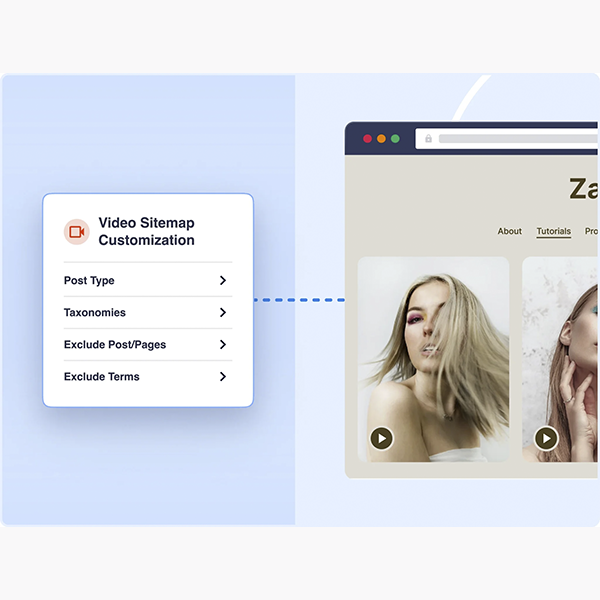
Not everything deserves to be included in the XML. With AIO SEO Video Sitemap, we filter by categories, tags, and statuses to avoid clutter (for example, drafts or internal content).
Exclusions by category/label and sensitive content
Exclude categories “archive” or “tests”.
Avoid duplicates when the same video is published on multiple URLs.
Exclude sensitive or private content that should not be indexed.
Our fine-tuning with AIO SEO Video Sitemap kept the sitemap lightweight and relevant, making it easy to get full coverage in Search Console.
Video sources: YouTube, Vimeo, and frictionless self-hosted/CDN
AIO SEO Video Sitemap recognizes the main video sources and generates the correct markup.
Recommendations by platform
YouTubeUse standard watch or embed URLs; add your own description to the page to add context.
Vimeo: review privacy/embeds; enable off-domain playback if applicable.
Self-hosted/CDN: ensure that the file URL and thumbnail are accessible (not blocked by robots or hotlink).
In our case, we combined YouTube for reach and self-hosted for premium pieces; AIO SEO Video Sitemap handled both without special adjustments.
Best practices for rich results: pre-publish checklist
Before publishing, we run a quick checklist with AIO SEO Video Sitemap to maximize the likelihood of rich results:
16:9 thumbnail, clean and high resolution.
Clear title + main keyword at the beginning.
Description with hook, timestamp if applicable.
Correct duration (neither 0 nor “unknown”).
Landing page with relevant text and accessible embed code.
Speed: lazy load controlled and CDN to serve the file/thumbnail.
Send and monitor: Search Console, Bing, and error validation
After generating the AIO SEO Video Sitemap, we submitted it to Search Console and reviewed the "Video Results" report.
Sending to GSC and reading video reports
Ensure that the sitemap appears as “Processed successfully”.
Review coverage: indexed, excluded, and with warnings.
Validate that the thumbnail and player URLs do not return 403/404.
Also submit to Bing Webmaster Tools for more coverage.
With AIO SEO Video Sitemap, visibility of common errors is immediate and the correction cycle is accelerated.
Troubleshooting: locked thumbnail, inaccessible player, and duplicates
Typical errors are resolved with simple diagnostics within AIO SEO Video Sitemap.
Thumbnail locked: review robots.txt or CDN headers; publish the image to a crawlable path.
Player inaccessible: ensure that the embed URL does not require cookies/registration.
Duplicates: canonical to the main video URL and exclude non-essential variants in AIO SEO Video Sitemap.
Missing time/description: complete metadata and regenerate the sitemap.
In our experience, most issues stemmed from thumbnails in non-indexable paths; AIO SEO Video Sitemap helped us detect this quickly.
Conclusion
For your videos to gain traffic and build your reputation, they need to be discovered. AIO SEO Video Sitemap does the heavy lifting: it generates the correct XML, adds complete metadata, manages inclusions and exclusions, and integrates with Search Console. We saw how AIO SEO Video Sitemap accelerated indexing, cleaned up errors, and streamlined the strategy across YouTube, Vimeo, and self-hosted sites. If your goal is real visibility, AIO SEO Video Sitemap is the practical standard you should implement today.

Reviewed by the WPClub team
At WPClub, we carefully review each product before listing it. Our team evaluates its key features, compatibility, and performance to provide you with reliable, up-to-date, and helpful information when choosing and using each resource available in our store.






















