


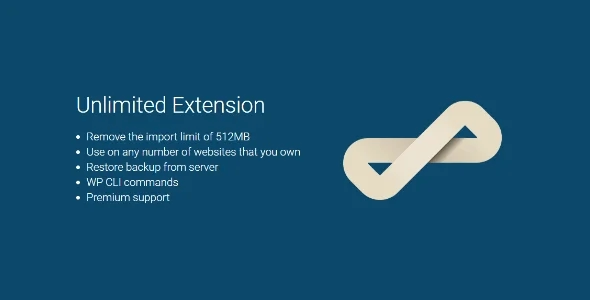
The All-in-One WP Migration Unlimited Extension is our go-to shortcut when we need to move large sites with lots of media and extensive tables without battling the server. In our experience, it lives up to its promise: activating the Migration Unlimited Extension makes the process feel seamless, even when the hosting provider imposes strict rules. We no longer see error screens due to size restrictions, and we gain operational peace of mind to deliver on time.
What we find most compelling about the All-in-One WP Migration Unlimited Extension is its seamless workflow: we export, transfer, and restore without having to split files or juggle the hosting control panel. For agencies and developers with multiple simultaneous projects, this is invaluable: a single, scalable, documentable method that's easy to teach to the team. Furthermore, its support for large files reduces last-mile stress: we can guarantee a clean migration to the client, even with massive media libraries.
When we tested the All-in-One WP Migration Unlimited Extension on real projects, we noticed a dramatic drop in issues related to size and time limits. We also gained order: a single backup artifact per site, a repeatable step-by-step guide, and fewer external dependencies. In short, the All-in-One WP Migration Unlimited Extension puts migration under our control and eliminates friction that, in other workflows, often drives up time and costs.
Real bypass of limits: size, time and memory (what changes in your hosting)
The key differentiator of All-in-One WP Migration Unlimited Extension is how it overcomes typical limitations of the environment: ridiculously small upload sizes, short execution times, and limited memory. With All-in-One WP Migration Unlimited Extension, we stop tinkering. upload_max_filesize, post_max_size y max_execution_time Repeatedly on each server: the tool performs the necessary bypass to ensure the backup is complete and uninterrupted. This operational "shielding" is what makes the difference between a smooth migration and one riddled with patches.
In our experience, the Migration Unlimited Extension prevented the common issues of frozen imports at 0%, interrupted uploads, and silently failing restores. The result? Less time spent fine-tuning PHP.ini, fewer hosting support tickets, and a team that's moving forward. Even when working with providers that have aggressive time/CPU policies, the All-in-One WP Migration Unlimited Extension kept the import process stable.
Limits we usually leave behind with All-in-One WP Migration Unlimited Extension
-
File size: we no longer run into upload limits.
-
Runtime: Long imports completing.
-
Memory and concurrent processes: no micro-adjustments for each hosting.
In short, All-in-One WP Migration Unlimited Extension doesn't "promise and deliver": it's a game-changer when server limits were your bottleneck.
Imports “of any size”: server restore and large file streams
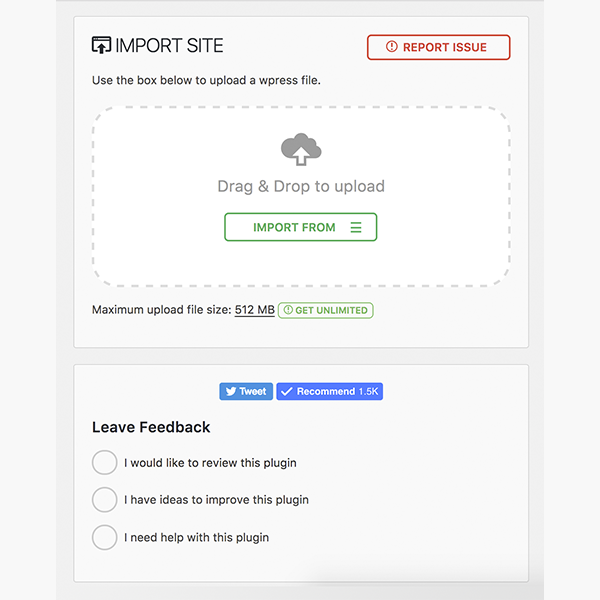
When a site weighs several gigabytes, traditional methods feel fragile. The All-in-One WP Migration Unlimited Extension is designed for that scenario: massive imports that truly reach 100%. In our experience, moving heavy libraries from uploads/ It was no longer a game of Russian roulette. The All-in-One WP Migration Unlimited Extension allowed server restores when it made sense, and single-file restores when we were looking for complete portability.
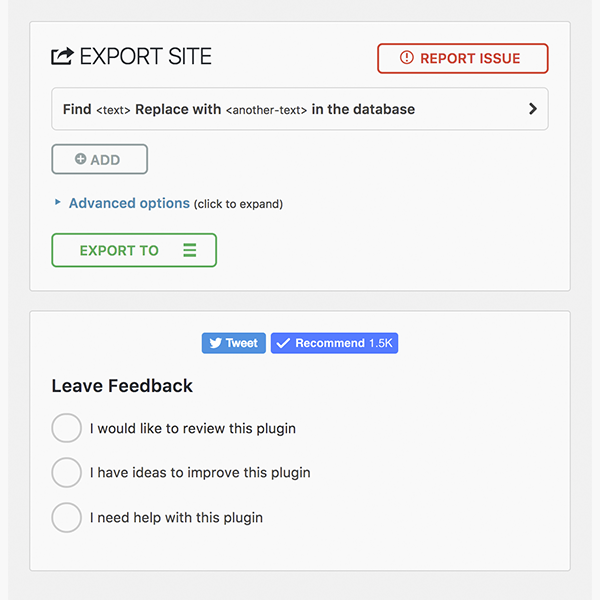
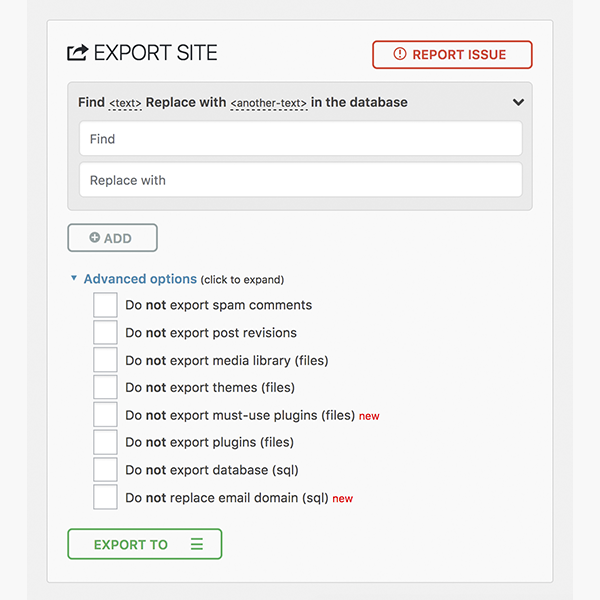
The plugin simplifies logistics: a single backup file per project, tagged by date, which we can store anywhere. In terms of quality, we gain consistency: the restored environment looks exactly like the original, with links, users, plugins, and settings all in place. And if we need to exclude temporary folders or caches to reduce the size of the package, the workflow allows us to do so without sacrificing integrity.
Best practices with the All-in-One WP Migration Unlimited Extension in large projects
-
Prepare the site before exporting (clean cache, logs, old backups).
-
Verify that the final file completes at the destination (checksum and login test).
-
Perform a quick review of internal links and critical pages after importing.
In short, the All-in-One WP Migration Unlimited Extension turns the "impossible task" into a reliable and repeatable process.
Automate with WP-CLI: repeatable migrations for agencies and teams
For teams that rely on moving sites between staging and production, automation is the difference between scaling and burning out. The All-in-One WP Migration Unlimited Extension works seamlessly with WP-CLI, allowing us to create repeatable scripts for exporting and importing without opening the browser. In our case, we created commands that name the files with the date and branch, and trigger a post-import check. With the All-in-One WP Migration Unlimited Extension and WP-CLI, deployment cycles become predictable.
The extension allowed us to standardize a playbook: “export > transfer > import > verify.” Furthermore, we can schedule tasks or integrate them into CI/CD pipelines so that every content release or theme change reaches production seamlessly. When managing multiple brands or multilingual environments, this repeatability reduces human error and accelerates delivery.
Automation ideas with the All-in-One WP Migration Unlimited Extension
-
Scheduled nightly export with file rotation.
-
Automated restore in staging after merge in main.
-
Verification of key pages and sending of report to the team.
In short, All-in-One WP Migration Unlimited Extension + WP-CLI = industrial migrations, without losing control.
Licensing and usage per site: how it works in real projects
A common question when adopting this extension is how site-specific usage works. In practice, we maintain a clear inventory: which projects require it, which are work environments, and which instances are purely local. The All-in-One WP Migration Unlimited Extension adapts well to agency workflows: we use the tool across multiple deployments and maintenance missions without encountering artificial transfer limits.
Beyond the fine print, the key is the operational value: the All-in-One WP Migration Unlimited Extension allows us to promise seamless migrations to clients with large sites or "temperamental" hosting providers. If you manage multiple projects, the All-in-One WP Migration Unlimited Extension saves you hours of support and avoids endless negotiations with providers to increase upload limits.
Recommendations for using the All-in-One WP Migration Unlimited Extension
-
Keep a record per project/environment for your internal control.
-
Standardize a migration checklist that your team can follow.
-
Document incidents and resolutions for future iterations.
In short, the All-in-One WP Migration Unlimited Extension fits the operational reality of developers and agencies: less friction, more deliveries.
Quick guide: checklist before/during/after migration
We work with a short but powerful list that prevents surprises when using the All-in-One WP Migration Unlimited Extension.
Before (preparation)
-
Update core, plugins, and theme; clear cache and
uploadsobvious. -
Review users/roles and deactivate what is not used.
-
Generate the export using the All-in-One WP Migration Unlimited Extension and verify the size.
During (import and initial verification)
-
Import using the All-in-One WP Migration Unlimited Extension and wait for full confirmation.
-
Re-log in, clear cache, save permalinks.
-
Check critical pages (home, shop/blog, login) and forms.
After (cleaning and QA)
-
Reindex search, generate thumbnails if the environment changed.
-
Run basic performance tests.
-
Schedule a backup after the migration to freeze the "healthy state".
With the All-in-One WP Migration Unlimited Extension, this checklist keeps things calm and lets us move on to the next step quickly.
Use cases: multi-brand, staging → production, and domain changes
Where the All-in-One WP Migration Unlimited Extension truly shines is in real-world scenarios: multiple brands with active calendars, staging projects going live each week, and projects changing domains due to rebranding. In our experience, the All-in-One WP Migration Unlimited Extension reduced the window for the final migration and prevented inconsistencies that, with other workflows, appear later (routes, media, users).
The All-in-One WP Migration Unlimited Extension allows you to safely migrate environments, even those with third-party integrations, builders, or e-commerce platforms. The "no limits" feature ensures that size won't be an obstacle, allowing your team to focus on validating your business: funnels, forms, SEO, and content. When a project involves many people and little room for error, the All-in-One WP Migration Unlimited Extension provides a stable process that everyone adheres to.
Where we use the All-in-One WP Migration Unlimited Extension with the greatest impact
-
Rebrands with domain and structure changes.
-
Consolidation of microsites into a single instance.
-
Cloning blueprints to launch similar themed sites.
If you make a living launching and maintaining websites, this extension is the life insurance for your pipeline.
Conclusion
If you're looking to migrate WordPress with confidence, the All-in-One WP Migration Unlimited Extension is the clear choice. In our experience, it unlocks size limits, stabilizes lengthy restores, and allows us to automate with WP-CLI. For developers, agencies, and multi-site owners, this extension transforms migration into a predictable and controlled process. No artificial limits, no unnecessary headaches: the All-in-One WP Migration Unlimited Extension lets you focus on launching.























