

- Secure payment
- Spanish and English support
- With you since 2018
Audier Audio Player for Elementor 1.0.11
$10.00 El precio original era: $10.00.$5.99El precio actual es: $5.99.
Quick summary
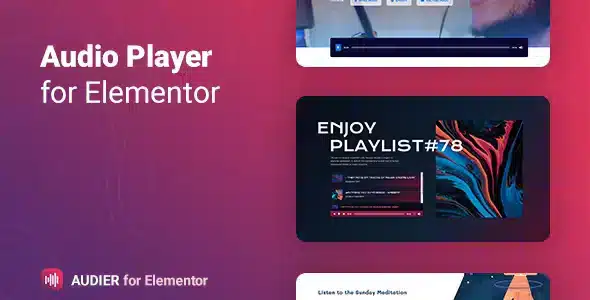
Audier Audio Player for Elementor is a plugin designed to create fully customized audio players within Elementor layouts, without leaving the visual editor. It solves the problem of integrating audio with a professional design and clear controls, without relying on generic or external embedded players. It's ideal for podcast creators, online courses, musicians, digital media outlets, and any WordPress site that needs to present audio with a focus on user experience and conversion.
What problem does it help solve?
When working with WordPress and Elementor, audio often becomes a weak point: basic players, designs that don't align with the brand, unclear buttons, and confusing mobile experiences. If you've ever embedded audio only to find the block disrupts the page's aesthetics, hinders navigation, or gets hidden among other elements, you know that the presentation of audio content directly impacts dwell time and the perceived quality of the project.
This arises when you need more than just "playing audio": you want to structure podcast episodes in order, create course playlists, showcase music, or display featured clips without relying on the fixed layout of an external player. In that context, adjusting margins, adding extra code, or resorting to makeshift solutions becomes costly, unscalable, and relegates the listening experience to a secondary concern rather than the primary focus of the page.
Why this solution makes a difference
Audier Audio Player for Elementor integrates seamlessly into your existing Elementor workflow, allowing you to configure audio players directly from the widgets panel, with visual control over their appearance and placement on the page. In real-world projects, this translates to less time spent testing embed code, fewer style conflicts with your theme, and a clearer presentation of audio content, especially on landing pages or lessons.
When you start noticing that visitors aren't interacting with your audio or that the player is going unnoticed, the problem is usually not the audio file itself, but how you're presenting it. With Audier Audio Player for Elementor, the player becomes just another element of the modular design: you can align it with the other components, give it visual hierarchy, add calls to action, and maintain control over its position on desktop and mobile without leaving the Elementor ecosystem.
Signs you need this product
- You publish podcasts, audio lessons, or music samples, and the current player clashes with the overall site design.
- You experience friction in WordPress when trying to design pages with audio in Elementor and end up using external blocks that break the visual style.
- Notes: Time wasted manually adjusting CSS, shortcodes, or third-party code just to make the player look acceptable at different resolutions.
- Your project is growing in the number of episodes, lessons, or tracks, and you need a consistent way to display audio across multiple pages while maintaining a coherent aesthetic.
When does it make sense to use it (and when doesn't)
Audier Audio Player for Elementor adds real value when audio is a key part of the content: podcasts with historical archives, academies offering audio lessons, artists sharing demos, digital magazines combining text with clips, or landing pages featuring audio testimonials. In these cases, the ability to integrate the player as a regular element of the Elementor layout helps guide the user's attention and better structure their content consumption.
On the other hand, if your site only occasionally includes audio, with a single track on a secondary page, and the basic WordPress player already looks acceptable within your theme, this product isn't a priority. It also makes less sense if your project focuses exclusively on video or if you delegate the entire audio experience to external platforms where users don't play anything directly on your website.
Who it fits best for
- Podcast creators who design their episodes with Elementor and want to present each chapter with a consistent, attractive player that aligns with the visual identity.
- Online schools, academies, or membership sites that offer lessons in audio format and need to integrate them into course pages, lessons, and private areas while maintaining an organized experience.
- Music producers, labels, bands, or solo artists who showcase tracks, previews, or sound collections on their WordPress site and want the player to be part of the design, not an external block.
Practical benefits
- Real operational improvement: you centralize the way audio is displayed within Elementor, avoiding mixing basic widgets, external embeds, and disconnected layouts.
- User experience: visitors to your website will find a visually integrated player with a clear structure and consistent behavior on desktop and mobile devices.
- Control and organization: you manage where and how each audio track or block appears, making it easy to build collections, episodes, or lessons with a clear visual logic.
- Time saving: You reduce manual CSS adjustments, embed testing, and repetitive changes every time you create a new page with audio.
- Error reduction: By working with a widget designed to integrate with Elementor, layout mismatches, overlaps with other blocks, and unexpected player behavior are reduced.
How it fits within WordPress
Within the WordPress ecosystem, Audier Audio Player for Elementor acts as a bridge between audio content management and Elementor design. It doesn't replace the media library or native WordPress features, but rather operates at the visual layout level, where you decide how each resource is presented on the front end. In Elementor projects, it integrates as a specialized widget that expands the catalog of available audio-specific elements.
In this context, the daily routine is simple: you upload your files to WordPress as usual, design the page with Elementor, and instead of using a generic block, you insert Audier Audio Player for Elementor to control the player's appearance and layout. This clear relationship between the content management system and the visual builder eliminates the need to use external templates for each new type of page that includes audio.
Typical use cases
- Podcast sites that want each episode to have its own page designed with Elementor, with a visible player at the top, sections for show notes and calls to subscribe without losing visual consistency.
- Training platforms where each audio lesson is integrated into a course template, combining the player with summary blocks, downloadable materials, and buttons to advance between modules.
- Artist or record label pages where releases, EPs or internal playlists are presented with a player that fits the site's branding, allowing the user to listen without leaving the page or facing interfaces unrelated to the main design.
Frequently Asked Questions about Audier Audio Player for Elementor
How does Audier Audio Player for Elementor differ from using the default WordPress player?
The native WordPress player offers a standard audio presentation with very limited customization options. Audier Audio Player for Elementor integrates directly with the visual editor, allowing you to adjust the player like any other layout element: position, relative sizes, combination with other widgets, and integration into templates specifically designed for your key pages. This makes it easy to create listening experiences tailored to the design and objectives of each section.
Is it useful if I manage many different podcast episodes or audio tracks?
When managing a large catalog of episodes or tracks, visual consistency becomes essential. With Audier Audio Player for Elementor, you define a way to display audio within your Elementor templates and replicate it across all pages or sections that require a player. This maintains a uniform style, facilitates user recognition, and eliminates the need to design each page from scratch. This is especially practical for sites with a constantly growing library of audio content.
Can I integrate the player into landing pages created for specific campaigns?
Yes, Audier Audio Player for Elementor works well with landing pages created with Elementor, where the goal is usually to direct attention to a specific action. By treating the player as just another widget, you can strategically place it at the top of the page, alongside testimonials, forms, or signup buttons. This way, the audio becomes part of the journey you designed for the campaign, without relying on additional blocks that don't respect the landing page's structure.
What if in my project the audio is a complement and not the main content?
If your audio only enhances other formats, such as blog posts or informational pages, Audier Audio Player for Elementor remains useful when you want that plugin to be well-integrated and easy to find. However, if you only include occasional audio and the player's design doesn't impact your business goals, you can continue working with more basic options. The real need arises when the audio presentation affects engagement, time spent on the page, or page clarity.
How does it help in projects where there are several types of content (text, video and audio)?
On hybrid websites with text, video, and audio, the key is to organize each type of content so they don't visually compete with each other. Audier Audio Player for Elementor lets you place audio precisely where it fits the reading or viewing flow, maintaining clear proportions and hierarchy within the Elementor layout. This prevents the player from getting lost among other blocks and gives the user a clear visual reference for where to listen and what to expect in each section.
Conclusion
Audier Audio Player for Elementor addresses a specific need for those who work with Elementor and rely on audio as a key part of their offering: presenting tracks, episodes, or lessons with a coherent, visible design that aligns with the rest of the website. When audio ceases to be a simple addition and becomes part of the content structure, having an integrated player within the visual builder helps maintain order, clarity, and a better listening experience in the day-to-day running of the project.
Your individual purchase includes:
- Lifetime updates.*
- Product ready to use.
- Immediate access to the product.
- Clean and virus-free files.
- GNU GPL V2/V3 License
- Technical support in Spanish and English.
* In the case of memberships, the period during which you will receive updates will depend on the type of membership purchased: monthly, annual, or lifetime.
Get your questions answered here
Here you'll find answers to frequently asked questions about our service: how it works, what it includes, and how to get the most out of it.
On how many websites can I use the products?
You can use any product from our store on any website you want.
Will I get updates?
Absolutely. If you buy an individual product, you'll get lifetime updates for that product.
On the other hand, if you purchase a membership, you will receive updates until your membership expires.
What if I have a problem?
First of all, we want you to know that you can count on us. We will assist you and provide the necessary support, so you can rest assured.
On the other hand, it is important for you to know that, given the time difference between countries, your time and ours may not be the same, so we will be delayed accordingly.
Our opening hours start at 9 AM from Monday to Friday, UTC -3. We are open until around 6 PM.
Do they provide technical support?
Yes, and regarding the time, it is usually on average within 24 to 48 business hours.
However, there are times when we have already provided an answer and solution in less than a day, depending on the case.
Are there download limits?
No. We don't believe in that format, so you can download as many times as you want. No problem. We pay for high-quality professional storage precisely to avoid problems.
Do they provide license keys?
No. Giving out the keys is not a viable option, as we have had experiences where they end up circulating everywhere and we can even lose the associated accounts.
That said, all products are original and, in cases where a license key is required to function, we will take care of pre-activating them for you.
Does my purchase include an invoice?
Yes. After payment, you will be able to access your invoice immediately in the "Purchases" section of your user account.
That is why it is important that you properly complete the information requested at the time of payment.
Is there a warranty?
Yes, of course. If there's a problem we can't resolve, or if there's an external issue that doesn't have a general solution, you'll receive support and, if necessary, a full refund. We have a 14-day refund policy from the date of purchase.
- It should be noted that there is no warranty if the product works well and it simply wasn't what you wanted.
There have been instances where someone buys a product, the product works perfectly, but they don't like it and want a refund, keeping the product. That's not right.
However, everything is evaluable and reasonable. Let's use judgment together.
What are the opening hours?
Our opening hours are:
- Monday to Friday, from 9 a.m. to 6 p.m.
- Saturday and Sunday: No service.
UTC -3 time

Reviewed by the WPClub team
At WPClub, we carefully review each product before listing it. Our team evaluates its key features, compatibility, and performance to provide you with reliable, up-to-date, and helpful information when choosing and using each resource available in our store.
Download previous versions
If you have purchased this product, or have an active membership, you can download previous versions as we release them, without any limits or restrictions.
| Nombre del producto | Versión | Tamaño | Fecha | Descargar |
|---|---|---|---|---|
| No hay versiones anteriores registradas. | ||||

Our Reputation on Trustpilot
Many thanks to those who take the time to give us a rating on Trustpilot. Each and every one of your comments is very helpful to us. We strive to provide a rewarding experience for every member of our community, always with respect and care. We'll be here!






















WPClub Memberships
Access our entire catalog for a single payment. We offer three memberships: Monthly, Annual, and Lifetime (One-Time Payment).
- Save thousands of dollars
- Unlimited daily downloads
- No recurring payments
- Fast downloads by AWS
- Quality service and support, validated since 2018
- We work with love for our community