
BeRocket Grid List View 3.0.8


- Secure Payment
- Support from Monday to Friday
- With you since 2018
$109.00 El precio original era: $109.00.$5.99El precio actual es: $5.99.
Quick summary
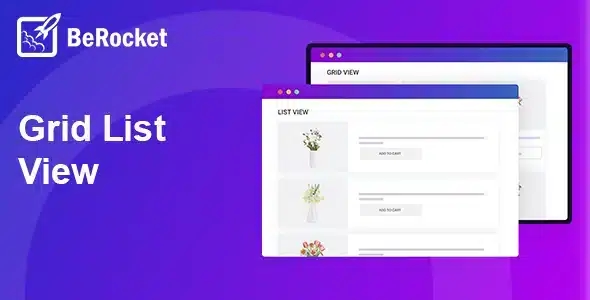
BeRocket Grid List View is a WooCommerce extension that lets you change how products are displayed on your shop and archive pages, switching between grid and list views. It's designed for stores that need to improve navigation, facilitate product comparison, and adapt the presentation to different catalog formats without redoing the theme or modifying complex templates.
What problem does it help solve?
In many WooCommerce-based stores, the product page ends up being a long, almost static grid. Each item occupies the same space, is displayed with very little information, and the user has to navigate through individual product pages to find something that matches their search. When you start noticing that people are constantly asking the same questions via email or chat because they don't fully understand the differences between similar products, the root cause is usually how the catalog is presented.
This problem arises when you sell items with multiple variations, technical specifications, or comparable prices. A standard grid works well for purely visual products, but falls short in B2B stores, spare parts, components, packaged services, or extensive catalogs. Customers need to see more text, more details, and an organization that allows them to quickly scan information without clicking on each item.
Without a flexible way to switch between grid and list views, navigation becomes slow, shop page abandonment increases, and the purchase decision becomes more complicated. Furthermore, adapting these views through code or theme changes can require recurring development every time the design is modified. BeRocket Grid List View is designed to bridge this gap between the fixed theme layout and what your visitors need to make clear choices.
Why this solution makes a difference
BeRocket Grid List View introduces direct control over the catalog presentation, impacting the store's daily operations. Instead of a single, rigid way of displaying products, it allows users to choose how they prefer to view them, switching between a more visual and a more information-oriented view. This reduces unnecessary steps and makes the browsing process more natural, especially when customers are comparing multiple options.
In real-world projects, this flexibility translates into fewer clicks, less browsing back, and a much greater sense of control for the buyer. If you've ever had a customer say, "I couldn't find what I was looking for," even though you know it was in the store, the problem is usually not the product itself, but a clear way to view it and relate it to the rest of the catalog. With an immediate change of view, that friction is noticeably reduced.
On the other hand, for those managing the store, having a stable system to change the visual layout without modifying custom templates reduces the risk of layout errors and saves time coordinating designers and developers every time a different presentation is tested. BeRocket Grid List View becomes a specific component within WooCommerce that handles only the product listing format, leaving the theme to manage the rest of the structure.
Signs you need this product
- Users complain that "it is difficult to find" products even though the catalog is well organized into categories.
- In your WooCommerce store, you notice friction when the customer tries to compare similar products because the grid view barely shows relevant data.
- You're wasting time adjusting templates or requesting design changes to display more information in the product listing without a stable way to manage it.
- Your ecommerce site is growing in the number of items, product specifications, or product ranges, and the fixed theme design no longer provides clarity as the catalog expands.
When does it make sense to use it (and when doesn't)
BeRocket Grid List View brings real value when your store needs to offer two distinct ways to view products: one more visual and condensed, and another more detailed and comparative. It's especially useful when your product listings contain a lot of information relevant to the purchase decision and you need to bring some of that data closer to the archive or category page. It also makes sense when working with professional audiences who want to quickly review technical details without having to go into each product.
However, it's not a necessary feature if you manage a very small catalog with fewer than ten static products, where each sale almost always involves a highly detailed individual product page. It's also not the best choice if your strategy focuses solely on a single-product landing page without catalog navigation. In that context, switching between grid and list views will have little impact because the user doesn't need to explore or compare within an extensive category.
Who it fits best for
- Online stores managed by marketing or ecommerce managers who need to improve the browsing experience without constantly relying on custom developments.
- WooCommerce projects with medium or large catalogs, especially in sectors where feature comparison is key: components, technical products, accessories, spare parts or packaged services.
- Agencies and professionals who build stores for third parties require a consistent way to offer their clients clear control over product presentation, without having to redo the theme for each project.
Practical benefits
- Real operational improvement by concentrating the switching between product views in a single system, avoiding scattered adjustments across different templates.
- Clearer user experience for the customer, who can choose how to view the catalog according to their decision-making style: compact view for a first glance or list-type view for more in-depth analysis.
- Greater control and organization over the store page, since the display of the catalog becomes something manageable and not a fixed limitation of the theme.
- Time savings for the team by reducing small layout or CSS interventions each time it is detected that the listing does not show enough or looks overloaded.
- Reducing design errors by centralizing the logic for switching between grid and list in a specific component, without replicating code in different parts of the site.
How it fits within WordPress
Within the WordPress ecosystem, BeRocket Grid List View acts as a dedicated plugin for the WooCommerce presentation layer. It doesn't handle orders, payment gateways, or product logic; it focuses on the section where visitors browse categories, tags, or shop pages. At this point, it adds a clear way to change the layout of items while respecting the overall theme structure.
When working with WordPress, you're used to the theme setting the design baseline and plugins adding specific functionalities. BeRocket Grid List View fits perfectly as that module that takes control of how products are listed within WooCommerce, allowing you to fine-tune the user experience without rewriting the site's visual identity. This way, it integrates seamlessly into your usual workflow: design with the theme, manage with WooCommerce, and control the catalog view with this extension.
Typical use cases
- Spare parts or component stores where the user must see at least the name, code, price and some basic technical data directly in the list to decide whether to enter the product page.
- B2B projects where the professional buyer reviews large volumes of products and appreciates a denser list view to quickly compare without opening dozens of tabs.
- Mixed catalogs, with some products being highly visual and others more technical, where alternating between grid and list helps adapt the navigation to the type of item the user is exploring.
Frequently Asked Questions about BeRocket Grid List View
In what type of online store is the impact of BeRocket Grid List View most noticeable?
BeRocket Grid List View is especially useful in stores with many products per category or catalogs where comparison is important. If your store page displays dozens of items and visitors need to review key information before clicking on each product page, the list view helps condense more data into less space. However, in very small catalogs, the change in view makes less of a difference to the daily user experience.
How does BeRocket Grid List View help reduce repetitive customer questions?
When all products look nearly identical in a grid, customers struggle to discern nuances and resort to asking basic questions to understand differences. Using BeRocket Grid List View, you can display more information directly in the list view, such as brief descriptions or specific details. If you've already encountered the same question about similar products, this more informative view reduces confusion and focuses inquiries on truly unique cases.
What practical difference is there between using only the theme grid and activating BeRocket Grid List View?
The theme's standard grid offers a single way to view the catalog and is typically designed to highlight the image. BeRocket Grid List View introduces an additional layer where the user chooses whether to continue viewing a grid or prefer a more descriptive list. This ability to switch between views without redesigning templates is key when managing large catalogs, as it allows you to tailor the browsing experience to different user profiles without altering the site's core design.
Is BeRocket Grid List View useful if I have products with very long descriptions?
If your product descriptions are very long, there's no point in displaying them in full in the listing, but it's crucial to offer a clear summary before the user decides to click. BeRocket Grid List View helps you give these summaries more prominence in the list view, allowing visitors to understand the focus of each product from the category page. This way, they only click on the product pages where they see potential interest, optimizing their browsing time.
When is it not worth incorporating BeRocket Grid List View into a project?
Adding BeRocket Grid List View isn't worthwhile if your site functions primarily as a showcase with a few static products, or if your entire strategy relies on a single sales page with no catalog navigation. In those cases, users don't need to switch between different views to find what they're looking for. This extension only makes sense when the volume of products or the need for comparison makes a grid layout limiting for a smooth shopping experience.
Conclusion
BeRocket Grid List View exists to solve a very specific problem: how to display and navigate products in a WooCommerce store when a single view is no longer sufficient. By giving users the option to switch between grid and list views, it facilitates comparison, reduces unnecessary clicks, and helps each visitor find what they need faster. If your catalog has grown and the shop page has become a bottleneck, incorporating this extension is a direct way to restore clarity to navigation without redesigning the entire site.
Latest update:

Written by: WPClub
With over seven years of experience curating, managing, and distributing GPL products, our content is based on hands-on experience, technical review, testing, and feedback from thousands of users. We aim to democratize and simplify the WordPress world so you can choose with confidence, speed, and ease.
Your Individual Purchase Includes:
- Lifetime updates.*
- Official product, ready to use.
- Immediate access to the product.
- Clean and virus-free files.
- GNU GPL V2/V3 License
- Technical support in Spanish and English.
* In the case of memberships, the period during which you will receive updates will depend on the type of membership purchased: monthly, annual, or lifetime.
Notify Update
We update products Monday through Friday. However, if the product you see is not yet updated, you can notify us so we can prioritize updating it whenever possible.
Get your questions answered here
Here you'll find answers to frequently asked questions about our service: how it works, what it includes, and how to get the most out of it.
On how many websites can I use the products?
You can use any product from our store on any website you want.
Will I get updates?
Absolutely. If you buy an individual product, you'll get lifetime updates for that product.
On the other hand, if you purchase a membership, you will receive updates until your membership expires.
What if I have a problem?
First of all, we want you to know that you can count on us. We will assist you and provide the necessary support, so you can rest assured.
On the other hand, it is important for you to know that, given the time difference between countries, your time and ours may not be the same, so we will be delayed accordingly.
Our opening hours start at 9 AM from Monday to Friday, UTC -3. We are open until around 6 PM.
Do they provide technical support?
Yes, and regarding the time, it is usually on average within 24 to 48 business hours.
However, there are times when we have already provided an answer and solution in less than a day, depending on the case.
Are there download limits?
No. We don't believe in that format, so you can download as many times as you want. No problem. We pay for high-quality professional storage precisely to avoid problems.
Do they provide license keys?
No. Giving out the keys is not a viable option, as we have had experiences where they end up circulating everywhere and we can even lose the associated accounts.
That said, all products are original and, in cases where a license key is required to function, we will take care of pre-activating them for you.
Does my purchase include an invoice?
Yes. After payment, you will be able to access your invoice immediately in the "Purchases" section of your user account.
That is why it is important that you properly complete the information requested at the time of payment.
Is there a warranty?
Yes, of course. If there's a problem we can't resolve, or if there's an external issue that doesn't have a general solution, you'll receive support and, if necessary, a full refund. We have a 14-day refund policy from the date of purchase.
- It should be noted that there is no warranty if the product works well and it simply wasn't what you wanted.
There have been instances where someone buys a product, the product works perfectly, but they don't like it and want a refund, keeping the product. That's not right.
However, everything is evaluable and reasonable. Let's use judgment together.
What are the opening hours?
Our opening hours are:
- Monday to Friday, from 9 a.m. to 6 p.m.
- Saturday and Sunday: No service.
UTC -3 time

Our Reputation on Trustpilot
Many thanks to those who take the time to give us a rating on Trustpilot. Each and every one of your comments is very helpful to us. We strive to provide a rewarding experience for every member of our community, always with respect and care. We'll be here!






















WPClub Memberships
Access our entire catalog for a single payment. We offer three memberships: Monthly, Annual, and Lifetime (One-Time Payment).
- Save thousands of dollars
- Unlimited daily downloads
- No recurring payments
- Fast downloads by AWS
- Quality service and support, validated since 2018
- We work with love for our community