

- Secure payment
- Spanish and English support
- With you since 2018
Bookly Group Booking Addon 3.4
$39.00 El precio original era: $39.00.$5.99El precio actual es: $5.99.
Quick summary
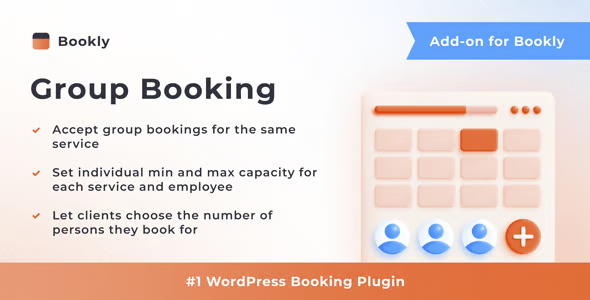
The Bookly Group Booking Addon extends Bookly's booking system to allow for group bookings in a single appointment. It's designed for businesses that manage classes, workshops, tours, group sessions, or services where multiple people share the same schedule and professional. It eliminates the hassle of managing multiple individual bookings for the same service and lets you easily control how many people join each session directly from WordPress.
What problem does it help solve?
When you manage bookings with Bookly and offer group activities, the individual booking model falls short. You have to create multiple bookings for the same time, manually check how many spots are left, and rely on internal notes or your memory to avoid exceeding capacity. If you've already experienced two clients booking the same time slot, resulting in overbooking a class or turning people away for fear of exceeding capacity, the problem is already directly impacting your business.
In real-world WordPress projects, this friction arises in academies, training centers, gyms, yoga studios, tour agencies, leisure activity providers, beauty salons that work with groups (for example, event packages), or offices that organize in-person and online workshops. Without group booking management, it becomes difficult to know how many people will attend, who is part of each group booking, and how to predictably organize resources, spaces, and staff.
This scenario becomes more complex when you mix individual and group bookings on the same calendar. On the one hand, you need to continue accepting clients one by one; on the other, you have families, teams, or groups who want to manage everything with a single payment and a single appointment. Bookly Group Booking Addon addresses precisely this point: it allows multiple people to book the same time slot simultaneously, while maintaining control over the number of guests and the service structure.
Why this solution makes a difference
By working with WordPress and Bookly as your base, you already have automation for reminders, calendars, and online bookings. The Bookly Group Booking Addon adds a layer focused on group size, which changes the way you plan your day-to-day operations. You stop manually checking if there's still room for someone else at a specific time and instead have a system that calculates participants per booking, reduces the risk of human error, and clearly shows you how many spots have been filled.
In daily operations, this translates to a cleaner, more predictable schedule. When you start noticing the team constantly asking, “How many people are in the 6:00 PM class?” or “Can we add another group at that time?”, you’re wasting time on internal coordination. By explicitly managing groups, you can make quick decisions: adjust class sizes, finalize entire schedules, organize materials, and staff based on the actual number of attendees, not assumptions.
Furthermore, from the customer's perspective, booking for multiple people in a single flow reduces friction. They don't need to repeat the booking process multiple times for the same service. This creates a clearer experience, especially for families, businesses, or groups of friends who want to ensure everyone is on the same schedule. The result is more control, fewer misunderstandings, and a Bookly calendar that accurately reflects how your group activities are filling up.
Signs you need this product
- You offer classes, tours, sessions or group activities and right now you are organizing several individual bookings for the same time.
- There are times when you don't know exactly how many people will attend a single appointment and you end up confirming or rejecting requests based on intuition.
- Your team constantly checks the Bookly calendar to manually count attendees and see if there are still places available.
- A client has asked you to book for an entire group in a single process, and you have had to manage their case manually by email or phone.
- When you start to notice that certain times fill up quickly but you don't have a defined capacity figure per reservation, planning becomes uncertain.
- If you've already experienced running out of space, materials, or staff because you weren't clear about the size of the groups, this point is limiting your sales.
When does it make sense to use it (and when doesn't)
The Bookly Group Booking Addon makes sense when your business model involves shared bookings for the same service and time slot. It provides real value if you work with limited capacity, need to control how many participants enter each session, and want the group booking process to be handled directly through Bookly without manual intervention. In this context, it helps you align capacity, schedules, and daily management within a single system in WordPress.
On the other hand, this add-on isn't necessary if you only offer strictly individual services, where each appointment is for a single person and you never group attendees. It also doesn't make much sense if you manage closed groups, for example, one-off private events that you always coordinate by phone and that aren't included in the Bookly calendar. In those cases, the standard individual booking model is usually sufficient, and group management doesn't offer a significant operational change.
It's also important to clarify that the Bookly Group Booking Addon doesn't replace Bookly or turn your site into a standalone system. It functions as a specific extension to the existing booking mechanism, focusing on group size and the number of attendees per service. You still need the Bookly foundation to manage services, schedules, staff, and appointment flows; this module focuses on how to group multiple participants under a single booking and make better use of that structure.
Who it fits best for
- Businesses that offer recurring classes: language academies, tutoring centers, music schools, craft workshops or technical training that work with small groups.
- Leisure and tourism companies: guided tours, gastronomic experiences, group routes, outdoor activities or organized visits where an exact number of places are offered per time slot.
- Sports and wellness centers: gyms with directed classes, yoga studios, pilates, dance or group training that need to control capacity and occupancy per session.
- Professionals who organize workshops or specific training sessions: consultants, coaches, photographers, chefs or specialists who schedule group masterclasses and want attendees to self-register.
- Projects that combine individual and group bookings and need to maintain a single booking flow on Bookly without duplicating services or creating parallel structures.
Practical benefits
- Real operational improvement: You clearly define how many people enter each shared service and the system manages the count, making it easy to plan resources and schedules without separate sheets or manual calculations.
- User experience: Your customers can book for multiple people in a single process, without repeating the form for each attendee, which reduces dropouts and simplifies group organization.
- Control and organization: Bookly's calendar reflects not only confirmed appointments, but also group sizes, allowing you to see at a glance which sessions are almost full and which still accept more bookings.
- Time saving: You minimize calls and emails to group people under the same appointment; Bookly Group Booking Addon integrates into the existing workflow and automates what you previously resolved on a case-by-case basis.
- Error reduction: It reduces the likelihood of overbooking or uncontrolled capacity by working with a logic of capacity and attendees per reservation, instead of relying solely on your manual review of the calendar.
How it fits within WordPress
Within the WordPress ecosystem, the Bookly Group Booking Addon integrates seamlessly into Bookly's existing workflow. It doesn't replace your appointment management system, but rather adds functionality focused on group bookings. From the admin panel, you can continue creating services, assigning staff, and setting schedules as usual. The difference lies in the fact that, for services where multiple people share the same time slot, you establish a group logic that directly impacts how bookings are made.
In this context, WordPress remains the central management hub: it's where you check your schedule, manage your availability, and connect with other components of your website (information pages, additional forms, marketing content). The Bookly Group Booking Addon complements this system as a specialized tool that addresses the specific needs of activities with group bookings. The result is a more comprehensive dashboard, where you can see not only which appointments are booked, but also how many people are part of each reservation.
Typical use cases
- A yoga studio that offers group classes throughout the day and wants students to sign up directly from the website, respecting a maximum number of participants per class without manual intervention.
- A city tour company needs to allocate a maximum number of places per time slot and allow a single person to book for their entire group of friends, ensuring that everyone gets on the same guided tour.
- A training center that organizes monthly in-person and online workshops with limited capacity and seeks to have attendees reserve their place in advance, avoiding overcapacity and last-minute improvised lists.
- A gym that combines personal training with group classes requires that the Bookly calendar clearly distinguish how many people are in each group session in order to size trainers and rooms.
Frequently Asked Questions about Bookly Group Booking Addon
How does Bookly Group Booking Addon differ from regular Bookly bookings?
In standard Bookly bookings, each appointment is designed for one person per time slot. The Bookly Group Booking Addon allows you to group multiple people into the same appointment, with a defined number of participants. This lets you work with services where capacity depends on the total number of spaces per group, not just time slots. You continue to manage services and schedules through Bookly, but now you can control group sizes directly within the system.
Is Bookly Group Booking Addon useful if I have classes with limited capacity?
Yes, it's specifically designed for situations where you need to set a maximum number of attendees per session. If you teach group classes, workshops, or other group activities, this add-on helps you reflect this capacity within Bookly instead of keeping track of it on a separate sheet or from memory. This way, you can see how many participants have registered for each time slot and close bookings when the group reaches capacity, keeping your schedule and space under control.
Can I still accept individual bookings along with groups using this add-on?
You can combine both approaches within the same Bookly system. The Bookly Group Booking Addon doesn't eliminate the option for individual appointments; instead, it adds bookings for multiple participants when the service requires it. In practice, this means you can have services set up for a single person and others that support groups, all managed from the same calendar. This is useful for businesses with a mix of activities, where some are one-on-one and others operate on a shared-capacity basis.
What happens if I don't use Bookly Group Booking Addon and manage groups only with individual bookings?
If you limit yourself to individual bookings for activities that are actually group activities, you'll end up spending more time checking the calendar and manually calculating how many people will attend. The risk of exceeding capacity or underutilizing time slots increases because you don't have a clear reference point for the number of spaces per session. Furthermore, the customer experience becomes more complicated: they have to make multiple bookings for the same time slot if they want to register their entire group, creating unnecessary friction.
Why is the Bookly Group Booking Addon offered as a standalone product and not integrated into the Bookly base?
Bookly is designed as a general booking system, suitable for many types of businesses. Not everyone needs to manage groups or session capacity. The Bookly Group Booking Addon exists as a separate extension specifically for those working with group activities who require additional participant counting logic. This way, those who only handle individual appointments maintain a simpler setup, while projects that do need group bookings can incorporate this capability when operations demand it.
Conclusion
Bookly Group Booking Addon is designed for businesses that have pushed Bookly to its limits when it comes to group activities and need to take their organization and attendee management to the next level. If your daily operations depend on classes, workshops, tours, or group sessions, having a system within WordPress that understands the size of each group makes all the difference between a calendar full of uncertainty and a predictable, organized schedule that aligns with your business's actual capacity.
Your individual purchase includes:
- Lifetime updates.*
- Product ready to use.
- Immediate access to the product.
- Clean and virus-free files.
- GNU GPL V2/V3 License
- Technical support in Spanish and English.
* In the case of memberships, the period during which you will receive updates will depend on the type of membership purchased: monthly, annual, or lifetime.
Get your questions answered here
Here you'll find answers to frequently asked questions about our service: how it works, what it includes, and how to get the most out of it.
On how many websites can I use the products?
You can use any product from our store on any website you want.
Will I get updates?
Absolutely. If you buy an individual product, you'll get lifetime updates for that product.
On the other hand, if you purchase a membership, you will receive updates until your membership expires.
What if I have a problem?
First of all, we want you to know that you can count on us. We will assist you and provide the necessary support, so you can rest assured.
On the other hand, it is important for you to know that, given the time difference between countries, your time and ours may not be the same, so we will be delayed accordingly.
Our opening hours start at 9 AM from Monday to Friday, UTC -3. We are open until around 6 PM.
Do they provide technical support?
Yes, and regarding the time, it is usually on average within 24 to 48 business hours.
However, there are times when we have already provided an answer and solution in less than a day, depending on the case.
Are there download limits?
No. We don't believe in that format, so you can download as many times as you want. No problem. We pay for high-quality professional storage precisely to avoid problems.
Do they provide license keys?
No. Giving out the keys is not a viable option, as we have had experiences where they end up circulating everywhere and we can even lose the associated accounts.
That said, all products are original and, in cases where a license key is required to function, we will take care of pre-activating them for you.
Does my purchase include an invoice?
Yes. After payment, you will be able to access your invoice immediately in the "Purchases" section of your user account.
That is why it is important that you properly complete the information requested at the time of payment.
Is there a warranty?
Yes, of course. If there's a problem we can't resolve, or if there's an external issue that doesn't have a general solution, you'll receive support and, if necessary, a full refund. We have a 14-day refund policy from the date of purchase.
- It should be noted that there is no warranty if the product works well and it simply wasn't what you wanted.
There have been instances where someone buys a product, the product works perfectly, but they don't like it and want a refund, keeping the product. That's not right.
However, everything is evaluable and reasonable. Let's use judgment together.
What are the opening hours?
Our opening hours are:
- Monday to Friday, from 9 a.m. to 6 p.m.
- Saturday and Sunday: No service.
UTC -3 time

Reviewed by the WPClub team
At WPClub, we carefully review each product before listing it. Our team evaluates its key features, compatibility, and performance to provide you with reliable, up-to-date, and helpful information when choosing and using each resource available in our store.
Download previous versions
If you have purchased this product, or have an active membership, you can download previous versions as we release them, without any limits or restrictions.
| Nombre del producto | Versión | Tamaño | Fecha | Descargar |
|---|---|---|---|---|
| No hay versiones anteriores registradas. | ||||

Our Reputation on Trustpilot
Many thanks to those who take the time to give us a rating on Trustpilot. Each and every one of your comments is very helpful to us. We strive to provide a rewarding experience for every member of our community, always with respect and care. We'll be here!






















WPClub Memberships
Access our entire catalog for a single payment. We offer three memberships: Monthly, Annual, and Lifetime (One-Time Payment).
- Save thousands of dollars
- Unlimited daily downloads
- No recurring payments
- Fast downloads by AWS
- Quality service and support, validated since 2018
- We work with love for our community