
Bookly Multiply Appointments Addon 2.9


- Secure Payment
- Support from Monday to Friday
- With you since 2018
$29.00 El precio original era: $29.00.$5.99El precio actual es: $5.99.
Quick summary
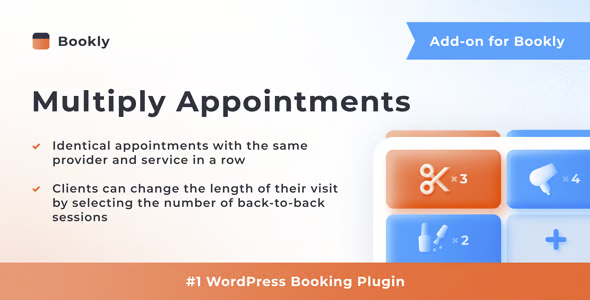
The Bookly Multiply Appointments Addon allows a single client to book multiple appointments in one transaction within your WordPress-based booking system. It's designed for businesses that manage appointments with Bookly and need to group multiple services, dates, or times into a single booking process. If you've ever experienced clients having to fill out the form repeatedly to complete their schedule, this add-on addresses that very issue.
What problem does it help solve?
In a real-world WordPress booking environment, one of the most frustrating aspects is forcing the customer to go through the entire appointment flow every time they want to add a new service. For example, a beauty salon where a client wants to book a manicure, waxing, and facial in the same visit, but the system only allows scheduling one service at a time, resulting in three separate processes.
When this happens, cancellations before the booking is finalized increase, scheduling errors multiply, and internal management becomes more complicated. Staff receive notifications of isolated appointments that actually belong to the same person on the same day, ultimately leading to confusion in resource planning, room allocation, and staff coordination.
This scenario is also common in academies, personal trainers, private medical centers, photography studios, or any business where a client might need more than one service in a single session. If you've ever had a client contact you after booking to manually "add" more appointments, it's a clear sign that your current system is inadequate and not aligned with how your services are actually used.
Why this solution makes a difference
The Bookly Multiply Appointments Addon introduces a booking logic that more closely reflects actual user behavior: selecting multiple appointments in a single flow, confirming everything at once, and receiving a single, consistent experience. In practice, this reduces steps, simplifies decisions, and decreases the likelihood of customers abandoning their bookings before completing what they actually need.
In day-to-day operations, this means fewer emails requesting changes, fewer errors when scheduling back-to-back appointments, and greater control over each client's schedule. Furthermore, when working with WordPress, having a dedicated module that manages multiple appointments within the Bookly environment allows you to keep your dashboard organized, understanding at a glance which bookings belong to the same process, even if they include different services or professionals.
When you start noticing that staff have to manually reconstruct what a customer intended when booking, this plugin makes a difference because it organizes that information from the source. The impact isn't just on the end-user experience, but also on internal coordination and the ability to plan complex schedules without relying on later adjustments via email or phone.
Signs you need this product
- Customers book several services in a row and complain about having to repeat the Bookly form for each one.
- You receive many post-booking requests to "add another appointment on the same day" or to chain together several services that were not booked at once.
- Your schedule shows multiple separate bookings for the same client, same day and same time slot, making it difficult to see the full block of time it will occupy.
- You manage businesses where a client regularly combines services (e.g., different classes, training sessions, or treatments) in the same visit.
- You note that, as the volume of appointments grows, it becomes easier to make mistakes in allocating time because each service comes in as a separate booking.
- Your abandonment rate during the booking process is high, and the usual pattern is that users wanted to schedule more than one appointment, but did not complete them all.
When does it make sense to use it (and when doesn't)
The Bookly Multiply Appointments Addon provides real value when your business model involves a single client booking more than one service, time slot, or professional in a single session or within a short period. In this context, grouping all appointments into a single booking flow reduces friction and makes internal planning much clearer, both for the team and the client.
It's also useful when your offering is structured in flexible packages, where each user creates their own combination of services and needs to do so flexibly through the booking form. In real-world projects, this translates into fewer steps, fewer questions, and less manual intervention to rearrange what the client has already booked.
This add-on isn't necessary if your business only offers a single service per appointment and your clients rarely need more than one consecutive booking. If, for example, you only manage one-off consultations or offer only one type of session per person per day, Bookly's standard workflow is sufficient, and you don't need to add this extra functionality.
Who it fits best for
- Managers of beauty, wellness or spa centers who want a client to book several consecutive treatments in the same visit without repeating the process.
- Academies, music schools or training centers where a student needs to schedule several classes or modules consecutively from the same booking form.
- Fitness studios, personal trainers, and sports boxes offer different types of sessions that a single user can combine in their weekly routine.
- Consultancies, offices or private clinics that arrange appointments with different professionals for the same client in a short period.
- Freelancers and small businesses already using Bookly have found that the current workflow falls short when the client wants to schedule more than one appointment at a time.
Practical benefits
- Real operational improvement: By allowing a client to arrange multiple appointments in one go, you reduce subsequent calls to adjust schedules and avoid remaking already confirmed bookings.
- User experience: The process feels logical to the user, who can configure their schedule without having to repeat the same steps for each service they wish to use.
- Control and organization: Multiple bookings are understood as part of the same set, which facilitates planning capacity, staff and downtime between services.
- Time saving: Both the client and the team spend less time in front of the system rescheduling appointments, freeing up resources for tasks with a greater impact on the business.
- Error reduction: By grouping appointments from the beginning, the risk of overlaps, poorly calculated gaps, or forgotten services that should have been scheduled together is minimized.
How it fits within WordPress
The Bookly Multiply Appointments Addon integrates seamlessly with your existing Bookly booking workflow within WordPress. It doesn't replace or transform the main system; rather, it expands how appointments are structured for a single client on your site. Its purpose is clear: to allow the form to move beyond "one booking at a time" and accommodate scenarios where a user schedules multiple appointments within the same session.
In your admin panel, you continue to manage the logic of services, schedules, and staff with Bookly, but with the added ability to better understand sets of appointments associated with the same booking process. This makes daily management in WordPress more consistent with the operational reality of businesses that work with combined services or linked schedules.
Typical use cases
- A beauty salon where a client books hairdressing, color and hair treatment in the same session, choosing each service and time within a single booking flow on your WordPress site.
- A language school that allows a student to schedule several private lessons for different days of the week, organizing the entire planning into a single sequence of steps.
- A training center that offers strength, cardio, and stretching sessions, where a user puts together their weekly combination of appointments in a single pass through the Bookly-based system.
Frequently Asked Questions about the Bookly Multiply Appointments Addon
How does Bookly Multiply Appointments Addon differ from standard Bookly bookings?
Bookly, by default, is designed for users to complete one appointment per booking flow. The Bookly Multiply Appointments Addon extends this logic, allowing a single customer to add multiple appointments in a single sequence, while maintaining the service and schedule structure you've already defined. It doesn't replace the core of Bookly, but rather makes the process more flexible for businesses where booking a single service doesn't reflect your customers' actual usage.
What type of businesses benefit most from the Bookly Multiply Appointments Addon?
This add-on is especially useful when clients typically use a combination of services or several sessions within a short period. For example, beauty salons with back-to-back treatments, fitness studios with various classes, academies selling consecutive classes, or clinics coordinating multiple appointments with different professionals. If your clients already ask to "make the most of the same day for several things," this scenario is a perfect fit for the functionality offered by this add-on.
What happens if my clients only book one service at a time?
If your business is designed so that each visit includes only one service and your clients don't need to schedule consecutive appointments, the Bookly Multiply Appointments Addon won't significantly change your current workflow. In that case, Bookly's standard workflow already covers your needs. This add-on becomes relevant when complexity arises from combining multiple services, schedules, or professionals that a single user wants to organize into a single booking experience.
Does the Bookly Multiply Appointments Addon change how I manage my calendar in the WordPress dashboard?
The overall management of the schedule remains with Bookly, where you continue to define services, time slots, and staff. What Bookly Multiply Appointments Addon introduces is a different way to generate these appointments from the client's perspective, grouping multiple bookings into a single process. This results in a more consistent schedule when a user has booked several services together, making it easier to see which time slots belong to the same person.
How does Bookly Multiply Appointments Addon help me reduce scheduling errors?
By allowing clients to schedule multiple appointments within a single workflow, this plugin reduces the likelihood of unnecessary gaps or overlaps resulting from individual bookings. The time blocks the user organizes are considered as a whole from the outset, making it easier to fit services in a structured way. In practice, this translates to fewer adjustments later and a clearer view of how each client's time is actually allocated in your schedule.
Conclusion
The Bookly Multiply Appointments Addon exists to solve a specific problem: when the Bookly booking process isn't designed to handle a single customer wanting to schedule multiple related appointments within a single visit. If you've ever found your calendar filled with separate bookings that are actually part of the same visit, this add-on helps to organize that chaos from the start.
By integrating it into your WordPress workflow, you align the booking system with how your clients actually use your services, streamlining both internal planning and the booking experience. This transforms your calendar from a collection of isolated appointments into a clear representation of how each complete session is structured for every client.
Latest update:

Written by: WPClub
With over seven years of experience curating, managing, and distributing GPL products, our content is based on hands-on experience, technical review, testing, and feedback from thousands of users. We aim to democratize and simplify the WordPress world so you can choose with confidence, speed, and ease.
Your Individual Purchase Includes:
- Lifetime updates.*
- Official product, ready to use.
- Immediate access to the product.
- Clean and virus-free files.
- GNU GPL V2/V3 License
- Technical support in Spanish and English.
* In the case of memberships, the period during which you will receive updates will depend on the type of membership purchased: monthly, annual, or lifetime.
Notify Update
We update products Monday through Friday. However, if the product you see is not yet updated, you can notify us so we can prioritize updating it whenever possible.
Get your questions answered here
Here you'll find answers to frequently asked questions about our service: how it works, what it includes, and how to get the most out of it.
On how many websites can I use the products?
You can use any product from our store on any website you want.
Will I get updates?
Absolutely. If you buy an individual product, you'll get lifetime updates for that product.
On the other hand, if you purchase a membership, you will receive updates until your membership expires.
What if I have a problem?
First of all, we want you to know that you can count on us. We will assist you and provide the necessary support, so you can rest assured.
On the other hand, it is important for you to know that, given the time difference between countries, your time and ours may not be the same, so we will be delayed accordingly.
Our opening hours start at 9 AM from Monday to Friday, UTC -3. We are open until around 6 PM.
Do they provide technical support?
Yes, and regarding the time, it is usually on average within 24 to 48 business hours.
However, there are times when we have already provided an answer and solution in less than a day, depending on the case.
Are there download limits?
No. We don't believe in that format, so you can download as many times as you want. No problem. We pay for high-quality professional storage precisely to avoid problems.
Do they provide license keys?
No. Giving out the keys is not a viable option, as we have had experiences where they end up circulating everywhere and we can even lose the associated accounts.
That said, all products are original and, in cases where a license key is required to function, we will take care of pre-activating them for you.
Does my purchase include an invoice?
Yes. After payment, you will be able to access your invoice immediately in the "Purchases" section of your user account.
That is why it is important that you properly complete the information requested at the time of payment.
Is there a warranty?
Yes, of course. If there's a problem we can't resolve, or if there's an external issue that doesn't have a general solution, you'll receive support and, if necessary, a full refund. We have a 14-day refund policy from the date of purchase.
- It should be noted that there is no warranty if the product works well and it simply wasn't what you wanted.
There have been instances where someone buys a product, the product works perfectly, but they don't like it and want a refund, keeping the product. That's not right.
However, everything is evaluable and reasonable. Let's use judgment together.
What are the opening hours?
Our opening hours are:
- Monday to Friday, from 9 a.m. to 6 p.m.
- Saturday and Sunday: No service.
UTC -3 time

Our Reputation on Trustpilot
Many thanks to those who take the time to give us a rating on Trustpilot. Each and every one of your comments is very helpful to us. We strive to provide a rewarding experience for every member of our community, always with respect and care. We'll be here!






















WPClub Memberships
Access our entire catalog for a single payment. We offer three memberships: Monthly, Annual, and Lifetime (One-Time Payment).
- Save thousands of dollars
- Unlimited daily downloads
- No recurring payments
- Fast downloads by AWS
- Quality service and support, validated since 2018
- We work with love for our community