
BuddyPress Profile Pro 2.5.0


- Secure Payment
- Support from Monday to Friday
- With you since 2018
$49.00 El precio original era: $49.00.$5.99El precio actual es: $5.99.
Quick summary
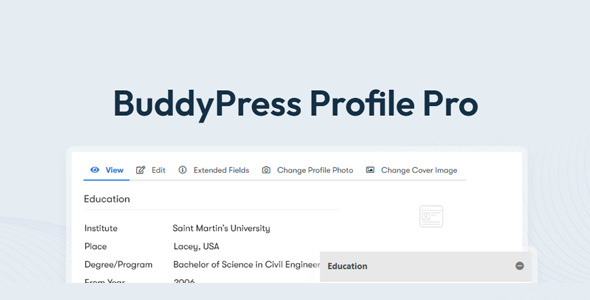
BuddyPress Profile Pro is an extension focused on enhancing user profiles within communities created with BuddyPress in WordPress. It addresses a clear need: to display more useful, clear, and interaction-oriented profile information. It is designed for administrators of membership sites, private communities, intranets, or internal social networks who need to go beyond the basic, standard profile offered by BuddyPress by default.
What problem does it help solve?
On many sites built with BuddyPress, user profiles fall short of the project's needs. The fields appear disorganized, making it difficult to understand what's truly relevant about each user, and the profile page ends up being a flat list of data that no one reads. When you start noticing that members barely visit each other's profiles or don't complete the requested information, the problem is already impacting your community's dynamics.
In real-world projects, this translates to less interaction, fewer private messages, and difficulty for users to find each other based on interests or roles. The administrator ends up juggling custom fields and manual adjustments to try and present the information more effectively. If you've ever invested time defining profile fields only to find the final result looks unprofessional or unintuitive, the problem isn't with what you're asking for, but with how it's presented to the user.
BuddyPress Profile Pro exists precisely to improve the presentation and organization of profiles. Its purpose is not to replace BuddyPress, but to leverage its data and give it a clearer, more logical structure aligned with the type of community you manage. In this way, the profile ceases to be a useless entry and becomes a relevant page within the overall site experience.
Why this solution makes a difference
When working with WordPress and BuddyPress, the user profile is a key element of the community experience. A poorly organized profile forces members to make an extra effort to find information, reducing the likelihood of interaction. With BuddyPress Profile Pro, this friction is minimized by presenting data in a more consistent and accessible way, streamlining navigation and improving the perceived professionalism of the site.
In day-to-day operations, this directly impacts the administrator's management time. Instead of struggling with scattered settings, you have a more organized approach to what is displayed, how it looks, and what information is highlighted in profiles. This helps reduce configuration errors, avoids constant improvisation, and establishes a visual standard for all users. On the other hand, members perceive a clearer environment, making it easier for them to complete their information and participate more actively.
The main difference compared to other generic approaches is that BuddyPress Profile Pro focuses exclusively on the BuddyPress profile layer. It doesn't try to become a full-fledged social network or replace the main system, but rather addresses a specific issue: making each member's page better communicate who that person is within the community and what information is truly relevant for interacting with them.
Signs you need this product
- BuddyPress' current profiles are confusing or visually poor, and users don't quite understand where to find key information.
- You notice friction when members try to navigate through profiles, because the most important information appears mixed with secondary or unclear data.
- You spend too much time adjusting profile fields, checking how they are displayed, and correcting presentation errors without achieving a consistent result.
- Your community is growing and profiles are becoming a strategic point to connect people by interests, roles, location or specialty, but the standard format falls short.
When does it make sense to use it (and when doesn't)
BuddyPress Profile Pro makes sense when the user profile is already an important element of your site. If you manage a private community, a member directory, an online campus, or a corporate network where the profile is the gateway to user interaction, having a clear and well-organized presentation makes a direct difference in engagement. This is especially true when you feel the rest of the project is working well, but the profile page isn't quite up to par.
However, this plugin isn't necessary if you use BuddyPress in a very basic way, merely as a registration tool and without focusing on profiles. If your site doesn't rely on member interaction, if you have few additional fields, or if the profile only displays minimal data that you don't plan to expand, investing in a visual and structural improvement of that area won't provide any real benefit. In that scenario, it makes more sense to prioritize other areas of the project.
Who it fits best for
- Administrators of online communities that use BuddyPress as a base and need profiles to better convey the value of belonging to the site.
- Membership projects, online schools, in-house academies, or professional networks where the user's profile functions as a business card within the platform.
- Agencies or developers that deliver BuddyPress sites to clients and require a level of profile presentation more aligned with corporate or brand expectations.
Practical benefits
- Real operational improvement by having a defined and organized way of displaying profile information, reducing improvised adjustments in each project.
- A clearer user experience for members, who better understand what data is relevant and how to review the profiles of other people within the community.
- Greater control and organization over the structure of profiles, avoiding chaotic pages full of fields without hierarchy or visual logic.
- Time savings in daily administration, since you don't need to spend hours testing combinations of fields and designs to achieve something acceptable.
- Reduction of presentation errors and less confusion for users, which decreases internal queries related to how to manage or understand their own profile.
How it fits within WordPress
Within the WordPress ecosystem, BuddyPress Profile Pro is a specific component of a community's workflow: it manages how user profiles, already handled by BuddyPress, are displayed and organized. It doesn't manage registration, groups, or the overall activity system, but rather the page where each member introduces themselves to others. In this context, it integrates seamlessly into your daily routine as an administrator, giving you a more refined level of control over this key section.
In real-world projects, this means you can plan the profile structure from the very beginning of development, knowing you have a more robust way to showcase fields relevant to your community. It will become part of your site's overall design, connecting with the other pages and the established navigation, but always focused on ensuring the profile space reflects the identity and interaction needs of each specific project.
Typical use cases
- Membership sites where users need to clearly see what each member offers: specialization, services, location, internal contact details, and other key information for collaboration.
- Educational communities where student and tutor profiles must show specific fields such as ongoing courses, internal progress, or academic data relevant to the campus dynamics.
- Professional networks or corporate intranets where each profile acts as an internal record of the employee or collaborator, making it easier for other members to find the right person according to their role or experience.
Frequently Asked Questions about BuddyPress Profile Pro
How does BuddyPress Profile Pro differ from other user profile plugins?
BuddyPress Profile Pro focuses exclusively on improving the presentation and organization of profiles within BuddyPress, rather than attempting to cover all areas of the community. It doesn't try to replace the main system or become a separate social layer, but rather works with existing data to display it more clearly and consistently. This specialization allows you to concentrate your configuration on what really matters: what is seen on the profile page and how it is perceived by users.
When does it make sense to add BuddyPress Profile Pro to a project that is already underway?
It makes sense to implement this when you already have an active community and notice that profiles aren't fulfilling their purpose of connecting members. If important fields are being overlooked, if users are complaining that the profile is confusing, or if you yourself avoid linking to that page because it doesn't look good, it's a good time to introduce a more structured approach. By doing so, you leverage the data you've already collected and transform it into a much more useful and presentable profile.
Does BuddyPress Profile Pro replace BuddyPress' custom field management?
No, BuddyPress Profile Pro doesn't replace how BuddyPress handles custom fields or its internal management. Those elements are still managed by the core system. What it does is adjust the presentation and layout of that data in users' public profiles. This way, you continue to manage fields and values from where you always have, but you have a more refined way of displaying that information visually and structurally.
What types of projects benefit most from BuddyPress Profile Pro?
Projects where each member's identity is key benefit especially: online academies, professional communities, niche networks, private clubs, or intranets where the profile is not just a detail, but a central element of interaction. If each user needs to present themselves to others in some detail, and this information influences how people connect within the site, a clear improvement to the profile page has a direct impact on the overall experience.
Does it make sense to use BuddyPress Profile Pro in small communities?
In small communities, BuddyPress Profile Pro makes sense when you want to establish a solid foundation from the start and present a polished image even with few members. If your project is designed to grow and the profile will be important from the early stages, it can help you avoid having to restructure it later. However, if the community is small and you don't expect to prioritize the user profile, the benefit will be less significant, and it might be better to focus on other features first.
Conclusion
BuddyPress Profile Pro focuses on a specific and critical aspect of any community built with BuddyPress: how each user's profile is presented. If you've ever experienced a project that's performing well but whose profile page undermines the professionalism or fails to reflect the value of belonging to the community, this extension is where it comes in handy. By improving the organization and clarity of this section, it transforms a static profile into a useful space for connecting people and enhancing the overall user experience on your site.
Latest update:

Written by: WPClub
With over seven years of experience curating, managing, and distributing GPL products, our content is based on hands-on experience, technical review, testing, and feedback from thousands of users. We aim to democratize and simplify the WordPress world so you can choose with confidence, speed, and ease.
Your Individual Purchase Includes:
- Lifetime updates.*
- Official product, ready to use.
- Immediate access to the product.
- Clean and virus-free files.
- GNU GPL V2/V3 License
- Technical support in Spanish and English.
* In the case of memberships, the period during which you will receive updates will depend on the type of membership purchased: monthly, annual, or lifetime.
Notify Update
We update products Monday through Friday. However, if the product you see is not yet updated, you can notify us so we can prioritize updating it whenever possible.
Get your questions answered here
Here you'll find answers to frequently asked questions about our service: how it works, what it includes, and how to get the most out of it.
On how many websites can I use the products?
You can use any product from our store on any website you want.
Will I get updates?
Absolutely. If you buy an individual product, you'll get lifetime updates for that product.
On the other hand, if you purchase a membership, you will receive updates until your membership expires.
What if I have a problem?
First of all, we want you to know that you can count on us. We will assist you and provide the necessary support, so you can rest assured.
On the other hand, it is important for you to know that, given the time difference between countries, your time and ours may not be the same, so we will be delayed accordingly.
Our opening hours start at 9 AM from Monday to Friday, UTC -3. We are open until around 6 PM.
Do they provide technical support?
Yes, and regarding the time, it is usually on average within 24 to 48 business hours.
However, there are times when we have already provided an answer and solution in less than a day, depending on the case.
Are there download limits?
No. We don't believe in that format, so you can download as many times as you want. No problem. We pay for high-quality professional storage precisely to avoid problems.
Do they provide license keys?
No. Giving out the keys is not a viable option, as we have had experiences where they end up circulating everywhere and we can even lose the associated accounts.
That said, all products are original and, in cases where a license key is required to function, we will take care of pre-activating them for you.
Does my purchase include an invoice?
Yes. After payment, you will be able to access your invoice immediately in the "Purchases" section of your user account.
That is why it is important that you properly complete the information requested at the time of payment.
Is there a warranty?
Yes, of course. If there's a problem we can't resolve, or if there's an external issue that doesn't have a general solution, you'll receive support and, if necessary, a full refund. We have a 14-day refund policy from the date of purchase.
- It should be noted that there is no warranty if the product works well and it simply wasn't what you wanted.
There have been instances where someone buys a product, the product works perfectly, but they don't like it and want a refund, keeping the product. That's not right.
However, everything is evaluable and reasonable. Let's use judgment together.
What are the opening hours?
Our opening hours are:
- Monday to Friday, from 9 a.m. to 6 p.m.
- Saturday and Sunday: No service.
UTC -3 time

Our Reputation on Trustpilot
Many thanks to those who take the time to give us a rating on Trustpilot. Each and every one of your comments is very helpful to us. We strive to provide a rewarding experience for every member of our community, always with respect and care. We'll be here!






















WPClub Memberships
Access our entire catalog for a single payment. We offer three memberships: Monthly, Annual, and Lifetime (One-Time Payment).
- Save thousands of dollars
- Unlimited daily downloads
- No recurring payments
- Fast downloads by AWS
- Quality service and support, validated since 2018
- We work with love for our community