
 Boo...! LAST DAY > Memberships with 30% off. Use coupon: HWEEN30
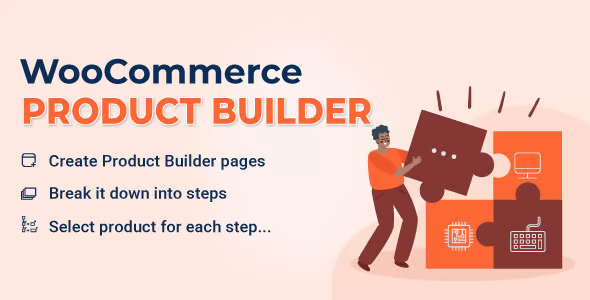
BuildKit WooCommerce Product Builder
BuildKit WooCommerce Product Builder and 6,514 more, with AutoUpdater and support.
For $4.21 more you get everything the Monthly membership includes
Choose my membershipThis product, with lifetime updates.
- Secure payment
- Spanish and English support
- With you since 2018
New version or an issue?
Description
Quick summary
WooCommerce Product Builder is designed for online stores that need to sell customizable products without relying on endless tables of variations. It allows customers to build their ideal item (for example, a custom PC, a product bundle, or a personalized set) step-by-step within WordPress, with a clear and guided workflow. It's especially useful for e-commerce businesses with complex product combinations where the standard WooCommerce form is no longer sufficient.
What problem does it help solve?
In a traditional WooCommerce store, when a product has many options, the page becomes cluttered with dropdown menus, attributes, and variations that are difficult to understand. The customer gets lost, doesn't know where to start, and abandons their cart. This happens when you try to sell customizable products, bundles with different components, or advanced configurations and end up using endless descriptions to explain how to combine each part.
If you've ever had a user write to you asking, "What do I have to choose first?" or "I don't understand the difference between these options," the problem isn't just with the content; it's with how WooCommerce presents the checkout process. The standard system is designed for simple variations, not for step-by-step configurations where each decision influences the next. That's where maintaining a clear and organized experience becomes difficult.
In this context, managing everything from native variations results in an overflowing dashboard, errors when changing prices, difficulty updating attributes, and an uncomfortable learning curve for anyone on the team who has to create new, complex products. Furthermore, reviewing custom orders becomes confusing because the information isn't logically structured according to the steps the customer took.
Why this solution makes a difference
WooCommerce Product Builder shifts the sales logic from a "piled-up" of variations to a guided, step-by-step journey. Instead of forcing the customer to understand all the attributes at once, it shows them a clear process: first they choose one part, then another, see the impact of each choice, and confirm the final set. The result is a much more intuitive product page and a purchase process that feels more like a conversation than a technical form.
In real-world projects, this translates to fewer questions, fewer emails clarifying orders, and fewer returns due to incorrect configurations. The team managing the store gains order because each product component is defined within a structured workflow, making it easier to review and adjust when catalogs or available options change. Furthermore, users have a clearer understanding of what they are building, increasing their confidence at checkout.
Signs you need this product
- Products with many options generate recurring inquiries because customers don't understand how to configure them.
- You notice friction in WooCommerce when you try to create complex variations and end up with hundreds of combinations that are difficult to maintain.
- You waste time updating prices, stock, or configurable product descriptions because everything is mixed together in a single, unclear tab.
- When you start to notice that your ecommerce business is growing in customized products and the dashboard becomes chaotic as you add new combinations.
- Abandoned shopping carts tend to focus on advanced products, while simpler items convert without issue.
When does it make sense to use it (and when doesn't)
WooCommerce Product Builder brings real value when you sell items that can't be handled with a simple size or color selector. If you offer custom configurations, bundles with interchangeable components, technical products that require sequential decisions, or combinations where each choice affects the next, a guided builder helps organize that complexity and present it in a way that's easy to understand for both the customer and the management team.
On the other hand, if your store only sells simple products or products with very few variations (for example, t-shirts in two sizes and three colors), this type of approach isn't necessary. In that scenario, the standard WooCommerce system is sufficient, and adding a step-by-step build flow would only lengthen the purchase process without adding clarity. It also becomes pointless when your catalog doesn't support any customization and all items are fixed and straightforward.
Who it fits best for
- Shops that sell configurable products: custom-made computers, personalized bicycles, component furniture, cosmetic sets, or customizable gift boxes.
- Businesses that create bundles combining various WooCommerce products need the customer to decide what each bundle includes without confusion.
- Professionals and agencies that manage complex ecommerce sites in WordPress and need a clear way to present configurations without cluttering the standard interface.
- Store managers who delegate product creation to others and need a more guided and streamlined setup workflow.
Practical benefits
- It transforms difficult-to-understand products into a step-by-step process, reducing the time the customer spends figuring out what to choose.
- It improves the user experience because the buyer sees at each stage what they are adding, how the final set changes, and exactly what they are paying for.
- It provides greater control and organization over configurable products, by mentally and visually separating each component within the purchase journey.
- It saves time on a daily basis when creating and adjusting complex products, avoiding maintaining endless lists of variations that are difficult to review.
- It reduces errors in custom orders by guiding the user through a logical flow, avoiding inconsistent or poorly documented combinations.
How it fits within WordPress
WooCommerce Product Builder integrates seamlessly with your existing WordPress and WooCommerce workflow, but changes how you structure certain items. Instead of treating all products the same, you define which ones require a guided walkthrough and organize their content more sequentially. From the dashboard, you shift your thinking from "variation list" to "build workflow," making it easier to plan complex catalogs.
When working with WordPress, this fits especially well when you already use custom pages, visual page builders, or consultative selling strategies. In that context, the product builder becomes the piece that translates that consultative approach into concrete steps within the store, keeping everything under the WooCommerce framework, but with a clear focus on guided customization.
Typical use cases
- A technology e-commerce site that allows the user to assemble a computer from parts, choosing processor, memory, storage and extras in an orderly flow.
- A corporate gift shop where the customer assembles a package by choosing the box, internal products, personalized card and final presentation, seeing the result of the whole.
- A modular furniture store that lets you configure sofas by modules, upholstery, legs and accessories, avoiding confusing tables of variations.
- A cosmetics business that offers personalized routines, where the buyer selects cleanser, serum, cream and sunscreen in a clear sequence.
Frequently Asked Questions about WooCommerce Product Builder
How does WooCommerce Product Builder differ from standard WooCommerce variations?
Standard variations display all options at once in one or more dropdown menus, which becomes confusing when there are many combinations. WooCommerce Product Builder organizes the purchase process as a step-by-step journey, where the customer selects each part of the product in a defined order. This allows for better presentation of complex products, avoids unmanageable lists of variations, and simplifies the maintenance of advanced settings in the admin panel.
When does it start to make sense to use WooCommerce Product Builder in a live store?
It becomes especially useful when you notice that customizable products generate more questions and errors than the rest of the catalog. If you've already had to explain via email how to select each option, or if the team makes mistakes adjusting prices for variations, it's a clear sign. When product complexity affects the clarity of the purchase, a guided flow like the one offered by WooCommerce Product Builder makes all the difference.
Can I use WooCommerce Product Builder on only some products and leave others as they are?
Yes, the usual approach is to apply WooCommerce Product Builder only to items that require a more detailed construction process, while keeping the rest of the catalog with standard WooCommerce behavior. This way, your simple products remain straightforward and quick to buy, while configurable products benefit from a step-by-step structure. This allows you to tailor the shopping experience to the complexity level of each product type.
What happens to the ordering process when the customer uses WooCommerce Product Builder?
When the user completes the setup steps with WooCommerce Product Builder, the result is sent to the cart as a ready-to-buy product, with all associated selections. The checkout process maintains the standard WooCommerce logic: the customer pays as usual, but the product information is presented in a much more structured way. This makes it easier to review which components have been selected and reduces ambiguity during order preparation.
Does it make sense to use WooCommerce Product Builder if I offer few products, but they are highly configurable?
Yes, even with a small catalog, WooCommerce Product Builder is useful when each product requires complex decisions from the customer. If you sell only a few items, but each one is customized with multiple components or levels, a guided flow helps make every purchase clear and repeatable. It's a way to make a small catalog look more professional and easier to understand, without cluttering the traditional product page.
Conclusion
WooCommerce Product Builder is designed for stores that have reached the point where standard variations are no longer sufficient to explain customizable products. It simplifies the complexity into a guided process, both for the customer making the purchase and for the person managing the catalog in WordPress. When you start to notice that each custom product requires too much explanation, switching to a step-by-step builder becomes a practical way to regain clarity and control over the sales process.
Previous versions
If you have purchased this product, or have an active membership, you can download previous versions as we release them, without any limits or restrictions.
No threats detected
File scanned with ClamAV before publishing
- File
- codecanyon-19934326-woocommerce-product-builder-2.3.12.zip · 4.6 MB
- Files
- 753 scanned · 0 threats
- Engine
- ClamAV 1.5.3 · signatures v28182
- Verified on
- 11/14/2026
- SHA-256
- dd0a05…6faa23a
- PHP 77.7%
- CSS 5%
- JavaScript 2.8%
- SVG 2.5%
- Other 12%
Frequently Asked Questions
Here you'll find answers to frequently asked questions about our service: how it works, what it includes, and how to get the most out of it.
You can use any product from our store on any website you want.
Absolutely. If you buy an individual product, you'll get lifetime updates for that product.
On the other hand, if you purchase a membership, you will receive updates until your membership expires.
First of all, we want you to know that you can count on us. We will assist you and provide the necessary support, so you can rest assured.
On the other hand, it is important to know that, given the time difference between countries, your time and ours may not be the same, so we could be delayed because of this.
Our opening hours are Monday to Friday, from 09 to 18 hrs (UTC −3).
Yes, and regarding the time, it is usually on average within 24 to 48 business hours.
However, there are times when we have already provided an answer and solution in less than a day, depending on the case.
No. We don't believe in that format, so you can download as many times as you want. We pay for high-quality professional storage precisely to avoid any problems.
No. Giving out the keys is not a viable option, as we have had experiences where they end up circulating everywhere and we can even lose the associated accounts.
That said, all products are original and, in cases where a license key is required to function, we will take care of pre-activating them for you.
Yes. After payment, you will be able to access your invoice immediately in the «Purchases» section of your user account.
That's why it's important that you properly complete the information requested at the time of payment.
Yes, of course. If there's a problem we can't resolve, or an external issue that doesn't have a general solution, you'll receive support, if needed, and a full refund. We have a 7-day refund policy from the date of purchase.
- There is no warranty if the product works well and it simply wasn't what you wanted.
There have been instances where someone buys a product, the product works perfectly, but they don't like it and want a refund, keeping the product. That's not right.
However, everything is evaluable and reasonable. Let's use judgment together.
This guarantee applies to the purchase of individual products; memberships are not eligible for a refund.
Our opening hours are:
- Monday to Friday, from 9 a.m. to 6 p.m.
- Saturday and Sunday: no service.
UTC −3 time.

WPClub Team
GPL plugin and theme store since 2018. Every file is analyzed with ClamAV and its report is public; we keep previous versions and provide support in Spanish and English.
BuildKit WooCommerce Product Builder and 6,514 more, with AutoUpdater and support.
For $4.21 more you get everything the Monthly membership includes
Choose my membershipThis product, with lifetime updates.
- Secure payment
- Spanish and English support
- With you since 2018


