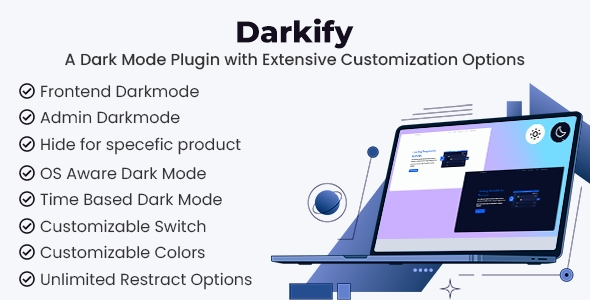
Darkify WordPress Dark Mode Plugin
It's an innovative and easy-to-use solution that allows you to transform the appearance of your WordPress website with a stylish and functional dark mode.
This plugin is designed to improve the user experience, especially for those who prefer browsing in dimmer environments or for those who want a more modern and attractive aesthetic.
With Darkify, you can offer your visitors the option to switch to dark mode with a single click, improving accessibility and reducing eye strain.
What is the Darkify WordPress Dark Mode Plugin?
Darkify WordPress Dark Mode Plugin is an add-on that allows website administrators to enable a dark mode on their WordPress platform. Activating it transforms your site into a more comfortable version for your eyes, ideal for browsing in low-light environments.
This plugin is especially popular among blog websites, online stores, forums, and news portals, as it improves the user experience and provides a visually appealing option.
In addition to its practical functionality, Darkify also offers customization options that allow you to adapt dark mode to your brand's aesthetic, making it a versatile tool for both individual users and businesses.
Key benefits of the Darkify WordPress Dark Mode Plugin
-
Improves the user experienceVisitors to your site can enable or disable dark mode according to their preferences, providing a more comfortable browsing experience, especially in low-light environments.
-
Reduction of eye strainDark mode helps reduce eye strain, which is ideal for those who spend long periods of time in front of a screen.
-
Improved accessibilityBy offering a dark mode, you help users with light sensitivity or vision problems to access your content more comfortably.
-
Modern and attractive aestheticThe dark mode design is visually appealing and can give your site a modern and professional look.
-
Full customizationDarkify allows you to adjust colors, shadows, and other visual elements to perfectly match your design and brand identity.
-
Compatible with all devicesThe plugin is fully responsive, meaning it adapts seamlessly to any device, whether it's a mobile phone, tablet, or desktop computer.
Key features of the Darkify WordPress Dark Mode Plugin
-
Activate dark mode with a single clickUsers can activate or deactivate dark mode with a single click, without complications.
-
Automatic mode based on the time of dayThe plugin allows you to configure dark mode to activate automatically depending on the time of day, providing a smoother experience tailored to the user's preferences.
-
Customization of colors and stylesYou can fully customize the background, text, and link colors in dark mode to match your website's color palette.
-
Easily accessible floating buttonDarkify adds a floating button in the corner of the page so users can easily switch to dark or light mode at any time.
-
Support for custom themes and pagesThe plugin is compatible with almost all WordPress themes and allows you to activate dark mode on custom or specific pages.
-
Compatibility with popular browsersDarkify is compatible with the most popular browsers, such as Chrome, Firefox, Safari, and Edge, ensuring that all users can enjoy dark mode.
-
Mobile device optimizationThe plugin is perfectly adapted to mobile devices, allowing users to activate or deactivate dark mode from their smartphones and tablets.
-
Easy installation and setupWith its quick and easy installation, Darkify requires no technical expertise. In just a few minutes, you can have your site up and running in dark mode.
How does the Darkify WordPress Dark Mode Plugin work?
Once you install and activate the Darkify WordPress Dark Mode Plugin on your WordPress site, you'll find the admin interface intuitive and easy to use. You can enable dark mode on your website with just a few clicks and then customize the visual appearance for your users.
The plugin includes a floating button that's strategically placed on the page so visitors can easily switch between dark and light mode. You can also configure the plugin to automatically activate dark mode based on the time of day, creating a user experience that adapts to the lighting conditions.
Furthermore, Darkify lets you fully customize the colors and style of dark mode, ensuring it aligns with your brand's design and visual identity. All of this is done without touching any code, making it easy to use for both beginners and experts.
Why choose Darkify WordPress Dark Mode Plugin?
Choosing the Darkify WordPress Dark Mode Plugin means offering your users a modern and comfortable viewing option, improving accessibility and the browsing experience. Dark mode is not only aesthetically pleasing but also has practical benefits, such as reduced eye strain and a more pleasant reading experience, especially in low-light conditions.
Darkify is easy to install and use, compatible with a wide range of themes and devices, and offers complete customization to suit your brand. If you want to enhance your users' experience and keep your website at the forefront of design trends, the Darkify WordPress Dark Mode Plugin is the perfect solution.
Conclusion
Darkify WordPress Dark Mode Plugin is an essential tool for any website looking to offer a modern, accessible, and personalized user experience. With its attractive design, user-friendly functionality, and advanced customization options, Darkify enhances site navigation and reduces eye strain for your visitors.
If you want to optimize your users' experience and keep your website aligned with current trends, the Darkify WordPress Dark Mode Plugin is the ideal choice. Transform your website today and offer your visitors a superior visual experience with dark mode!