

- Secure payment
- Spanish and English support
- With you since 2018
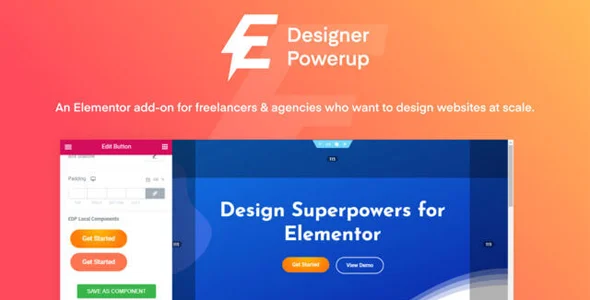
Designer Powerup for Elementor 2.3.3
$23.00 El precio original era: $23.00.$5.99El precio actual es: $5.99.
Quick summary
Designer Powerup for Elementor is an extension designed for those who work daily with Elementor layouts and find themselves limited when trying to achieve precise, consistent, and visually polished designs. It provides advanced design controls, micro-adjustments, and features geared toward fine-tuning layout work. It is especially useful for designers, agencies, and developers who want to accelerate the creation process while maintaining a level of detail that Elementor alone cannot comfortably handle.
What problem does it help solve?
When you build pages with Elementor in real-world projects, there comes a point where basic building blocks simply aren't enough. Adjusting perfect alignments, defining consistent proportions, achieving clean spacing, or working with complex structures becomes a series of small tricks, negative margins, and constant testing. If you've ever found that a simple section takes much longer than expected due to minor visual details, the bottleneck isn't your creativity, but rather the precision tools at your disposal.
In this context, Designer Powerup for Elementor comes in to bridge the gap between “what Elementor allows you to do quickly” and “the result you, as a professional, want to deliver.” The problem isn't just aesthetic: without more refined controls, pages become difficult to maintain, inconsistencies appear between sections, and every change requires reviewing multiple widgets to realign spacing, columns, and alignments. This affects both the final quality and the time you can dedicate to strategic site tasks.
Why this solution makes a difference
Designer Powerup for Elementor focuses specifically on design work within the editor, not on adding more generic blocks. Its purpose is to give you precision tools so you can design with the same ease as you would in Figma or Sketch, but directly within WordPress. In everyday use, this means less trial and error, less reliance on custom code, and a smoother workflow from initial idea to final layout.
When you start noticing that you're adjusting the same spacing over and over again, or manually repeating design patterns on every page, you need a plugin to help you systematize those details. Designer Powerup for Elementor lets you control these design nuances directly from the builder, reducing visual errors, preventing discrepancies between devices, and providing greater confidence when making changes to published pages. The impact translates into more consistent deliverables, fewer revisions, and increased confidence when scaling projects.
Signs you need this product
- You already have pages created with Elementor and you notice misalignments, spacing differences, or elements that "don't quite fit" visually between sections.
- You feel friction when trying to build more complex layouts in WordPress with Elementor, especially when you're looking for a very measured design or one similar to an external prototype.
- You waste time manually adjusting columns, padding, and margins on each page, and any minor change requires reviewing several sections to ensure nothing breaks.
- You're in a growth scenario, managing multiple sites or projects for clients, and you need the design to be consistent and scalable without turning every modification into a painstaking task.
When does it make sense to use it (and when doesn't)
Designer Powerup for Elementor is invaluable when your page design matters as much as your content. If you work with corporate websites, lead generation landing pages, portfolios, product pages, or projects where presentation impacts conversion, having detailed control over spacing, alignment, and complex structures makes a real difference. It's also a great fit when you've already mastered Elementor and realize the limit lies in your level of precision, not your ability to use the builder.
However, this plugin isn't necessary if you only manage a simple blog with basic templates, without demanding design requirements, or if you use Elementor to build a very simple static page that you rarely modify. It also doesn't make sense if you're comfortable with minor visual imperfections and your absolute priority is simply publishing content as quickly as possible, without paying much attention to design consistency across sections and devices.
Who it fits best for
- Web designers who translate mockups to Elementor and need to faithfully replicate proportions, alignments, and interface details without constantly resorting to custom CSS.
- Agencies and studios who manage multiple client sites and seek visual consistency, controlled layout times, and fewer manual adjustments on each project.
- WordPress Developers who want to maintain a clean and maintainable layout, reducing the use of makeshift solutions such as negative margins or duplicate structures.
- Entrepreneurs and businesses who build their own landing pages in Elementor and need better control over the presentation without learning code, especially in campaigns where design influences performance.
Practical benefits
- Real operational improvement: You reduce iterations when laying out layouts, because you have controls focused on advanced design from the editor itself, without constantly jumping to improvised adjustments.
- Smoother user experience: The additional options are integrated into the natural workflow with Elementor, so that fine-tuning becomes part of the process, not a separate task.
- Greater control and organization: Complex layouts can be structured with logic and coherence, making it easier for other team members to understand and modify the pages without breaking the design.
- Cumulative time savings: By eliminating repetitive corrections and manual micro-adjustments, you free up hours on each project that can be dedicated to strategy, content, or A/B testing.
- Reduction of visual errors: There are fewer discrepancies that appear when changing texts, images or screen sizes, because the design has been thought out more precisely from the beginning.
How it fits within WordPress
Within the WordPress ecosystem, Designer Powerup for Elementor acts as a specialized plugin that leverages Elementor to extend its layout capabilities. It doesn't replace the main builder or your theme; it sits directly at the layer where you decide how each section, column, and widget looks. In practice, this means you continue working with WordPress and Elementor as usual, but with more tools focused on visual detail.
In real-world projects, its function is clear: to improve control over the design without forcing you to change your workflow or implement additional complex systems. When you open a page editor, the options it provides become part of the natural process of building and adjusting, making it easier to maintain a consistent visual style throughout the site without creating dozens of improvised variations of sections or templates.
Typical use cases
- Corporate websites with high visual requirements: When the client delivers a very detailed design and needs the WordPress site to faithfully reflect that proposal, without "approximate versions" due to layout limitations.
- Conversion landing pages in campaigns: When building pages for advertising or launches, where small changes in visual hierarchy, rhythm of sections and readability influence results, having fine control is key.
- Creative portfolios and websites: Projects where presentation is part of the value proposition. Here, Designer Powerup for Elementor provides resources to play with the layout without breaking the site's basic structure.
- Refactor existing websites with Elementor: When the design has grown without planning and inconsistencies appear, this plugin helps to rearrange and polish the layout without rebuilding everything from scratch.
Frequently Asked Questions about Designer Powerup for Elementor
How is Designer Powerup for Elementor different from simply adding more widgets to Elementor?
Designer Powerup for Elementor doesn't focus on adding decorative blocks, but rather on improving the layout process you already use with the widgets you know. Its focus is on giving you more control over spacing, alignment, structure, and visual details, so your designs are more precise and consistent. This sets it apart from packages that simply add new elements, as the goal here is to refine how you build each section, not to inflate the list of available widgets.
Does it make sense to use it if I only work with pre-designed templates in Elementor?
If your use of Elementor is limited to importing templates and changing text and images, Designer Powerup for Elementor will only be useful when you want to go beyond what those templates offer. If you've ever found a template that almost fits but the fine-tuning takes too long or never quite works, then this plugin helps you customize with greater precision. However, if you simply accept templates as is, its contribution will be limited.
Do you help with projects where multiple people edit the same pages in Elementor?
Yes, its usefulness is especially noticeable in teams. With clearer controls and options designed to maintain layout order, the risk of someone messing up the design when making changes is reduced. In collaborative projects, it minimizes visual "botch jobs" because adjustments rely less on personal tricks and more on built-in editor options. This makes it easier to maintain design consistency even when different people are working on the same templates.
Is it useful if I already use custom CSS to refine my designs in Elementor?
If you're proficient in CSS, the Designer Powerup for Elementor doesn't replace your skills, but it does change how you spend your time. Instead of writing code for every recurring setting, you can handle many details directly from the editor, reserving CSS for truly special cases. This streamlines your workflow, makes changes more visible to the rest of the team, and allows you to document less, because much of the design logic is expressed in the Elementor interface.
What happens if in the future I stop creating sites with such detailed designs?
In that scenario, Designer Powerup for Elementor will simply become less prominent in your workflow. You'll still have its options available for projects where details matter, but if you move to very basic sites, its impact will be less. This flexibility is useful when switching between demanding and simpler projects, because you can take advantage of its features when the design requires it, without it restricting how you work on simpler pages.
Conclusion
Designer Powerup for Elementor exists to fill a specific need: more precise design controls within Elementor when the level of visual polish truly matters. If your projects require polished, consistent, and easy-to-maintain layouts, this add-on helps you reduce layout time and avoid visual inconsistencies that detract from the professional appearance of your site.
When you start to realize that your limiting factor is no longer Elementor itself, but the time you waste tweaking details, incorporating Designer Powerup for Elementor becomes a logical step. It allows you to work with the quality that clients and advanced projects demand without complicating your WordPress workflow, and it adds a layer of refinement that makes all the difference in the final result.
Your individual purchase includes:
- Lifetime updates.*
- Product ready to use.
- Immediate access to the product.
- Clean and virus-free files.
- GNU GPL V2/V3 License
- Technical support in Spanish and English.
* In the case of memberships, the period during which you will receive updates will depend on the type of membership purchased: monthly, annual, or lifetime.
Get your questions answered here
Here you'll find answers to frequently asked questions about our service: how it works, what it includes, and how to get the most out of it.
On how many websites can I use the products?
You can use any product from our store on any website you want.
Will I get updates?
Absolutely. If you buy an individual product, you'll get lifetime updates for that product.
On the other hand, if you purchase a membership, you will receive updates until your membership expires.
What if I have a problem?
First of all, we want you to know that you can count on us. We will assist you and provide the necessary support, so you can rest assured.
On the other hand, it is important for you to know that, given the time difference between countries, your time and ours may not be the same, so we will be delayed accordingly.
Our opening hours start at 9 AM from Monday to Friday, UTC -3. We are open until around 6 PM.
Do they provide technical support?
Yes, and regarding the time, it is usually on average within 24 to 48 business hours.
However, there are times when we have already provided an answer and solution in less than a day, depending on the case.
Are there download limits?
No. We don't believe in that format, so you can download as many times as you want. No problem. We pay for high-quality professional storage precisely to avoid problems.
Do they provide license keys?
No. Giving out the keys is not a viable option, as we have had experiences where they end up circulating everywhere and we can even lose the associated accounts.
That said, all products are original and, in cases where a license key is required to function, we will take care of pre-activating them for you.
Does my purchase include an invoice?
Yes. After payment, you will be able to access your invoice immediately in the "Purchases" section of your user account.
That is why it is important that you properly complete the information requested at the time of payment.
Is there a warranty?
Yes, of course. If there's a problem we can't resolve, or if there's an external issue that doesn't have a general solution, you'll receive support and, if necessary, a full refund. We have a 14-day refund policy from the date of purchase.
- It should be noted that there is no warranty if the product works well and it simply wasn't what you wanted.
There have been instances where someone buys a product, the product works perfectly, but they don't like it and want a refund, keeping the product. That's not right.
However, everything is evaluable and reasonable. Let's use judgment together.
What are the opening hours?
Our opening hours are:
- Monday to Friday, from 9 a.m. to 6 p.m.
- Saturday and Sunday: No service.
UTC -3 time

Reviewed by the WPClub team
At WPClub, we carefully review each product before listing it. Our team evaluates its key features, compatibility, and performance to provide you with reliable, up-to-date, and helpful information when choosing and using each resource available in our store.
Download previous versions
If you have purchased this product, or have an active membership, you can download previous versions as we release them, without any limits or restrictions.
| Nombre del producto | Versión | Tamaño | Fecha | Descargar |
|---|---|---|---|---|
| No hay versiones anteriores registradas. | ||||

Our Reputation on Trustpilot
Many thanks to those who take the time to give us a rating on Trustpilot. Each and every one of your comments is very helpful to us. We strive to provide a rewarding experience for every member of our community, always with respect and care. We'll be here!






















WPClub Memberships
Access our entire catalog for a single payment. We offer three memberships: Monthly, Annual, and Lifetime (One-Time Payment).
- Save thousands of dollars
- Unlimited daily downloads
- No recurring payments
- Fast downloads by AWS
- Quality service and support, validated since 2018
- We work with love for our community