
Divi Essential WordPress Plugin 5.8.0


- Secure Payment
- Support from Monday to Friday
- With you since 2018
$59.00 El precio original era: $59.00.$5.99El precio actual es: $5.99.
Quick summary
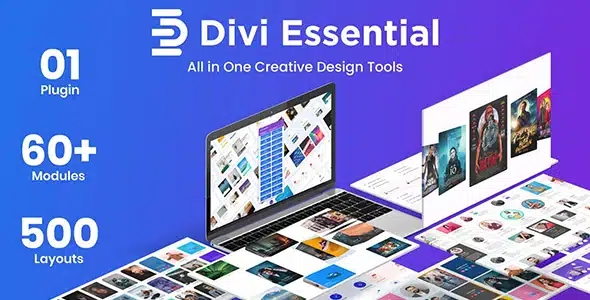
Divi Essential is a specialized extension for Divi that significantly expands visual design options without requiring you to write custom code. It's designed for those already working with Divi who feel limited when trying to create more dynamic, prominent, and professional sections. If you manage corporate websites, online stores, or client projects with Divi and feel like "everything looks the same," this add-on helps you take a clear leap in creativity and visual differentiation.
What problem does it help solve?
The problem arises when you build pages with Divi. You master the page builder, yet you still end up with very similar designs across projects. You can create decent sections, but you struggle to achieve truly eye-catching visuals, modern content blocks, or effects that differentiate you from other websites built with the same framework. When you try to force more advanced designs, you end up filling the page with duplicate modules, overloading columns, or resorting to code snippets that break the builder's consistency.
If you've ever had a client show you a reference page and felt that Divi's basic elements weren't enough to achieve that level of quality, that's where Divi Essential comes in. It provides a set of additional modules specifically designed to expand Divi's visual possibilities, while staying true to its drag-and-drop philosophy. In real-world projects, this means you're not reliant on external scripts or makeshift solutions to create featured blocks, sliders, interactive sections, or richer content presentations.
On the other hand, as your WordPress site grows, you start to notice that maintaining a consistent aesthetic with just the standard elements becomes complicated. You end up mixing styles, improvising with CSS, and wasting time on fine-tuning. Divi Essential reduces that friction by providing visual components specifically designed to integrate with Divi's style and logic, preventing mismatched layouts or sections that feel "taped together.".
Why this solution makes a difference
Divi Essential stands out because it doesn't try to replace Divi, but rather fills its most frequent gaps in terms of advanced design. In day-to-day use, this translates to less time spent testing module combinations to achieve a specific effect and more time focused on content and user experience. When you start noticing that you're spending more time tweaking visual details than working on your message, you need a dedicated extension of your builder.
In this context, Divi Essential offers ready-to-use visual blocks that behave like any native Divi module, with clear configuration panels and customization options geared toward modern design. You don't have to reinvent the wheel every time you want to highlight testimonials, showcase services, organize portfolios, or present key information with a more creative approach. The practical impact is direct: less trial and error, fewer layers of chained modules, and less risk of inconsistent designs across pages.
Furthermore, when working with WordPress for clients or personal projects, speed of delivery directly impacts profitability. Divi Essential allows you to replicate advanced design patterns in a controlled manner, maintaining Divi's flexibility but with more visual resources at your fingertips. This reduces the pressure of tight deadlines, because you can build engaging sections without relying on external developers or rigid templates that don't fit every project.
Signs you need this product
- Problem already present on the site: Your pages designed with Divi look fine, but flat; it's hard to distinguish your website design from others built with the same page builder.
- Friction in WordPress or WooCommerce: When designing product pages, service sections, or lead generation landing pages, you feel you don't have versatile enough blocks to highlight important information.
- Loss of control or time: You spend too much time adjusting margins, columns, and custom styles to achieve a design that you could solve with a single, more advanced module.
- Typical growth scenario: Your agency, studio, or digital project is scaling up, and you need to maintain a higher visual standard without multiplying layout hours or relying on custom developments for every detail.
When does it make sense to use it (and when doesn't)
Divi Essential makes sense when you already work regularly with Divi and encounter specific limitations in visual design. If you build corporate websites, product catalogs, sales pages, or complete portfolios within the Divi ecosystem, this plugin provides a variety of aesthetic modules to cover needs that the base page builder doesn't easily address. It's especially useful when managing multiple projects and wanting to maintain a consistent visual style without burdening each website with its own unique code.
However, it's not necessary if you're only using Divi for a very simple website with few static pages and no advanced design requirements. If your site only needs a basic homepage, a contact page, and little else, you can easily manage with the standard modules. It's also not an option for those who don't work with Divi: if you use another page builder or a theme that doesn't integrate with this environment, you won't get the expected benefits, because Divi Essential's focus is exclusively on expanding the Divi ecosystem.
Who it fits best for
- Professionals who design with Divi: Web designers, implementers, and freelancers who manage multiple Divi-based projects and need additional visual resources to differentiate each site without leaving the builder environment.
- Digital agencies and studios: Teams that deliver corporate, institutional or online store websites where the visual presentation has a direct impact on brand perception and conversions.
- Business owners who design their own websites: People who are already comfortable with Divi and want more sophisticated visual elements for landing pages, service pages, testimonials, and featured content without hiring custom developers.
Practical benefits
- Real operational improvement: Instead of building complex sections by combining multiple modules and columns, you use specific Divi Essential blocks designed to solve concrete visual structures in fewer steps.
- User experience: You maintain the same workflow you already know from Divi, but with more options in the design panel. You don't have to learn a completely different way of designing to achieve more advanced results.
- Control and organization: Your designs become more organized internally, with fewer unnecessary layers. This makes it easier to make future content changes, reorganize sections, or adjust styles without having to dismantle the entire page.
- Time saving: When you've already spent hours trying to replicate a complex visual block with the default elements, Divi Essential allows you to solve that same need with ready-made and configurable modules.
- Error reduction: By relying less on manual coding and improvised combinations, you minimize layout problems, unexpected overlaps, and sections that become misaligned when you change content or structure.
How it fits within WordPress
Within the WordPress ecosystem, Divi Essential acts as a direct complement to the Divi visual page builder, not as a standalone component. Its role is to expand the range of modules available when building pages, while maintaining integration with the standard WordPress dashboard and the builder's logic. This means your workflow remains the same: you enter a page editor, activate Divi, and have new elements at your disposal to design more complete sections.
When working with WordPress professionally, its role is to help you achieve more polished visual results without leaving the comfort of the Divi environment. It doesn't interfere with content management or general site administration; it integrates into the layout layer, right at the stage where you define the structure and design of each page. This way, WordPress continues to handle posts, products, and settings, while Divi Essential expands what you can do when presenting them.
Typical use cases
- Real-world use in ecommerce: Product pages or categories built with Divi where you need to present benefits, comparisons, testimonials and calls to action with a more elaborate design, without resorting to external templates that are difficult to adjust.
- Specific case study: A professional services firm that wants an "About Us" page with visually well-structured team blocks, milestones, and values, using specific modules instead of improvising manual structures.
- Situation where it provides direct value: Campaign landing pages where design has a direct impact on conversion and you need attractive sections to highlight offers, social proof, and benefits, while keeping editing entirely within Divi.
Frequently Asked Questions about Divi Essential
What specific difference does Divi Essential offer compared to using only the standard Divi modules?
Divi Essential includes additional modules designed to address visual needs that, with the basic elements, require complex combinations or custom code. In practice, this translates into ready-made blocks for creating highlighted sections, richer content presentations, and modern structures without chaining multiple modules together. If you're already proficient with the built-in elements but feel your designs are becoming repetitive, Divi Essential expands your repertoire directly within the environment you already use every day.
Does it make sense to use Divi Essential if I only manage a single site in Divi?
This makes sense when that single site requires a higher level of presentation: a carefully crafted personal brand, a highly competitive business, or a website where aesthetics are key to conveying value. If your project demands visually richer sections than usual and you don't want to rely on external development, Divi Essential gives you additional design flexibility. However, if your website is purely informational and simple, with few pages, you probably don't need this upgrade.
How does Divi Essential affect page maintenance and editing in the future?
Divi Essentials is integrated directly into the builder, so pages are edited from the same place where you already work with Divi. Additional modules are clearly identified, allowing you to modify text, images, or visual settings without having to rebuild structures from scratch. This is especially useful in projects where multiple people contribute to the content; whoever comes in later to edit will find configurable blocks instead of confusing combinations of columns and custom styles.
Is Divi Essential useful if I don't have advanced design skills?
It's especially useful when you want to improve the visual appeal without becoming a designer. The modules are designed to deliver aesthetically pleasing results right out of the box, with adjustable options accessible through clear panels. When you start to notice that, even knowing how to use Divi, your pages still don't look quite professional, Divi Essential acts as a set of pre-designed blocks that guide the layout. It doesn't eliminate the need for visual judgment, but it reduces the technical complexity of creating attractive sections.
In what types of professional projects does Divi Essential make the biggest difference?
Divi Essential makes a clear difference in projects where presentation directly impacts the outcome: high-value service websites, sales pages, online academies, consultancies, agencies, and businesses with a strong digital presence. In these contexts, each section of the website must transform information into a visual experience that builds trust. If you've already experienced a "correct" design failing to convey the quality of your service, having access to more visually sophisticated modules within Divi helps bridge that gap.
Conclusion
Divi Essential exists for those who work seriously with Divi and need to take their design to the next level without leaving the builder. It addresses the point where standard modules are no longer sufficient to differentiate your projects or maintain a consistent visual style on growing websites. If you're looking to expand your presentation possibilities while maintaining your current WordPress workflow, this plugin offers a clear and concrete path to elevate the look of your pages without complicating your daily tasks.
Latest update:

Written by: WPClub
With over seven years of experience curating, managing, and distributing GPL products, our content is based on hands-on experience, technical review, testing, and feedback from thousands of users. We aim to democratize and simplify the WordPress world so you can choose with confidence, speed, and ease.
Your Individual Purchase Includes:
- Lifetime updates.*
- Official product, ready to use.
- Immediate access to the product.
- Clean and virus-free files.
- GNU GPL V2/V3 License
- Technical support in Spanish and English.
* In the case of memberships, the period during which you will receive updates will depend on the type of membership purchased: monthly, annual, or lifetime.
Notify Update
We update products Monday through Friday. However, if the product you see is not yet updated, you can notify us so we can prioritize updating it whenever possible.
Get your questions answered here
Here you'll find answers to frequently asked questions about our service: how it works, what it includes, and how to get the most out of it.
On how many websites can I use the products?
You can use any product from our store on any website you want.
Will I get updates?
Absolutely. If you buy an individual product, you'll get lifetime updates for that product.
On the other hand, if you purchase a membership, you will receive updates until your membership expires.
What if I have a problem?
First of all, we want you to know that you can count on us. We will assist you and provide the necessary support, so you can rest assured.
On the other hand, it is important for you to know that, given the time difference between countries, your time and ours may not be the same, so we will be delayed accordingly.
Our opening hours start at 9 AM from Monday to Friday, UTC -3. We are open until around 6 PM.
Do they provide technical support?
Yes, and regarding the time, it is usually on average within 24 to 48 business hours.
However, there are times when we have already provided an answer and solution in less than a day, depending on the case.
Are there download limits?
No. We don't believe in that format, so you can download as many times as you want. No problem. We pay for high-quality professional storage precisely to avoid problems.
Do they provide license keys?
No. Giving out the keys is not a viable option, as we have had experiences where they end up circulating everywhere and we can even lose the associated accounts.
That said, all products are original and, in cases where a license key is required to function, we will take care of pre-activating them for you.
Does my purchase include an invoice?
Yes. After payment, you will be able to access your invoice immediately in the "Purchases" section of your user account.
That is why it is important that you properly complete the information requested at the time of payment.
Is there a warranty?
Yes, of course. If there's a problem we can't resolve, or if there's an external issue that doesn't have a general solution, you'll receive support and, if necessary, a full refund. We have a 14-day refund policy from the date of purchase.
- It should be noted that there is no warranty if the product works well and it simply wasn't what you wanted.
There have been instances where someone buys a product, the product works perfectly, but they don't like it and want a refund, keeping the product. That's not right.
However, everything is evaluable and reasonable. Let's use judgment together.
What are the opening hours?
Our opening hours are:
- Monday to Friday, from 9 a.m. to 6 p.m.
- Saturday and Sunday: No service.
UTC -3 time

Our Reputation on Trustpilot
Many thanks to those who take the time to give us a rating on Trustpilot. Each and every one of your comments is very helpful to us. We strive to provide a rewarding experience for every member of our community, always with respect and care. We'll be here!






















WPClub Memberships
Access our entire catalog for a single payment. We offer three memberships: Monthly, Annual, and Lifetime (One-Time Payment).
- Save thousands of dollars
- Unlimited daily downloads
- No recurring payments
- Fast downloads by AWS
- Quality service and support, validated since 2018
- We work with love for our community