



Dokan Pro is the solution for transforming a WooCommerce store into a complete multi-vendor marketplace, with a front-end vendor panel, configurable commissions, and advanced modules covering payments, shipping, bookings, subscriptions, and personalization. If you currently sell with WooCommerce and want to scale to an "Amazon or Etsy-style" model, Dokan Pro provides the structure: each vendor manages their own store, products, orders, coupons, withdrawals, and reports without accessing the WordPress admin panel.
Who is it ideal for? Projects that need to scale with many sellers and diverse catalogs (physical, digital, variable, or reservation-based), and that require granular control of commissions, withdrawal rules, and branding per store. In our experience, Dokan Pro stands out for its ease of implementation: it feels natural for teams already proficient with WooCommerce, and sellers find it intuitive to operate from their desktop without relying on the admin. Furthermore, Dokan Pro's ecosystem of modules allows for the activation of custom features: from automatic split payments to delivery schedules or Elementor-based design.
Compared to alternatives, Dokan Pro's approach isn't "just another plugin," but rather a marketplace layer that leverages the power of WooCommerce. This means familiar integrations (gateways, shipping, coupons, taxes) and a huge community. If you're looking to launch quickly, iterate in phases, and maintain quality control for each seller, Dokan Pro is a safe bet. We chose it when we needed to separate responsibilities: the admin defines policies, and each seller operates independently, avoiding bottlenecks.

It works like this: roles, flows, and panels (admin, vendors, customers)
Dokan Pro organizes the marketplace on three fronts. As administrators, we define global policies (commissions, product listings, reviews, removals, active modules) and the overall site experience (template, shop pages, category navigation, and filters). With Dokan Pro, every adjustment is reflected on the front end without requiring sellers to learn WordPress.
Salespeople work from their own simplified dashboard. There, they create simple, variable, downloadable, virtual, or pre-ordered products; configure stock, attributes, variations, and prices; manage orders, returns, coupons, and customer messaging; and request pickups according to thresholds and enabled methods. In our experience, this independence drastically reduces operational support: "How do I upload a product?", "How do I check my sales?", or "How do I change an image?" are all handled within the Dokan Pro dashboard.
From the customer's perspective, the experience is seamless: a clear product page, a WooCommerce cart, a standard checkout process, and order tracking. When there are multiple sellers, Dokan Pro transparently aggregates the information (where each product comes from, shipping costs per store, estimated delivery times), which maintains trust. One aspect we appreciated about implementing Dokan Pro is that it doesn't disrupt the purchase flow; rather, it adds the multi-seller layer with backend logic, leaving the frontend clean and uncluttered.
Commissions and automatic payments: how to really earn money
The heart of a marketplace is commission. With Dokan Pro, we define global commissions, commissions per seller, or per product, which opens up strategies based on category, performance, or promotions. You can apply fixed fees, percentages, or combinations, and adapt exceptions without losing control. In our experience, starting with a simple global commission and then moving to rules per seller is the healthiest way to scale smoothly.
The payments section is another differentiator of Dokan Pro. By activating marketplace-ready payment gateways, the split is automated: the customer pays once, and the gateway distributes the funds between the admin and each salesperson according to the current rules. This reduces manual reconciliations, saves on support, and speeds up withdrawals. Dokan Pro also allows for holding flows until order statuses are confirmed, which is crucial for verticals with verification or the risk of chargebacks. We combined split payments with minimum withdrawal thresholds per salesperson, which stabilized cash flow and maintained clear incentives.
When you need flexibility, Dokan Pro supports scheduled withdrawals, pre-release reviews, and detailed earnings records. This not only streamlines finances but also sends a professional message to your sales team: they know exactly how much, when, and why they'll be paid.
Catalog and product types (simple, variable, downloadable and reservations)
Dokan Pro allows each seller to create a robust catalog. Simple products cover linear inventory; variable products handle sizes, colors, and advanced attributes; downloadable and virtual products enable software, courses, and consulting; and booking support opens the door to date-based services, rentals, or appointments. In our experience, this variety is essential for attracting sellers from different sectors without installing dozens of disparate add-ons.
The seller panel in Dokan Pro guides creation through logical steps: title, images, description, category, price, inventory, and shipping. For variable products, managing attributes and variations is straightforward; and for downloadable products, file protection and download limits prevent headaches. A practical detail: by standardizing categories and attributes from the admin panel, Dokan Pro simplifies marketplace navigation and ensures SEO consistency (filters, breadcrumbs, store URLs).
If you want to increase conversion rates, Dokan Pro works well with both seller and admin coupon strategies. In our projects, we incentivize new sellers with limited-time marketplace-sponsored coupons; Dokan Pro tracks the impact, which helps us decide whether to continue this approach.
Pro modules that make a difference (Stripe Express, PayPal Marketplace, MangoPay, Bookings, Auctions, Delivery Time, Elementor)
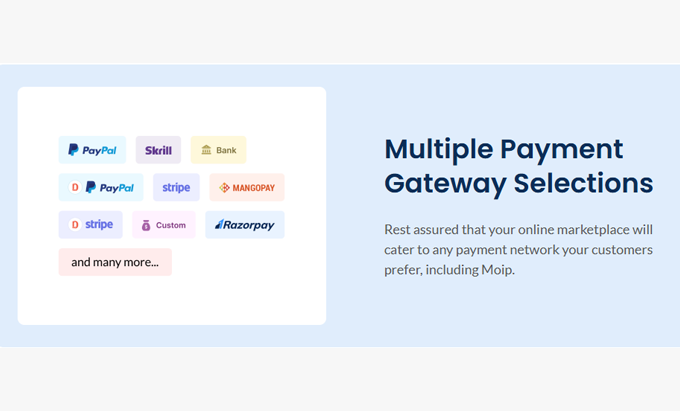
The magic of Dokan Pro lies in its modules. For payments, Stripe Express, PayPal Marketplace, and MANGOPAY offer KYC verification and automatic splitting; for logistics, modules like Table Rate Shipping, ShipStation, and Delivery Time refine costs and schedules; for catalogs, Bookings opens reservations and Auctions enables auctions; and for design, Elementor Customizer allows you to adjust store pages block by block, without coding. In our experience, we activate modules in phases: first payments and fees; then shipping/schedules; then reservations or auctions depending on the product category; and finally, advanced customization with Elementor.
Another advantage is geolocation and store mapping. Dokan Pro can display sellers by location and calculate shipping/in-store pickup, opening up local marketplace models. When we tested this feature, we noticed an increase in conversions in "local" categories (food, crafts, local services). And if you're aiming for a mobile-first approach, the Dokan Pro ecosystem offers apps that complement the seller-customer transaction with notifications and tracking.
Seller experience: frontend panel, reports and withdrawals
The success of a marketplace depends on how easy it is to sell. With Dokan Pro, the seller dashboard brings together metrics, orders, products, coupons, and finances in one place. The report views (sales by period, top products, order statuses, commissions) are clear enough for each seller to optimize without having to request exports from the admin. We saw a real drop in support tickets after migrating to Dokan Pro: when sellers understand their dashboard, they upload better photos, set more competitive prices, and respond more quickly.
In day-to-day operations, notifications and status updates are key. Dokan Pro communicates order changes, return requests, and product revisions with simple messages. The salesperson learns the workflow and replicates best practices. Add short guides and product templates, and onboarding is accelerated. The result is straightforward: more high-quality catalogs, better product descriptions, fewer returns, and more satisfied customers.
Store customization: branding, URL, and design
Every seller needs an identity. With Dokan Pro, each store has its own name, logo, cover image, description, and URL. If a seller doesn't upload a logo, you can use a default one to maintain a consistent look. In our experience, this detail reduces the feeling of an "empty marketplace" in the first few months: everything looks professional from day one. It's also important to define visual quality guidelines for cover images and photos; Dokan Pro doesn't restrict branding, so guide your sellers to ensure consistency across the marketplace.
If you use Elementor, Dokan Pro's customization module lets you enhance listings, headers, and store sections with a single widget. This helps you highlight top sellers, collections, or seasons, and even test layouts without modifying theme templates.

Scalability and compatibility (plugins, themes, apps and performance)
Dokan Pro grows with your marketplace. Because it's based on WooCommerce, it inherits compatibility with much of the ecosystem: payment gateways, shipping methods, performance optimizers, SEO, and caching. Our practical recommendation is to maintain a staging environment to test new Dokan Pro modules and updates alongside your theme and critical plugins. The goal is to ensure a stable customer experience even during traffic spikes or aggressive promotions.
In terms of performance, Dokan Pro handles large catalogs well if you manage images, caching, and queries carefully. One pattern that worked well for us was scaling in phases: activating only the necessary modules, debugging test catalogs, and measuring TTFB and CLS after each change. Dokan Pro performs reliably when the database is well-organized.
Use cases and lessons learned from real projects
We've used Dokan Pro for very different verticals: local crafts, fashion, bookable services, and digital downloads. In every case, the key was defining commissions and withdrawals from the start and activating critical modules in stages. One major takeaway: don't try to launch with everything; Dokan Pro shines when you prioritize the essentials (payments, commissions, seller dashboard) and then add geolocation, bookings, or auctions based on actual demand. We also found a gamified onboarding process for new sellers (a 5-step checklist) within the Dokan Pro dashboard helpful: complete your profile, upload three products, configure shipping, create a coupon, and request your first withdrawal.
Common objections and how we resolve them
“"Does it complicate the checkout process?"” With Dokan Pro, the WooCommerce checkout is maintained; multi-vendor logic is added behind the scenes.
“"What if a seller doesn't configure shipping correctly?"” Minimum global policies + product validations.
“Is the commission fair?” Structures differentiated by category and performance; Dokan Pro allows for fine and transparent adjustments.
“What about returns?” Clear workflows per vendor and automatic notifications.
“"Does he look professional from day one?"” Branding per store with default logos, templates and visual guidelines.
Conclusion: Ready to launch your marketplace with Dokan Pro
If you want to transition from a single-store marketplace to a multi-vendor platform without reinventing the wheel, Dokan Pro is the right shortcut. Leverage WooCommerce, add seller dashboards, granular commissions, and modules that handle payments, shipping, and bookings. In our experience, Dokan Pro accelerates your go-live, streamlines operations, and enhances the value proposition for both sellers and customers. Start with the essentials, activate modules in phases, and let your marketplace grow on the solid foundation that Dokan Pro provides.























