
EventPress Elementor Events Addon 1.1.5


- Secure Payment
- Support from Monday to Friday
- With you since 2018
$29.00 El precio original era: $29.00.$5.99El precio actual es: $5.99.
Quick summary
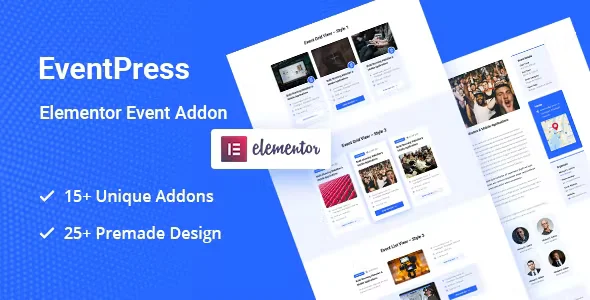
EventPress Elementor Events Addon is a dedicated extension for those managing events within WordPress using Elementor. Its purpose is to connect event content with flexible visual designs, eliminating the need for rigid templates or unattractive listings. It's designed for projects that require displaying schedules, listings, detailed event information, or grids with complete control from within Elementor, without turning every change into a repetitive, manual task.
What problem does it help solve?
On many WordPress event websites, the critical issue isn't listing the event itself, but how it's presented to visitors. You'll find generic listings, unclear designs, and event pages that look different from one to another, ultimately confusing the user. Updating dates, times, or venues becomes tedious when each page has its own design, isolated from the dynamic content.
When working with Elementor, a conflict arises when trying to display events generated by a specific management system: the visual page builder doesn't natively "understand" some fields, and you end up resorting to improvised blocks, manually pasted shortcodes, or duplicate layouts. If you've ever changed an event detail and had to revise several pages because the design wasn't connected to the content, you're facing precisely the problem this add-on addresses.
In this context, the EventPress Elementor Events Addon acts as a bridge between event content and Elementor's visual widgets. The goal is to allow you to build listings, sliders, individual cards, and featured sections based on the actual information for each event, without having to design each one separately or rely on fixed templates that are difficult to adapt to your visual identity.
Why this solution makes a difference
The key difference lies in the daily impact on how you manage the visual aspects of your events. In real-world projects, much of the time is spent readjusting layouts every time a new activity is added, images are changed, or schedules are updated. With the EventPress Elementor Events Addon, the focus shifts to defining a base design in Elementor and letting events automatically populate that design using the addon's dedicated widgets.
When you start noticing that maintaining consistency between the main events page, categories, individual listings, and featured modules becomes difficult, you need a unifying layer. This add-on allows you to control the visual structure from within Elementor, while the data remains in your existing events system. The result is more organization, fewer copy-and-paste errors, and a clearer experience for audiences searching for specific dates, locations, and details.
On the other hand, having elements specifically designed to display events reduces the risk of improvised designs that break on mobile devices or display incomplete information. Having blocks designed for that specific content avoids having to assemble generic pieces, resulting in fewer revisions and greater visual stability in the medium term.
Signs you need this product
- Your event pages look different from each other because you've been creating manual designs in Elementor without any connection to a centralized event system.
- You notice friction when trying to display dynamic event listings within Elementor and end up using inflexible shortcodes or generic widgets that don't show all the relevant information.
- You waste time updating dates, prices, or locations in various sections of the site because there is no unified layout that feeds off the event content.
- Your project has grown: you went from having two or three one-off events to managing recurring schedules, training cycles, or multiple simultaneous activities, and the current design can no longer handle that volume.
When does it make sense to use it (and when doesn't)
Integrating the EventPress Elementor Events Addon makes sense when your site relies on the clear and organized presentation of multiple events and you use Elementor as your primary page builder. If you're building a website for conferences, festivals, academies, training centers, cultural venues, or projects with recurring programming, the addon helps connect event management with a cohesive and visually editable design.
This is also useful when you're worried that every content change will require redoing sections in Elementor. The right approach is to create templates based on the add-on's widgets and let each event display with that structure, reducing manual work and maintaining creative control in the visual editor. This comes in handy when the calendar becomes the central focus of the website and you want visitors to quickly find what they're looking for without getting lost on poorly organized pages.
On the other hand, it doesn't add real value if your site only displays one or two events a year and the information rarely changes. In that situation, a static Elementor page might be sufficient, without needing to connect an events system with specific widgets. It's also not the right choice if you don't use Elementor at all or if your priority lies in other functionalities beyond the visual presentation of the calendar.
Who it fits best for
- Marketing or communications professionals who manage websites for events, conferences, festivals or launches and need to modify the appearance of the agenda without depending on developers.
- Agencies and developers who create WordPress sites based on Elementor and work on projects where scheduling activities is a central element of the website.
- Those responsible for academies, schools, coworking spaces, event venues or cultural institutions that publish training courses, workshops or recurring functions and need all that information to be displayed in an organized, filterable way and with its own visual identity.
Practical benefits
- Real operational improvement: You reduce repetitive work by not having to create individual designs for each new event; an Elementor template based on the addon widgets is applied consistently to all of them.
- User experience: Visitors find clear listings, consistent information sheets, and quick access to dates, times, locations, and details, reducing the usual confusion of poorly structured schedules.
- Control and organization: You keep the event content centralized while controlling the visual layer from Elementor, avoiding duplication and maintaining style consistency throughout the site.
- Time saving: In projects with dozens of activities, each information update is automatically reflected in the designs already built, reducing editing and review time.
- Error reduction: By avoiding manual copying of text and data between different Elementor pages, you reduce the likelihood of displaying outdated schedules, incorrect locations, or duplicate events.
How it fits within WordPress
The EventPress Elementor Events Addon doesn't replace the system your website uses to store and manage events; it focuses on how those events are displayed within pages created with Elementor. In the typical workflow, you first register activities in your events system and then use the addon's widgets to build lists, grids, or individual tabs directly within Elementor templates.
In this way, WordPress remains the core where the information is stored, Elementor continues as the visual layer where you design the user experience, and the add-on acts as the link that allows that data to be presented flexibly and consistently. The result is an environment where dynamic event content is integrated with the design without resorting to shortcuts or difficult-to-maintain structures.
Typical use cases
- A training school that publishes monthly course calendars and wants to showcase upcoming events, featured workshops, and classes on different pages, all with the same visual style created in Elementor.
- A cultural space that organizes concerts and exhibitions needs to list its program by event type or date, integrating visual filters and event cards designed within the layout tool.
- A company that organizes recurring webinars and online events requires sections for “upcoming events”, “ongoing event” or “past events archive” without duplicating design efforts each time a new call for applications opens.
Frequently Asked Questions about the EventPress Elementor Events Addon
What role does the EventPress Elementor Events Addon play if I already have an event management system in WordPress?
The EventPress Elementor Events Addon doesn't replace your current event management system; instead, it focuses on how those events are displayed within pages created with Elementor. In practice, you continue to create and manage events where you currently do, but when building with Elementor, you have access to specific widgets that read this information and present it in lists, grids, or tabs with a design you define visually. This keeps the data logic intact while improving the presentation layer.
How is this different from using generic Elementor widgets to display events?
Elementor's generic widgets are designed for standard content, such as blog posts or pages, and fall short when you need to display event-specific information, like schedules or grouped programs. The EventPress Elementor Events Addon includes elements designed specifically for working with event content, giving you greater control over which fields are displayed and how they are organized within the design. This prevents improvised layouts and makes the result clearer and more consistent for the end user.
Can I use it for a single, one-off event, or is it designed for longer schedules?
You can use it on sites with a single event, but it's most valuable in projects with multiple active events or a recurring schedule. If you have an annual conference with different sessions, for example, the add-on's widgets help present the program in a segmented and easily editable way. If you only manage a sales page for a single event without frequent changes, a static layout in Elementor will probably suffice without needing this specific add-on.
What kind of changes can I make from Elementor when using the EventPress Elementor Events Addon?
With the EventPress Elementor Events Addon, you define the visual structure of your event listings and cards directly within the Elementor editor. You can adjust fonts, colors, sizes, spacing, and the layout of the various elements that make up each event card, while always maintaining the link to the actual data. This allows you to adapt the design to your brand identity without altering the content stored in the event system, reducing the risk of inconsistencies or errors.
Does it make sense to use EventPress Elementor Events Addon if my site combines in-person and online events?
In projects that combine in-person and online activities, clarity in presentation is crucial because users need to quickly understand the type of event, its format, and how to participate. The EventPress Elementor Events Addon makes it easy to display this information in an organized way within Elementor, with cards that differentiate event types or specific sections for each format. This way, the mix of formats doesn't result in confusing pages, but rather a visually organized and easy-to-navigate agenda.
Conclusion
The EventPress Elementor Events Addon exists to fill a specific need: to combine WordPress event management with a flexible and consistent Elementor design, without forcing you to redo layouts every time you change the content. If your project relies on a clear and up-to-date calendar, this add-on helps translate what you already manage in the dashboard into organized, visually consistent pages that are easy to maintain over time.
Latest update:

Written by: WPClub
With over seven years of experience curating, managing, and distributing GPL products, our content is based on hands-on experience, technical review, testing, and feedback from thousands of users. We aim to democratize and simplify the WordPress world so you can choose with confidence, speed, and ease.
Your Individual Purchase Includes:
- Lifetime updates.*
- Official product, ready to use.
- Immediate access to the product.
- Clean and virus-free files.
- GNU GPL V2/V3 License
- Technical support in Spanish and English.
* In the case of memberships, the period during which you will receive updates will depend on the type of membership purchased: monthly, annual, or lifetime.
Notify Update
We update products Monday through Friday. However, if the product you see is not yet updated, you can notify us so we can prioritize updating it whenever possible.
Get your questions answered here
Here you'll find answers to frequently asked questions about our service: how it works, what it includes, and how to get the most out of it.
On how many websites can I use the products?
You can use any product from our store on any website you want.
Will I get updates?
Absolutely. If you buy an individual product, you'll get lifetime updates for that product.
On the other hand, if you purchase a membership, you will receive updates until your membership expires.
What if I have a problem?
First of all, we want you to know that you can count on us. We will assist you and provide the necessary support, so you can rest assured.
On the other hand, it is important for you to know that, given the time difference between countries, your time and ours may not be the same, so we will be delayed accordingly.
Our opening hours start at 9 AM from Monday to Friday, UTC -3. We are open until around 6 PM.
Do they provide technical support?
Yes, and regarding the time, it is usually on average within 24 to 48 business hours.
However, there are times when we have already provided an answer and solution in less than a day, depending on the case.
Are there download limits?
No. We don't believe in that format, so you can download as many times as you want. No problem. We pay for high-quality professional storage precisely to avoid problems.
Do they provide license keys?
No. Giving out the keys is not a viable option, as we have had experiences where they end up circulating everywhere and we can even lose the associated accounts.
That said, all products are original and, in cases where a license key is required to function, we will take care of pre-activating them for you.
Does my purchase include an invoice?
Yes. After payment, you will be able to access your invoice immediately in the "Purchases" section of your user account.
That is why it is important that you properly complete the information requested at the time of payment.
Is there a warranty?
Yes, of course. If there's a problem we can't resolve, or if there's an external issue that doesn't have a general solution, you'll receive support and, if necessary, a full refund. We have a 14-day refund policy from the date of purchase.
- It should be noted that there is no warranty if the product works well and it simply wasn't what you wanted.
There have been instances where someone buys a product, the product works perfectly, but they don't like it and want a refund, keeping the product. That's not right.
However, everything is evaluable and reasonable. Let's use judgment together.
What are the opening hours?
Our opening hours are:
- Monday to Friday, from 9 a.m. to 6 p.m.
- Saturday and Sunday: No service.
UTC -3 time

Our Reputation on Trustpilot
Many thanks to those who take the time to give us a rating on Trustpilot. Each and every one of your comments is very helpful to us. We strive to provide a rewarding experience for every member of our community, always with respect and care. We'll be here!






















WPClub Memberships
Access our entire catalog for a single payment. We offer three memberships: Monthly, Annual, and Lifetime (One-Time Payment).
- Save thousands of dollars
- Unlimited daily downloads
- No recurring payments
- Fast downloads by AWS
- Quality service and support, validated since 2018
- We work with love for our community