
Fat Services Booking Plugin 5.7


- Secure Payment
- Support from Monday to Friday
- With you since 2018
$39.00 El precio original era: $39.00.$5.99El precio actual es: $5.99.
Quick summary
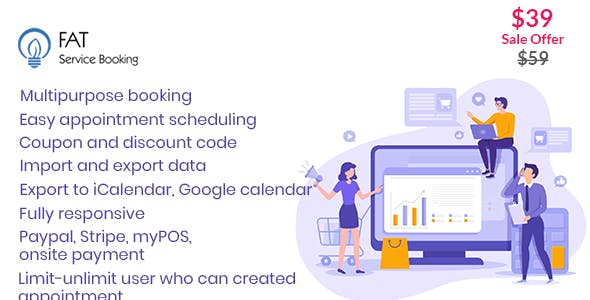
Fat Services Booking Plugin is a WordPress-integrated service booking system designed for appointment-based businesses: consultancies, beauty salons, agencies, creative studios, academies, and freelancers. It streamlines the management of schedules, bookings, and availability without relying on generic forms or spreadsheets. If you've ever experienced lost bookings, duplicate appointments, or repeatedly responding to the same emails, this plugin consolidates the entire process into a single, clear workflow.
What problem does it help solve?
On a service-oriented WordPress site, chaos ensues when bookings surge and the system isn't ready. Contact forms without calendars, lost emails, clients unaware of available times, and a team manually confirming appointments all contribute to constant errors. In real-world projects, this manifests as relying on WhatsApp messages, emails, and personal notes to manage your and your team's schedules, without a centralized view.
If you've ever had two clients arrive at the same time because someone confirmed without checking another conversation, you know the problem isn't customer service, but rather a lack of organization. The Fat Services Booking Plugin addresses precisely that issue: it transforms scattered bookings into an organized, visible, and manageable process from your WordPress dashboard, aligning schedules, services, appointment duration, and responsible parties, instead of relying on memory or endless email threads.
Why this solution makes a difference
Fat Services Booking Plugin doesn't just add another form; it introduces a layer of time management to your WordPress site. By working with clear calendars, defined services, and configured time slots, your day-to-day operations become predictable. You don't need to manually check if someone has already booked a particular time, because the system manages availability and blocks. The impact is direct: fewer crossed messages, fewer manual confirmations, and fewer misunderstandings with clients.
On the other hand, when you start noticing that each new service, professional, or venue adds three times the complexity to your organization, this type of specific booking management becomes critical. With the Fat Services Booking Plugin, bookings become a traceable workflow: you know which service was booked, who will provide it, when, how long it lasts, and how it fits with the rest of the schedule. This reduces improvisation, improves punctuality, and provides a clearer experience for users who visit your website looking for a specific appointment.
Signs you need this product
- Your team confirms appointments via email, social media, and phone, and there is no single calendar where everything booked is displayed.
- There is friction in WordPress because you use a generic form and then you have to manually copy the information to an external calendar.
- You spend too much time crossing schedules and checking availability, which delays responses and causes missed opportunities.
- This occurs when your business goes from a few occasional bookings to a daily or weekly volume that you can no longer keep up with improvised methods.
When does it make sense to use it (and when doesn't)
The Fat Services Booking Plugin is ideal when your business revolves around appointments with defined times and durations: coaching sessions, hair appointments, non-critical medical consultations, private lessons, hourly room rentals, or agency services by the hour. In this context, centralizing bookings within WordPress allows the website itself to act as a single point of entry, without relying on external platforms that could disrupt the user experience.
It's also useful when you want the customer to choose a date and time based on actual availability, without having to wait for manual confirmation. However, if your project is based solely on walk-in product sales, digital downloads, or services without a fixed schedule (for example, commissioned work without a specific date), this type of system isn't necessary. In those cases, a simple contact form or the standard WooCommerce checkout flow is sufficient and more efficient for your site.
Who it fits best for
- Professionals and teams who work on an hourly basis: consultants, psychologists, personal trainers, lawyers, advisors, therapists and trainers who manage individual or group appointments.
- Physical businesses with daily schedules: beauty salons, barbershops, spas, private clinics, sports centers, photography studios and spaces for rent by the hour.
- Agencies, studios, and in-house teams that coordinate multiple professionals need a clear view of bookings by person, service, and time slot to organize their workload.
Practical benefits
- Real operational improvement: each reservation comes in already sorted by service, date and responsible party, avoiding having to reconstruct the information from scattered emails.
- User experience: the customer sees which days and times are available and confirms their appointment at the moment, reducing uncertainty and message exchanges.
- Control and organization: the schedule does not depend on a single person; any member with access to the WordPress panel can review appointments and work forecast.
- Time savings: repetitive tasks such as asking for schedules, checking availability, or manually writing confirmations for each client are eliminated.
- Error reduction: By working with a centralized calendar, overlaps, double bookings, forgotten appointments, and confusion about the contracted service are avoided.
How it fits within WordPress
The Fat Services Booking Plugin integrates as a dedicated booking module within your WordPress dashboard. Instead of using generic forms without time-based context, you define services with their duration, available time slots, and responsible parties, and this data translates into a clear and user-friendly booking experience. Since it's based on WordPress, you manage everything from the same environment where you control pages, posts, and, if you choose, your product or service store.
In this context, the website ceases to be merely an informational catalog and becomes an operational channel for generating appointments. The Fat Services Booking Plugin acts as the link between your service information and the concrete action of booking, integrating the calendar into the natural navigation flow, whether on service pages, dedicated landing pages, or sections focused on returning clients.
Typical use cases
- Booking appointments at local businesses: a beauty salon with several professionals who need to display available times per person and allow the customer to choose who will attend to them.
- Online consultations: a consultant who offers different types of sessions (initial diagnosis, follow-up, audit) with different durations, and requires that the calendar be automatically adjusted to each type of service.
- Academies and training: individual classes or small groups in which a specific slot is reserved in the schedule, time blocks are managed and the number of students per slot is avoided.
Frequently Asked Questions about the Fat Services Booking Plugin
How is Fat Services Booking Plugin different from a simple contact form?
A contact form collects information, but it doesn't account for schedules or availability. Fat Services Booking Plugin, on the other hand, works with dates, times, service duration, and capacity. This means that the client doesn't just send a request, but makes a reservation for a specific time slot on the calendar. This eliminates the need to check emails, repeatedly ask about schedules, and manually enter each appointment into an external calendar.
What types of services are best managed with the Fat Services Booking Plugin?
It works especially well with services that have a clear duration and require choosing a day and time: consultation sessions, in-salon treatments, training sessions, in-person or online consultations, room rentals, and activities by appointment. If your workflow is structured in time blocks with defined start and end dates, the Fat Services Booking Plugin allows you to translate that workflow to your website, so the calendar accurately reflects how you organize your day.
How does Fat Services Booking Plugin help coordinate multiple professionals in the same business?
When more than one person is handling bookings, the risk of overlap increases. Fat Services Booking Plugin allows you to organize schedules by professional, associate specific services with each one, and show users only the available time slots. This way, if a team member's schedule is already full, bookings are redirected to other colleagues, maintaining a balanced workload. This reduces reliance on shared spreadsheets and internal messaging to coordinate schedules.
What happens if I combine product sales with service bookings on the same WordPress site?
In hybrid projects, where you sell products and also work by appointment, confusion often arises if everything follows the same purchase flow. The Fat Services Booking Plugin helps you clearly separate the logic of "booking time" from "purchasing products." This way, users who want a scheduled service interact with a customized calendar, while those purchasing products follow the standard process. This avoids mixing processes with different needs.
When is it not worth implementing the Fat Services Booking Plugin on a WordPress site?
It doesn't make sense to force a booking system when your business doesn't depend on specific times. If you offer services with flexible deadlines, work on a project basis without fixed appointments, or your request volume is so low that you manage everything effortlessly via email, an advanced calendar adds unnecessary complexity. The Fat Services Booking Plugin becomes valuable when scheduling starts to significantly impact your daily operations and you need the website to actively participate in organizing that workload.
Conclusion
The Fat Services Booking Plugin exists to solve a very specific problem in WordPress: transforming a service presentation website into an organized booking system with dates and times. When a business relies on appointments and volume grows, managing everything through individual messages becomes unsustainable. Integrating the calendar into your website allows clients to find available slots themselves and enables your team to work with a clear plan based on a single, reliable calendar.
Latest update:

Written by: WPClub
With over seven years of experience curating, managing, and distributing GPL products, our content is based on hands-on experience, technical review, testing, and feedback from thousands of users. We aim to democratize and simplify the WordPress world so you can choose with confidence, speed, and ease.
Your Individual Purchase Includes:
- Lifetime updates.*
- Official product, ready to use.
- Immediate access to the product.
- Clean and virus-free files.
- GNU GPL V2/V3 License
- Technical support in Spanish and English.
* In the case of memberships, the period during which you will receive updates will depend on the type of membership purchased: monthly, annual, or lifetime.
Notify Update
We update products Monday through Friday. However, if the product you see is not yet updated, you can notify us so we can prioritize updating it whenever possible.
Get your questions answered here
Here you'll find answers to frequently asked questions about our service: how it works, what it includes, and how to get the most out of it.
On how many websites can I use the products?
You can use any product from our store on any website you want.
Will I get updates?
Absolutely. If you buy an individual product, you'll get lifetime updates for that product.
On the other hand, if you purchase a membership, you will receive updates until your membership expires.
What if I have a problem?
First of all, we want you to know that you can count on us. We will assist you and provide the necessary support, so you can rest assured.
On the other hand, it is important for you to know that, given the time difference between countries, your time and ours may not be the same, so we will be delayed accordingly.
Our opening hours start at 9 AM from Monday to Friday, UTC -3. We are open until around 6 PM.
Do they provide technical support?
Yes, and regarding the time, it is usually on average within 24 to 48 business hours.
However, there are times when we have already provided an answer and solution in less than a day, depending on the case.
Are there download limits?
No. We don't believe in that format, so you can download as many times as you want. No problem. We pay for high-quality professional storage precisely to avoid problems.
Do they provide license keys?
No. Giving out the keys is not a viable option, as we have had experiences where they end up circulating everywhere and we can even lose the associated accounts.
That said, all products are original and, in cases where a license key is required to function, we will take care of pre-activating them for you.
Does my purchase include an invoice?
Yes. After payment, you will be able to access your invoice immediately in the "Purchases" section of your user account.
That is why it is important that you properly complete the information requested at the time of payment.
Is there a warranty?
Yes, of course. If there's a problem we can't resolve, or if there's an external issue that doesn't have a general solution, you'll receive support and, if necessary, a full refund. We have a 14-day refund policy from the date of purchase.
- It should be noted that there is no warranty if the product works well and it simply wasn't what you wanted.
There have been instances where someone buys a product, the product works perfectly, but they don't like it and want a refund, keeping the product. That's not right.
However, everything is evaluable and reasonable. Let's use judgment together.
What are the opening hours?
Our opening hours are:
- Monday to Friday, from 9 a.m. to 6 p.m.
- Saturday and Sunday: No service.
UTC -3 time

Our Reputation on Trustpilot
Many thanks to those who take the time to give us a rating on Trustpilot. Each and every one of your comments is very helpful to us. We strive to provide a rewarding experience for every member of our community, always with respect and care. We'll be here!






















WPClub Memberships
Access our entire catalog for a single payment. We offer three memberships: Monthly, Annual, and Lifetime (One-Time Payment).
- Save thousands of dollars
- Unlimited daily downloads
- No recurring payments
- Fast downloads by AWS
- Quality service and support, validated since 2018
- We work with love for our community