

- Secure payment
- Spanish and English support
- With you since 2018
Google Sheet Connector For Elementor 1.0.0
$29.00 El precio original era: $29.00.$6.99El precio actual es: $6.99.
Quick summary
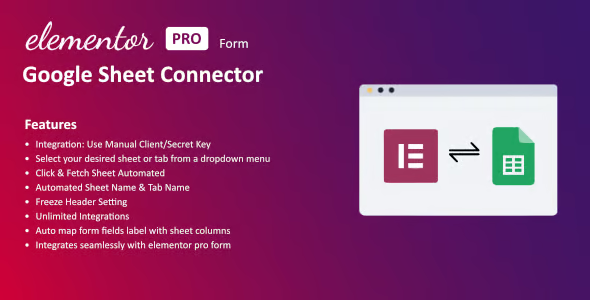
Google Sheet Connector for Elementor is a plugin for WordPress sites built with Elementor that directly sends your form data to a Google Sheets spreadsheet. It's designed for those who manage leads, registrations, or requests and need everything centralized, organized, and ready to work with in real time, without manual exports or the risk of losing valuable visitor information.
What problem does it help solve?
In real-world Elementor projects, the form is typically the entry point for leads, quotes, bookings, or inquiries. The problem arises when this information becomes scattered: some ends up in emails that reach multiple inboxes, some copies are stored in a manual CRM, and, in the best-case scenario, there are occasional exports to Excel. If you've ever had to track down a key message through dozens of emails or chats, you know how much time is wasted and how many opportunities are lost.
In this context, Google Sheets becomes the makeshift dashboard for many companies: it's where data is filtered, responsibilities are assigned, statuses are marked, and information is shared with the team. The problem is that, without a direct link between Elementor and Google Sheets, you're reliant on manual processes: copying and pasting records, downloading CSV files, or creating sheets from emails. This multiplies errors, makes information outdated, and makes it difficult to trust that what you see on the sheet reflects what's actually happening on the website.
Google Sheet Connector for Elementor solves precisely that bottleneck: it connects your Elementor forms to Google Sheets so that every submission automatically goes to the sheet you've defined. This way, every lead, contact, or request is saved in one place, structured in columns, and available for analysis, sales follow-up, or internal coordination, without relying on repetitive processes or the team's memory.
Why this solution makes a difference
The difference isn't just in "sending data to a sheet," but in how it changes your daily workflow. When Elementor forms save each submission immediately to Google Sheets, the need to review emails one by one to update databases disappears. You stop wasting time on registration tasks and can dedicate it to responding quickly, prioritizing contacts, and clearly measuring results.
In day-to-day operations, this translates to fewer transcription errors, less duplicate information, and fewer leads that are "lost" because no one saw them in time. Furthermore, control is improved: you see all the fields on the spreadsheet exactly as they were filled out on the website, you can create filters by date, source, service, or contact person, and share the file with the sales, support, or marketing team without giving them access to the WordPress dashboard.
When you start noticing that a significant part of your work involves "organizing form submissions" instead of managing the business, this connector draws a clear line between a manual and an automated workflow. It doesn't compete with what Elementor already does on the web; it complements it in the areas that have the greatest impact on internal data organization.
Signs you need this product
- Have you lost an important lead or request because it was just left in an email that no one checked in time?.
- There is friction between what is sent through the form in WordPress and what your team sees in their daily work tools.
- You waste hours copying and pasting data from Elementor to a spreadsheet or a shared document.
- Your project is growing and several contact sources appear (multiple forms, landing pages, campaigns) that you can no longer control manually.
- You need to have a clear history of all mailings for analysis or reporting without relying on the email dashboard.
- This occurs when different people on the team need to view and update the same contact list without accessing the WordPress backend.
When does it make sense to use it (and when doesn't)
The Google Sheet Connector for Elementor provides real value when your website relies on contact, registration, quote, or booking forms, and that data is then used for follow-up, sales, or internal coordination. If your team already uses Google Sheets as a "practical database," this connector integrates seamlessly into that workflow, preventing duplicate tasks and keeping information aligned with what's happening on the site.
It also makes sense when you manage multiple landing pages in Elementor and need to group all submissions into one or more sheets organized by campaigns, products, or services. In these cases, the direct connection reduces clutter and provides a clearer view of each form's performance without relying on external reports.
However, this product isn't really necessary if your forms only receive sporadic submissions and you can simply read the emails manually, or if you already use an automation platform with direct integration between Elementor and your internal systems, and all the information is recorded there without needing spreadsheets. It's also not the right option if your project doesn't use Elementor for forms, since its function is precisely focused on that builder.
Who it fits best for
- Marketing and traffic professionals who manage landing pages in Elementor and need to see all leads in Google Sheets to segment, measure, and coordinate actions.
- Agencies that deliver WordPress sites are looking for a simple way for their clients to view and work with contacts without accessing the dashboard, using a shared sheet.
- Sales teams that receive many requests for information, quotes or reservations through the site and require a centralized listing to assign responsibilities and statuses.
- Entrepreneurs who use Google Sheets as a "mini CRM" and want each form on the site to automatically update that database without additional tasks.
- Educational, event, or membership projects that collect sign-ups in Elementor and then manage lists, access, or confirmations from a spreadsheet.
Practical benefits
- Real operational improvement by converting each form submission into a new row in Google Sheets, ready to filter, sort, and link to other internal processes.
- A clearer user experience for the team, who no longer depend on accessing WordPress and work with an interface known as the spreadsheet.
- Greater control and organization of contact data, with all information structured in columns that exactly reflect the Elementor fields.
- Time savings by eliminating repetitive tasks such as exporting, manual copying, and data consolidation, especially when managing multiple pages or campaigns.
- Reduction of human error in information transfer, which decreases the likelihood of losing leads, recording incorrect data, or duplicating records.
How it fits within WordPress
Within an Elementor-centric WordPress environment, the Google Sheet Connector for Elementor acts as the link between what the user fills out on the website and the space where your team manages that data. Elementor handles the visual aspects of the form and the user experience on the page, while the connector sends the content of each submission directly to the chosen sheet in Google Sheets.
In this context, its role is clear: it doesn't replace Elementor or other external integrations, but rather focuses on a specific spreadsheet-based workflow. If your work ecosystem revolves around Google Drive and you share documents with your team, this connector integrates seamlessly into your daily routine, turning WordPress into a reliable data source for your spreadsheets without any intermediary steps.
Typical use cases
- Online stores that use Elementor for advanced contact forms, custom product requests, or quotes, and save each request in Google Sheets for prioritization and tracking.
- A typical practical example is an agency that creates several landing pages for different campaigns and sends all the forms to a single Google Sheet, with tabs or filters per campaign, so that the sales team can work from there.
- Situations where events, courses or webinars are organized and registrations are collected with Elementor, automatically storing name, email, preferences and other data in a sheet from which attendance lists or segmented communications are generated.
Frequently Asked Questions about Google Sheet Connector for Elementor
What type of Elementor form data can be sent to Google Sheets?
Google Sheet Connector for Elementor is designed to transfer the information users enter into your Elementor forms to Google Sheets. This includes text, emails, phone numbers, dropdown list selections, and other common data. The information is organized into columns, so each form field corresponds to a column in the sheet, and each submission generates a new row ready for processing.
What happens if I manage multiple different forms or landing pages in Elementor?
When working with multiple pages or forms in Elementor, Google Sheet Connector for Elementor lets you link them to Google Sheets sheets or tabs according to your internal organization. This way, you can have a general contact form, a quote request form, and a form for specific campaigns, and decide how to record each one on the sheet. This prevents uncontrolled data mixing and allows you to analyze separately which type of form yields the best results.
Is it useful if I already check all form submissions from email?
If the volume of emails is very low and can be managed manually, simply reviewing the emails might be sufficient, and you wouldn't need a workflow connected to Google Sheets. Google Sheet Connector for Elementor is especially useful when the number of contacts increases, multiple people are involved in follow-up, or you need to analyze data by date, service, or campaign. In that scenario, the spreadsheet becomes an organized dashboard that allows you to prioritize, measure, and find information without relying on email threads.
How does this connector help with teamwork without granting access to the WordPress dashboard?
In many projects, it doesn't make sense for the entire team to log into the WordPress backend just to view form submissions. With Google Sheet Connector for Elementor, the data is sent to a Google Sheet that you can share with each person based on their role. The sales, administration, or coordination team can see the same information, update it, add comments or statuses, and work with filters, without touching the website settings or requiring site permissions.
How does this differ from using manual exports from other systems?
Manual exports require frequent downloads and the replacement or merging of files in your Google Drive, which introduces delays and the risk of inconsistencies. Google Sheet Connector for Elementor automates this step: each new submission is added to the sheet without any further intervention. This ensures your Google Sheets database is always aligned with what's happening in Elementor forms, which is useful when working with daily leads, active campaigns, or processes that require quick responses.
Conclusion
The Google Sheet Connector for Elementor exists to solve a very specific problem: the gap between what a user submits in an Elementor form and where your team actually works with that data—Google Sheets. If you've ever experienced leads getting lost in emails or your contact list never being up-to-date, this connector helps you bridge that gap. By directly integrating both environments, your site ceases to be just a data collector and becomes a reliable source for the daily management of your information.
Your individual purchase includes:
- Lifetime updates.*
- Product ready to use.
- Immediate access to the product.
- Clean and virus-free files.
- GNU GPL V2/V3 License
- Technical support in Spanish and English.
* In the case of memberships, the period during which you will receive updates will depend on the type of membership purchased: monthly, annual, or lifetime.
Get your questions answered here
Here you'll find answers to frequently asked questions about our service: how it works, what it includes, and how to get the most out of it.
On how many websites can I use the products?
You can use any product from our store on any website you want.
Will I get updates?
Absolutely. If you buy an individual product, you'll get lifetime updates for that product.
On the other hand, if you purchase a membership, you will receive updates until your membership expires.
What if I have a problem?
First of all, we want you to know that you can count on us. We will assist you and provide the necessary support, so you can rest assured.
On the other hand, it is important for you to know that, given the time difference between countries, your time and ours may not be the same, so we will be delayed accordingly.
Our opening hours start at 9 AM from Monday to Friday, UTC -3. We are open until around 6 PM.
Do they provide technical support?
Yes, and regarding the time, it is usually on average within 24 to 48 business hours.
However, there are times when we have already provided an answer and solution in less than a day, depending on the case.
Are there download limits?
No. We don't believe in that format, so you can download as many times as you want. No problem. We pay for high-quality professional storage precisely to avoid problems.
Do they provide license keys?
No. Giving out the keys is not a viable option, as we have had experiences where they end up circulating everywhere and we can even lose the associated accounts.
That said, all products are original and, in cases where a license key is required to function, we will take care of pre-activating them for you.
Does my purchase include an invoice?
Yes. After payment, you will be able to access your invoice immediately in the "Purchases" section of your user account.
That is why it is important that you properly complete the information requested at the time of payment.
Is there a warranty?
Yes, of course. If there's a problem we can't resolve, or if there's an external issue that doesn't have a general solution, you'll receive support and, if necessary, a full refund. We have a 14-day refund policy from the date of purchase.
- It should be noted that there is no warranty if the product works well and it simply wasn't what you wanted.
There have been instances where someone buys a product, the product works perfectly, but they don't like it and want a refund, keeping the product. That's not right.
However, everything is evaluable and reasonable. Let's use judgment together.
What are the opening hours?
Our opening hours are:
- Monday to Friday, from 9 a.m. to 6 p.m.
- Saturday and Sunday: No service.
UTC -3 time

Reviewed by the WPClub team
At WPClub, we carefully review each product before listing it. Our team evaluates its key features, compatibility, and performance to provide you with reliable, up-to-date, and helpful information when choosing and using each resource available in our store.
Download previous versions
If you have purchased this product, or have an active membership, you can download previous versions as we release them, without any limits or restrictions.
| Nombre del producto | Versión | Tamaño | Fecha | Descargar |
|---|---|---|---|---|
| No hay versiones anteriores registradas. | ||||

Our Reputation on Trustpilot
Many thanks to those who take the time to give us a rating on Trustpilot. Each and every one of your comments is very helpful to us. We strive to provide a rewarding experience for every member of our community, always with respect and care. We'll be here!






















WPClub Memberships
Access our entire catalog for a single payment. We offer three memberships: Monthly, Annual, and Lifetime (One-Time Payment).
- Save thousands of dollars
- Unlimited daily downloads
- No recurring payments
- Fast downloads by AWS
- Quality service and support, validated since 2018
- We work with love for our community