

- Secure payment
- Spanish and English support
- With you since 2018
Gravity Forms Collapsible Sections 1.4.8
$49.00 El precio original era: $49.00.$5.99El precio actual es: $5.99.
Quick summary
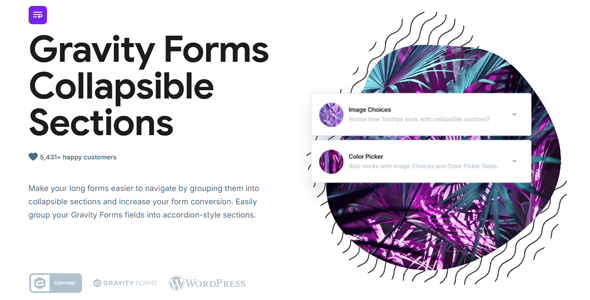
Gravity Forms Collapsible Sections is a dedicated plugin for forms created with Gravity Forms that allows you to group fields into collapsible blocks. It's designed for websites where forms have become long, visually cumbersome, or confusing for the end user. Its goal is to make each form more manageable, easier to read, and quicker to complete, without changing the internal logic or submission processing.
What problem does it help solve?
In real-world WordPress projects, lengthy forms become a significant barrier for users. When you need to collect a lot of data for bookings, quote requests, advanced registrations, or applications, you end up with endless pages of fields that overwhelm the user. This often happens when you start adding conditional statements, billing sections, additional data, and optional fields that you include "just in case.".
If you've ever had users abandon a form halfway through because it "seems too long," even though it isn't, the problem isn't just the number of fields, but how they're presented on the screen. A visually dense form creates a sense of effort, increases errors from skipping fields, and complicates internal review of the information received. Furthermore, without clear sections, explaining to a client or colleague how to use the form becomes much more difficult.
Gravity Forms Collapsible Sections focuses precisely on this visual and navigational friction: it doesn't change what you collect, but how the person completing the form sees and navigates it. By allowing certain sections to fold and unfold, it transforms a cluttered form into a more organized flow, with logical steps that reduce initial resistance and make it clearer what's important at each stage.
Why this solution makes a difference
In everyday use, the difference between a form people fill out without thinking and one that creates resistance lies in the feeling of control. When working with WordPress and Gravity Forms, accumulating fields is easy; the challenge is keeping the experience organized. With Gravity Forms Collapsible Sections, you can divide content into collapsible groups that guide the user through thematic blocks: personal data, payment information, additional details, notes, and more.
This translates to less time spent understanding what's being asked in each section, less vertical scrolling, and a lower likelihood of someone getting lost among related fields. When you start noticing people asking questions like "Where do I put this information?" or "I couldn't find this field," that lack of visible structure is directly impacting your completion rate and the quality of the information received.
Furthermore, in internal contexts, such as forms for teams or suppliers, collapsible sections make explaining processes easier. You can keep only the blocks you need visible at any given time during a call or training session, while the rest remains tucked away and unobtrusive. This improvement isn't just about aesthetics; it addresses how people read on screen and how they decide whether or not to complete a complex form.
Signs you need this product
- Your Gravity Forms form takes up several screens of scrolling, and users are commenting that "it's too long" even though not all fields are required.
- You notice friction in WordPress when managing complex forms because you struggle to structure them clearly using only standard sections and descriptions.
- You start wasting time reviewing incomplete or error-ridden submissions because people skip fields that were visually hidden in the middle of other blocks.
- You're in a growth scenario where you're adding more fields and conditional logic to an existing form and you need to keep it tidy without redoing the entire design.
When does it make sense to use it (and when doesn't)
Gravity Forms Collapsible Sections brings real value when working with medium to long forms with multiple distinct field groups. Whether you're managing course registrations, customer sign-up forms, lengthy service requests, or internal processes, visual sectioning helps each block feel like a natural step in the workflow, rather than an endless list without hierarchy.
It's also especially useful when many of the questions are optional or apply only to certain user profiles. By grouping them into sections that can be opened only if desired, you reduce initial clutter without sacrificing the depth of data you need from specific users. On the other hand, if your site only uses very simple forms with few fields on a single screen, this plugin isn't necessary; in those cases, Gravity Forms' basic structure already provides a sufficiently clear experience.
It also doesn't make sense to use it if your main problem lies in the form's business logic (what is being asked or how the information is processed) and not in how the fields are presented. Gravity Forms Collapsible Sections doesn't replace validation configurations, automations, or integrations; it focuses on visual organization and ease of use for the person filling out the form.
Who it fits best for
- Professionals and agencies create complex forms with Gravity Forms for clients who need to collect detailed data without scaring the end user.
- Service, education, health, consulting or administration projects that require multiple blocks of structured information in a single form.
- Marketing or operations managers who already use Gravity Forms as a foundation and are looking to reduce abandonment and errors without completely redoing their current forms.
Practical benefits
- Real operational improvement: Long forms become more manageable, simplifying internal review and team training on how they should be completed.
- User experience: The user perceives clear steps and logical blocks, which reduces the feeling of burden and the likelihood of abandoning the process midway.
- Control and organization: The fields are grouped by topic into collapsible sections, helping to quickly identify which part of the form is being completed or reviewed.
- Time saving: Fewer doubts, fewer clarification emails, and fewer resubmissions of poorly filled-out forms because it was difficult to locate the requested information.
- Error reduction: The structure in visible and collapsible sections makes it more difficult for users to skip entire blocks due to simple visual saturation.
How it fits within WordPress
Within the WordPress ecosystem, Gravity Forms Collapsible Sections functions as an extension that integrates seamlessly into your existing form creation and editing workflow with Gravity Forms. It doesn't replace form construction or alter its logic; instead, its role is to visually organize what you've already defined. You work with the same fields, conditions, and notifications, but with a cleaner presentation that's better suited to longer forms.
In areas where Gravity Forms is already a core component for lead generation, managing requests, or processing internal data, this plugin acts as an additional layer of usability. It helps prevent form pages from appearing cluttered within your theme, maintaining the overall style while adding the ability to collapse and expand blocks that the Gravity Forms core doesn't natively support. Ultimately, it integrates seamlessly into your existing WordPress workflow without changing how you manage submissions or reports.
Typical use cases
- Complex service request forms, where the user must provide personal data, company information, specific needs and estimated budget in a single flow.
- Registration processes for courses or training programs with several phases: student data, academic information, additional documentation and acceptance conditions.
- Internal questionnaires for teams or suppliers, where it is important to show the critical fields first and leave in fold-out sections those details that are completed only in certain cases.
Frequently Asked Questions about Gravity Forms Collapsible Sections
Does Gravity Forms Collapsible Sections change the content of my form or just its appearance?
Gravity Forms Collapsible Sections focuses on visual presentation. It doesn't delete or modify existing fields or logic you've already configured in Gravity Forms. Instead, it allows you to group sets of fields into blocks that users can collapse and unfold, making them easier to read and navigate. This means you can apply the collapsible structure to existing forms, keeping their submissions, conditions, and notifications intact.
What type of forms benefit most from Gravity Forms Collapsible Sections?
This plugin is especially useful for forms with many fields that can be organized into clear, thematic sections. Examples include customer registration forms, advanced service requests, professional event registrations, or internal processes with detailed data. When the form grows larger and no longer fits comfortably on a single screen, using collapsible sections helps maintain clarity, reduce scrolling, and guide the user through each part without overwhelming them visually.
Does Gravity Forms Collapsible Sections replace the multi-page feature of Gravity Forms?
No, it serves a different purpose. Multi-page forms divide the form into separate steps, while Gravity Forms Collapsible Sections organizes fields within a single page using blocks that fold and unfold. This is useful when you want to keep a single form visible but with a clearer internal structure. You can combine both approaches: use multi-page forms and, within each step, group fields into collapsible sections for finer control over the presentation.
What happens if I have optional or conditional fields within the collapsible sections?
Optional fields or those controlled by conditional logic continue to function according to their original Gravity Forms configuration. Gravity Forms Collapsible Sections acts on the visual container that groups these fields, without altering their display or validation rules. This allows, for example, the creation of a collapsible section that is only relevant to certain users, within which some fields will appear or not depending on previous responses, keeping the form organized and consistent.
When does it not make sense to implement Gravity Forms Collapsible Sections on my site?
There's not much point in using Gravity Forms Collapsible Sections if your forms are very short, with few fields and no large, distinct blocks of information. In those situations, the standard Gravity Forms layout already offers a clear enough experience, and adding collapsible sections wouldn't provide a real improvement. It's also not the right tool if your main concern is the questions you ask or how you process the data, rather than how the form looks and is navigated on screen.
Conclusion
Gravity Forms Collapsible Sections exists to solve a specific problem: forms created with Gravity Forms that have become long, cumbersome, and difficult to navigate, both for the end user and for those reviewing them internally. If you've ever encountered a necessary form that seems "too much" at first glance, organizing its content into collapsible sections directly improves usability and clarity.
By introducing a more user-friendly visual structure, you reduce abandonment due to overcrowding, facilitate block-based reading, and simplify the daily management of complex forms within WordPress. As your forms grow and you need them to remain understandable, this plugin becomes an essential tool for maintaining order without sacrificing the amount of information your project requires.
Your individual purchase includes:
- Lifetime updates.*
- Product ready to use.
- Immediate access to the product.
- Clean and virus-free files.
- GNU GPL V2/V3 License
- Technical support in Spanish and English.
* In the case of memberships, the period during which you will receive updates will depend on the type of membership purchased: monthly, annual, or lifetime.
Get your questions answered here
Here you'll find answers to frequently asked questions about our service: how it works, what it includes, and how to get the most out of it.
On how many websites can I use the products?
You can use any product from our store on any website you want.
Will I get updates?
Absolutely. If you buy an individual product, you'll get lifetime updates for that product.
On the other hand, if you purchase a membership, you will receive updates until your membership expires.
What if I have a problem?
First of all, we want you to know that you can count on us. We will assist you and provide the necessary support, so you can rest assured.
On the other hand, it is important for you to know that, given the time difference between countries, your time and ours may not be the same, so we will be delayed accordingly.
Our opening hours start at 9 AM from Monday to Friday, UTC -3. We are open until around 6 PM.
Do they provide technical support?
Yes, and regarding the time, it is usually on average within 24 to 48 business hours.
However, there are times when we have already provided an answer and solution in less than a day, depending on the case.
Are there download limits?
No. We don't believe in that format, so you can download as many times as you want. No problem. We pay for high-quality professional storage precisely to avoid problems.
Do they provide license keys?
No. Giving out the keys is not a viable option, as we have had experiences where they end up circulating everywhere and we can even lose the associated accounts.
That said, all products are original and, in cases where a license key is required to function, we will take care of pre-activating them for you.
Does my purchase include an invoice?
Yes. After payment, you will be able to access your invoice immediately in the "Purchases" section of your user account.
That is why it is important that you properly complete the information requested at the time of payment.
Is there a warranty?
Yes, of course. If there's a problem we can't resolve, or if there's an external issue that doesn't have a general solution, you'll receive support and, if necessary, a full refund. We have a 14-day refund policy from the date of purchase.
- It should be noted that there is no warranty if the product works well and it simply wasn't what you wanted.
There have been instances where someone buys a product, the product works perfectly, but they don't like it and want a refund, keeping the product. That's not right.
However, everything is evaluable and reasonable. Let's use judgment together.
What are the opening hours?
Our opening hours are:
- Monday to Friday, from 9 a.m. to 6 p.m.
- Saturday and Sunday: No service.
UTC -3 time

Reviewed by the WPClub team
At WPClub, we carefully review each product before listing it. Our team evaluates its key features, compatibility, and performance to provide you with reliable, up-to-date, and helpful information when choosing and using each resource available in our store.
Download previous versions
If you have purchased this product, or have an active membership, you can download previous versions as we release them, without any limits or restrictions.
| Nombre del producto | Versión | Tamaño | Fecha | Descargar |
|---|---|---|---|---|
| No hay versiones anteriores registradas. | ||||

Our Reputation on Trustpilot
Many thanks to those who take the time to give us a rating on Trustpilot. Each and every one of your comments is very helpful to us. We strive to provide a rewarding experience for every member of our community, always with respect and care. We'll be here!






















WPClub Memberships
Access our entire catalog for a single payment. We offer three memberships: Monthly, Annual, and Lifetime (One-Time Payment).
- Save thousands of dollars
- Unlimited daily downloads
- No recurring payments
- Fast downloads by AWS
- Quality service and support, validated since 2018
- We work with love for our community