

- Secure payment
- Spanish and English support
- With you since 2018
Gravity Forms PDF Customizer 2.0.6
$39.00 El precio original era: $39.00.$5.99El precio actual es: $5.99.
Quick summary
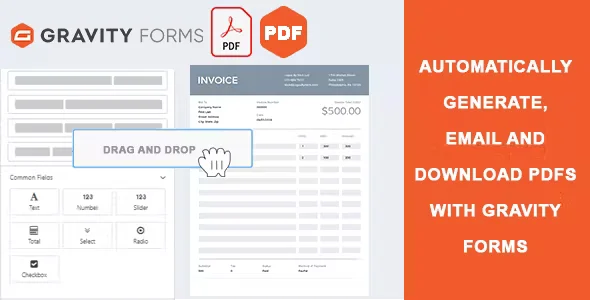
Gravity Forms PDF Customizer is a dedicated extension for forms created with Gravity Forms that allows you to generate fully customized PDF files from submitted forms. It's designed for businesses and projects that need presentable documents that reflect their brand: contracts, applications, internal records, customer profiles, or order summaries. If you currently rely on cluttered, difficult-to-read, or manually edited PDFs, this tool transforms those submissions into ready-to-use and shareable documents.
What problem does it help solve?
When you use Gravity Forms extensively, there comes a point where the data in the database is no longer enough. You need documents that can be sent, archived, printed, or even presented as proof. That's where the problem arises: generic PDFs are often difficult to read, visually unappealing, and not aligned with your brand identity. The information is there, but it's not presented clearly to clients, suppliers, or internal teams.
If you've ever downloaded a form and had to copy and paste the data into a Word document or an external template to make it "look right," you're experiencing the exact problem that Gravity Forms PDF Customizer solves. In real-world projects, this translates into wasted time, inconsistencies between documents, and a heavy reliance on manual work, especially when frequently submitting receipts or registration summaries.
Furthermore, when you start noticing that different team members are generating PDFs with different formats, outdated logos, or inconsistent text, the impact is no longer just operational, but also on your image. What you send as a PDF is perceived as an "official" document. If that document looks improvised, your entire process is called into question, even if the form itself works correctly.
Why this solution makes a difference
Gravity Forms PDF Customizer focuses on one specific task: transforming the data collected by Gravity Forms into PDFs that maintain consistent structure, content, and presentation. The change in daily workflow is noticeable on several levels. First, it eliminates the need to manually edit documents after each form submission. Data is entered only once, in the form, and the resulting PDF is already formatted correctly with the fields organized.
On the other hand, having a consistent document design reduces copying errors, missed fields, and internal confusion. Fixed text, legal notices, signature blocks, and instructions are integrated directly into the PDF's composition, so each submission generates a uniform file. This helps the team know exactly what to expect in each document, eliminating last-minute revisions and revisions.
In practice, this frees up time that can be dedicated to higher-value tasks: sales follow-up, reviewing requests, data validation, or customer service. The PDF ceases to be a "technical problem" and becomes an integral part of the workflow, designed from the outset to be clear, readable, and consistent with the user experience you want to offer.
Signs you need this product
- You're generating contracts, requests, or records from Gravity Forms and ending up manually adjusting the data in external documents.
- You experience friction in WordPress when you try to get a clean PDF from a form entry and end up with unclear or difficult-to-share files.
- You waste time checking that the information in the PDF document is correct, complete, and respects the structure that your team expects.
- When the volume of shipments grows, your process becomes unsustainable and pending tasks accumulate just to prepare presentable documents from the forms.
When does it make sense to use it (and when doesn't)
Gravity Forms PDF Customizer provides real value when the generated PDF is a visible or internal part of a critical process. For example, in reservations requiring document confirmation, in requests requiring attachments, in customer records shared with other departments, or in order summaries saved for auditing. In this context, being able to control the design, fields, text, and structure makes a clear difference in organization and professionalism.
This happens when your form is no longer just a data collection point, but the source of documents used daily. If you've ever had a client ask for "the PDF of what I filled out" and found yourself improvising a file on the spot, this type of customization ceases to be a luxury and becomes a necessary part of the workflow.
However, there are cases where you don't need this product. If you only use Gravity Forms for simple contact forms, internal surveys, or lead generation where you never generate documents, reviewing the entries from the dashboard will suffice. It's also unnecessary in projects where the PDF doesn't contribute to the process (for example, when everything is managed through an external CRM that already generates its own reports).
Who it fits best for
- Businesses that use Gravity Forms to manage formal applications: academies, offices, consultancies, clinics, real estate agencies, service agencies, or cooperatives.
- Projects that need clear documentation for clients or suppliers: registration receipts, registration sheets, admission forms, service activations or customized summaries.
- Marketing professionals, WordPress developers, and agencies that manage multiple sites with Gravity Forms and need to standardize PDF generation for different clients without relying on manual work.
Practical benefits
- Real operational improvement: Each form submission is directly translated into a structured PDF, avoiding intermediate steps and reducing the administrative burden in repetitive processes.
- User experience: The person who receives the document (client, supplier or team member) finds the information organized, legible and with a coherent design, which facilitates reading and understanding.
- Control and organization: You can define which fields appear, in what order, with what fixed texts and under which sections, so that your PDFs always follow the same business logic.
- Time saving: The need to create templates from scratch, copy data, or correct formats is drastically reduced; the document is born ready from WordPress.
- Error reduction: By automating the composition of the PDF from the form's own values, omissions, miscopied numbers, and discrepancies between what was sent and what is documented are avoided.
How it fits within WordPress
Gravity Forms PDF Customizer doesn't replace Gravity Forms or attempt to do its job. Its role comes into play right after form submission, at the stage where the data ceases to be just "entries" in WordPress and becomes a usable document. At that point, it takes the information stored by Gravity Forms and presents it in a PDF file configured according to your presentation and content needs.
In the conventional workflow, you first define the form, then configure what happens after submission (notifications, redirects, internal flows), and within that scenario, this extension adds the PDF documentation layer. This way, WordPress remains at the center of the entire process, without relying on external applications to generate presentable files.
Typical use cases
- Training sites that use Gravity Forms for enrollments and automatically generate a PDF with the student's data, the course contracted and the conditions of service, ready to be sent by email or stored in the file.
- Service companies that collect detailed requests (customer data, requirements, preliminary budget) and transform that information into an organized PDF file for the sales or technical team.
- Projects that need downloadable supporting documents from the site itself, such as event registration receipts, submitted applications, or registration forms that the user wants to save as documentary evidence.
Frequently Asked Questions about Gravity Forms PDF Customizer
What differentiates Gravity Forms PDF Customizer from generating standard Gravity Forms reports?
Standard reports focus on displaying data within the WordPress dashboard or exporting it in generic formats. Gravity Forms PDF Customizer, on the other hand, is designed to produce presentable PDF documents with a defined structure and organized content for sharing outside the dashboard. This allows for the inclusion of headings, fixed text, distinct blocks, and a field order designed for human reading, not just internal analysis.
At what point in the form flow does Gravity Forms PDF Customizer come into play?
The process begins once the form has been submitted and the data is recorded in Gravity Forms. From this recorded information, the extension builds a PDF document according to your defined settings. It doesn't alter how the user fills out the form or interfere with data capture; it only affects how that information is presented in the final file you want to generate and use.
Is it useful if I only need to check the posts from the WordPress dashboard?
If your only need is to review responses from the Gravity Forms dashboard and you don't submit documents or save PDFs as part of your processes, the Gravity Forms PDF Customizer doesn't offer a clear benefit. It's geared towards contexts where PDFs have a specific purpose: supporting documentation, contracts, application summaries, or formal records. For basic internal use, without the need for downloadable documents, direct access within WordPress is usually sufficient.
How does it help in teams where several people manage the forms?
In teams with multiple people responsible for data, each person might present it differently if they manually process documents. Gravity Forms PDF Customizer allows you to set a single PDF template that everyone shares, with unified fields, sections, and text. This way, any team member who accesses an entry receives exactly the same file type, preventing discrepancies and reducing confusion during review, auditing, or archiving processes.
What type of information makes sense to include in the generated PDFs?
The most common practice is to combine form data (name, contact information, selected options, quantities, dates) with fixed elements such as logos, headers, legal notices, instructions, and, where applicable, fields for manual signatures. Gravity Forms PDF Customizer is designed to allow these blocks to coexist in a single document, in an organized manner, ensuring that the PDF is not just a data dump, but a complete and self-contained file.
Conclusion
Gravity Forms PDF Customizer has a very specific focus: transforming Gravity Forms submissions into clear, consistent, and useful PDF documents for real-world processes. When PDFs are a visible part of your service or a key component of your internal organization, this level of customization eliminates manual work, enhances your professional image, and reduces errors in handling the information collected by your forms.
Your individual purchase includes:
- Lifetime updates.*
- Product ready to use.
- Immediate access to the product.
- Clean and virus-free files.
- GNU GPL V2/V3 License
- Technical support in Spanish and English.
* In the case of memberships, the period during which you will receive updates will depend on the type of membership purchased: monthly, annual, or lifetime.
Get your questions answered here
Here you'll find answers to frequently asked questions about our service: how it works, what it includes, and how to get the most out of it.
On how many websites can I use the products?
You can use any product from our store on any website you want.
Will I get updates?
Absolutely. If you buy an individual product, you'll get lifetime updates for that product.
On the other hand, if you purchase a membership, you will receive updates until your membership expires.
What if I have a problem?
First of all, we want you to know that you can count on us. We will assist you and provide the necessary support, so you can rest assured.
On the other hand, it is important for you to know that, given the time difference between countries, your time and ours may not be the same, so we will be delayed accordingly.
Our opening hours start at 9 AM from Monday to Friday, UTC -3. We are open until around 6 PM.
Do they provide technical support?
Yes, and regarding the time, it is usually on average within 24 to 48 business hours.
However, there are times when we have already provided an answer and solution in less than a day, depending on the case.
Are there download limits?
No. We don't believe in that format, so you can download as many times as you want. No problem. We pay for high-quality professional storage precisely to avoid problems.
Do they provide license keys?
No. Giving out the keys is not a viable option, as we have had experiences where they end up circulating everywhere and we can even lose the associated accounts.
That said, all products are original and, in cases where a license key is required to function, we will take care of pre-activating them for you.
Does my purchase include an invoice?
Yes. After payment, you will be able to access your invoice immediately in the "Purchases" section of your user account.
That is why it is important that you properly complete the information requested at the time of payment.
Is there a warranty?
Yes, of course. If there's a problem we can't resolve, or if there's an external issue that doesn't have a general solution, you'll receive support and, if necessary, a full refund. We have a 14-day refund policy from the date of purchase.
- It should be noted that there is no warranty if the product works well and it simply wasn't what you wanted.
There have been instances where someone buys a product, the product works perfectly, but they don't like it and want a refund, keeping the product. That's not right.
However, everything is evaluable and reasonable. Let's use judgment together.
What are the opening hours?
Our opening hours are:
- Monday to Friday, from 9 a.m. to 6 p.m.
- Saturday and Sunday: No service.
UTC -3 time

Reviewed by the WPClub team
At WPClub, we carefully review each product before listing it. Our team evaluates its key features, compatibility, and performance to provide you with reliable, up-to-date, and helpful information when choosing and using each resource available in our store.
Download previous versions
If you have purchased this product, or have an active membership, you can download previous versions as we release them, without any limits or restrictions.
| Nombre del producto | Versión | Tamaño | Fecha | Descargar |
|---|---|---|---|---|
| No hay versiones anteriores registradas. | ||||

Our Reputation on Trustpilot
Many thanks to those who take the time to give us a rating on Trustpilot. Each and every one of your comments is very helpful to us. We strive to provide a rewarding experience for every member of our community, always with respect and care. We'll be here!






















WPClub Memberships
Access our entire catalog for a single payment. We offer three memberships: Monthly, Annual, and Lifetime (One-Time Payment).
- Save thousands of dollars
- Unlimited daily downloads
- No recurring payments
- Fast downloads by AWS
- Quality service and support, validated since 2018
- We work with love for our community