
Gravity Forms PDF, Excel, CSV and Google Sheet 1.8.1


- Secure Payment
- Support from Monday to Friday
- With you since 2018
$85.00 El precio original era: $85.00.$5.99El precio actual es: $5.99.
Quick summary
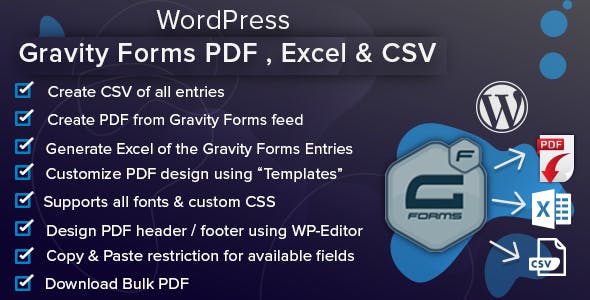
Gravity Forms PDF, Excel, CSV and Google Sheet is a specialized extension for transforming your Gravity Forms submissions into PDF documents and ready-to-use data in Excel, CSV, and Google Sheets. It's designed for websites that need to convert data stored in a database into usable reports, lists, and documents without manual intervention. It's especially useful in projects where forms are an integral part of daily operations.
What problem does it help solve?
On many WordPress sites, forms capture critical information: quote requests, sign-ups, custom orders, student registrations, internal requests, and so on. The problem arises when this information gets "locked up" in the Gravity Forms input panel and someone has to manually export it, copy and paste it into spreadsheets, or generate PDFs one by one. If you've ever been asked for a report or list "right now" and ended up downloading files, cleaning columns, and building tables against the clock, you know this frustration all too well.
In real-world projects, this bottleneck becomes apparent when the volume of submissions grows and information is needed outside of WordPress: an administrative department that wants its data in Excel, a sales team working in Google Sheets, a manager who needs receipts or certificates in PDF format for each submission. Without a clear gateway between Gravity Forms and these formats, the process relies on manual tasks prone to errors, wasted time, and outdated data.
Why this solution makes a difference
Gravity Forms PDF, Excel, CSV, and Google Sheets doesn't just export data; it establishes a seamless flow between the forms and formats your teams already use daily. Instead of downloading individual files or reviewing entries one by one, data evolves from simple WordPress submissions into documents and spreadsheets ready for analysis, reporting, or archiving. This directly impacts how quickly you respond to internal and external requests.
In day-to-day operations, this translates to fewer repetitive steps, less reliance on the person "who knows how to export from the dashboard," and greater autonomy for those who need the information. Furthermore, having PDFs generated from submissions ensures a clear and consistent presentation of data, useful for delivering receipts, formal records, or dossiers without having to manually format each document. When you start to realize that a significant part of your work involves organizing what's already collected in Gravity Forms, this extension brings order and predictability to the process.
Signs you need this product
- You frequently review the Gravity Forms entries and then manually transfer them to Excel or Google Sheets.
- Your administrative or project team periodically requests updated shipping lists, and this creates friction in daily work in WordPress.
- Time is wasted every time someone requests a report, an exportable file, or a PDF document derived from the forms.
- The project has grown from a few weekly shipments to volumes where managing the data manually is no longer feasible.
- This arises when different areas (sales, training, customer service) need to access information in formats that fit their way of working.
When does it make sense to use it (and when doesn't)
Gravity Forms PDF, Excel, CSV, and Google Sheets makes sense when forms are central to your operations and you need incoming data to quickly be converted into workable documents or files. Whether you handle recurring requests that end up in spreadsheets, deliver PDF certificates or receipts from forms, or frequently report results to a team that relies on Excel or Google Sheets, this extension solves a critical part of your workflow.
However, if you're only using Gravity Forms for a simple contact form with few submissions, which you review directly from the dashboard and respond to via email, this solution isn't a priority. It also doesn't make sense if you don't need PDFs, Excel spreadsheets, or Google Sheets collaboration, and you only need to check the entries occasionally. In those scenarios, Gravity Forms' native management is sufficient, and you don't need to add an extra layer to the process.
Who it fits best for
- Marketing and sales managers who centralize leads in Gravity Forms and work with their data in Excel or Google Sheets to segment, filter, and track.
- Academies, training centers and event organizers that generate lists of registered participants, attendance records or PDF certificates from forms.
- WordPress agencies and developers that deliver to their clients a system where form submissions are converted into downloadable reports and shared spreadsheets without manual processes.
- Administrative departments that need PDF backups of each shipment and exportable tables for reconciliations, internal controls, or audits.
- Internal company projects where Gravity Forms is used as a system for requests, incidents or records and the data ends up integrated into spreadsheet-based workflows.
Practical benefits
- Real operational improvement: Submissions cease to be just records in the backend and become working material ready to be classified, analyzed or archived in one or more standard formats.
- User experience: Teams access information in the environment they already know (Excel or Google Sheets), reducing the learning curve and avoiding always depending on the WordPress panel.
- Control and organization: By using PDFs and structured files, each form generates homogeneous documentation that is easy to locate, share, or save as a backup.
- Time saving: Repetitive steps such as exporting entries one by one, manually assembling spreadsheets, or formatting documents from scratch are eliminated.
- Error reduction: By automating the process of converting submissions to spreadsheets and PDFs, typical copy and paste errors, incorrectly applied formulas, or misaligned columns are reduced.
How it fits within WordPress
Within the WordPress ecosystem, Gravity Forms PDF, Excel, CSV, and Google Sheets acts as a bridge between the form and the platforms where the information is analyzed or presented. Gravity Forms remains the core that collects data according to your logic of fields, conditions, and internal workflows. This extension builds upon that existing work and takes it a step further, transforming submissions into concrete outputs: PDF documents with a stable presentation and files in formats geared toward data processing.
In this context, its role is not to replace Gravity Forms or manage site content, but rather to facilitate the integration of data collected through forms with external processes: periodic reports, client reporting, and coordination with other departments that prefer to work outside the WordPress dashboard and need data in clear tables or downloadable documents. Thus, WordPress remains the entry point, and the extension becomes the output channel to the rest of the organization.
Typical use cases
- An ecommerce platform with customized order forms that transforms each shipment into a PDF for the logistics department and a spreadsheet record for stock control and tracking.
- An online training project that collects registrations using Gravity Forms and systematically generates lists in Excel or Google Sheets to organize groups, payments, and issue PDF certificates.
- A corporate site that uses internal forms for vacation requests, incidents, or approvals and forwards the data to a shared spreadsheet for the human resources department, also maintaining a documented backup in PDF for each submission.
Frequently Asked Questions about Gravity Forms PDF, Excel, CSV and Google Sheet
How does Gravity Forms PDF, Excel, CSV and Google Sheet differ from the standard Gravity Forms export?
Gravity Forms' standard export provides basic files containing the entries, primarily intended for occasional downloads. Gravity Forms PDF, Excel, CSV, and Google Sheets goes a step further by focusing on practical outputs for daily work: PDF documents ready for distribution or archiving, structured Excel files for detailed analysis, and integration with Google Sheets for real-time collaboration. This reduces the number of steps from form submission to operational use of the information.
Is it useful if I only need to have a readable backup of each submission?
Yes, if your priority is maintaining a clear and organized record of each form submission, the PDFs generated from the submissions make that easy. Instead of reviewing raw data in the backend, you have clear documents suitable for printing, emailing, or archiving. This is especially useful in processes where each submission represents a file, order, formal request, or document that must be saved exactly as sent, without always requiring access to the WordPress dashboard.
When will I really start to notice the impact on my daily work?
The impact becomes clear when forms cease to be an occasional occurrence and become an integral part of your core operations. If you manage dozens or hundreds of submissions monthly, and the data feeds into reports, internal controls, or interdepartmental coordination, the leap is obvious. Instead of reserving time for bulk exports, data cleaning, and manual document generation, the workflow is integrated into your routine: submissions generate usable outputs almost immediately, without the need for additional preparation tasks.
Does this product replace external analysis or reporting functionalities?
It doesn't replace advanced analytics platforms or business intelligence tools. Its role is to ensure that the information coming in through Gravity Forms is in formats that can be easily processed by those platforms or your team. Once the data is in Excel, CSV, or Google Sheets, you can apply your own dashboards, charts, filters, and formulas. The extension makes the transition from the form to these workspaces seamless and without any intermediate manual steps.
What types of projects benefit most from Gravity Forms PDF, Excel, CSV and Google Sheet?
The projects that benefit most are those where the form is just the beginning of a broader process. For example, managing registrations that culminate in regular reports, special orders that the team reviews on shared spreadsheets, surveys whose results are analyzed in detail, or internal workflows where each submission generates associated documentation. If you've ever found that creating these reports or documents takes longer than designing the form itself, this product better aligns Gravity Forms with the operational realities of your project.
Conclusion
Gravity Forms PDF, Excel, CSV, and Google Sheet exists to solve a very specific problem: transforming your form submissions into ready-to-use documents and data, without relying on manual exports or improvised processes. When forms are at the heart of your website's operations and you need that information to flow seamlessly into PDFs, Excel, CSV, or Google Sheets, this extension connects Gravity Forms with how your team actually manages information every day.
Latest update:

Written by: WPClub
With over seven years of experience curating, managing, and distributing GPL products, our content is based on hands-on experience, technical review, testing, and feedback from thousands of users. We aim to democratize and simplify the WordPress world so you can choose with confidence, speed, and ease.
Your Individual Purchase Includes:
- Lifetime updates.*
- Official product, ready to use.
- Immediate access to the product.
- Clean and virus-free files.
- GNU GPL V2/V3 License
- Technical support in Spanish and English.
* In the case of memberships, the period during which you will receive updates will depend on the type of membership purchased: monthly, annual, or lifetime.
Notify Update
We update products Monday through Friday. However, if the product you see is not yet updated, you can notify us so we can prioritize updating it whenever possible.
Get your questions answered here
Here you'll find answers to frequently asked questions about our service: how it works, what it includes, and how to get the most out of it.
On how many websites can I use the products?
You can use any product from our store on any website you want.
Will I get updates?
Absolutely. If you buy an individual product, you'll get lifetime updates for that product.
On the other hand, if you purchase a membership, you will receive updates until your membership expires.
What if I have a problem?
First of all, we want you to know that you can count on us. We will assist you and provide the necessary support, so you can rest assured.
On the other hand, it is important for you to know that, given the time difference between countries, your time and ours may not be the same, so we will be delayed accordingly.
Our opening hours start at 9 AM from Monday to Friday, UTC -3. We are open until around 6 PM.
Do they provide technical support?
Yes, and regarding the time, it is usually on average within 24 to 48 business hours.
However, there are times when we have already provided an answer and solution in less than a day, depending on the case.
Are there download limits?
No. We don't believe in that format, so you can download as many times as you want. No problem. We pay for high-quality professional storage precisely to avoid problems.
Do they provide license keys?
No. Giving out the keys is not a viable option, as we have had experiences where they end up circulating everywhere and we can even lose the associated accounts.
That said, all products are original and, in cases where a license key is required to function, we will take care of pre-activating them for you.
Does my purchase include an invoice?
Yes. After payment, you will be able to access your invoice immediately in the "Purchases" section of your user account.
That is why it is important that you properly complete the information requested at the time of payment.
Is there a warranty?
Yes, of course. If there's a problem we can't resolve, or if there's an external issue that doesn't have a general solution, you'll receive support and, if necessary, a full refund. We have a 14-day refund policy from the date of purchase.
- It should be noted that there is no warranty if the product works well and it simply wasn't what you wanted.
There have been instances where someone buys a product, the product works perfectly, but they don't like it and want a refund, keeping the product. That's not right.
However, everything is evaluable and reasonable. Let's use judgment together.
What are the opening hours?
Our opening hours are:
- Monday to Friday, from 9 a.m. to 6 p.m.
- Saturday and Sunday: No service.
UTC -3 time

Our Reputation on Trustpilot
Many thanks to those who take the time to give us a rating on Trustpilot. Each and every one of your comments is very helpful to us. We strive to provide a rewarding experience for every member of our community, always with respect and care. We'll be here!






















WPClub Memberships
Access our entire catalog for a single payment. We offer three memberships: Monthly, Annual, and Lifetime (One-Time Payment).
- Save thousands of dollars
- Unlimited daily downloads
- No recurring payments
- Fast downloads by AWS
- Quality service and support, validated since 2018
- We work with love for our community