

- Secure payment
- Spanish and English support
- With you since 2018
Gravity Forms Tooltips Addon 1.2.14
$49.00 El precio original era: $49.00.$5.99El precio actual es: $5.99.
Quick summary
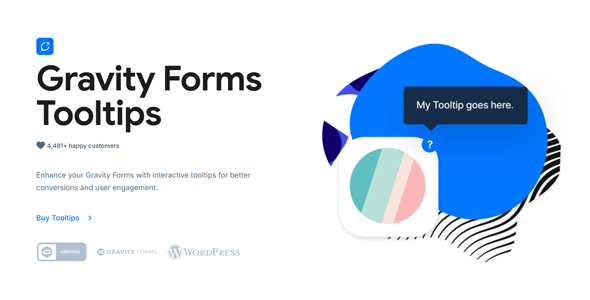
The Gravity Forms Tooltips add-on adds clear, floating descriptions to the fields of your forms built with Gravity Forms. It's designed for sites where users get stuck filling out forms, make mistakes, or abandon the form because they don't understand what's being asked. If you manage registrations, bookings, complex requests, or sales with medium to long forms, this add-on helps guide users without cluttering the interface.
What problem does it help solve?
The problem arises when your WordPress forms grow in number of fields and options, and users lose track of what to write in each section. If you've already experienced incomplete data, confusing messages, or poorly filled-out forms, the cause is almost always the same: the user doesn't receive clear instructions at the precise moment they need them.
In real-world projects, help text is often placed as lengthy descriptions below each field. This makes the form visually cluttered, harder to scan, and, on mobile devices, practically endless. Visitors lose focus, become overwhelmed by the text, and abandon the form before submitting. Furthermore, when fields have specific requirements (formats, examples, restrictions), explaining them without cluttering the design becomes challenging.
The Gravity Forms Tooltips Addon addresses precisely this issue: it allows you to display contextual explanations only when the user needs them, using small icons or indicators that display a floating message. This way, you can keep forms clean while providing precise instructions just a click or tap away. This approach reduces confusion, lowers the error rate, and minimizes back-and-forth requests for clarification.
Why this solution makes a difference
When you work with Gravity Forms daily, the difference between a form that's easy to understand and one that's confusing is noticeable in your inbox and in your management time. With this plugin, each field can include a discreet visual cue that clarifies the purpose of the data or shows a concrete example. The user doesn't have to read through blocks of text or scroll for instructions; the information appears right above the field when they hover or click.
In day-to-day operations, this translates to fewer manual corrections, fewer requests for additional information, and fewer invalid records. When you start noticing that you're spending more time interpreting what people meant than processing the data, incorporating focused visual aids in the form of tooltips prevents many misunderstandings. Furthermore, the form maintains a more organized appearance, reinforcing a perception of professionalism and reducing friction in the submission process.
On the other hand, managing help text becomes simpler. Instead of deciding whether to display a lengthy explanation or remove it to avoid disrupting the design, you can concentrate all that clarity into short, direct, floating prompts. This allows your forms to scale better as you add fields or special cases without turning the page into an unmanageable block of text.
Signs you need this product
- You receive forms with incorrectly completed data because users do not understand what is being asked of them in specific fields.
- You detect friction in key steps of your WordPress funnel, such as registrations, quote requests, or booking forms with multiple sections.
- You waste time checking shipments, clarifying information by email or phone, and correcting errors due to a lack of clear instructions.
- Your forms have grown over time and the current design looks cluttered, full of explanatory text under each field.
- When you start to notice that the abandonment rate increases on long forms, but at the same time you can't remove explanations because they are necessary.
- You need to show different examples or nuances depending on the field (e.g., special conditions, specific formats, or warnings) without taking up much screen space.
When does it make sense to use it (and when doesn't)
The Gravity Forms Tooltips Addon provides real value when working with forms that go beyond simply collecting a name and email address. Event registrations, service requests with multiple options, pre-proposal questionnaires, and internal company forms particularly benefit. In this context, having small, floating help tips ensures that everyone understands what to fill out and how to do it, even if they're unfamiliar with the process.
It's also a great fit when you want to maintain a clean aesthetic but need detailed explanations in certain fields without sacrificing design. If you've ever had to choose between a form overloaded with text or one that's too brief and leaves you confused, this plugin lets you find a middle ground: a clean interface with on-demand help available.
However, it's not necessary for extremely simple forms, such as a basic contact form with three standard fields. If your project only uses this type of form and you don't plan to add any steps, conditions, or specific instructions, the added value will be minimal. This add-on also doesn't replace Gravity Forms' native field creation, validation, or submission features; it focuses on how you present the help information, not how the data is processed.
Who it fits best for
- Professionals and agencies that design complex forms for clients and need to reduce queries and errors without overloading the design.
- Businesses that manage detailed requests in WordPress (custom services, tailored quotes, admissions, registrations with specific requirements).
- Marketing teams that rely on multi-step lead capture forms and want to improve completion rates by better explaining each sensitive field.
- Internal project managers (HR, training, internal support) who use Gravity Forms to collect information from other areas of the company and need everyone to clearly understand what they should contribute.
- Creators of educational or membership sites who request specific data to segment students, access, or levels and require brief but very specific instructions.
Practical benefits
- Real operational improvement: Incorrect shipments decrease, and the manual work of reviewing, requesting clarifications, and correcting erroneous information is reduced.
- Clearer user experience: The user sees a clean form, with icons or discreet indications that explain only what they need at any given time.
- Greater control and organization: You can decide which fields require additional explanation and centralize examples, warnings, or details there without scattering them throughout the form.
- Time saving: Each submission that arrives correctly completed avoids calls, emails, and interpretation tasks, freeing up time for higher-value tasks.
- Error reduction: By receiving immediate and visible instructions on demand, the user makes fewer formatting errors, fewer omissions, and fewer ambiguous responses.
How it fits within WordPress
The Gravity Forms Tooltips Addon works as a dedicated extension for Gravity Forms. It doesn't replace the field builder or core form settings; instead, it integrates seamlessly into your existing WordPress workflow. When designing or editing a form, you decide which fields to include floating tooltips in and how to present them consistently with the overall site experience.
In this context, it becomes an additional layer of communication with the end user. While WordPress manages the content and Gravity Forms handles the form logic, this add-on focuses on the visual and textual clarity of each field. This allows you to better define the visitor's journey from landing on the page to submitting the form, without altering the rest of your page, post, or product structure.
Typical use cases
- Budget request forms where you need the client to detail technical characteristics, deadlines or indicative budgets, with examples visible in tooltips to avoid vague answers.
- Registration processes for events or training with multiple options (ticket types, additional sessions, special conditions) where each option requires a brief explanation without cluttering the design.
- Customer onboarding forms in professional services, where you must explain why you are asking for certain sensitive data and what specific type of information is appropriate in each field.
- Pre-consultation questionnaires, in which floating instructions help make the answers useful and actionable from the first submission.
- Internal request processes (vacations, purchases, incidents) where team members need clear instructions on how to complete each section to avoid administrative misunderstandings.
Frequently Asked Questions about the Gravity Forms Tooltips Addon
How does the Gravity Forms Tooltips Addon differ from the standard Gravity Forms tooltips?
Standard Gravity Forms descriptions appear fixed below the field, always taking up space and lengthening the form. The Gravity Forms Tooltips Addon lets you move that explanation to floating help that appears only when the user needs it, using a visual indicator. This gives you more room to explain formats, conditions, or examples without the form looking like a continuous block of text, especially on smaller screens like mobile devices.
How does the Gravity Forms Tooltips Addon help me if I manage very long forms?
In long forms, the main problem isn't just the number of fields, but information overload. The Gravity Forms Tooltips Addon lets you condense instructions into small, floating help text, reducing the visible length of the form. This way, users can move from field to field, consulting only the explanations they actually need. The result is usually a faster form completion process with fewer abandonments due to eye strain or lack of understanding.
Does this add-on replace Gravity Forms' validation or conditional logic?
No. The Gravity Forms Tooltips Addon doesn't change how data is validated or how content is shown or hidden based on conditions. Its function is purely informational and presentational: to discreetly and contextually display additional instructions. You continue to use Gravity Forms' built-in validation, error messages, and conditional logic, while the floating help prompts anticipate questions so the user makes fewer mistakes before submitting.
When is it appropriate to add tooltips and when is it better to leave the text visible?
Floating tooltips work well in fields where additional information is helpful but not essential for everyone. For example, clarifications about formats, sample answers, or minor details. Conversely, it's best to leave text visible for critical warnings or instructions that every user should see before typing. The Gravity Forms Tooltips Addon lets you combine both strategies, reserving tooltips for nuances that improve the quality of responses without cluttering the design.
Does it make a difference if my forms are already clear and concise?
If your forms are very simple and you don't receive confusing submissions or user complaints, the Gravity Forms Tooltips Addon will have a limited impact. Its value multiplies when you start adding conditions, different data types, explanatory messages, or additional steps. In growing projects, it allows you to maintain clarity without making the form visually cumbersome. If you anticipate incorporating new fields or more complex processes, it can be an organized way to prepare for that growth.
Conclusion
The Gravity Forms Tooltips Addon is designed for those working with WordPress forms, where the clarity of each field directly impacts the quality of the data received. By transforming lengthy explanations into floating help text, it reduces errors, queries, and abandonment rates without compromising the design. If your project relies on clear and detailed forms, incorporating this contextual communication approach helps you maintain control over the information from the very first submission.
Your individual purchase includes:
- Lifetime updates.*
- Product ready to use.
- Immediate access to the product.
- Clean and virus-free files.
- GNU GPL V2/V3 License
- Technical support in Spanish and English.
* In the case of memberships, the period during which you will receive updates will depend on the type of membership purchased: monthly, annual, or lifetime.
Get your questions answered here
Here you'll find answers to frequently asked questions about our service: how it works, what it includes, and how to get the most out of it.
On how many websites can I use the products?
You can use any product from our store on any website you want.
Will I get updates?
Absolutely. If you buy an individual product, you'll get lifetime updates for that product.
On the other hand, if you purchase a membership, you will receive updates until your membership expires.
What if I have a problem?
First of all, we want you to know that you can count on us. We will assist you and provide the necessary support, so you can rest assured.
On the other hand, it is important for you to know that, given the time difference between countries, your time and ours may not be the same, so we will be delayed accordingly.
Our opening hours start at 9 AM from Monday to Friday, UTC -3. We are open until around 6 PM.
Do they provide technical support?
Yes, and regarding the time, it is usually on average within 24 to 48 business hours.
However, there are times when we have already provided an answer and solution in less than a day, depending on the case.
Are there download limits?
No. We don't believe in that format, so you can download as many times as you want. No problem. We pay for high-quality professional storage precisely to avoid problems.
Do they provide license keys?
No. Giving out the keys is not a viable option, as we have had experiences where they end up circulating everywhere and we can even lose the associated accounts.
That said, all products are original and, in cases where a license key is required to function, we will take care of pre-activating them for you.
Does my purchase include an invoice?
Yes. After payment, you will be able to access your invoice immediately in the "Purchases" section of your user account.
That is why it is important that you properly complete the information requested at the time of payment.
Is there a warranty?
Yes, of course. If there's a problem we can't resolve, or if there's an external issue that doesn't have a general solution, you'll receive support and, if necessary, a full refund. We have a 14-day refund policy from the date of purchase.
- It should be noted that there is no warranty if the product works well and it simply wasn't what you wanted.
There have been instances where someone buys a product, the product works perfectly, but they don't like it and want a refund, keeping the product. That's not right.
However, everything is evaluable and reasonable. Let's use judgment together.
What are the opening hours?
Our opening hours are:
- Monday to Friday, from 9 a.m. to 6 p.m.
- Saturday and Sunday: No service.
UTC -3 time

Reviewed by the WPClub team
At WPClub, we carefully review each product before listing it. Our team evaluates its key features, compatibility, and performance to provide you with reliable, up-to-date, and helpful information when choosing and using each resource available in our store.
Download previous versions
If you have purchased this product, or have an active membership, you can download previous versions as we release them, without any limits or restrictions.
| Nombre del producto | Versión | Tamaño | Fecha | Descargar |
|---|---|---|---|---|
| No hay versiones anteriores registradas. | ||||

Our Reputation on Trustpilot
Many thanks to those who take the time to give us a rating on Trustpilot. Each and every one of your comments is very helpful to us. We strive to provide a rewarding experience for every member of our community, always with respect and care. We'll be here!






















WPClub Memberships
Access our entire catalog for a single payment. We offer three memberships: Monthly, Annual, and Lifetime (One-Time Payment).
- Save thousands of dollars
- Unlimited daily downloads
- No recurring payments
- Fast downloads by AWS
- Quality service and support, validated since 2018
- We work with love for our community