
 Boo...! LAST DAY > Memberships with 30% off. Use coupon: HWEEN30
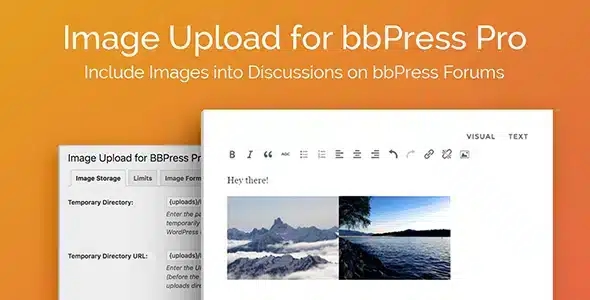
Image Upload for bbPress Pro
Image Upload for bbPress Pro and 6,570 more, with AutoUpdater and support.
For $4.21 more you get everything the Monthly membership includes
Choose my membershipThis product, with lifetime updates.
- Secure payment
- Spanish and English support
- With you since 2018
New version or an issue?
Description
Image Upload for bbPress Pro
To help WordPress websites offer a visually stunning component for their bbPress forums, the WordPress plugin Image Upload for bbPress Pro allows forum users to include inline images in their discussions on bbPress forums.
With the Image Upload for bbPress Pro WordPress plugin activated, site visitors can insert images into their themes and reply in bbPress forums using an easy-to-use drag-and-drop image uploader. Images can be automatically resized to save storage space and bandwidth and can be enlarged on click with a built-in lightbox.
Ease for visitors
The Image Upload for bbPress Pro plugin for WordPress also allows site visitors to upload images using their mobile phones. While in the forum post editor, site visitors can simply tap a button on the screen to open the Upload Image dialog box. Tapping the screen a second time will then display the smartphone's operating system's image selection options.
Characteristics:
- It includes a responsive drag-and-drop image uploader with support for inserting multiple images at once.
- Generate and insert separate thumbnail versions of uploaded images while retaining a larger version for use with the built-in light box.
- Allow users to upload animated GIFs while preserving the animation.
- Change the directory where uploaded images are stored.
- Limit which user roles can upload images.
- Limit the number of uploaded images allowed per topic or answer.
- Automatically reduces the size of images to fit the specified maximum dimensions.
- Convert all uploaded images to the same image format, if desired.
- Configure the PNG and JPEG compression levels so that the images take up less disk space.
- Allow users to view enlarged images in a lightbox by clicking on them within the post.
- View the total image count and file size statistics.
- Optionally, use Amazon S3™ to store and publish images uploaded in posts submitted to the forum (requires the purchase of an additional add-on).
Purchase Image Upload for bbPress Pro now.
Previous versions
If you have purchased this product, or have an active membership, you can download previous versions as we release them, without any limits or restrictions.
No threats detected
File scanned with ClamAV before publishing
- File
- image-upload-for-bbpress-pro-2.2.1.zip · 387 KB
- Files
- 123 scanned · 0 threats
- Engine
- ClamAV 1.5.3 · signatures v28165
- Verified on
- 10/27/2026
- SHA-256
- dfa269…83c623e
- PHP 59.3%
- JavaScript 11.4%
- CSS 8.1%
- PNG 7.3%
- Other 13.8%
Frequently Asked Questions
Here you'll find answers to frequently asked questions about our service: how it works, what it includes, and how to get the most out of it.
You can use any product from our store on any website you want.
Absolutely. If you buy an individual product, you'll get lifetime updates for that product.
On the other hand, if you purchase a membership, you will receive updates until your membership expires.
First of all, we want you to know that you can count on us. We will assist you and provide the necessary support, so you can rest assured.
On the other hand, it is important to know that, given the time difference between countries, your time and ours may not be the same, so we could be delayed because of this.
Our opening hours are Monday to Friday, from 09 to 18 hrs (UTC −3).
Yes, and regarding the time, it is usually on average within 24 to 48 business hours.
However, there are times when we have already provided an answer and solution in less than a day, depending on the case.
No. We don't believe in that format, so you can download as many times as you want. We pay for high-quality professional storage precisely to avoid any problems.
No. Giving out the keys is not a viable option, as we have had experiences where they end up circulating everywhere and we can even lose the associated accounts.
That said, all products are original and, in cases where a license key is required to function, we will take care of pre-activating them for you.
Yes. After payment, you will be able to access your invoice immediately in the «Purchases» section of your user account.
That's why it's important that you properly complete the information requested at the time of payment.
Yes, of course. If there's a problem we can't resolve, or an external issue that doesn't have a general solution, you'll receive support, if needed, and a full refund. We have a 7-day refund policy from the date of purchase.
- There is no warranty if the product works well and it simply wasn't what you wanted.
There have been instances where someone buys a product, the product works perfectly, but they don't like it and want a refund, keeping the product. That's not right.
However, everything is evaluable and reasonable. Let's use judgment together.
This guarantee applies to the purchase of individual products; memberships are not eligible for a refund.
Our opening hours are:
- Monday to Friday, from 9 a.m. to 6 p.m.
- Saturday and Sunday: no service.
UTC −3 time.

WPClub Team
GPL plugin and theme store since 2018. Every file is analyzed with ClamAV and its report is public; we keep previous versions and provide support in Spanish and English.
Image Upload for bbPress Pro and 6,570 more, with AutoUpdater and support.
For $4.21 more you get everything the Monthly membership includes
Choose my membershipThis product, with lifetime updates.
- Secure payment
- Spanish and English support
- With you since 2018


