

- Secure payment
- Spanish and English support
- With you since 2018
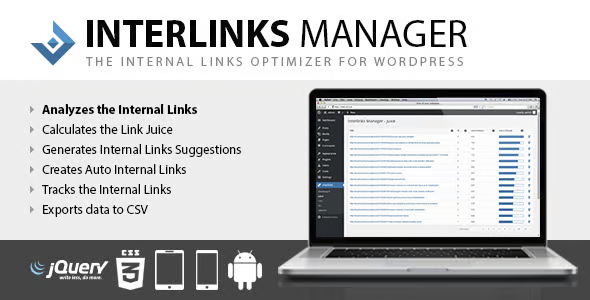
Interlinks Manager Plugin for WordPress 1.43
$33.00 El precio original era: $33.00.$5.99El precio actual es: $5.99.
Quick summary
Interlinks Manager Plugin for WordPress is a specialized tool for managing, measuring, and optimizing the internal links of a WordPress site. It facilitates the creation of clearer and more strategic link structures, helping to improve on-page SEO, user navigation, and the performance of an online store or corporate project.
Overview
Interlinks Manager Plugin for WordPress is a plugin designed to optimize internal links within a WordPress site. This type of tool is used to analyze how pages, posts, products, and other key sections link to each other, providing data that allows for improvements to the content architecture.
Its overall purpose is to help users and search engines more easily find the important sections of a site. It is especially useful in content-heavy projects, such as online stores, niche blogs, digital academies, or corporate websites, where the organization of internal links directly impacts search engine ranking and user experience.
What is the Interlinks Manager Plugin for WordPress used for?
The Interlinks Manager Plugin for WordPress helps identify opportunities to improve your internal linking structure and manage these links more strategically. Many websites accumulate content over time and end up with important pages that are poorly linked or have disorganized links, which hinders both SEO and usability.
In e-commerce, it helps connect related products, categories, and informational content, making it easier for users to discover more relevant items. On membership websites, landing pages, or corporate sites, it helps guide visitors to key services, contact forms, or important resources, improving conversion rates and reducing bounce rates by offering clearer navigation paths.
Who is it ideal for?
- Online stores and e-commerce projects that handle many categories, product listings, and supporting content, and that need an internal linking strategy to boost sales, visits to related products, and organic ranking.
- Blogs, digital media, academies, and content projects that publish articles regularly and want to better organize their internal links to increase reading time, page views per session, and thematic relevance to search engines.
- Digital marketing teams, SEO managers, project managers, and agencies that require a clearer view of link flow, related metrics, and greater control over how different sections of a WordPress site connect to optimize conversions and performance.
Key benefits
- It allows you to manage internal links more efficiently, reducing manual work and making it easier to identify pages that need more links, which translates into faster decisions and more results-oriented actions.
- It improves the experience for both the end user and the administrator, as the visitor finds logical navigation paths and the site manager has organized information to make decisions about what to link and from where to do so.
- It offers flexibility to apply different internal linking approaches depending on the type of content, positioning objectives or business priorities, allowing the strategy to be adapted to specific blogs, stores, service pages or landing pages.
- It facilitates the management of scalable sites with many products or entries, helping to maintain a consistent link structure even when new content is published frequently, preventing it from getting lost in the depths of the site.
- It contributes to saving time and reducing human error by centralizing information related to internal links, minimizing duplicates, irrelevant links, and important omissions on strategic pages.
Main features of Interlinks Manager Plugin for WordPress
- Analyze and organize the internal links of a WordPress site, helping to identify which pages receive the most links, which are underutilized, and where there are opportunities to reinforce the relevance of key sections.
- It includes typical features of this type of plugin focused on managing and optimizing internal linking, allowing the administrator to have a clearer view of the site structure and how authority flows between different URLs.
- It helps organize content, control the flow of links, and improve the user journey, making it easier for visitors to move from an informational page to a sales page, from categories to products, or from basic articles to more advanced guides.
- It usually offers metrics or indicators related to internal links that allow you to assess the effectiveness of the applied strategy, such as the number of outgoing and incoming links per page, as well as tools to locate orphaned or poorly linked pages.
- It allows you to work with more structured workflows, for example, by reviewing priority pages and planning which content to link from, helping to maintain a consistent internal architecture when publishing new pages and products.
- It promotes a more strategic approach to linking, helping to better distribute relevance among categories, product pages, blog posts, and service pages, to reinforce those URLs that are truly important to the business.
Use cases
- Case 1: An online store manager with hundreds of products wants to ensure that the most profitable listings aren't hidden. They use this type of tool to identify pages with few internal links and connect those products from blog posts, related categories, and other strategic listings.
- Case 2: An online training project with numerous lessons and resources in WordPress needs better guidance for the learner. The plugin is used to create a network of internal links that lead from introductory content to advanced modules and supplementary materials, improving progression and content consumption.
- Case 3: A corporate website with several service areas and informational pages notices that some key sections receive few visits. Through internal link management, the connection between blog posts, service pages, and success stories is strengthened, increasing traffic to the sections with the highest commercial value.
Frequently Asked Questions about the Interlinks Manager Plugin for WordPress
How does the Interlinks Manager Plugin for WordPress differ from simply adding links manually?
Adding links manually is possible, but maintaining an overview on content-heavy sites can be difficult. The Interlinks Manager Plugin for WordPress provides data, organization, and a clear structure, enabling strategic decisions about which pages to strengthen and how to best distribute internal links.
Is this plugin useful if my WordPress site is still small?
While the greatest benefit is seen on content-heavy sites, it can also be useful for smaller projects. It allows you to establish a solid foundation of internal linking from the outset, preventing common errors and facilitating orderly growth of the structure as new pages are added.
Can it help improve search engine ranking?
Effective internal link management is a crucial factor in on-page SEO. The Interlinks Manager Plugin for WordPress doesn't guarantee results on its own, but it facilitates better connection between relevant pages, increases their visibility, and helps them receive more internal signals, which typically improves organic performance.
Is it suitable for stores created with WooCommerce?
Yes, this type of tool is especially useful for stores using WooCommerce or other WordPress solutions. It allows you to organize links between products, categories, and informational content, encouraging users to discover more items and helping key product pages gain more visibility.
Do I need advanced SEO knowledge to take advantage of the plugin?
It's not essential, although having a basic understanding of SEO helps you get the most out of it. Even without advanced knowledge, the plugin makes it easy to understand which pages are best linked, which need more links, and how to better organize internal navigation to improve the user experience.
Can it be used on content sites, blogs, or online academies?
The Interlinks Manager Plugin for WordPress is a great fit for blogs and content-intensive projects. It helps create logical paths between articles, lessons, and resources, increasing dwell time, page views, and the connection between related pieces of content.
Conclusion
Interlinks Manager Plugin for WordPress is a practical solution for those who want to manage internal links on a WordPress site more strategically. It facilitates a clearer content architecture, improves the browsing experience, and provides a solid foundation for SEO and conversion optimization in real-world digital projects.
Your individual purchase includes:
- Lifetime updates.*
- Product ready to use.
- Immediate access to the product.
- Clean and virus-free files.
- GNU GPL V2/V3 License
- Technical support in Spanish and English.
* In the case of memberships, the period during which you will receive updates will depend on the type of membership purchased: monthly, annual, or lifetime.
Get your questions answered here
Here you'll find answers to frequently asked questions about our service: how it works, what it includes, and how to get the most out of it.
On how many websites can I use the products?
You can use any product from our store on any website you want.
Will I get updates?
Absolutely. If you buy an individual product, you'll get lifetime updates for that product.
On the other hand, if you purchase a membership, you will receive updates until your membership expires.
What if I have a problem?
First of all, we want you to know that you can count on us. We will assist you and provide the necessary support, so you can rest assured.
On the other hand, it is important for you to know that, given the time difference between countries, your time and ours may not be the same, so we will be delayed accordingly.
Our opening hours start at 9 AM from Monday to Friday, UTC -3. We are open until around 6 PM.
Do they provide technical support?
Yes, and regarding the time, it is usually on average within 24 to 48 business hours.
However, there are times when we have already provided an answer and solution in less than a day, depending on the case.
Are there download limits?
No. We don't believe in that format, so you can download as many times as you want. No problem. We pay for high-quality professional storage precisely to avoid problems.
Do they provide license keys?
No. Giving out the keys is not a viable option, as we have had experiences where they end up circulating everywhere and we can even lose the associated accounts.
That said, all products are original and, in cases where a license key is required to function, we will take care of pre-activating them for you.
Does my purchase include an invoice?
Yes. After payment, you will be able to access your invoice immediately in the "Purchases" section of your user account.
That is why it is important that you properly complete the information requested at the time of payment.
Is there a warranty?
Yes, of course. If there's a problem we can't resolve, or if there's an external issue that doesn't have a general solution, you'll receive support and, if necessary, a full refund. We have a 14-day refund policy from the date of purchase.
- It should be noted that there is no warranty if the product works well and it simply wasn't what you wanted.
There have been instances where someone buys a product, the product works perfectly, but they don't like it and want a refund, keeping the product. That's not right.
However, everything is evaluable and reasonable. Let's use judgment together.
What are the opening hours?
Our opening hours are:
- Monday to Friday, from 9 a.m. to 6 p.m.
- Saturday and Sunday: No service.
UTC -3 time

Reviewed by the WPClub team
At WPClub, we carefully review each product before listing it. Our team evaluates its key features, compatibility, and performance to provide you with reliable, up-to-date, and helpful information when choosing and using each resource available in our store.
Download previous versions
If you have purchased this product, or have an active membership, you can download previous versions as we release them, without any limits or restrictions.
| Nombre del producto | Versión | Tamaño | Fecha | Descargar |
|---|---|---|---|---|
| No hay versiones anteriores registradas. | ||||

Our Reputation on Trustpilot
Many thanks to those who take the time to give us a rating on Trustpilot. Each and every one of your comments is very helpful to us. We strive to provide a rewarding experience for every member of our community, always with respect and care. We'll be here!






















WPClub Memberships
Access our entire catalog for a single payment. We offer three memberships: Monthly, Annual, and Lifetime (One-Time Payment).
- Save thousands of dollars
- Unlimited daily downloads
- No recurring payments
- Fast downloads by AWS
- Quality service and support, validated since 2018
- We work with love for our community