
JetStyleManager for Elementor 1.3.8











- Secure Payment
- Support from Monday to Friday
- With you since 2018
$7.99 El precio original era: $7.99.$5.99El precio actual es: $5.99.
Quick summary
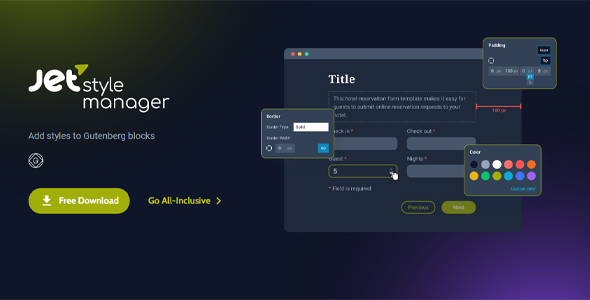
JetStyleManager for Elementor is a WordPress plugin designed for Elementor designers who need to control which styles content editors can access. It helps define clear design rules, limit advanced options, and maintain visual consistency without having to review every page created. It's especially useful for projects with multiple collaborators, agencies, corporate websites, or online stores where the aesthetic must remain consistent over time.
What problem does it help solve?
When working with Elementor on real projects, the same problem inevitably arises: any editor with access can change colors, fonts, margins, or backgrounds without any overall guidelines. This results in pages that don't resemble each other, different buttons in each section, and headers that have nothing to do with the brand identity. If you've ever encountered "design hodgepodges" on pages that should be professional, you understand the direct impact on the site's professional image.
In this context, JetStyleManager for Elementor comes into play to limit which styles can be modified and which must remain untouched. Without such control, each new landing page, product page, or blog post can break the initially defined visual patterns. This occurs when sites grow, new team members join, or editing access is given to clients who lack design expertise, resulting in a visual mix that is difficult to correct later.
Why this solution makes a difference
The key change JetStyleManager for Elementor brings is the ability to translate design consistency from your mind or brand guidelines into a tangible configuration within WordPress. Instead of relying on everyone to adhere to predefined styles, you set clear boundaries on what can be tweaked directly in Elementor and what must remain consistent from page to page.
In day-to-day operations, this means fewer manual reviews, fewer messages like “Who changed this button color?” and less time fixing details that should never have been changed. On the other hand, it gives editors more freedom to work on what really matters, such as content, images, or minor adjustments, without compromising the overall visual identity. When you start noticing that you're spending more time correcting styles than creating new sections, that's when a tool like this makes all the difference.
Signs you need this product
- You detect changes in colors, fonts, or different font sizes depending on the page, even with a defined graphic style.
- Content editors touch advanced Elementor options and end up breaking spaces, alignments, or consistency between sections.
- Employee and agency time are spent checking that visual styles are respected, instead of moving forward with new campaigns or content.
- Your project grows, more people are editing the site, and the likelihood of someone altering the base design increases with each new access granted.
When does it make sense to use it (and when doesn't)
JetStyleManager for Elementor makes sense when your site already has a clear design and you want to ensure it remains consistent, even with multiple people editing. It provides real value for corporate websites, training platforms, regularly updated content, online stores with many categories, and any project where the brand needs to maintain a uniform look. It also benefits agencies delivering sites to clients who want to prevent them from accidentally changing key styles.
However, this isn't necessary for small personal projects where only one person designs and edits, and where constant visual changes are part of the creative process. If you're in the testing phase, still adjusting colors, fonts, and overall structure, it might be more convenient to let Elementor have complete freedom until the design is stable and only then introduce fine-tuning the style.
Who it fits best for
- Designers and developers who create Elementor sites for third parties and want to deliver an editable environment without the risk of breaking the design.
- Digital agencies that manage multiple projects and need a systematic way to maintain a consistent appearance across all pages for the same client.
- Marketing or communications teams that publish frequently and require editors to work on content without altering the established visual style.
Practical benefits
- Real operational improvement: you reduce the number of corrective revisions because critical design points are protected from the configuration stage.
- User experience: Editors have a cleaner Elementor panel focused on what they really need, without being overwhelmed by unnecessary advanced controls.
- Control and organization: you can decide in a structured way which aspects of the style remain fixed (corporate colors, key fonts, basic spacing) and which allow minor adjustments.
- Time savings: fewer back-and-forths to correct poorly applied styles, freeing up hours to create new pages, campaigns, and content.
- Error reduction: fewer cases where a person, while testing options, misconfigures entire sections or alters the visual scale of the site.
How it fits within WordPress
Within the typical WordPress workflow with Elementor, JetStyleManager for Elementor acts as a visual governance layer. It doesn't replace Elementor or create pages itself; its function is to granularly regulate the limits of design freedom in the editor. While Elementor focuses on building the visual structure and content, JetStyleManager for Elementor is responsible for limiting and organizing styling possibilities so that everything created stays within the agreed-upon visual style guidelines.
In projects where different roles are combined (administrators, designers, writers, product managers), this approach prevents those who aren't design experts from accessing sensitive controls. In this way, WordPress remains the content management hub, Elementor continues to be the flexible visual foundation, and JetStyleManager for Elementor acts as the style regulator, ensuring brand consistency despite the diverse teams involved in the project.
Typical use cases
- Online stores where different managers create category pages, campaign landing pages, or extended descriptions, it is key that buttons, fonts, and colors follow the same pattern to reinforce trust.
- Content portals (corporate blogs, digital magazines, academies) where many authors prepare pages in Elementor, but want them all to look like part of the same publication, without arbitrary style variations.
- Agency projects where a site is delivered to an end client: the team configures the base styles with JetStyleManager for Elementor so that the client can edit texts and images without risking the professional aesthetic that has been designed.
Frequently Asked Questions about JetStyleManager for Elementor
How does JetStyleManager for Elementor differ from a global style kit in Elementor?
A global style kit in Elementor defines how the site should look, but it doesn't really limit what an editor can modify within the panel. JetStyleManager for Elementor goes a step further: it lets you decide which style options are displayed, which remain hidden, and how deep each user role can access the settings. This prevents someone from altering, for example, advanced margins or key colors, even if the project already has defined global styles.
Is JetStyleManager for Elementor suitable if I work alone on my projects?
If you're the only one designing and editing the entire site, the main benefit will be maintaining your own visual discipline through a more streamlined options panel. However, the biggest impact is seen when multiple people are modifying pages. If you plan to bring on writers, a marketing team, or clients with access, having JetStyleManager for Elementor set up from the start helps ensure a smooth transition and prevents the design from becoming unmanageable over time.
What types of styles can be controlled with JetStyleManager for Elementor?
JetStyleManager for Elementor focuses on managing visual aspects within the Elementor environment. The idea is that you can decide which style settings to leave to the editors and which should be kept under a more rigid framework. This includes options such as color variations, typography, spacing, and decorations, which, if changed arbitrarily, can create inconsistencies between pages that share the same purpose and structure.
Does JetStyleManager for Elementor replace a well-configured theme?
No, JetStyleManager for Elementor does not replace the theme. The theme remains the foundation of the site's architecture, global templates, and certain general styles. JetStyleManager for Elementor operates at the visual editor level: it controls which specific settings are exposed to users building sections with Elementor. The theme defines the overall presentation and structure, while this plugin ensures that daily work with Elementor stays within that visual style.
Does it make sense to use JetStyleManager for Elementor on a small site with projected growth?
Yes, it can make sense when the site is still manageable but you already know that more people will be joining the editing team or the number of pages generated from Elementor will increase. Setting style boundaries early on prevents you from having to correct dozens of pages to maintain the visual identity as your site grows. This way, when traffic and the team increase, you'll already have a solid foundation of design control that can support growth without visual clutter.
Conclusion
JetStyleManager for Elementor exists to address a specific problem: the loss of visual consistency on Elementor-built sites when multiple people collaborate. By defining which styles are editable and which are not, it transforms the editor into a more organized environment, with less room for costly visual errors. If your priority is for your site to grow without sacrificing brand consistency, incorporating this level of control over daily design becomes a practical decision, perfectly aligned with the realities of evolving projects.
Latest update:

Written by: WPClub
With over seven years of experience curating, managing, and distributing GPL products, our content is based on hands-on experience, technical review, testing, and feedback from thousands of users. We aim to democratize and simplify the WordPress world so you can choose with confidence, speed, and ease.
Your Individual Purchase Includes:
- Lifetime updates.*
- Official product, ready to use.
- Immediate access to the product.
- Clean and virus-free files.
- GNU GPL V2/V3 License
- Technical support in Spanish and English.
* In the case of memberships, the period during which you will receive updates will depend on the type of membership purchased: monthly, annual, or lifetime.
Notify Update
We update products Monday through Friday. However, if the product you see is not yet updated, you can notify us so we can prioritize updating it whenever possible.
Get your questions answered here
Here you'll find answers to frequently asked questions about our service: how it works, what it includes, and how to get the most out of it.
On how many websites can I use the products?
You can use any product from our store on any website you want.
Will I get updates?
Absolutely. If you buy an individual product, you'll get lifetime updates for that product.
On the other hand, if you purchase a membership, you will receive updates until your membership expires.
What if I have a problem?
First of all, we want you to know that you can count on us. We will assist you and provide the necessary support, so you can rest assured.
On the other hand, it is important for you to know that, given the time difference between countries, your time and ours may not be the same, so we will be delayed accordingly.
Our opening hours start at 9 AM from Monday to Friday, UTC -3. We are open until around 6 PM.
Do they provide technical support?
Yes, and regarding the time, it is usually on average within 24 to 48 business hours.
However, there are times when we have already provided an answer and solution in less than a day, depending on the case.
Are there download limits?
No. We don't believe in that format, so you can download as many times as you want. No problem. We pay for high-quality professional storage precisely to avoid problems.
Do they provide license keys?
No. Giving out the keys is not a viable option, as we have had experiences where they end up circulating everywhere and we can even lose the associated accounts.
That said, all products are original and, in cases where a license key is required to function, we will take care of pre-activating them for you.
Does my purchase include an invoice?
Yes. After payment, you will be able to access your invoice immediately in the "Purchases" section of your user account.
That is why it is important that you properly complete the information requested at the time of payment.
Is there a warranty?
Yes, of course. If there's a problem we can't resolve, or if there's an external issue that doesn't have a general solution, you'll receive support and, if necessary, a full refund. We have a 14-day refund policy from the date of purchase.
- It should be noted that there is no warranty if the product works well and it simply wasn't what you wanted.
There have been instances where someone buys a product, the product works perfectly, but they don't like it and want a refund, keeping the product. That's not right.
However, everything is evaluable and reasonable. Let's use judgment together.
What are the opening hours?
Our opening hours are:
- Monday to Friday, from 9 a.m. to 6 p.m.
- Saturday and Sunday: No service.
UTC -3 time

Our Reputation on Trustpilot
Many thanks to those who take the time to give us a rating on Trustpilot. Each and every one of your comments is very helpful to us. We strive to provide a rewarding experience for every member of our community, always with respect and care. We'll be here!






















WPClub Memberships
Access our entire catalog for a single payment. We offer three memberships: Monthly, Annual, and Lifetime (One-Time Payment).
- Save thousands of dollars
- Unlimited daily downloads
- No recurring payments
- Fast downloads by AWS
- Quality service and support, validated since 2018
- We work with love for our community