
Lottier Lottie Animated Images for Divi Builder 1.0.1


- Secure Payment
- Support from Monday to Friday
- With you since 2018
$19.00 El precio original era: $19.00.$5.99El precio actual es: $5.99.
Quick summary
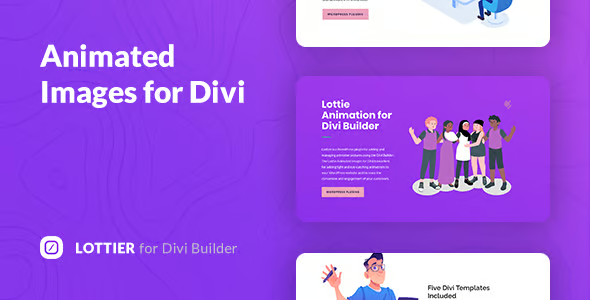
Lottier Animated Images for Divi Builder is a plugin designed to integrate Lottie animations into the Divi Builder in WordPress. It allows you to add lightweight and scalable animated graphics to pages, product pages, and landing pages, enhancing the visual appeal and professional feel of an online store or corporate website without relying on large video files.
Overview
This type of plugin is designed for WordPress users working with Divi to visually insert and manage Lottie animations in their designs. Its overall purpose is to enrich the user experience with smooth, modern animations that load quickly and adapt to different screen resolutions.
In practice, it's used to highlight key sections: headings, product benefits, process steps, forms, or calls to action. It allows you to give a more dynamic look to sales pages, product sheets, or informational content, without requiring advanced coding or animation knowledge.
What is Lottier Animated Images for Divi Builder used for?
It's used to integrate Lottie animations into designs created with Divi, solving the problem of static and visually unappealing websites. With this tool, you can replace flat icons or static images with animated elements that reinforce your message without significantly impacting performance.
In e-commerce, it can be used to highlight offers, display purchase process statuses, or visually explain product features. On membership sites, it helps illustrate benefits and user journeys. On corporate websites and landing pages, it enhances the presentation of services, work stages, or results, making communication clearer and more engaging.
Who is it ideal for?
- For online store owners and marketing managers who want their product pages and key sections to stand out with light animations, without resorting to complex videos or sliders.
- For agencies, web designers, and freelancers who build sites with Divi and need an easy way to add modern, responsive animations to corporate projects, portfolios, landing pages, and blogs.
- For design and conversion teams looking to improve user experience, emphasize important messages, and guide visitor attention, while maintaining control over presentation, content flow, and visual consistency throughout the site.
Key benefits
- It brings efficiency to the design process, allowing you to insert and adjust animations directly from the visual builder, without complicated intermediate steps or manual code editing.
- It improves the end-user experience, as Lottie animations are typically smooth, light, and pleasant, helping to convey key messages without distracting or slowing down navigation.
- It offers customization flexibility by allowing you to adapt the behavior of the animations according to the design: highlighted sections, animated icons, visual banners, process steps or interaction states.
- It facilitates the scalability of projects with many pages or products, as animations can be consistently reused across different Divi layouts, maintaining a homogeneous style throughout the site.
- It contributes to saving time and reducing errors by centralizing animation management in a familiar visual environment, avoiding complex code manipulations or loading heavy and difficult-to-maintain multimedia files.
Key features of Lottier Animated Images for Divi Builder
- It allows you to insert Lottie animations within Divi sections, rows, and modules, integrating with the usual logic of the visual builder so that the user can work intuitively.
- It offers a design- and user-experience-focused approach, making it easy to replace static images or icons with more expressive and modern vector animations.
- It helps to better organize the presentation of content, using animations to guide attention to key elements such as forms, buttons, benefits or guarantees, without overloading the interface.
- It usually includes options to adjust basic animation parameters, such as autoplay, repetition, scroll or user interaction, allowing them to be adapted to the flow of each page.
- It usually works with Lottie files in JSON format, which makes it easy to use resources from animation libraries or custom creations, while maintaining a small file size and good visual quality at different sizes.
Use cases
- Case 1: An online store that wants to highlight its main categories and products on the homepage can use Lottie animations integrated into Divi to illustrate each block, improving the clarity of the catalog and showing a more professional image.
- Case 2: A digital services project that uses landing pages to capture leads can leverage animations to explain processes, show service steps, or reinforce trust messages, without using videos that slow down loading.
- Case 3: A WordPress site with corporate content and a blog that suffers from low visual interaction can refresh its design by incorporating animated elements in headers, icons, and call-to-action sections, achieving a more modern look without redoing the entire website.
Frequently Asked Questions about Lottier Animated Images for Divi Builder
What does Lottier Animated Images for Divi Builder offer compared to using simple static images?
The main advantage is the ability to add lightweight vector animations that look crisp on any device and highlight key design elements. Compared to static images, animations help capture attention, better explain certain concepts, and improve the perceived quality of the site.
Is it necessary to know about animation or programming to use this type of tool?
Advanced knowledge is not usually required. Typically, all you need are Lottie files and to manage their insertion from the Divi visual environment. The user focuses on choosing the animation and adjusting it to the design, without touching code or complex animation tools.
How do animations integrate with Divi's sections and modules?
This type of plugin integrates seamlessly into the visual builder. Typically, a specific module or additional option is added, allowing you to place the animation in existing rows, columns, or sections, adjusting its position, size, and behavior according to the design.
Is it appropriate to use Lottie animations on product pages of an online store?
Yes, as long as they're used judiciously. On product pages, animations can highlight benefits, show usage states, or reinforce key messages. The important thing is that they complement the information, don't distract the customer, and maintain good conversion-oriented design practices.
Can I combine Lottie animations with other Divi visuals without overloading the design?
It's possible to combine animations with images, icons, and text, as long as a visual balance is maintained. The key is to use animations to guide attention to specific points, avoiding excessive use or placement in areas where they might compete with important messages or forms.
Is this type of solution useful only for creative websites or also for serious corporate projects?
It can be adapted to both creative websites and formal corporate projects. It all depends on the style of animations chosen and how they are integrated into the design. Understated and subtle animations can bring professionalism, clarity, and dynamism without detracting from the brand's seriousness.
Conclusion
Integrating a solution like Lottier Animated Images for Divi Builder allows you to give a WordPress project a more modern, dynamic, and user-centric visual language. When used effectively, this tool helps to improve communication, highlight key content, and reinforce the design strategy for online stores and corporate websites.
Latest update:

Written by: WPClub
With over seven years of experience curating, managing, and distributing GPL products, our content is based on hands-on experience, technical review, testing, and feedback from thousands of users. We aim to democratize and simplify the WordPress world so you can choose with confidence, speed, and ease.
Your Individual Purchase Includes:
- Lifetime updates.*
- Official product, ready to use.
- Immediate access to the product.
- Clean and virus-free files.
- GNU GPL V2/V3 License
- Technical support in Spanish and English.
* In the case of memberships, the period during which you will receive updates will depend on the type of membership purchased: monthly, annual, or lifetime.
Notify Update
We update products Monday through Friday. However, if the product you see is not yet updated, you can notify us so we can prioritize updating it whenever possible.
Get your questions answered here
Here you'll find answers to frequently asked questions about our service: how it works, what it includes, and how to get the most out of it.
On how many websites can I use the products?
You can use any product from our store on any website you want.
Will I get updates?
Absolutely. If you buy an individual product, you'll get lifetime updates for that product.
On the other hand, if you purchase a membership, you will receive updates until your membership expires.
What if I have a problem?
First of all, we want you to know that you can count on us. We will assist you and provide the necessary support, so you can rest assured.
On the other hand, it is important for you to know that, given the time difference between countries, your time and ours may not be the same, so we will be delayed accordingly.
Our opening hours start at 9 AM from Monday to Friday, UTC -3. We are open until around 6 PM.
Do they provide technical support?
Yes, and regarding the time, it is usually on average within 24 to 48 business hours.
However, there are times when we have already provided an answer and solution in less than a day, depending on the case.
Are there download limits?
No. We don't believe in that format, so you can download as many times as you want. No problem. We pay for high-quality professional storage precisely to avoid problems.
Do they provide license keys?
No. Giving out the keys is not a viable option, as we have had experiences where they end up circulating everywhere and we can even lose the associated accounts.
That said, all products are original and, in cases where a license key is required to function, we will take care of pre-activating them for you.
Does my purchase include an invoice?
Yes. After payment, you will be able to access your invoice immediately in the "Purchases" section of your user account.
That is why it is important that you properly complete the information requested at the time of payment.
Is there a warranty?
Yes, of course. If there's a problem we can't resolve, or if there's an external issue that doesn't have a general solution, you'll receive support and, if necessary, a full refund. We have a 14-day refund policy from the date of purchase.
- It should be noted that there is no warranty if the product works well and it simply wasn't what you wanted.
There have been instances where someone buys a product, the product works perfectly, but they don't like it and want a refund, keeping the product. That's not right.
However, everything is evaluable and reasonable. Let's use judgment together.
What are the opening hours?
Our opening hours are:
- Monday to Friday, from 9 a.m. to 6 p.m.
- Saturday and Sunday: No service.
UTC -3 time

Our Reputation on Trustpilot
Many thanks to those who take the time to give us a rating on Trustpilot. Each and every one of your comments is very helpful to us. We strive to provide a rewarding experience for every member of our community, always with respect and care. We'll be here!






















WPClub Memberships
Access our entire catalog for a single payment. We offer three memberships: Monthly, Annual, and Lifetime (One-Time Payment).
- Save thousands of dollars
- Unlimited daily downloads
- No recurring payments
- Fast downloads by AWS
- Quality service and support, validated since 2018
- We work with love for our community