Boo...! LAST DAY > Memberships with 30% off. Use coupon: HWEEN30
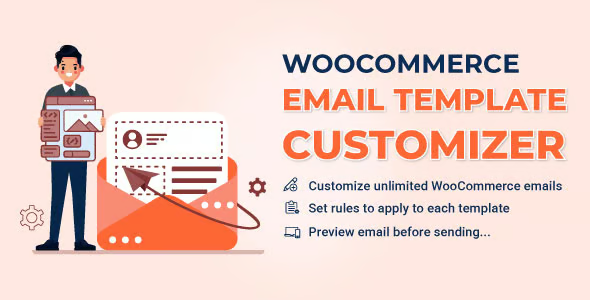
Mailonix WooCommerce Email Template Customizer
Mailonix WooCommerce Email Template Customizer and 6,570 more, with AutoUpdater and support.
For $4.21 more you get everything the Monthly membership includes
Choose my membershipThis product, with lifetime updates.
- Secure payment
- Spanish and English support
- With you since 2018
New version or an issue?
Description
Quick summary
WooCommerce Email Template Customizer lets you precisely tailor the design and content of your store's transactional emails without writing any code. It solves the problem of generic emails that don't align with your brand in WooCommerce and is designed for stores that need to better communicate each order, reduce customer confusion, and use every email as a professional and consistent point of contact that reflects their visual identity.
What problem does it help solve?
In a standard WooCommerce installation, order, billing, shipping, and status update emails are sent in a very basic format. The message "works," but it doesn't clearly explain what the customer needs to know, doesn't reflect the brand's visual style, and rarely inspires trust. If you've ever had a customer email you asking, "Is my order confirmed?" even after receiving the automated email, you're facing this problem.
Furthermore, when you manage multiple payment methods, special conditions, or different types of products, generic messages fall short. You can't highlight key information, add visual blocks, or adapt the content to your communication style. In real-world projects, this translates into more support calls for repeated questions, hesitant buyers, and a poor post-purchase experience. WooCommerce Email Template Customizer focuses precisely on that gap: what happens between the purchase click and delivery.
Why this solution makes a difference
WooCommerce Email Template Customizer focuses on one very specific area: the appearance and structure of the emails your store sends. Instead of editing PHP templates or relying on custom development, you work with a system designed to visually adjust the design and content. This immediately impacts the clarity of the information your customers receive and how they perceive the professionalism of your business.
When you start noticing an increase in orders, managing confusing emails becomes a constant time drain. Having clear messages, with well-organized sections, text tailored to your specific needs, and a design that aligns with your website reduces errors, leads to fewer sales cancellations due to mistrust, and prevents your team from having to explain the same thing repeatedly. Furthermore, maintaining a consistent format across all emails strengthens your brand effortlessly.
Signs you need this product
- Problem already present on the site: You receive emails from confused customers about the status of their order, even though WooCommerce has already sent them the standard notification.
- Friction in WordPress or WooCommerce: You find yourself editing code snippets or searching for snippets to change basic text and styles in transactional emails.
- Loss of control or time: Every small change to the email design requires technical intervention or ends up being postponed, leaving emails outdated.
- Typical growth scenario: Your store is going from few sales to a constant flow of orders, and you need each email to provide useful information, reduce doubts, and maintain a consistent professional image.
When does it make sense to use it (and when doesn't)
The WooCommerce Email Template Customizer makes sense when your emails move beyond simple notifications and become an integral part of the shopping experience. If you manage products with specific terms and conditions, sell to multiple countries, work with various payment gateways, or need to highlight information such as opening hours, policies, or other details, an email template customizer provides control that the WooCommerce core doesn't directly offer.
It also adds value when your brand pays attention to visual details: accurate logos, corporate colors, consistent typography, and a structure that matches your website create a sense of continuity between the web and the emails the client receives. This becomes apparent when you start noticing that the default design clashes with the rest of your project and you can no longer justify using generic emails.
However, this isn't really necessary if your store is very small, you make few sales per month, and email design isn't a priority for your business model. If you only need functional notifications and don't plan to optimize post-purchase communication, the standard WooCommerce system may be sufficient in the initial stages.
Who it fits best for
- Growing store owners: projects that are already receiving orders regularly and need to reduce the volume of repetitive inquiries related to orders, payments, and shipments.
- Agencies and professionals who deliver stores to clients: Studies that want to resolve the transactional communication aspect, offering emails aligned with branding without investing in custom developments.
- Businesses with specific information requirements: ecommerce sites must include legal data, instructions for use, logistics information, or segmented messages in their order, confirmation, and status emails without touching code.
Practical benefits
- Real operational improvement: Customers receive clear emails with key information prioritized and well-structured, reducing the need for subsequent clarifications through other channels.
- User experience: The person managing the store adapts the appearance of emails directly, without depending on complex edits, which facilitates continuous and consistent adjustments.
- Control and organization: You have a central point from which to define what is shown in each type of notification, maintaining a common logic among all transactional messages.
- Time saving: Manual testing with templates and modifications to theme files are avoided, reducing iterations and technical reviews for minor content changes.
- Error reduction: By working with clearer templates, misunderstandings regarding amounts, order statuses, delivery instructions, or buyer-specific conditions are minimized.
How it fits within WordPress
In a typical WordPress and WooCommerce workflow, your website manages products, payments, orders, and shipping from the admin panel. WooCommerce Email Template Customizer operates precisely at the automated communication stage: the email notifications triggered by customer actions and order status changes. It doesn't replace order management or WooCommerce settings; it focuses on the visual and textual aspects of the messages.
When working with WordPress, this means your team doesn't have to access template files or modify the theme to change an email's format. Email customization becomes part of the regular store settings workflow, just like configuring shipping areas or checkout pages, but focused solely on how notifications are presented to the customer.
Typical use cases
- Real-world use in ecommerce or projects: A store that sells physical products with several shipping options needs the "order completed" email to include different instructions depending on the delivery method chosen.
- Specific case study: A business that offers digital products and wants the confirmation email to include content blocks with quick guides, access links, and welcome messages aligned with its visual identity.
- Situation where it provides direct value: This business receives many inquiries about how to interpret order status and uses WooCommerce Email Template Customizer to add clear explanations and visible sections to each relevant notification.
Frequently Asked Questions about the WooCommerce Email Template Customizer
What types of emails can I customize with WooCommerce Email Template Customizer?
WooCommerce Email Template Customizer focuses on the transactional emails your store sends: order confirmations, status updates, customer notifications, and communications related to the purchase process. Its emphasis is on providing control over the design and structure of these messages, allowing you to reorganize information, highlight key data, and adjust text without modifying theme templates or touching core WooCommerce files.
How is this different from using the basic WooCommerce email options?
WooCommerce's native options allow you to adjust specific text, add a logo, and change some colors, but they don't offer a deep reorganization of content or a truly responsive design. WooCommerce Email Template Customizer exists precisely to fill that gap: it allows you to go beyond minimal visual adjustments, so that each email reflects your information structure and communication style, maintaining a much clearer and more consistent presentation with the rest of your site.
How does it help me reduce repetitive customer inquiries?
If your customers are asking questions that are already covered in transactional emails, the problem is usually not the emails themselves, but rather how the information is presented. Using the WooCommerce Email Template Customizer, you can highlight blocks with next steps, explain what each order status means, display organized summaries, and emphasize important data. This helps customers better understand the situation and reduces the need to contact support to clarify basic aspects of their purchase.
Is it useful if I work with multiple payment methods or product types?
In stores that offer different payment methods, delivery policies, or product categories, generic emails can become too rigid. WooCommerce Email Template Customizer is designed to adapt the structure and content of messages to more complex scenarios, allowing you to communicate more precisely based on what your store sells. This way, the information the customer receives is better aligned with their actual purchase and how they will receive it.
What real impact will I notice on the perception of my brand?
Most customers carefully review emails related to their purchases. If these messages feature a polished design, logical information organization, and a visual style consistent with your website, the perception of professionalism increases. WooCommerce Email Template Customizer helps you translate your brand identity to email, avoiding the disconnect that occurs when your website looks polished but your emails appear generic. This strengthens trust and contributes to a more positive shopping experience.
Conclusion
WooCommerce Email Template Customizer is designed to address a very specific issue: transforming functional but confusing emails into clear, organized communications that align with your brand. If your store already generates a significant volume of orders and standard emails are becoming a hindrance, having this level of control over transactional messages improves both internal management and the customer experience after each purchase.
Previous versions
If you have purchased this product, or have an active membership, you can download previous versions as we release them, without any limits or restrictions.
| Product name | Version | Size | Date | Download |
|---|---|---|---|---|
| Mailonix WooCommerce Email Template Customizer | 1.4.3 | 1.5 MB | 10/20/2026 | Join now |
| Mailonix WooCommerce Email Template Customizer | 1.4.2 | 1.5 MB | 09/04/2026 | Join now |
| Mailonix WooCommerce Email Template Customizer | 1.4.1 | 1.5 MB | 08/28/2026 | Join now |
| Mailonix WooCommerce Email Template Customizer | 1.3.3 | 1.4 MB | 08/22/2026 | Join now |
| Mailonix WooCommerce Email Template Customizer | 1.3.2 | 1.4 MB | 06/22/2026 | Join now |
| Mailonix WooCommerce Email Template Customizer | 1.3.1 | 1.4 MB | 06/05/2026 | Join now |
Showper page 1–5 of 6 | ||||
No threats detected
File scanned with ClamAV before publishing
- File
- codecanyon-28656007-woocommerce-email-template-customizer-1.4.3.zip · 1.5 MB
- Files
- 246 scanned · 0 threats
- Engine
- ClamAV 1.5.3 · signatures v28168
- Verified on
- 10/30/2026
- SHA-256
- 631aad…b17f947
- PNG 56.5%
- PHP 15.4%
- CSS 8.1%
- JavaScript 6.5%
- Other 13.4%
Frequently Asked Questions
Here you'll find answers to frequently asked questions about our service: how it works, what it includes, and how to get the most out of it.
You can use any product from our store on any website you want.
Absolutely. If you buy an individual product, you'll get lifetime updates for that product.
On the other hand, if you purchase a membership, you will receive updates until your membership expires.
First of all, we want you to know that you can count on us. We will assist you and provide the necessary support, so you can rest assured.
On the other hand, it is important to know that, given the time difference between countries, your time and ours may not be the same, so we could be delayed because of this.
Our opening hours are Monday to Friday, from 09 to 18 hrs (UTC −3).
Yes, and regarding the time, it is usually on average within 24 to 48 business hours.
However, there are times when we have already provided an answer and solution in less than a day, depending on the case.
No. We don't believe in that format, so you can download as many times as you want. We pay for high-quality professional storage precisely to avoid any problems.
No. Giving out the keys is not a viable option, as we have had experiences where they end up circulating everywhere and we can even lose the associated accounts.
That said, all products are original and, in cases where a license key is required to function, we will take care of pre-activating them for you.
Yes. After payment, you will be able to access your invoice immediately in the «Purchases» section of your user account.
That's why it's important that you properly complete the information requested at the time of payment.
Yes, of course. If there's a problem we can't resolve, or an external issue that doesn't have a general solution, you'll receive support, if needed, and a full refund. We have a 7-day refund policy from the date of purchase.
- There is no warranty if the product works well and it simply wasn't what you wanted.
There have been instances where someone buys a product, the product works perfectly, but they don't like it and want a refund, keeping the product. That's not right.
However, everything is evaluable and reasonable. Let's use judgment together.
This guarantee applies to the purchase of individual products; memberships are not eligible for a refund.
Our opening hours are:
- Monday to Friday, from 9 a.m. to 6 p.m.
- Saturday and Sunday: no service.
UTC −3 time.

WPClub Team
GPL plugin and theme store since 2018. Every file is analyzed with ClamAV and its report is public; we keep previous versions and provide support in Spanish and English.
Mailonix WooCommerce Email Template Customizer and 6,570 more, with AutoUpdater and support.
For $4.21 more you get everything the Monthly membership includes
Choose my membershipThis product, with lifetime updates.
- Secure payment
- Spanish and English support
- With you since 2018