

- Secure Payment
- Soporte Español e Inglés
- With you since 2018
Menu Cart Pro 4.0.1
$29.00 El precio original era: $29.00.$5.99El precio actual es: $5.99.
Quick summary
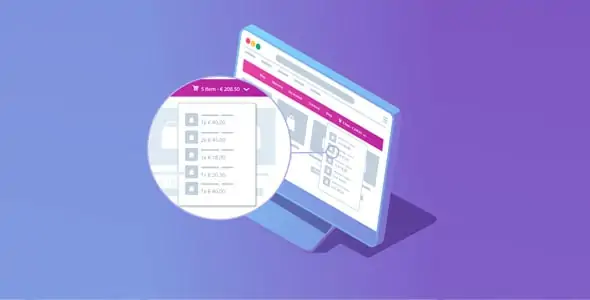
Menu Cart Pro is a WooCommerce extension focused on improving how the shopping cart is displayed and used in the navigation menu. It solves the common problem in online stores where users can't clearly see how many items they have or how much they're about to pay. It's especially useful for e-commerce businesses that want to reduce cart abandonment, shorten checkout steps, and offer a cart experience that's always visible and accessible from any page.
What problem does it help solve?
In many stores built with WooCommerce, the shopping cart is "hidden" on an internal page that can only be accessed after several clicks. This creates friction: the user adds products, changes sections, and loses track of their purchase. When you start noticing customers abandoning their carts before reviewing them, it's usually because they don't have a clear and consistent reference point for what they're about to buy.
In real-world projects, this translates into recurring user questions: “How much have I spent?”, “How many items do I have?”, or “Where’s my shopping cart?”. If you’ve already received messages asking how to complete a purchase, the problem isn’t the product you’re selling, but rather how the checkout process is presented in the interface. Menu Cart Pro focuses precisely on this: making the shopping cart clearly, visibly, and easily accessible within the main menu.
Without direct access to the shopping cart from the menu, every little adjustment becomes cumbersome: a customer wants to remove an item, check the total, or apply a code, and they have to load multiple pages. This accumulation of minor obstacles increases the likelihood that they'll close the tab before completing their order. The result is a clunky shopping experience that directly impacts the site's revenue.
Why this solution makes a difference
Menu Cart Pro makes a difference because it focuses on a critical point in the purchase flow: the moment when the user has already decided to add an item to their cart and needs quick access to continue. By integrating cart information directly into the menu, it reduces unnecessary steps and makes navigation more logical. The shopper always sees the current status of their order without having to search for it.
In day-to-day operations, this means managing an e-commerce site where the customer always knows what they've selected. You can display the number of products, the subtotal, and a direct link to the cart or checkout page directly from the menu. Furthermore, it allows you to align the cart's behavior with your header design, maintaining visual consistency and avoiding time-consuming and potentially buggy custom code.
When you start noticing that changing themes or tweaking the header causes the shopping cart to break or become misaligned, having a dedicated extension to manage this element provides stability. The practical result is fewer manual adjustments, fewer usability issues, and a clearer checkout flow across all pages of the site.
Signs you need this product
- Customers add products, but tell you via email or chat that they can't easily find how to go to the cart or complete the purchase.
- You detect friction in WooCommerce because access to the cart depends on small theme icons that are not very visible or poorly placed on mobile devices.
- Note the loss of control or time because every change to the site header requires manually redoing the cart icon, its count, the text, or the link.
- You are in a typical growth scenario where you are moving from a simple store to a larger catalog and you need a clearer and more professional presentation of the shopping cart from the main menu.
When does it make sense to use it (and when doesn't)
Menu Cart Pro makes sense when your online store is a key part of your project and you're concerned about user behavior during the checkout process. If you work with a catalog of multiple products, different categories, or average order values where customers compare items before paying, having a shopping cart integrated into the menu helps streamline the flow, ensuring that the purchase intent isn't lost along the way.
It's also useful when your theme's default design doesn't properly handle the cart status, or when its icon is so subtle it goes unnoticed. In that context, Menu Cart Pro provides a dedicated layer of control over the cart element, freeing you from relying on the theme's default features.
On the other hand, this product isn't necessary if you manage a site without online sales or with a simple order form and no shopping cart. It also doesn't add real value to sites that sell only a single product with direct purchase and the theme already includes a clear "buy now" button that leads to a simplified checkout, eliminating the need to manage multiple items before payment.
Who it fits best for
- WooCommerce store owners who want to reduce cart abandonment and offer a cart accessible from all pages.
- Web design professionals who create ecommerce for clients and need to control the appearance and behavior of the shopping cart in the menu without reinventing the wheel in each project.
- Agencies that manage multiple stores and seek a consistent approach to the header and cart, avoiding improvised solutions in each installation.
Practical benefits
- Real operational improvement by concentrating the shopping cart behavior in the menu into one extension, avoiding scattered adjustments in different parts of the theme.
- Clearer user experience, as the customer sees the cart status at a glance and understands what they need to do to move forward in the purchase process.
- Greater control and organization by defining how cart information is presented, what is shown, and what action is triggered by clicking.
- Time savings on each new WooCommerce project, because you start from a stable base for the cart in the menu instead of customizing code or relying on limited theme features.
- Reduction of errors related to invisible icons, incorrect links to the cart, or different behaviors between desktop and mobile.
How it fits within WordPress
Within WordPress, Menu Cart Pro sits at the intersection of the main navigation and the WooCommerce checkout logic. It doesn't replace the cart mechanics or checkout pages, but rather manages how the user accesses them from the header. In this context, it acts as a component that shapes the customer experience from the moment they enter the site until they decide to pay.
When working with WordPress, you typically spend time designing the header, choosing menus, and defining what appears at the top of each page. The shopping cart is an element that directly influences this decision. Menu Cart Pro allows you to treat it as a key part of the navigation, not as a secondary addition subject to theme limitations. This way, your workflow becomes more coherent: you design the menu with the purchase journey in mind.
Typical use cases
- Fashion stores or physical product stores where the user adds several items, changes categories, and wants to easily check their selection before paying.
- A concrete practical example: an ecommerce site for digital products that receives inquiries because buyers cannot find the shopping cart after downloading a trial resource; by incorporating the shopping cart into the menu, the path to payment becomes obvious.
- Situations where you need to highlight offers, bundles or cross-sales and you want the customer to see how the total changes in real time from the header, reinforcing the feeling of control over their purchase.
Frequently Asked Questions about Menu Cart Pro
What differentiates Menu Cart Pro from leaving the default theme cart?
The behavior of the shopping cart included in a theme is usually limited to what the developer has specified. Menu Cart Pro focuses exclusively on the menu cart, allowing you to configure it in greater detail and maintain consistent behavior even if you change the design. If you've ever experienced the cart icon disappearing or becoming misplaced when you update the header, this extension gives you separate control over it, independent of the visual theme.
Does Menu Cart Pro replace the WooCommerce cart or checkout page?
No. Menu Cart Pro doesn't replace cart or checkout pages; it leverages them. Its function is to act as a shortcut from the menu, displaying key information such as the number of items or subtotal and directing the user to the appropriate place when they interact with the item. This means you continue using the WooCommerce flow, but with a more visible and useful entry point at the top of your site.
In what type of online stores is the difference most noticeable when using Menu Cart Pro?
The difference is especially noticeable in e-commerce, where users often add more than one product or browse through several sections before checking out. Examples include clothing stores, stationery shops, cosmetics stores, training programs with multiple courses, and mixed catalogs. In these contexts, shoppers navigate between different pages and need constant reminders of their selections. An integrated shopping cart in the menu prevents them from having to search for how to proceed with their purchase.
Does it make sense to use Menu Cart Pro in a very small store with few products?
It depends on how the purchase process is organized. If you only sell a single product and the entire journey is geared towards a direct checkout button, the impact will be less significant. However, as your business grows and you add variations, related products, or a small catalog, having a shopping cart visible in the menu starts to make a difference. It's particularly useful when users can combine several items in the same order without losing sight of the total.
What specific benefits does Menu Cart Pro offer when working with multiple WooCommerce projects?
If you manage multiple e-commerce sites, one of the biggest benefits is standardization. Menu Cart Pro lets you apply the same cart logic to the menu across different sites, without having to redesign how it's displayed and behaves from scratch. This reduces development time, simplifies maintaining consistent headers, and prevents discrepancies between projects, resulting in a more predictable shopping experience for your customers.
Conclusion
Menu Cart Pro exists to solve a very specific problem: making the shopping cart visible, understandable, and accessible from the main menu on any page of your WooCommerce store. When you start noticing that your users are getting lost in the checkout process, a direct and well-integrated access point makes all the difference between a simple online catalog and a seamless shopping experience. If your store relies on conversions, paying attention to this menu detail is no longer optional; it becomes a key part of the site's design.
Tu compra individual incluye:
- Lifetime updates.*
- Producto listo para utilizar.
- Immediate access to the product.
- Clean and virus-free files.
- GNU GPL V2/V3 License
- Technical support in Spanish and English.
* In the case of memberships, the period during which you will receive updates will depend on the type of membership purchased: monthly, annual, or lifetime.
Resuelve tus dudas aquí
Here you'll find answers to frequently asked questions about our service: how it works, what it includes, and how to get the most out of it.
On how many websites can I use the products?
You can use any product from our store on any website you want.
Will I get updates?
Absolutely. If you buy an individual product, you'll get lifetime updates for that product.
On the other hand, if you purchase a membership, you will receive updates until your membership expires.
What if I have a problem?
First of all, we want you to know that you can count on us. We will assist you and provide the necessary support, so you can rest assured.
On the other hand, it is important for you to know that, given the time difference between countries, your time and ours may not be the same, so we will be delayed accordingly.
Our opening hours start at 9 AM from Monday to Friday, UTC -3. We are open until around 6 PM.
Do they provide technical support?
Yes, and regarding the time, it is usually on average within 24 to 48 business hours.
However, there are times when we have already provided an answer and solution in less than a day, depending on the case.
Are there download limits?
No. We don't believe in that format, so you can download as many times as you want. No problem. We pay for high-quality professional storage precisely to avoid problems.
Do they provide license keys?
No. Giving out the keys is not a viable option, as we have had experiences where they end up circulating everywhere and we can even lose the associated accounts.
That said, all products are original and, in cases where a license key is required to function, we will take care of pre-activating them for you.
Does my purchase include an invoice?
Yes. After payment, you will be able to access your invoice immediately in the "Purchases" section of your user account.
That is why it is important that you properly complete the information requested at the time of payment.
Is there a warranty?
Yes, of course. If there's a problem we can't resolve, or if there's an external issue that doesn't have a general solution, you'll receive support and, if necessary, a full refund. We have a 14-day refund policy from the date of purchase.
- It should be noted that there is no warranty if the product works well and it simply wasn't what you wanted.
There have been instances where someone buys a product, the product works perfectly, but they don't like it and want a refund, keeping the product. That's not right.
However, everything is evaluable and reasonable. Let's use judgment together.
What are the opening hours?
Our opening hours are:
- Monday to Friday, from 9 a.m. to 6 p.m.
- Saturday and Sunday: No service.
UTC -3 time

Revisado por el equipo de WPClub
En WPClub revisamos cuidadosamente cada producto antes de publicarlo. Nuestro equipo evalúa sus principales funciones, compatibilidad y desempeño para entregarte información confiable, actualizada y útil al momento de elegir y utilizar cada recurso disponible en nuestra tienda.
Descargar versiones anteriores
Si has adquirido este producto, o tienes una membresía activa, puedes descargar las versiones anteriores a medida que las vayamos publicando, sin ningún tipo de límites o restricciones.
| Nombre del producto | Versión | Tamaño | Fecha | Descargar |
|---|---|---|---|---|
| No hay versiones anteriores registradas. | ||||

Our Reputation on Trustpilot
Many thanks to those who take the time to give us a rating on Trustpilot. Each and every one of your comments is very helpful to us. We strive to provide a rewarding experience for every member of our community, always with respect and care. We'll be here!






















WPClub Memberships
Access our entire catalog for a single payment. We offer three memberships: Monthly, Annual, and Lifetime (One-Time Payment).
- Save thousands of dollars
- Unlimited daily downloads
- No recurring payments
- Fast downloads by AWS
- Quality service and support, validated since 2018
- We work with love for our community