


Modernize Next.js Admin Dashboard with App Directory is the foundation we use when we need fast results without sacrificing quality. The combination of App Directory, Server Components, and a robust UI library reduces the time between "git clone" and "first dashboard in production." In our case, we noticed it from day one: rapid development, high scalability, and real ease of use—not just marketing hype. The nested layout, route segmentation, and metadata handling simplify the architecture and make it more maintainable in the long run.
When we tested Modernize Next JS Admin Dashboard with App Directory, we started with one of the four unique demos to validate navigation and structure. From there, incorporating responsive pages, charts, tables, widgets, and UI components was a matter of hours. Furthermore, the component-based approach allowed us to decouple critical views and enable feature flags without disrupting the team's workflow. The result: short cycles, small releases, and a dashboard that scales with the business. If you're looking for a stack that feels modern and gives you a competitive edge, Modernize Next JS Admin Dashboard with App Directory is the right choice.
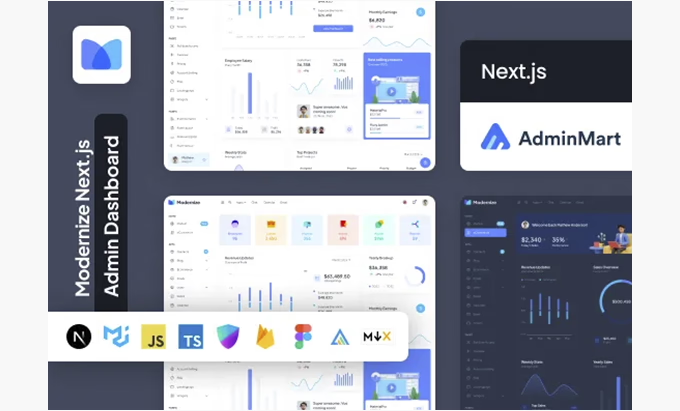
Key production-ready features (demos, UI, charts and tables)
With Modernize Next JS Admin Dashboard with App Directory, you get a set of features that cover the essentials: consistent fonts and styles, a professional layout, accessible navigation, and a generous collection of components. In our case, the presence of over 3,400 icons and fonts made all the difference: we were able to visually adjust modules without resorting to external assets. Tables with pagination, filters, and empty statuses are ready for real data; charts integrate directly for reports that effectively communicate results; and widgets accelerate prototyping and MVP development.
Another key advantage of Modernize Next JS Admin Dashboard with App Directory is the visual consistency across demos. Switching between demos to experiment with different layouts (dark, horizontal, RTL, mini-sidebar) is quick and easy. This flexibility avoids unnecessary refactoring when the product team requests last-minute changes. To complete the picture, out-of-the-box responsiveness allowed us to deploy dashboards that look perfect on both desktop and mobile without any CSS micro-tweaks. Modernize Next JS Admin Dashboard with App Directory isn't just "pretty"—it's productive.
Demos available: Main, Dark, Horizontal, RTL, Minisidebar, NextAuth
Components: widgets, tables, charts, forms, and editor
Real integrations: Painless NextAuth, Firebase, and Supabase
Modernizing the Next.js Admin Dashboard with App Directory is a great fit when authentication is critical. With NextAuth, we defined providers (email/password, OAuth) and secured paths from day one. In our case, by integrating Firebase for storage and notifications and Supabase for databases and RLS, the scaffolding remained clean. The App Directory pattern allowed us to isolate server actions for sensitive operations (create, update, delete) and ensure that secrets never leave the server.
The best part is that Modernize Next JS Admin Dashboard with App Directory doesn't lock you in. If you decide to move from Firebase to Supabase (or vice versa) tomorrow, the layered decoupling prevents a traumatic migration. And for B2B use cases, enabling roles, permissions, and policies becomes predictable: middleware, protected layouts, and components that respond to the current session. With this approach, security isn't a patch; it's part of the architecture.
Unified Auth: Authentication Context and Providers
Performance and DX: Server Components, SWR and MSW well orchestrated
With Modernize Next JS Admin Dashboard with App Directory, Server Components reduce client bundle size and improve TTFB; selective hydration keeps the UI responsive. For data fetching, SWR provides caching, revalidation, and well-designed load states; MSW lets us simulate APIs and move forward without backend blocking. We saw this in the iteration speed: while the team was defining the final contract, we were still delivering functional screens.
Modernizing Next.js Admin Dashboard with App Directory also promotes a predictable DX: segmented routes, minimal loaders, and server-side error handling. The practical consequence is that complexity spikes disappear. You can focus on the core business (reports, dashboards, flows) without battling the infrastructure. For distributed environments, Edge Runtime and per-route caching help maintain performance under load.
State and data: Context API vs Redux, SWR for caching/invalidation
Full customization: themes, 3,400+ icons and scalable fonts
When we adopted Modernize Next JS Admin Dashboard with App Directory, visual customization was straightforward: palettes, fonts, spacing, and variations. The library of 3,400+ icons and fonts saved us hours of design time; visual consistency was maintained even when adding new sections. If your brand demands a distinctive look and feel, the theming system gives you control without hindering delivery speed.
Support for light/dark modes, RTL, and alternative layouts is ideal for global audiences. Modernize Next JS Admin Dashboard with App Directory lets you launch in multiple markets without reworking core components. Furthermore, design tokens and styling utilities reduce technical debt: a single change propagates safely. Customization without breaking performance is part of this stack's DNA.
Included apps that convert (Kanban, Invoice, eCommerce and more)
One reason we chose Modernize Next JS Admin Dashboard with App Directory is the quality of the included apps. Analytics dashboards, basic CRM, Kanban, Invoice, eCommerce, blog, and chat cover many real-world business uses. In our case, we reused the Kanban and Invoice apps for a commercial prototype, and thanks to the form, validation, and table components, we were able to complete the sprint ahead of schedule.
Modernize Next.js Admin Dashboard with App Directory makes the journey smoother: pre-built flows, well-resolved empty states, and responsive pages right out of the box. This bridges the gap between demo and product. For teams that thrive on experimentation, the ability to turn apps on or off based on quarterly goals is invaluable.
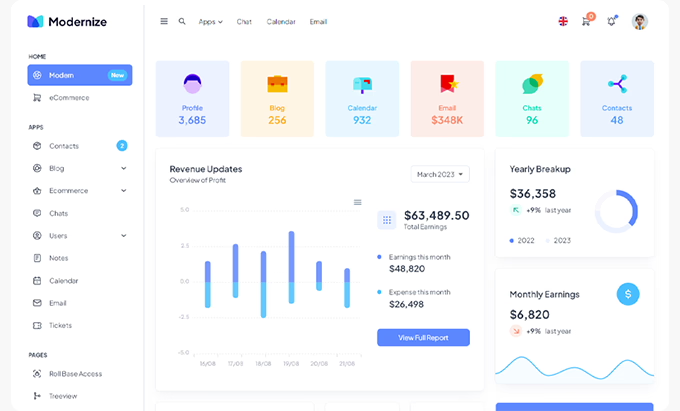
Quick guide: Installation and structure with App Directory
Clone the project, install dependencies, and run the dev server. With Modernize Next JS Admin Dashboard with App Directory, the typical structure looks like this:
app/for routes, layouts, and pages.app/(dashboard)/for panel sections.app/api/or server actions for secure operations.components/for reusable UI.lib/for helpers, clients, and configuration.styles/for themes and tokens.
In our case, activating a demo and customizing branding was straightforward: assets, theme, and navigation adapted seamlessly. If you're coming from Pages Router, migrating to App Directory with Modernize Next JS Admin Dashboard with App Directory is a good intermediate step: you maintain a routing mindset but gain nested layouts and server-first by default.
Basic structure: app/, Nested layouts, protected paths
Best practices: routing, data fetching, and security
To get the most out of Modernize Next JS Admin Dashboard with App Directory, we recommend:
Explicitly separate server/client components.
Encapsulate data fetching in server actions or dedicated routes.
Use SWR on the client only when the UI requires it.
In auth, protect layouts and endpoints; propagate the session by context.
Enable policies by role and feature flags from the start.
Monitor Core Web Vitals and adjust cache by path.
In our case, this set of best practices resulted in a robust and easily extensible foundation. Modernizing Next.js Admin Dashboard with App Directory allows us to maintain quality without slowing down delivery.
Security: middleware, route protection, role policies
Use cases and ready-to-copy examples
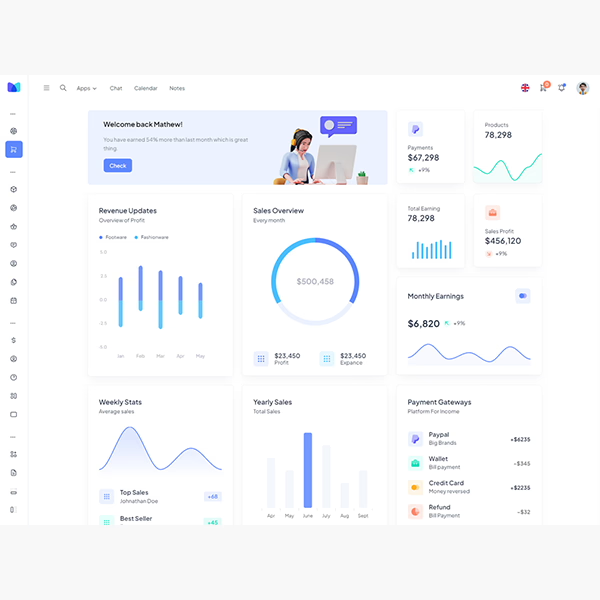
Analytical Dashboard: KPIs, comparative graphs, tables with filters.
Basic CRMSales pipeline, contacts, notes, alerts.
B2B Store: catalog, orders, statuses, financial reports.
Medium: tickets, statuses, SLA, agent views.
When we implemented these scenarios with Modernize Next JS Admin Dashboard with App Directory, the visual and functional foundation was already in place. We simply connected the data and adjusted the branding. The result: pages that look professional and convert better.
Conclusion
If you need to deliver a modern, scalable dashboard with fast time-to-market, Modernize Next JS Admin Dashboard with App Directory is the smart choice. We chose it for its rapid development, ease of use, and the power of App Directory. Between ready-made demos, over 3,400 icons, responsive pages, and high-level components, you have everything you need to launch a professional, high-converting dashboard from day one. Modernize Next JS Admin Dashboard with App Directory lets you focus on your business, not battling infrastructure issues.

Revisado por el equipo de WPClub
En WPClub revisamos cuidadosamente cada producto antes de publicarlo. Nuestro equipo evalúa sus principales funciones, compatibilidad y desempeño para entregarte información confiable, actualizada y útil al momento de elegir y utilizar cada recurso disponible en nuestra tienda.






















