

- Secure payment
- Spanish and English support
- With you since 2018
MotoPress Appointment Booking Checkout Fields 1.1.4
$199.00 El precio original era: $199.00.$6.99El precio actual es: $6.99.
Quick summary
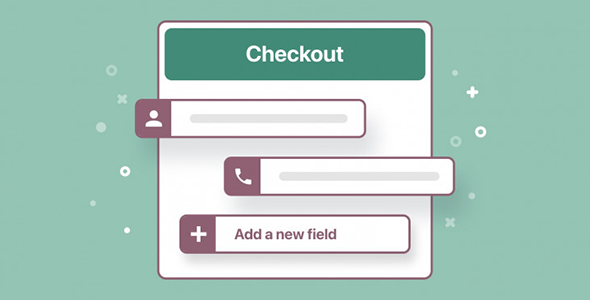
MotoPress Appointment Booking Checkout Fields is an extension focused on expanding and customizing the booking fields during the checkout process of the MotoPress booking system. It's designed for websites offering appointments, professional services, classes, events, or rentals where standard customer information isn't sufficient. If you need to collect specific data before confirming an appointment and avoid manual email exchanges, this extension directly addresses that problem.
What problem does it help solve?
In WordPress booking projects, the bottleneck occurs when the payment form doesn't collect all the information the business needs to provide the service effectively. This happens when only basic data (name, email, phone) is requested, and then the customer has to be chased with additional messages to ask for key details: medical history, size, preferred times, student information, vehicle details, and so on. This scattered information ends up on loose sheets of paper, personal notes, or email conversations that are difficult to track.
If you've ever confirmed an appointment only to discover, as the date approaches, that you're missing a crucial piece of information to properly serve the client, you know the real impact: last-minute calls, rescheduling, a poor user experience, and wasted time for your team. MotoPress Appointment Booking Checkout Fields addresses precisely this gap, allowing you to structure from the outset what data is requested at the booking checkout, ensuring that every appointment comes with the necessary information in an organized format.
Why this solution makes a difference
The value of this extension lies not only in "adding more fields," but also in seamlessly integrating that information with the existing booking flow. When working with WordPress, it's crucial that the data is entered where it will actually be accessed: within the booking system itself, alongside the corresponding appointment. This way, staff don't have to switch between the booking calendar and email inboxes to prepare each service.
In real-world projects, this capability reduces misinterpretations and eliminates duplicate steps. For example, additional data collected at checkout is automatically associated with each booking and becomes accessible for internal management. When you start noticing that the team is always asking for the same extra information by phone or WhatsApp after each booking, it's a clear sign that this information should be part of the payment form. With this extension, that pattern is transformed into defined, structured, and always-available fields.
Signs you need this product
- Customers complete the booking, but you still need to write to them to request essential information before providing the service.
- The team records important details of each appointment in external documents, spreadsheets, or chats, and that information is not clearly linked to the booking in WordPress.
- The preparation for each appointment is lengthened because old emails or conversations need to be reviewed to remember what the client requested.
- The volume of reservations has grown and the method of "writing down what is missing by hand" becomes a source of errors and misunderstandings.
- You've noticed that certain fields in the standard form don't reflect the specifics of your service and you need something more tailored to your business.
When does it make sense to use it (and when doesn't)
MotoPress Appointment Booking Checkout Fields become essential when bookings can't be managed with just basic information and you need customized details for each appointment. This has a direct impact on health and wellness centers, training studios, consulting services, specialized rentals, and any business where service preparation depends on specific client data or the appointment context. In this context, customizing checkout fields becomes a key element for better organizing service delivery.
On the other hand, if your booking system is limited to simple appointments where you only need to identify the client and little else (for example, a simple informational visit without any prior requirements), this extension isn't essential. It also becomes pointless if you only use MotoPress Appointment Booking in a very basic way and don't intend to adapt the payment flow to your business. In those cases, the standard fields may be sufficient, and this additional customization isn't necessary.
Who it fits best for
- Professionals who offer personalized services, such as therapists, instructors, consultants, lawyers, or coaches, where the quality of the session depends on prior information from the client.
- Companies that manage reservations for physical resources, such as rooms, equipment, vehicles or sports facilities, and need specific technical data before authorizing the reservation.
- Training centers, academies and schools that wish to collect detailed information from students (level, objectives, contact details of tutors) at the time of booking.
- Teams that use MotoPress Appointment Booking as the basis of their calendar and want to centralize all notes and requirements for each appointment within the same WordPress environment.
- Businesses that already know what information they need to ask for in each booking and are looking for a structured way to integrate it into the payment process, without depending on subsequent messages.
Practical benefits
- Real operational improvement: Each booking comes with the exact data your business needs, reducing last-minute preparation and minimizing post-appointment adjustments.
- Customer user experience: The user answers all relevant questions in one step, without receiving additional emails or supplementary forms after payment.
- Control and organization: The additional information is stored in a structured way along with the reservation, which facilitates searches, internal filtering and quick review of each case.
- Time saving: There are fewer follow-up calls, email exchanges, and scattered notes. Staff can focus on providing better service, not on collecting data that could have been requested from the start.
- Error reduction: By having defined and mandatory fields where appropriate, oversights, misunderstandings, and poorly configured reservations due to a lack of key information are reduced.
How it fits within WordPress
MotoPress Appointment Booking Checkout Fields acts as a customization layer on top of your existing booking flow in your WordPress site that works with MotoPress Appointment Booking. Instead of treating additional information as something external, it integrates that data into the checkout process and directly associates it with each appointment in the admin panel. This way, when you review a booking from the WordPress dashboard, you see not only the date, service, and client, but also all the details you've defined as required at checkout.
When working with WordPress, this centralization is key for teams managing many appointments. It prevents the dashboard from becoming just a list of dates without context. When you start noticing that to understand each booking you also have to open your email, search for old conversations, or review notes in other systems, the integration offered by this extension makes a clear difference in how you work.
Typical use cases
- A physiotherapy center that, for each booking, needs to know the patient's history, the area to be treated, and their pain level in order to better assign the professional and prepare the necessary materials.
- A language school that accepts bookings for individual classes and requires current level, student's objective and detailed time availability, all included in the class payment.
- A car rental business wants to request license number, date of birth, type of use, and other logistical data in the same step as confirming the booking.
- A photography studio that offers personalized sessions and asks about style, preferred location, number of people, and purpose of the photos during the booking checkout.
- A technical training center that collects data on prior experience, tools used by the student, and expectations to adapt the content of the reserved session.
MotoPress Appointment Booking Checkout Fields FAQ
What kind of additional information can I collect with MotoPress Appointment Booking Checkout Fields?
The extension is designed to expand the data requested during booking payment. This allows you to request industry-specific information: relevant health data, service preferences, logistical details, student information, special needs, or any other field you deem necessary to prepare the appointment. The key is that this data is integrated into the booking flow and linked to each appointment, rather than being scattered across emails or external forms.
How does it differ from a standalone contact form on the web?
A standalone contact form collects information in isolation and doesn't automatically link it to a specific booking. With MotoPress Appointment Booking Checkout Fields, additional data is directly connected to the booking the customer is completing. This way, when you open an appointment in your booking system dashboard, you can immediately see all the information provided during checkout, without having to manually cross-reference external form responses with names or dates.
What happens to the additional information once the reservation has been registered?
The information collected through custom checkout fields is stored alongside the booking within the MotoPress Appointment Booking environment. This means that when your team consults the calendar or reviews a specific appointment, they can access this data without leaving the WordPress admin panel. This is especially useful when multiple people manage bookings and need a unified view of all the details associated with each scheduled service.
Is it useful if I only have a small volume of bookings per month?
Even with few bookings, this extension adds value when each appointment requires prior preparation or specific data collection. If you've ever experienced a single poorly documented booking leading to confusion, last-minute changes, or a poor customer experience, structuring the information request process from checkout becomes crucial. It's not just about volume, but also the importance of each appointment and the cost of managing incomplete data within your workflow.
What role does this extension play in relation to MotoPress Appointment Booking?
MotoPress Appointment Booking covers the core of reservation management: services, schedules, resources, and calendar. MotoPress Appointment Booking Checkout Fields focuses exclusively on enriching the checkout process with additional fields tailored to your business. It doesn't replace or replicate the main booking system, but rather complements it at the checkout stage, when the customer confirms the appointment. Its purpose is to improve the quality and completeness of the information recorded for each booking.
Conclusion
MotoPress Appointment Booking Checkout Fields is designed for those who have found that bookings without sufficient information lead to delays, errors, and an unprofessional experience. By integrating key data directly into the checkout process, each appointment arrives in your WordPress dashboard with the context you need to better serve your clients. If you want your booking system to do more than just schedule dates; it should provide you with useful, actionable information from the very beginning. This extension is the perfect solution.
Your individual purchase includes:
- Lifetime updates.*
- Product ready to use.
- Immediate access to the product.
- Clean and virus-free files.
- GNU GPL V2/V3 License
- Technical support in Spanish and English.
* In the case of memberships, the period during which you will receive updates will depend on the type of membership purchased: monthly, annual, or lifetime.
Get your questions answered here
Here you'll find answers to frequently asked questions about our service: how it works, what it includes, and how to get the most out of it.
On how many websites can I use the products?
You can use any product from our store on any website you want.
Will I get updates?
Absolutely. If you buy an individual product, you'll get lifetime updates for that product.
On the other hand, if you purchase a membership, you will receive updates until your membership expires.
What if I have a problem?
First of all, we want you to know that you can count on us. We will assist you and provide the necessary support, so you can rest assured.
On the other hand, it is important for you to know that, given the time difference between countries, your time and ours may not be the same, so we will be delayed accordingly.
Our opening hours start at 9 AM from Monday to Friday, UTC -3. We are open until around 6 PM.
Do they provide technical support?
Yes, and regarding the time, it is usually on average within 24 to 48 business hours.
However, there are times when we have already provided an answer and solution in less than a day, depending on the case.
Are there download limits?
No. We don't believe in that format, so you can download as many times as you want. No problem. We pay for high-quality professional storage precisely to avoid problems.
Do they provide license keys?
No. Giving out the keys is not a viable option, as we have had experiences where they end up circulating everywhere and we can even lose the associated accounts.
That said, all products are original and, in cases where a license key is required to function, we will take care of pre-activating them for you.
Does my purchase include an invoice?
Yes. After payment, you will be able to access your invoice immediately in the "Purchases" section of your user account.
That is why it is important that you properly complete the information requested at the time of payment.
Is there a warranty?
Yes, of course. If there's a problem we can't resolve, or if there's an external issue that doesn't have a general solution, you'll receive support and, if necessary, a full refund. We have a 14-day refund policy from the date of purchase.
- It should be noted that there is no warranty if the product works well and it simply wasn't what you wanted.
There have been instances where someone buys a product, the product works perfectly, but they don't like it and want a refund, keeping the product. That's not right.
However, everything is evaluable and reasonable. Let's use judgment together.
What are the opening hours?
Our opening hours are:
- Monday to Friday, from 9 a.m. to 6 p.m.
- Saturday and Sunday: No service.
UTC -3 time

Reviewed by the WPClub team
At WPClub, we carefully review each product before listing it. Our team evaluates its key features, compatibility, and performance to provide you with reliable, up-to-date, and helpful information when choosing and using each resource available in our store.
Download previous versions
If you have purchased this product, or have an active membership, you can download previous versions as we release them, without any limits or restrictions.
| Nombre del producto | Versión | Tamaño | Fecha | Descargar |
|---|---|---|---|---|
| No hay versiones anteriores registradas. | ||||

Our Reputation on Trustpilot
Many thanks to those who take the time to give us a rating on Trustpilot. Each and every one of your comments is very helpful to us. We strive to provide a rewarding experience for every member of our community, always with respect and care. We'll be here!






















WPClub Memberships
Access our entire catalog for a single payment. We offer three memberships: Monthly, Annual, and Lifetime (One-Time Payment).
- Save thousands of dollars
- Unlimited daily downloads
- No recurring payments
- Fast downloads by AWS
- Quality service and support, validated since 2018
- We work with love for our community