

- Secure payment
- Spanish and English support
- With you since 2018
MotoPress Appointment Booking Square 1.0.2
$199.00 El precio original era: $199.00.$6.99El precio actual es: $6.99.
Quick summary
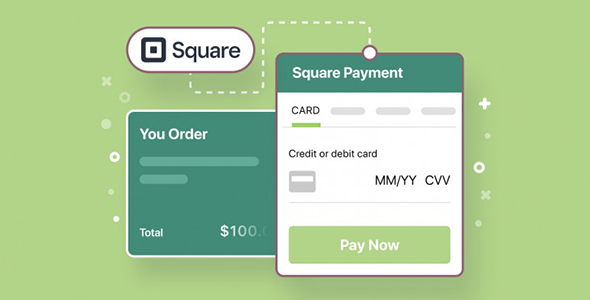
MotoPress Appointment Booking Square is a dedicated extension that connects the MotoPress Appointment Booking system to Square payments. It's designed for businesses that book appointments through their WordPress website and need to collect payments immediately, without manual processes or external links. It's ideal for healthcare facilities, beauty salons, academies, consultants, or any project that manages appointments and requires secure and streamlined payments within a single workflow.
What problem does it help solve?
The problem arises when your website allows appointment booking, but the payment process is disorganized. Clients book online, you confirm by email or phone, and then you try to collect payment through bank transfers, individual payment links, or in-person payments. This process wastes hours managing messages, reminders, schedule changes, and bookings that never get paid.
When working with WordPress, this situation is exacerbated when the booking calendar and payment system don't communicate with each other. If you've ever had slots "blocked" by unpaid bookings, you know the problem isn't just organizational; it also represents lost revenue. MotoPress Appointment Booking Square focuses precisely on this issue: it links payment with booking within the same tour, reducing the need for improvisation.
Why this solution makes a difference
The difference isn't just in being able to accept payments, but in how that payment is integrated into your daily booking workflow. With this integration, each appointment can be linked to a payment processed by Square within the workflow you already manage with MotoPress Appointment Booking. You don't need to check spreadsheets or external accounts to see who has paid, what service they've booked, and at what time.
In real-world projects, this level of integration reduces double bookings, pricing misunderstandings, and arguments about whether an appointment was confirmed. Meanwhile, the client enjoys a much smoother experience: they choose the date and time, select the service, pay with Square, and receive their confirmation—all from your own WordPress site, without confusing jumps to unfamiliar pages.
Signs you need this product
- Your site already uses MotoPress Appointment Booking and you manage appointments, but you're still charging manually or through external channels that don't connect to the calendar.
- When you start noticing that you're wasting time checking if each reservation is paid, confirmed, or pending, and you have to check several different tools to get clarity.
- You've had clients who booked appointments, took up a space in your schedule, and never made the payment, creating lost slots that you couldn't offer to other users.
- There is friction in your current process because the customer books on WordPress, but then you send them a different payment link, which breaks trust and leads to abandonment.
- Your project is growing, appointments are increasing every week, and manually tracking payments is becoming a difficult daily task to maintain.
When does it make sense to use it (and when doesn't)
Using MotoPress Appointment Booking Square makes sense when you're already using MotoPress Appointment Booking as the foundation of your booking system and want to integrate payments directly with Square. It's especially useful if your services are prepaid or require a deposit to secure the appointment, and you need the calendar to reflect only confirmed bookings.
It's also a good option if you already use Square in your brick-and-mortar business and want to maintain that same payment environment for your online presence, avoiding mixing too many different payment processors. However, this product isn't necessary if you only use your website as an informational catalog and manage all appointments and payments by phone or in person without intending to automate the process. It also doesn't make sense if you don't plan to use MotoPress Appointment Booking as your central booking system, since this extension doesn't replace that core component.
Who it fits best for
- Service businesses that already manage appointments with MotoPress Appointment Booking: beauty salons, clinics, wellness centers, personal trainers, academies or consultancies.
- Professional projects that aim to allow the user to book and pay in the same flow, without intermediate manual processes or confirmations that depend on emails or messages.
- Studios, offices, and small teams that want to have an organized schedule in WordPress with charges well associated with each specific appointment, simplifying daily administration.
- Agencies or freelancers who create websites for clients with a booking model and need a clear integration between calendar and payments with Square.
- Entrepreneurs who already invoice with Square offline and want to transfer that same payment method to their booking website without changing the way they manage their transactions.
Practical benefits
- Real operational improvement: Confirmed bookings are aligned with payments processed by Square, making it easy to review which appointments are guaranteed and which are not, without checking separate emails or statements.
- Clear user experience for the customer: The user doesn't get lost among screens; they complete the booking and payment within the same environment, which conveys professionalism and reduces the feeling of an unfinished process.
- Calendar control and organization: Schedule slots are only blocked for clients who have gone through the complete booking and payment process, minimizing wasted space due to uncommitted bookings.
- Administrative time savings: When you start to notice that you spend time each day checking who has paid and who hasn't, this integration relieves that burden by centralizing the information in your booking dashboard.
- Reduction of errors and conflicts: Since everything is registered within the same system, confusion about prices, contracted services, dates or payment statuses is minimized, avoiding claims that are difficult to manage.
How it fits within WordPress
Within WordPress, MotoPress Appointment Booking Square acts as a bridge between the MotoPress Appointment Booking module and Square's payment environment. Your site remains the central point where the customer interacts: choosing the service, checking the available schedule, confirming the appointment, and making the payment, all from the same domain and with the same interface.
In this context, the administrator always works from the WordPress dashboard to review bookings, verify payments, and manage changes, without having to manually reconcile data from different platforms. This makes the workflow more streamlined: the site's informational content, bookings, and payments remain connected, reinforcing the consistency of the entire digital project.
Typical use cases
- A physiotherapy studio that uses MotoPress Appointment Booking to manage the schedules of several professionals and needs each patient to pay for their session by card through Square when booking on the website.
- A language academy that offers individual classes and packages of hours, where online bookings are confirmed only when the student completes payment in the same booking flow.
- A beauty salon that receives many appointment requests but suffers last-minute cancellations; by integrating payments with Square, it only blocks the schedule for clients who have paid for the reservation.
- An independent consultant who works on a session basis and wants to avoid endless email exchanges: the client books a day and time on their WordPress site and pays instantly with Square.
- A wellness center with various services (massages, therapies, workshops) that centralizes everything in a single booking and payment system to maintain time and financial control from the same panel.
Frequently Asked Questions about MotoPress Appointment Booking Square
How does MotoPress Appointment Booking Square differ from the main booking system?
Square's MotoPress Appointment Booking doesn't replace MotoPress Appointment Booking, but rather complements it. The core system handles appointment management: schedules, services, calendars, and availability. This integration focuses on the payment process, connecting the booking flow with payments processed through Square. This allows you to keep the calendar within the WordPress core while linking each appointment to a payment made through your Square account.
What specific problem does it solve regarding unpaid reservations?
When there's no direct link between booking and payment, it's common to accumulate appointments that never get paid for. With MotoPress Appointment Booking Square, the customer completes the booking and payment in the same process, right on your website. This significantly reduces "ghost" bookings, blocked slots without commitment, and follow-up conversations to chase payments. The result is a more reliable calendar, with slots filled by truly confirmed appointments.
Is it useful if I already accept payments with other methods on my website?
If you already accept other payment methods, MotoPress Appointment Booking Square makes sense when you want to integrate Square into the specific booking workflow managed by MotoPress Appointment Booking. It's especially useful if your brick-and-mortar business already uses Square and you want to unify your online and offline payment management. In that case, you maintain consistency across your operations, and your financial reports become easier to interpret and monitor.
What happens in my day-to-day life when I integrate Square payments into bookings?
In your daily routine, the main change is that you no longer have to manually check who paid for each appointment through messages or individual statements. Your MotoPress Appointment Booking calendar reflects bookings and their associated payments through Square, with an automated workflow. This translates to less time spent on administrative tasks, fewer tracking errors, and a clearer view of which appointments are confirmed and which are still pending confirmation.
Does it make sense to use it if I only manage a few appointments per month?
If you manage very few bookings and prefer to continue collecting payments in person or directly without automating anything, you might not need MotoPress Appointment Booking Square right now. This product offers more value when the volume of appointments starts to demand control and organization, or when you want to offer a complete online experience: booking with time selection and immediate payment. If you anticipate increased demand, integrating it early helps you scale without organizational chaos.
Conclusion
MotoPress Appointment Booking Square addresses a very specific need: combining MotoPress Appointment Booking reservations with Square-managed payments in a single workflow within WordPress. If you've ever experienced your calendar filling up with appointments without clear payment information or spending countless hours checking for payments, this integration helps transform that chaos into a more predictable system. It's a direct way to align your online calendar with the daily financial realities of your service business.
Your individual purchase includes:
- Lifetime updates.*
- Product ready to use.
- Immediate access to the product.
- Clean and virus-free files.
- GNU GPL V2/V3 License
- Technical support in Spanish and English.
* In the case of memberships, the period during which you will receive updates will depend on the type of membership purchased: monthly, annual, or lifetime.
Get your questions answered here
Here you'll find answers to frequently asked questions about our service: how it works, what it includes, and how to get the most out of it.
On how many websites can I use the products?
You can use any product from our store on any website you want.
Will I get updates?
Absolutely. If you buy an individual product, you'll get lifetime updates for that product.
On the other hand, if you purchase a membership, you will receive updates until your membership expires.
What if I have a problem?
First of all, we want you to know that you can count on us. We will assist you and provide the necessary support, so you can rest assured.
On the other hand, it is important for you to know that, given the time difference between countries, your time and ours may not be the same, so we will be delayed accordingly.
Our opening hours start at 9 AM from Monday to Friday, UTC -3. We are open until around 6 PM.
Do they provide technical support?
Yes, and regarding the time, it is usually on average within 24 to 48 business hours.
However, there are times when we have already provided an answer and solution in less than a day, depending on the case.
Are there download limits?
No. We don't believe in that format, so you can download as many times as you want. No problem. We pay for high-quality professional storage precisely to avoid problems.
Do they provide license keys?
No. Giving out the keys is not a viable option, as we have had experiences where they end up circulating everywhere and we can even lose the associated accounts.
That said, all products are original and, in cases where a license key is required to function, we will take care of pre-activating them for you.
Does my purchase include an invoice?
Yes. After payment, you will be able to access your invoice immediately in the "Purchases" section of your user account.
That is why it is important that you properly complete the information requested at the time of payment.
Is there a warranty?
Yes, of course. If there's a problem we can't resolve, or if there's an external issue that doesn't have a general solution, you'll receive support and, if necessary, a full refund. We have a 14-day refund policy from the date of purchase.
- It should be noted that there is no warranty if the product works well and it simply wasn't what you wanted.
There have been instances where someone buys a product, the product works perfectly, but they don't like it and want a refund, keeping the product. That's not right.
However, everything is evaluable and reasonable. Let's use judgment together.
What are the opening hours?
Our opening hours are:
- Monday to Friday, from 9 a.m. to 6 p.m.
- Saturday and Sunday: No service.
UTC -3 time

Reviewed by the WPClub team
At WPClub, we carefully review each product before listing it. Our team evaluates its key features, compatibility, and performance to provide you with reliable, up-to-date, and helpful information when choosing and using each resource available in our store.
Download previous versions
If you have purchased this product, or have an active membership, you can download previous versions as we release them, without any limits or restrictions.
| Nombre del producto | Versión | Tamaño | Fecha | Descargar |
|---|---|---|---|---|
| No hay versiones anteriores registradas. | ||||

Our Reputation on Trustpilot
Many thanks to those who take the time to give us a rating on Trustpilot. Each and every one of your comments is very helpful to us. We strive to provide a rewarding experience for every member of our community, always with respect and care. We'll be here!






















WPClub Memberships
Access our entire catalog for a single payment. We offer three memberships: Monthly, Annual, and Lifetime (One-Time Payment).
- Save thousands of dollars
- Unlimited daily downloads
- No recurring payments
- Fast downloads by AWS
- Quality service and support, validated since 2018
- We work with love for our community