

- Secure payment
- Spanish and English support
- With you since 2018
MotoPress Appointment Booking Video Conferencing 1.1.2
$199.00 El precio original era: $199.00.$6.99El precio actual es: $6.99.
Quick summary
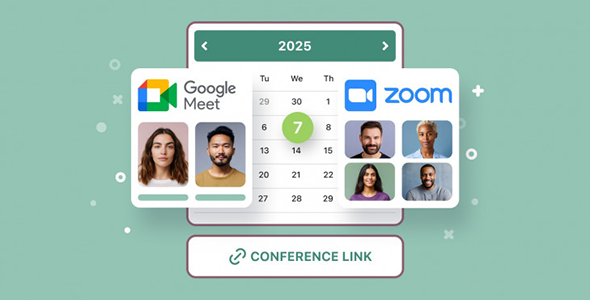
MotoPress Appointment Booking Video Conferencing is an extension designed to connect your WordPress appointment booking system with video conferencing. It's intended for businesses that offer online services (consultations, classes, mentoring) and need each booking to generate a clear and organized remote session. If you already manage appointments with MotoPress Appointment Booking and want the experience to culminate in a video meeting without any manual steps, this extension addresses precisely that critical need.
What problem does it help solve?
When managing online services through WordPress, the weak point emerges after the booking: you have to create the video call link, send it to the client, check schedules, and avoid duplicates. If you've ever had a client book, and you forget to create the room or send the link late, the service suffers, and so does your professional image. In real-world projects, this mismatch translates into crossed emails, scheduling confusion, and sometimes, missed appointments.
MotoPress Appointment Booking Video Conferencing focuses precisely on that gap between "booking confirmed" and "meeting actually taking place." Instead of requiring manual action for each appointment, it integrates with your existing booking workflow to automatically link a video call. This way, you avoid relying on personal reminders, spreadsheets, or links saved in a separate document, which are common sources of errors when appointment volume starts to increase.
Why this solution makes a difference
When using WordPress to sell services by appointment, the time you spend on administrative tasks adds up every week. This extension transforms online booking into a streamlined process that culminates in a dedicated video meeting, eliminating scattered steps in between. In practice, this reduces the risk of sending incorrect links, mixing clients from different time zones, or forgetting to prepare the virtual session. Each booking becomes a remote appointment with a defined channel.
On the other hand, the customer experience improves because key information is all in one place: your website and the automated messages associated with the booking. When you start noticing users asking, “Where’s the meeting link?” or “Why didn’t I receive the connection details?”, it’s a sign that the current system is falling short. With this video conferencing-focused integration, the communication flow becomes more predictable and easier to follow for both your team and your customers.
Signs you need this product
- You already use MotoPress Appointment Booking to manage appointments and perform most of your services via video call.
- You have to manually create and send meeting links for each booking, and this takes up your time every day.
- You've had appointments where the client didn't connect because they couldn't find the link or received it too late.
- When your schedule fills up, errors in scheduling, duplicate URLs, or confusion between in-person and online sessions increase.
- Your business is transitioning from a face-to-face model to a remote one, and you need WordPress to also manage the video call aspect associated with bookings.
When does it make sense to use it (and when doesn't)
This add-on makes sense when your service is primarily delivered online and video calls are central to your offering: consultations, psychology, coaching, private lessons, specialized support, or remote demonstrations. In this context, every booking without a scheduled meeting creates uncertainty and extra work. If you've ever booked 10 sessions in a single day and ended up spending another hour just organizing links and schedules, you're in the perfect situation to take advantage of this integration.
However, this extension isn't necessary if you only use MotoPress Appointment Booking for in-person bookings or physical resource reservations (rooms, equipment, facilities) where remote meetings aren't involved. It also doesn't add real value if you manage all your video calls from a single, static room that you always share with the same link, without worrying about separating sessions or automating details. In those cases, the basic appointment system is already sufficient, and you don't need to add a separate video conferencing layer.
Who it fits best for
- Professionals who offer one-on-one or group services remotely, such as therapists, consultants, teachers, personal trainers, or mentors.
- Teams that already manage their schedules with MotoPress Appointment Booking and want to centralize online sessions without relying on additional manual tasks.
- Training projects or academies that organize online classes booked through WordPress and need each student to receive clear access to their session.
- Agencies that develop websites for remote service businesses and seek to offer a booking system that ends directly in an organized virtual meeting.
Practical benefits
- Real operational improvement: Each appointment on your calendar already includes a video meeting, minimizing subsequent manual management and helping to maintain a clear session structure.
- User experience: The customer sees a coherent flow: booking, confirmation and connection details in an environment consistent with your site, without confusing steps or loose messages out of context.
- Control and organization: Online meetings align with existing bookings, making it easy to review which sessions are remote, which clients have video calls scheduled, and how your schedule is distributed.
- Time saving: Instead of repeating the process of creating links, copying them, and sending them, you delegate that phase to integration, freeing up weekly hours that you can dedicate to your own services.
- Error reduction: By linking bookings with online sessions in a structured way, cases of unlinked appointments, overlapping meetings, or clients connected to the wrong room decrease.
How it fits within WordPress
Within your WordPress site, MotoPress Appointment Booking Video Conferencing acts as a bridge between your booking system and your video conferencing environment. It doesn't replace your appointment manager, but rather leverages it to add the specific layer missing when the service is provided remotely. This streamlines your workflow from "book on calendar" to "book + online meeting ready," without you having to leave the WordPress ecosystem to complete the process.
In daily operations, this translates to fewer open tabs, less switching between applications, and a clearer view of the service: WordPress centralizes essential information, MotoPress Appointment Booking organizes schedules, and the video conferencing extension ensures that each appointment has its well-defined online context. The result is a remote service management system that feels integrated rather than fragmented across multiple disconnected tools.
Typical use cases
- Business or marketing consultancies that offer individual sessions booked through the web and require each client to receive the video call access details linked to the exact appointment.
- Training studios that teach classes in small groups, manage schedules with MotoPress Appointment Booking and need online meetings to be organized according to each booking slot.
- Legal, financial or health advisory services where punctuality and clarity of the online announcement are critical and any failure in the link or time causes a loss of trust.
Frequently Asked Questions about MotoPress Appointment Booking Video Conferencing
How does MotoPress Appointment Booking Video Conferencing differ from the main booking system?
MotoPress Appointment Booking organizes appointments, schedules, services, and availability within WordPress. The Video Conferencing extension then comes into play, connecting those bookings with video call meetings. It doesn't replace the base product or replicate its calendar functions; its purpose is to complete the user journey to the online session. Thus, the appointment manager remains the core, and this integration adds the specific video conferencing component associated with each booking that requires remote assistance.
What happens if I offer both in-person and online services at the same time?
If you combine in-person and remote services, MotoPress Appointment Booking Video Conferencing helps you clearly separate the two formats. Bookings that involve online support can include their associated meeting, while in-person appointments will maintain their usual structure without video conferencing. This allows you to clearly indicate in your calendar which appointments are remote, which require travel, and how your time is allocated between both types of service, avoiding mixing communication channels or giving contradictory instructions to your clients.
How does using this extension improve customer communication?
By directly linking the booking to the video conference, the client receives the connection information as a natural part of the appointment process. They don't need to contact you later to request a link or sift through email threads to find the details. Furthermore, booking-related messages maintain consistency with your website and the user's existing workflow. The result is clearer communication, fewer pre-session questions, and a reduced risk of no-shows due to misunderstandings.
Does it make sense to use it if I have few reservations per month?
If you manage only a few online appointments per month and find it convenient to manually create and send each meeting link, this extension might not be a priority. It starts to make real sense when your booking volume increases or when you work with various types of remote services and need a clear system. When you begin to notice that organizing video calls takes time away from customer service, that's when integrating video conferencing into your booking workflow stops being a luxury and becomes practical.
Why is MotoPress Appointment Booking Video Conferencing distributed as a standalone product?
MotoPress Appointment Booking provides a comprehensive appointment management solution applicable to in-person businesses, resource bookings, and hybrid services. The videoconferencing layer, however, addresses a very specific need: connecting these bookings with structured online meetings. Separating it as a standalone product allows only those who truly work remotely to add this specific functionality, without burdening the core system with processes that some projects will never use. In this way, each site incorporates only the components it needs according to its service model.
Conclusion
MotoPress Appointment Booking Video Conferencing is designed to bridge the gap between booking in WordPress and effective online meetings, eliminating manual steps, scattered links, and coordination errors. If your business relies on remote sessions and you already manage your appointments with MotoPress Appointment Booking, integrating the video call layer directly into the booking flow makes a clear difference in terms of organization, speed, and clarity for your clients.
Your individual purchase includes:
- Lifetime updates.*
- Product ready to use.
- Immediate access to the product.
- Clean and virus-free files.
- GNU GPL V2/V3 License
- Technical support in Spanish and English.
* In the case of memberships, the period during which you will receive updates will depend on the type of membership purchased: monthly, annual, or lifetime.
Get your questions answered here
Here you'll find answers to frequently asked questions about our service: how it works, what it includes, and how to get the most out of it.
On how many websites can I use the products?
You can use any product from our store on any website you want.
Will I get updates?
Absolutely. If you buy an individual product, you'll get lifetime updates for that product.
On the other hand, if you purchase a membership, you will receive updates until your membership expires.
What if I have a problem?
First of all, we want you to know that you can count on us. We will assist you and provide the necessary support, so you can rest assured.
On the other hand, it is important for you to know that, given the time difference between countries, your time and ours may not be the same, so we will be delayed accordingly.
Our opening hours start at 9 AM from Monday to Friday, UTC -3. We are open until around 6 PM.
Do they provide technical support?
Yes, and regarding the time, it is usually on average within 24 to 48 business hours.
However, there are times when we have already provided an answer and solution in less than a day, depending on the case.
Are there download limits?
No. We don't believe in that format, so you can download as many times as you want. No problem. We pay for high-quality professional storage precisely to avoid problems.
Do they provide license keys?
No. Giving out the keys is not a viable option, as we have had experiences where they end up circulating everywhere and we can even lose the associated accounts.
That said, all products are original and, in cases where a license key is required to function, we will take care of pre-activating them for you.
Does my purchase include an invoice?
Yes. After payment, you will be able to access your invoice immediately in the "Purchases" section of your user account.
That is why it is important that you properly complete the information requested at the time of payment.
Is there a warranty?
Yes, of course. If there's a problem we can't resolve, or if there's an external issue that doesn't have a general solution, you'll receive support and, if necessary, a full refund. We have a 14-day refund policy from the date of purchase.
- It should be noted that there is no warranty if the product works well and it simply wasn't what you wanted.
There have been instances where someone buys a product, the product works perfectly, but they don't like it and want a refund, keeping the product. That's not right.
However, everything is evaluable and reasonable. Let's use judgment together.
What are the opening hours?
Our opening hours are:
- Monday to Friday, from 9 a.m. to 6 p.m.
- Saturday and Sunday: No service.
UTC -3 time

Reviewed by the WPClub team
At WPClub, we carefully review each product before listing it. Our team evaluates its key features, compatibility, and performance to provide you with reliable, up-to-date, and helpful information when choosing and using each resource available in our store.
Download previous versions
If you have purchased this product, or have an active membership, you can download previous versions as we release them, without any limits or restrictions.
| Nombre del producto | Versión | Tamaño | Fecha | Descargar |
|---|---|---|---|---|
| No hay versiones anteriores registradas. | ||||

Our Reputation on Trustpilot
Many thanks to those who take the time to give us a rating on Trustpilot. Each and every one of your comments is very helpful to us. We strive to provide a rewarding experience for every member of our community, always with respect and care. We'll be here!






















WPClub Memberships
Access our entire catalog for a single payment. We offer three memberships: Monthly, Annual, and Lifetime (One-Time Payment).
- Save thousands of dollars
- Unlimited daily downloads
- No recurring payments
- Fast downloads by AWS
- Quality service and support, validated since 2018
- We work with love for our community