

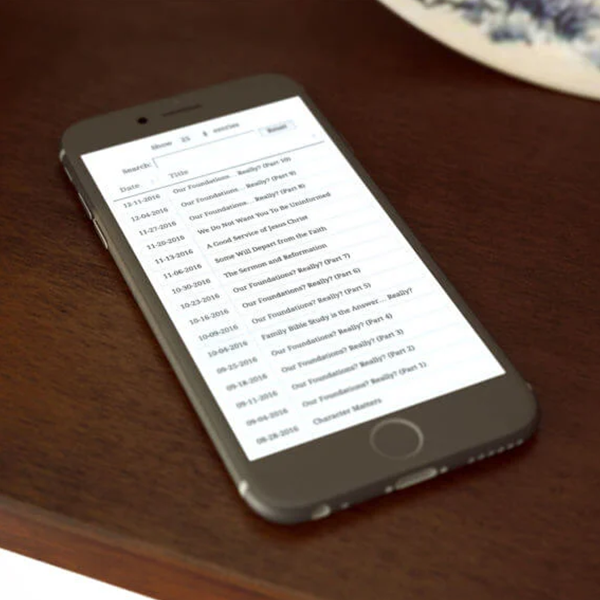
When we want visitors to be able to browse past campaigns without getting lost, we activate the Newsletter Archive Addon. This plugin enables a special shortcode to display, within a WordPress page, an archive of sent newsletters styled to match your site's style. In our experience, it was enough to create a "Newsletter Archive" page, paste the shortcode, and publish: in minutes, we had a navigable history that increased time spent on the site and provided context for new readers.
The Newsletter Archive Addon transforms an internal repository into a public catalog, ideal for SEO, customer service, and A/B testing of subject lines and formats. If you're looking to centralize your mailings, improve discoverability, and build trust through editorial transparency, the Newsletter Archive Addon is the quick and easy solution.

What does the Newsletter Archive Addon solve and why use it?
The Newsletter Archive Addon addresses a common problem: newsletters get "locked up" in the inbox and are lost to later readers. With your archive of sent newsletters visible on your website, every well-crafted email continues to generate value. In evergreen campaigns (tutorials, collections, summaries), this significantly increases ROI. Furthermore, by organizing posts by date and topic, users can compare titles, discover series, and share direct links.
In our experience, this approach reduces support tickets (“Where is that email from…?”) and boosts content marketing: we can interlink posts with relevant newsletters. The Newsletter Archive Addon also helps us standardize the presentation (headlines, dates, and short descriptions) and maintain a consistent brand aesthetic, without any gimmicks or strange iframes: you see it on your own domain, with your own fonts, in a responsive version. The result: more sessions per user, more page views, and better behavioral signals for SEO.
Ready-to-use shortcode (no complications)
Depending on the version, the plugin exposes a file shortcode (for example, [newsletter_archive]This can be placed on any page, post, or template. In our experience, we literally pasted the special shortcode and got a clean list of sent newsletters, sorted by date; each title links to its public view.
If you work with visual builders, the "shortcode" block gets the job done in seconds. Want to add an introductory paragraph, a banner, or links to categories? Just place it above or below the shortcode, and you're done. Have a hierarchy already designed? The archive inherits global styles (fonts, colors, spacing), so the Newsletter Archive Addon won't break your design. On mobile, the list stacks with good readability and generous tap areas. Best of all is the operational simplicity: the content team doesn't need to open the newsletter editor to create the archive; each new email appears automatically.

Key attributes for a useful file (limits, filters, and metadata)
An archive is useful if it helps you find what you're looking for. Newsletter Archive Addons typically include parameters to refine the list (the exact name may vary by version, but the pattern is familiar): limiting the maximum number of newsletters displayed (e.g., the last 10 or 20), filtering by list/audience or by delivery type (manual, automated), showing/hiding the date, adding a separator between the subject and date, and even a title for the block. In our practice, we use an initial limit to keep the page lightweight and add a "See More" link that points to a version with no limit.
If you manage multiple segments (e.g., "Customers" and "Leads"), a filter by list prevents confusion. We also recommend adding a short microcopy above the archive explaining its scope ("Find all our sent newsletters here — it's automatically updated after each campaign"). This transforms the Newsletter Archive Addon from a "raw list" into a user-friendly, navigable index.
Best practices for display: embedded vs. open in dedicated page
In most cases, embedding the archive of sent newsletters works perfectly. However, if your theme or builder applies very aggressive styles to the content, it might be better to open each newsletter in its own dedicated page (same aesthetic, less risk of conflicts). In our experience, when a theme blocked part of the embedded layout, we opted to open each newsletter in its own page; the result was stable and consistent with the brand. We recommend trying both methods.
Embedded: ideal when the newsletter single respects your global CSS.
Dedicated page: preferable if you want separate metrics per campaign, breadcrumbs and "related articles" modules.
Whatever the approach, Newsletter Archive Addon keeps URLs clean and predictable, simplifying internal interlinking and analytics.
File with context: introductory text and hierarchy (titles + date)
The archive benefits greatly from editorial context. We typically add a paragraph at the top explaining what the reader will find (“News, offers, and guides. We publish 1–2 times per week.”) and, if applicable, a small table of contents with links to “Special Editions,” “Monthly Summaries,” or “Thematic Series.” For hierarchy, what works best for us is: the newsletter title as a link and the date to the right or below in a lighter text color.
In this way, the Newsletter Archive Addon delivers a clear, easy-to-scan list. On mobile, we optimize vertical spacing and add tags (“Guide,” “Launch,” “Case Study”) at the beginning of the subject line to segment without adding technical complexity. The goal: for the visitor to understand at a glance and want to explore further.

Use cases: by list, by type “Automated” and by campaigns
For marketing teams, using the Newsletter Archive Addon per list is key: you can offer only "Editorial" newsletters to the general public and keep transactional ones private. If you also work with automated workflows (welcome, onboarding, recovery), creating a specific archive for "Automated" helps to publicly document your series (or review them internally).
During seasonal campaigns (Black Friday, Hot Sale), we set up a temporary page with the Newsletter Archive Addon that consolidates all promotional emails. This ensures consistency across your ads and allows users to review missed opportunities. Since every business is different, the addon adapts: you can have a global archive and, at the same time, sub-archives by industry, language, or buyer persona. In our experience, this modularity reduces manual work and improves consistency across campaigns.
Quick Implementation Checklist for The Newsletter Plugin
Create the “Newsletter Archive” page within WordPress.
Add the special shortcode from the Newsletter Archive Addon to the content.
Define the parameters you need (limit, filters, date, separator, title).
Write an introductory paragraph explaining frequency and value.
Adjust styles: fonts, spacing, link states, and colors.
Testea mobile: fast scanning, touch sizes and date readability.
Decide the opening mode: embedded or dedicated page per submission.
Add interlinking: from the blog, the "Resources" page and the footer.
Integrate into sitemap and validate indexability if you are looking for SEO traffic.
It measures: clicks per submission, time on page, and subscriptions generated.
Conclusion
The Newsletter Archive Addon transforms your email history into a visible and valuable asset. With just a special shortcode, you can publish your archive of sent newsletters, extend the life of your best campaigns, and open an additional discovery channel for new readers. We chose it because it's quick to implement, respects the site's design, and reduces the team's operational workload. If you're looking for greater reach, a better user experience, and improved editorial organization, the Newsletter Archive Addon is the missing piece in your stack.

Reviewed by the WPClub team
At WPClub, we carefully review each product before listing it. Our team evaluates its key features, compatibility, and performance to provide you with reliable, up-to-date, and helpful information when choosing and using each resource available in our store.






















