




- Secure payment
- Spanish and English support
- With you since 2018
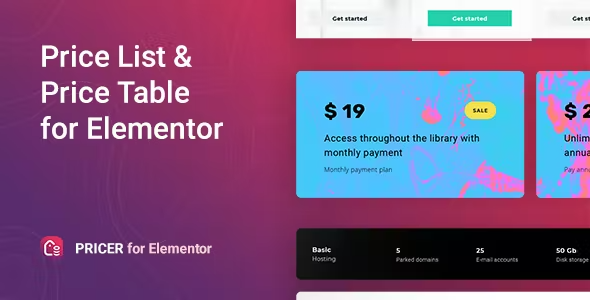
Pricer Price List for Elementor 1.0.8
$15.00 El precio original era: $15.00.$5.99El precio actual es: $5.99.
Quick summary
Pricer Price List for Elementor is designed for those who sell products or services and need to display clear, comparable, and visually consistent prices on pages built with Elementor. It allows you to create structured price lists that are easy to scan and aligned with your site's design, without resorting to chaotic tables or makeshift layouts. It's especially useful for businesses that work with multiple plans, packages, or menus and want users to quickly understand what to choose.
What problem does it help solve?
In WordPress, one of the trickiest aspects of selling is how to present prices. Many sites end up with rigid tables, poorly aligned columns, or blocks of text that jumble together amounts, benefits, and terms without any order. When this happens, visitors get confused, lose track of the options, and either leave the page or use the contact form to ask questions that the website should have made clear from the start.
This happens when you try to design price lists using Elementor's basic widgets, duplicating columns and manually adjusting margins. Every price change becomes a tweaking session: rearranging icons, adjusting fonts, correcting line breaks, and checking that the prices look the same on desktop, tablet, and mobile. If you've ever had to edit every single price box because you changed a detail in your offer, you know this time-wasting experience all too well.
In real-world projects, this disorganization leads to something worse than an aesthetic problem: a lack of clarity in the value proposition. Users don't understand what each option includes, what differentiates one plan from another, or which one best suits their needs. In businesses with menus (restaurants, spas, gyms) or multiple packages (agencies, freelancers, academies), this confusion directly impacts bookings, conversions, and average order value.
Why this solution makes a difference
Pricer Price List for Elementor adds a dedicated pricing layout layer to the Elementor visual environment, designed exclusively for displaying price lists clearly and concisely. Instead of adapting generic widgets for something as sensitive as pricing communication, you get a focus on how the financial information is read and compared on screen.
In day-to-day operations, this translates to less time spent formatting and more time fine-tuning your pricing strategy. You can focus on what to offer and at what price, without struggling with unbalanced columns or elements that shift when you change the text. When you start noticing that any change to a price triggers a visual impact across the entire pricing section, it's time to use a dedicated solution like this.
On the other hand, when working with WordPress and Elementor, visual consistency is key. Pricer Price List for Elementor helps maintain a consistent style across different pages and sections where you display prices: services pages, product landing pages, menu sections, or even lists of extras and add-ons. This consistency makes it easier for users to quickly identify the pricing section, read the essential information, and make a decision more easily.
Signs you need this product
- You've already had to redo your pricing section several times because the design breaks every time you change a plan or service.
- Notes on friction when working with Elementor to display rates: generic widgets that don't quite fit, makeshift columns, lots of fine-tuning in each block.
- You're wasting time manually updating price lists on different pages and you don't have a stable format that you can easily replicate.
- Your project has grown and you've gone from having 2-3 services to a wider catalog, which makes homemade tables no longer clear or manageable.
When does it make sense to use it (and when doesn't)
Pricer Price List for Elementor is valuable when your website relies on displaying prices in a structured and comparative way. For example, if you manage a restaurant menu, a list of professional services, subscription packages, or treatment listings, you need a clean presentation where each item has its name, description, and price clearly visible, maintaining the same style throughout the page.
It also makes perfect sense when several pages on your site repeat financial information and you want them all to look consistent, both for the user and the team managing them. In that context, working with a system designed for price lists prevents each contributor from inventing their own layout.
However, this product isn't necessary if your website only displays one or two specific prices, for example, a single consulting fee on a static page or the cost of a ticket on a very simple landing page. If you don't need to compare plans, group many services, or maintain extensive price catalogs, you can manage with Elementor's basic widgets without adding a separate pricing layer.
Who it fits best for
- Professionals who sell packaged services (agencies, consultants, designers, developers) and need to present plans with different levels of features.
- Businesses with extensive menus or price lists, such as restaurants, cafes, beauty salons, spas, or sports centers, where the clarity of the list influences the average ticket price.
- Marketing teams and ecommerce managers who work with Elementor and need to quickly create or modify pricing sections in campaigns, temporary landing pages, or featured product pages.
Practical benefits
- Transform price updates into a controlled task, without having to manually check each column and avoiding visual mismatches when enlarging or cropping text.
- It improves the user's reading experience, making it easier to identify what each option includes, compare prices, and quickly find the alternative that fits their needs.
- It brings greater order to the way economic information is presented, which strengthens the perception of professionalism and reduces doubts at the time of the choice.
- It reduces minutes of repetitive editing for each rate change, which, accumulated over the monthly management of a catalog, represents a significant time saving.
- It reduces errors resulting from haphazard copying and pasting, misplaced line breaks, or misaligned prices that can confuse or even lead to misunderstandings with customers.
How it fits within WordPress
Within the WordPress ecosystem, Pricer Price List for Elementor integrates directly into the Elementor page creation workflow. Instead of designing the pricing section with generic blocks, it's incorporated as a dedicated component for that part of the content. As you work on the page, you define sections, headings, and calls to action, and when you reach the pricing section, you use this specific approach to structure each price line.
On WooCommerce sites, its role is complementary: the store manages the catalog and the checkout process, while the presentation of packages, menus, or service combinations is handled on pages built with Elementor, where Pricer Price List for Elementor helps make pricing information easy to understand before the user reaches the shopping cart. Thus, each view fulfills a clear function within the purchase journey.
Typical use cases
- A restaurant that wants to display its full menu on the web, organized by categories (starters, main courses, desserts) with aligned prices, brief descriptions and a visual style consistent with the restaurant's branding.
- A digital agency that offers three monthly service plans (basic, standard, and advanced) needs to present what each one includes, their respective prices, and a visual hierarchy that guides users to their preferred option.
- A beauty center that groups treatments by type (facials, body treatments, vouchers) and wants visitors to compare prices and durations effortlessly, improving the likelihood of booking higher-margin services.
Frequently Asked Questions about Pricer Price List for Elementor
How does Pricer Price List for Elementor differ from using standard columns and text in Elementor?
The main difference lies in the logic behind structuring the financial information. With standard columns and text, you have to manually format each element, adjust margins, and ensure all prices are aligned, which becomes problematic as soon as you change text or add new lines. Pricer Price List for Elementor is designed to organize titles, descriptions, and amounts as a coherent whole, allowing you to maintain a consistent format without having to redo the layout each time.
Is it useful if I have many service categories with different prices?
Yes, especially in scenarios where you manage multiple service families or menus. When you start to notice your pricing page has become an endless block of text, this product helps you segment the information into groups and present each set of items with a repeatable structure. This way, users quickly understand which category each item belongs to and view the prices without having to search through cluttered lines.
Can I use it to display prices on different pages of the same site while maintaining the same style?
Pricer Price List for Elementor is designed to allow you to replicate the same visual approach across different contexts. For example, you can have a pricing section on the homepage, a more detailed one on the services page, and another adapted to a specific landing page, all with a consistent look and feel. This reduces the risk of each new page having its own "version" of the price list and maintains a unified brand perception throughout the user journey.
What happens if my price list changes frequently?
In projects where pricing is frequently updated, one common problem is the amount of time spent on visual adjustments. With Pricer Price List for Elementor, the critical part focuses on editing text and amounts, without having to redesign the entire environment each time. If you've ever had to reorganize an entire section just to change a few price lines, having a dedicated structure for price lists significantly reduces that recurring effort.
Is it still useful if I combine WooCommerce products with external services?
On websites that combine services available outside the store with products managed through WooCommerce, a visual consistency issue often arises with pricing. On one hand, users see prices within product pages; on the other, they find informal lists of additional services. Pricer Price List for Elementor helps present these external services with a clean and consistent look, aligned with the rest of the site, making it easier for visitors to understand what is purchased through the store and what is contracted separately.
Conclusion
Pricer Price List for Elementor is designed for those who need to display clear, comparable, and consistent prices within Elementor-built pages, avoiding the hassle of creating cluttered, generic column structures. If your project relies on users quickly understanding what each plan, menu, or service offers and how much it costs, having a dedicated pricing list tool gives you control, reduces errors, and makes price changes much easier to manage.
Your individual purchase includes:
- Lifetime updates.*
- Product ready to use.
- Immediate access to the product.
- Clean and virus-free files.
- GNU GPL V2/V3 License
- Technical support in Spanish and English.
* In the case of memberships, the period during which you will receive updates will depend on the type of membership purchased: monthly, annual, or lifetime.
Get your questions answered here
Here you'll find answers to frequently asked questions about our service: how it works, what it includes, and how to get the most out of it.
On how many websites can I use the products?
You can use any product from our store on any website you want.
Will I get updates?
Absolutely. If you buy an individual product, you'll get lifetime updates for that product.
On the other hand, if you purchase a membership, you will receive updates until your membership expires.
What if I have a problem?
First of all, we want you to know that you can count on us. We will assist you and provide the necessary support, so you can rest assured.
On the other hand, it is important for you to know that, given the time difference between countries, your time and ours may not be the same, so we will be delayed accordingly.
Our opening hours start at 9 AM from Monday to Friday, UTC -3. We are open until around 6 PM.
Do they provide technical support?
Yes, and regarding the time, it is usually on average within 24 to 48 business hours.
However, there are times when we have already provided an answer and solution in less than a day, depending on the case.
Are there download limits?
No. We don't believe in that format, so you can download as many times as you want. No problem. We pay for high-quality professional storage precisely to avoid problems.
Do they provide license keys?
No. Giving out the keys is not a viable option, as we have had experiences where they end up circulating everywhere and we can even lose the associated accounts.
That said, all products are original and, in cases where a license key is required to function, we will take care of pre-activating them for you.
Does my purchase include an invoice?
Yes. After payment, you will be able to access your invoice immediately in the "Purchases" section of your user account.
That is why it is important that you properly complete the information requested at the time of payment.
Is there a warranty?
Yes, of course. If there's a problem we can't resolve, or if there's an external issue that doesn't have a general solution, you'll receive support and, if necessary, a full refund. We have a 14-day refund policy from the date of purchase.
- It should be noted that there is no warranty if the product works well and it simply wasn't what you wanted.
There have been instances where someone buys a product, the product works perfectly, but they don't like it and want a refund, keeping the product. That's not right.
However, everything is evaluable and reasonable. Let's use judgment together.
What are the opening hours?
Our opening hours are:
- Monday to Friday, from 9 a.m. to 6 p.m.
- Saturday and Sunday: No service.
UTC -3 time

Reviewed by the WPClub team
At WPClub, we carefully review each product before listing it. Our team evaluates its key features, compatibility, and performance to provide you with reliable, up-to-date, and helpful information when choosing and using each resource available in our store.
Download previous versions
If you have purchased this product, or have an active membership, you can download previous versions as we release them, without any limits or restrictions.
| Nombre del producto | Versión | Tamaño | Fecha | Descargar |
|---|---|---|---|---|
| No hay versiones anteriores registradas. | ||||

Our Reputation on Trustpilot
Many thanks to those who take the time to give us a rating on Trustpilot. Each and every one of your comments is very helpful to us. We strive to provide a rewarding experience for every member of our community, always with respect and care. We'll be here!






















WPClub Memberships
Access our entire catalog for a single payment. We offer three memberships: Monthly, Annual, and Lifetime (One-Time Payment).
- Save thousands of dollars
- Unlimited daily downloads
- No recurring payments
- Fast downloads by AWS
- Quality service and support, validated since 2018
- We work with love for our community