
reCAPTCHA Plugin for WooCommerce 1.2.2


- Secure Payment
- Support from Monday to Friday
- With you since 2018
$20.00 El precio original era: $20.00.$5.99El precio actual es: $5.99.
Quick summary
The reCAPTCHA plugin for WooCommerce is a security tool for WordPress stores. Its main function is to add anti-spam and human verification checks at key points in the checkout process. This helps reduce fake registrations, automated attempts, and abused forms, keeping your store cleaner and more trustworthy.
Overview
This type of plugin integrates with WooCommerce to add Google's reCAPTCHA verification system to common online store forms, such as registration, login, checkout, and password recovery. Its general purpose is to filter automated access and reduce malicious activity generated by bots.
In WordPress projects, it's used to improve basic security without complicating the user experience. It's a widespread solution in e-commerce, landing pages, and membership sites because it provides an additional layer of protection against spam, brute-force attacks, and mass form submissions without requiring advanced configurations.
What is the purpose of the reCAPTCHA Plugin for WooCommerce?
The reCAPTCHA plugin for WooCommerce protects critical forms in an online store from automated bots. It helps prevent external scripts from creating fake accounts, overloading the checkout process, or attempting to gain mass access to customer dashboards. This reduces the risk of abuse and helps maintain a cleaner database.
It's especially useful in e-commerce stores with publicly accessible forms, membership sites with free registration, corporate projects with contact forms, and lead generation pages where spam can skew metrics. It also applies to digital projects that receive significant traffic from paid campaigns or social media, where fake interactions can increase.
Who is it ideal for?
- Online stores that receive a considerable volume of registrations, logins, and orders daily, and that need a simple barrier to stop automated attempts and spam accounts without complicating team management.
- Membership projects or online academies based on WooCommerce that allow access to courses, downloads or restricted content, where the security of registration and access forms is essential to protect the community.
- Businesses focused on digital marketing, lead generation, or high-traffic campaigns that require reliable and clean forms, with fewer fake submissions that distort statistics, segmentation, or conversion funnels.
Key benefits
- It improves day-to-day efficiency by significantly reducing the volume of registrations and orders generated by bots, which translates into less time spent reviewing suspicious accounts or cleaning up useless data in the store.
- It provides a safer experience for both the user and the administrator by reducing automated access attempts and abused forms, without requiring the client to understand technical security aspects.
- It offers flexibility by allowing you to choose which WooCommerce forms to apply verification to, adapting the level of protection according to the needs of each project, product type, or sales flow.
- It contributes to the scalability of the store, since a higher traffic load and more forms do not automatically imply more spam, making it easier to manage large catalogs and growing user bases.
- It saves time and reduces human error by automating the initial filtering of suspicious submissions, avoiding constant manual reviews and improvised decisions about potentially malicious accounts.
Main features of reCAPTCHA Plugin for WooCommerce
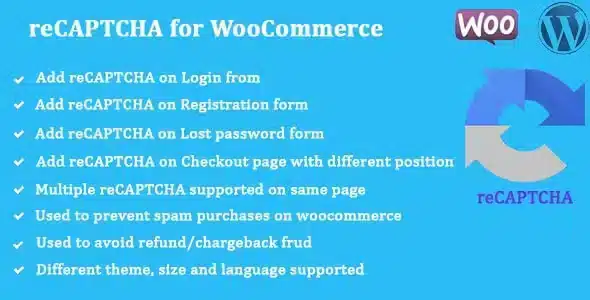
- Integrate the reCAPTCHA system into common WooCommerce forms, such as user registration, login, password recovery, or checkout steps, to verify that the interaction comes from a real person.
- It usually allows a usability-focused approach, applying visual or invisible validations that run in the background, so that protection is maintained without generating unnecessary friction in the purchase process.
- It facilitates control over which forms are protected and how verification elements are displayed, helping to better organize the flow of interaction with users according to the type of content or transaction.
- In this type of tool, it is common for the administrator to have options to connect to the reCAPTCHA account keys and adjust the basic behavior, maintaining a balance between security and convenience.
- It is also common for the plugin to respect WooCommerce's native validations, adding its own layer of verification without altering the overall functioning of the registration, identification, or payment process in the store.
Use cases
- A store selling physical or digital products that receives registration forms and orders from multiple countries and observes a sudden increase in fake accounts or anomalous shopping carts, where reCAPTCHA verification helps filter out much of that automated activity.
- A course or membership platform that uses WooCommerce to manage access, where protecting the sign-up and login forms is essential to prevent massive bot registrations and keep the community under control.
- A corporate or professional services website with contact and quote request forms integrated with WooCommerce, which wants to reduce the number of spam messages before they reach the sales or customer service team's email.
Frequently Asked Questions about the reCAPTCHA Plugin for WooCommerce
In which parts of my store can I use the reCAPTCHA Plugin for WooCommerce?
This type of plugin is typically used in key WooCommerce forms, such as customer registration, account login, password recovery, and checkout steps. The goal is to protect against points where a bot could abuse the system by creating mass accounts or repeatedly attempting to log in.
Does the reCAPTCHA plugin for WooCommerce affect the customer experience when buying?
The idea is to make the protection as unobtrusive as possible. Depending on the reCAPTCHA configuration used, the user may see a small visual challenge or simply a silent verification. In practice, most actual shoppers complete the process without any issues.
Does this type of plugin really help reduce spam in my online store?
Yes, in most stores, implementing reCAPTCHA on sensitive forms significantly reduces the volume of fake registrations and automated submissions. It doesn't replace other security measures, but it acts as a very effective first filter against generic bots and automated scripts.
Can I choose which specific forms to activate the reCAPTCHA Plugin for WooCommerce on?
Typically, tools of this type provide the administrator with options to select which forms will be subject to verification. This allows you to protect only the most critical points, such as login or checkout, while keeping other, less sensitive forms protected.
Is it advisable to use reCAPTCHA in the website's contact form as well?
Many WordPress projects that integrate WooCommerce also choose to protect their contact form, especially when they receive a high volume of spam or automated messages. Including a reCAPTCHA verification at this point helps keep emails and sales team requests cleaner.
Can the reCAPTCHA Plugin for WooCommerce coexist with other security measures?
In general, this type of plugin integrates seamlessly with other common WordPress security practices, such as using strong passwords or limiting login attempts. Its function is to add an extra layer of human verification to forms.
Conclusion
The reCAPTCHA plugin for WooCommerce is a practical solution for strengthening the protection of key forms in WordPress-based stores. By filtering automated interactions, it helps maintain cleaner data, more reliable checkout processes, and more organized daily management, without introducing unnecessary complexity to your project.
Latest update:

Written by: WPClub
With over seven years of experience curating, managing, and distributing GPL products, our content is based on hands-on experience, technical review, testing, and feedback from thousands of users. We aim to democratize and simplify the WordPress world so you can choose with confidence, speed, and ease.
Your Individual Purchase Includes:
- Lifetime updates.*
- Official product, ready to use.
- Immediate access to the product.
- Clean and virus-free files.
- GNU GPL V2/V3 License
- Technical support in Spanish and English.
* In the case of memberships, the period during which you will receive updates will depend on the type of membership purchased: monthly, annual, or lifetime.
Notify Update
We update products Monday through Friday. However, if the product you see is not yet updated, you can notify us so we can prioritize updating it whenever possible.
Get your questions answered here
Here you'll find answers to frequently asked questions about our service: how it works, what it includes, and how to get the most out of it.
On how many websites can I use the products?
You can use any product from our store on any website you want.
Will I get updates?
Absolutely. If you buy an individual product, you'll get lifetime updates for that product.
On the other hand, if you purchase a membership, you will receive updates until your membership expires.
What if I have a problem?
First of all, we want you to know that you can count on us. We will assist you and provide the necessary support, so you can rest assured.
On the other hand, it is important for you to know that, given the time difference between countries, your time and ours may not be the same, so we will be delayed accordingly.
Our opening hours start at 9 AM from Monday to Friday, UTC -3. We are open until around 6 PM.
Do they provide technical support?
Yes, and regarding the time, it is usually on average within 24 to 48 business hours.
However, there are times when we have already provided an answer and solution in less than a day, depending on the case.
Are there download limits?
No. We don't believe in that format, so you can download as many times as you want. No problem. We pay for high-quality professional storage precisely to avoid problems.
Do they provide license keys?
No. Giving out the keys is not a viable option, as we have had experiences where they end up circulating everywhere and we can even lose the associated accounts.
That said, all products are original and, in cases where a license key is required to function, we will take care of pre-activating them for you.
Does my purchase include an invoice?
Yes. After payment, you will be able to access your invoice immediately in the "Purchases" section of your user account.
That is why it is important that you properly complete the information requested at the time of payment.
Is there a warranty?
Yes, of course. If there's a problem we can't resolve, or if there's an external issue that doesn't have a general solution, you'll receive support and, if necessary, a full refund. We have a 14-day refund policy from the date of purchase.
- It should be noted that there is no warranty if the product works well and it simply wasn't what you wanted.
There have been instances where someone buys a product, the product works perfectly, but they don't like it and want a refund, keeping the product. That's not right.
However, everything is evaluable and reasonable. Let's use judgment together.
What are the opening hours?
Our opening hours are:
- Monday to Friday, from 9 a.m. to 6 p.m.
- Saturday and Sunday: No service.
UTC -3 time

Our Reputation on Trustpilot
Many thanks to those who take the time to give us a rating on Trustpilot. Each and every one of your comments is very helpful to us. We strive to provide a rewarding experience for every member of our community, always with respect and care. We'll be here!






















WPClub Memberships
Access our entire catalog for a single payment. We offer three memberships: Monthly, Annual, and Lifetime (One-Time Payment).
- Save thousands of dollars
- Unlimited daily downloads
- No recurring payments
- Fast downloads by AWS
- Quality service and support, validated since 2018
- We work with love for our community