
Social Live Video Auto Embed for WordPress 4.1.1


- Secure Payment
- Support from Monday to Friday
- With you since 2018
$65.00 El precio original era: $65.00.$9.99El precio actual es: $9.99.
Quick summary
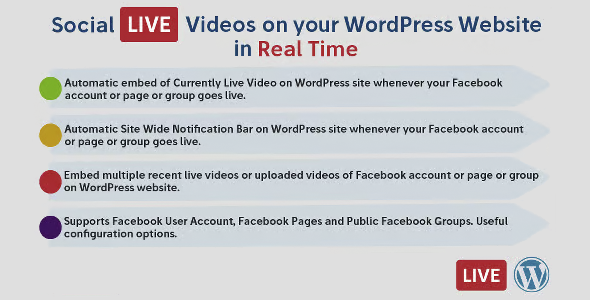
Social Live Video Auto Embed for WordPress is a plugin designed to easily integrate live social media streams into your WordPress site or WooCommerce store. It automates the embedding of live videos on pages, posts, or product listings, helping to improve engagement, trust, and conversions without complex manual processes.
Overview
This type of plugin focuses on detecting and displaying live videos from social media platforms directly on your WordPress site. Its main function is to simplify the integration of streaming content, eliminating the need to copy embed codes, manually update links, or modify templates every time you start a new stream.
In WordPress projects, it's used to strengthen brand presence, improve audience engagement, and leverage the potential of real-time video without leaving the site's ecosystem. It's especially useful when frequently streaming live and you want the content to be displayed consistently and automatically on key marketing pages or in the product catalog.
What is the purpose of Social Live Video Auto Embed for WordPress?
Social Live Video Auto Embed for WordPress helps solve the problem of having to manually embed each new live stream on your website. Without this automation, many businesses waste time and, sometimes, miss out on visibility opportunities because their pages don't update in time when a live stream is active.
For e-commerce, it allows you to display live videos related to launches, product demonstrations, or special events directly in the store. On membership websites, it helps offer live sessions visible to members without additional technical steps. On corporate websites or landing pages, it makes it easy to highlight webinars, presentations, or live announcements, continuously reinforcing communication and digital marketing.
Who is it ideal for?
- Online stores and businesses that frequently conduct live streams on social media to showcase products, answer questions in real time, or present new items, and want that content to be automatically displayed on sales pages or blogs.
- Content projects, online academies, and communities that organize webinars, talks, or live events and want to seamlessly integrate them into their WordPress site, while maintaining a website-centric experience.
- Marketing teams, content managers, and communications professionals looking to automate processes, improve conversion with live video, maintain visual consistency, and reduce repetitive tasks related to video embedding and constant updates.
Key benefits
- Increase efficiency by automating the insertion of live streams, preventing the administrator from having to copy and paste codes or links every time a live stream starts, thus simplifying the daily workflow.
- It enhances the end-user experience by displaying live content in strategic locations on the site, without unnecessary redirects, making it easier for visitors to stay connected with the brand while browsing the store or site.
- It offers flexibility and customization by allowing you to decide in which areas of the site live videos will be displayed, how they will be integrated with the current design, and what types of content will be prioritized, while maintaining the overall aesthetic of the project.
- It helps with scalability in stores with many products or sections, as it centralizes the video embedding logic, making it possible to reuse the same configuration on multiple pages without having to edit them one by one.
- It reduces human error and saves time by decreasing the need for manual updates, minimizing the likelihood of broken links, expired embeds, or oversights when launching a new live session on social media.
Main features of Social Live Video Auto Embed for WordPress
- It allows you to embed live videos from popular social networks directly into pages, posts, or custom sections of your WordPress site, taking advantage of the standard embedding functionality of these platforms.
- It usually includes options to manage how and where live streams are displayed, such as selecting specific areas of the site, specific templates, or specific types of content, facilitating a configuration adapted to different content strategies.
- It promotes a clear organization of the workflow, since the logic of detecting and inserting live streams is concentrated in a single configuration point, simplifying the control and periodic review of the streaming content.
- It usually works by monitoring the transmissions associated with certain accounts or social pages, so that when it detects available live content it automatically generates the corresponding embed in the defined areas.
- In many cases, it allows you to combine live video with recorded content when there are no active broadcasts, always maintaining a relevant video block without requiring continuous changes from the site administrator.
- It is usually integrated with the WordPress editing system to facilitate the insertion of blocks or shortcodes on specific pages, offering the editor simple control over which sections will display live streams without advanced technical knowledge.
Use cases
- Case 1: A WooCommerce store that regularly hosts live streams to showcase products in real time and answer questions. The plugin allows each new live stream to automatically appear on the homepage or in a specific category, without the team having to manually update the website.
- Case 2: An online training project that organizes live classes through social media. With this type of tool, sessions can be viewed directly on course pages or private areas of the site, keeping students within the same browsing experience.
- Case 3: A corporate website that hosts press conferences, presentations, or live events. The plugin helps each new broadcast automatically integrate into the news section or a dedicated landing page, eliminating the need for last-minute adjustments.
Frequently Asked Questions about Social Live Video Auto Embed for WordPress
What are the advantages of Social Live Video Auto Embed for WordPress compared to manually embedding videos?
This type of tool eliminates the need to copy embed codes or links every time you start a live stream. It automates the detection and insertion of live video into the sections you define, reducing repetitive tasks and ensuring that visitors always see the latest live stream without delay.
Can I choose which pages display live videos?
Usually, yes. It's common for plugins of this type to offer controls for deciding which pages, posts, or templates will display live content. This allows you to reserve the video for the homepage, product pages, course sections, or specific areas that fit your marketing strategy.
Does this plugin only work for online stores or also for other types of websites?
It's useful for stores, blogs, corporate websites, educational projects, and online communities. Any site that uses live streaming on social media can benefit from automating its embedding, whether for showcasing products, teaching classes, hosting events, or communicating news in real time.
What happens on my site when there are no live streams?
The standard configuration of these tools allows you to display a default status when no live streams are available. Depending on the project's focus, you can choose to display a previous video, an informational message, a featured image, or other static content to keep the section engaging.
Is the plugin difficult to manage for someone without technical experience?
Most auto-embed solutions are designed with content editors and marketing professionals in mind, not just developers. They typically offer clear interfaces and straightforward options for selecting social media accounts, defining embed areas, and adjusting the presentation, without requiring advanced coding or template knowledge.
Can it improve my conversions or marketing results?
Using live video on key pages typically increases attention and dwell time, which can positively impact conversion rates. By automating live streams on product pages, launch pages, or webinars, you make it easier for more visitors to see the right content at the right time.
Conclusion
Social Live Video Auto Embed for WordPress is a solution designed to automatically and seamlessly integrate live streams into your WordPress project. It simplifies the management of streaming content, enhances the user experience, and helps align social media efforts with the goals of your website or online store.
Latest update:

Written by: WPClub
With over seven years of experience curating, managing, and distributing GPL products, our content is based on hands-on experience, technical review, testing, and feedback from thousands of users. We aim to democratize and simplify the WordPress world so you can choose with confidence, speed, and ease.
Your Individual Purchase Includes:
- Lifetime updates.*
- Official product, ready to use.
- Immediate access to the product.
- Clean and virus-free files.
- GNU GPL V2/V3 License
- Technical support in Spanish and English.
* In the case of memberships, the period during which you will receive updates will depend on the type of membership purchased: monthly, annual, or lifetime.
Notify Update
We update products Monday through Friday. However, if the product you see is not yet updated, you can notify us so we can prioritize updating it whenever possible.
Get your questions answered here
Here you'll find answers to frequently asked questions about our service: how it works, what it includes, and how to get the most out of it.
On how many websites can I use the products?
You can use any product from our store on any website you want.
Will I get updates?
Absolutely. If you buy an individual product, you'll get lifetime updates for that product.
On the other hand, if you purchase a membership, you will receive updates until your membership expires.
What if I have a problem?
First of all, we want you to know that you can count on us. We will assist you and provide the necessary support, so you can rest assured.
On the other hand, it is important for you to know that, given the time difference between countries, your time and ours may not be the same, so we will be delayed accordingly.
Our opening hours start at 9 AM from Monday to Friday, UTC -3. We are open until around 6 PM.
Do they provide technical support?
Yes, and regarding the time, it is usually on average within 24 to 48 business hours.
However, there are times when we have already provided an answer and solution in less than a day, depending on the case.
Are there download limits?
No. We don't believe in that format, so you can download as many times as you want. No problem. We pay for high-quality professional storage precisely to avoid problems.
Do they provide license keys?
No. Giving out the keys is not a viable option, as we have had experiences where they end up circulating everywhere and we can even lose the associated accounts.
That said, all products are original and, in cases where a license key is required to function, we will take care of pre-activating them for you.
Does my purchase include an invoice?
Yes. After payment, you will be able to access your invoice immediately in the "Purchases" section of your user account.
That is why it is important that you properly complete the information requested at the time of payment.
Is there a warranty?
Yes, of course. If there's a problem we can't resolve, or if there's an external issue that doesn't have a general solution, you'll receive support and, if necessary, a full refund. We have a 14-day refund policy from the date of purchase.
- It should be noted that there is no warranty if the product works well and it simply wasn't what you wanted.
There have been instances where someone buys a product, the product works perfectly, but they don't like it and want a refund, keeping the product. That's not right.
However, everything is evaluable and reasonable. Let's use judgment together.
What are the opening hours?
Our opening hours are:
- Monday to Friday, from 9 a.m. to 6 p.m.
- Saturday and Sunday: No service.
UTC -3 time

Our Reputation on Trustpilot
Many thanks to those who take the time to give us a rating on Trustpilot. Each and every one of your comments is very helpful to us. We strive to provide a rewarding experience for every member of our community, always with respect and care. We'll be here!






















WPClub Memberships
Access our entire catalog for a single payment. We offer three memberships: Monthly, Annual, and Lifetime (One-Time Payment).
- Save thousands of dollars
- Unlimited daily downloads
- No recurring payments
- Fast downloads by AWS
- Quality service and support, validated since 2018
- We work with love for our community